
Results, Downloads, and Edits
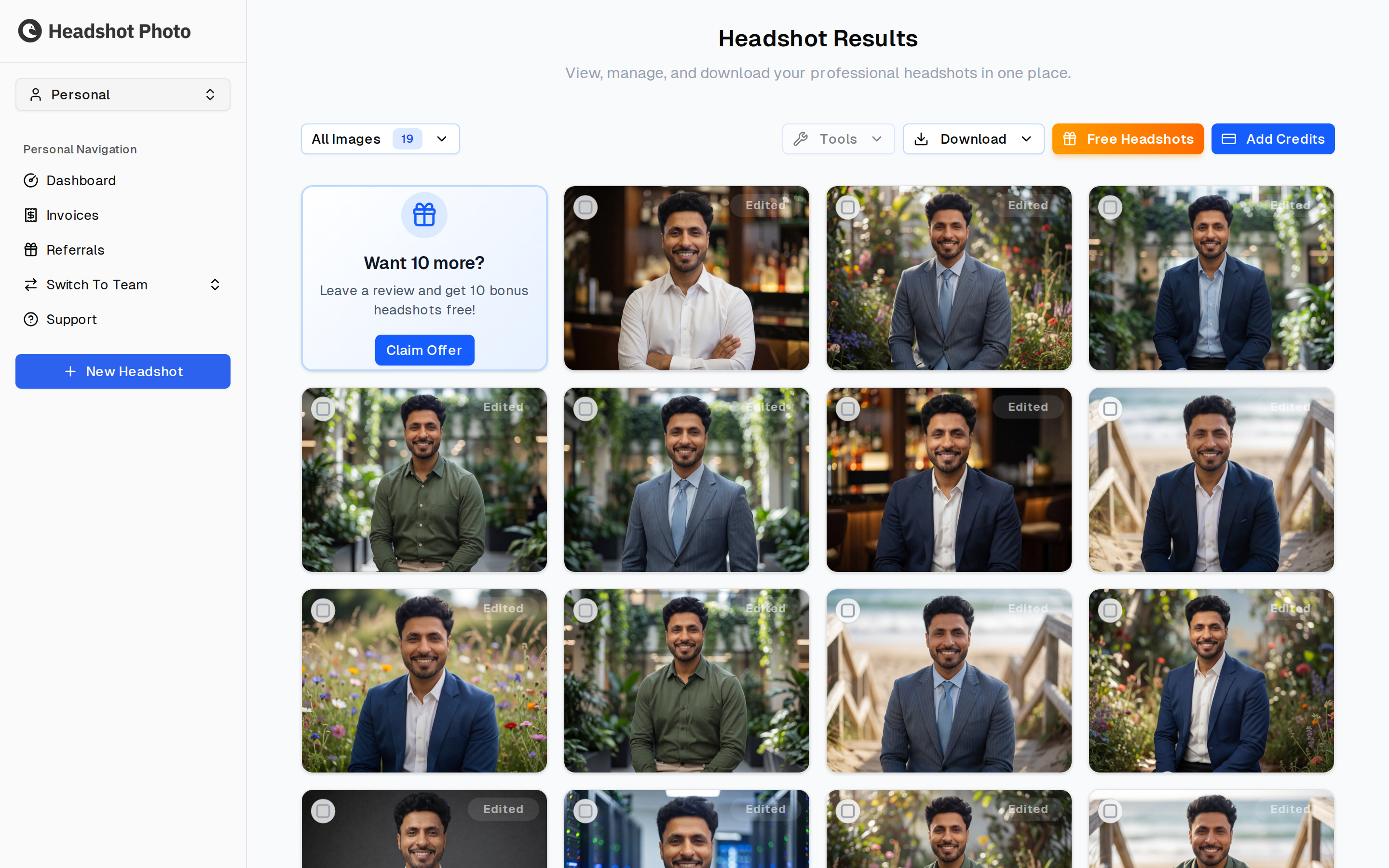
The results page is where you review all generated headshots and choose the best images for your professional profiles.
Reviewing Results
Review the full gallery before downloading. Look for:
- Natural expression
- Good resemblance
- Clear eyes and face
- Professional posture
- Background and clothing that match your intended use
The app may show filters such as all images, liked images, edited images, and hidden images so you can organize the gallery.
Downloading
You can download:
- All images
- Selected images
- Individual favorites
Downloaded images are ready to use for LinkedIn, resumes, company profiles, portfolios, and other professional pages.
How Downloads Are Named
Files are named after the person in them, so a folder of headshots is readable without opening anything:
margot_favret_md_cardiologist_a7Kd9x2mQp.png
The short code on the end is that individual headshot's id — it keeps each of your images distinct from the others. If a session has no meaningful name on it, the files keep plain id-only names instead.
The ZIP also carries the project id, which is what support will ask for if you ever need to quote a download you saved months earlier.
Free Headshots
The Free Headshots button in the toolbar opens your referral link. Share it, and when someone buys through it you earn free headshots — see Referrals for what you get and how to claim it.
Editing Tools
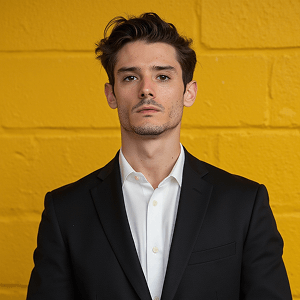
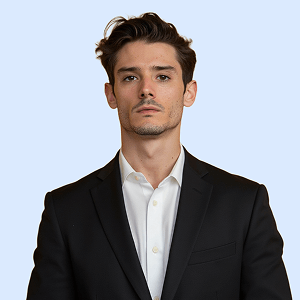
Use edit tools to refine your favorite results. Available tools can include background changes, background removal, color improvements, and upscaling.
Original
Changed Background
Removed Background

Reshoots
A reshoot trains a brand-new AI model on fresh photos and generates a new collection. It does not regenerate this session — your existing headshots stay exactly where they are, and the reshoot appears alongside them on your dashboard as a separate entry, so you can compare the two and keep whichever you prefer.
When a Reshoot Is Available
Two conditions decide it, and the dialog tells you which one failed:
| Condition | What it means |
|---|---|
| The session has finished | Available once the session is completed or has failed. A session still generating cannot be reshot — wait for it to land. |
| The reshoot has not been used | One reshoot per session, ever. Once used, neither the original nor the new session can be reshot again. |
If neither holds, the button opens a Reshoot Not Available dialog naming the reason.
What It Costs
| Plan | Reshoot |
|---|---|
| Enterprise | Free — shown as Included with your plan |
| Premium | Paid, at the reshoot price shown in the dialog |
| Basic | Paid, at the reshoot price shown in the dialog |
Team members are on Premium sessions, so a member reshoot is a paid one. See For Team Members.
What You Get
Whichever way it is paid for, a reshoot gives you a newly trained model built from your latest photos, a full new collection of high-resolution headshots, and the freedom to pick different outfits and settings. You re-upload photos and reconfigure the session from scratch — nothing carries over from the original except your account and plan.
Free Bonus Headshots for a Review
While the gallery is on the All filter, a card offers "Want 10 more? Leave a review and get 10 bonus headshots free!" — click Claim Offer to open it.
How the Claim Works
- Leave a review. Write a Review opens the review site in a new tab.
- Confirm you submitted it by ticking I've submitted my review. The Next button stays disabled until you do.
- Choose one bonus background from the searchable grid. All 10 bonus headshots use this single style, so pick the one you actually want more of.
- Submit the claim.
The card disappears from the gallery once you have claimed, so its absence means the claim is recorded, not lost. The offer is one per session.
Best Practice
Download a small final set for each use case:
- One polished LinkedIn profile photo
- One warmer, approachable photo for social or internal profiles
- One formal option for resumes, proposals, or speaking bios