
Credits
Credits are how a team pays for headshots. You buy them up front, and each member you invite spends one.
One Credit, One Member
The arithmetic is deliberately simple:
So a team of 40 people needs 40 credits. Nothing about your backdrop or clothing selections changes that number, which means you can settle those choices without worrying about the bill.
Two things do not spend a credit:
- Admin invitations. Inviting an administrator creates an administrator record only, not a headshot session. See Team Settings.
- Invitations on a self-billing team. If Members pay for their own session is on, the member buys their own plan and no team credit is consumed.
Credits are pooled at the team level and shared first-come, first-served as members finish. A member who cannot generate because the balance is zero is unblocked the moment you top up.
What a Credit Costs
Credits are priced per member and bought on a sliding scale rather than in fixed packages. The list price is $39 per member, and the app shows localized pricing where available, so the currency on your screen may differ.
The Volume Discount
Buying for more members lowers the price of every credit in the purchase:
| Members in the tier | Discount | Effective price per credit |
|---|---|---|
| 1-4 | — | $39.00 |
| 5-9 | 20% off | $31.20 |
| 10-49 | 30% off | $27.30 |
| 50-199 | 50% off | $19.50 |
| 200 or more | 60% off | $15.60 |
The discount applies to the whole purchase, not just the credits above the threshold, so crossing a boundary is always worth doing. Nine members cost $280.80; ten cost $273 — one more person for less money.
Credits You Already Bought Count Toward the Tier
This is the part worth knowing, because nothing on screen explains it:
A team that has already bought 45 credits and returns for 10 more is at 55 for tier purposes, so that second purchase is priced at 50% off rather than 30%. The Total Credits figure on the billing page is the lifetime number the calculation uses, so a team that has spent its balance down to zero keeps the tier it earned.
Your first purchase, during team setup, has no history behind it — there the tier follows the member count alone.
Buying Credits
During Team Setup
The last step of the setup wizard is payment:
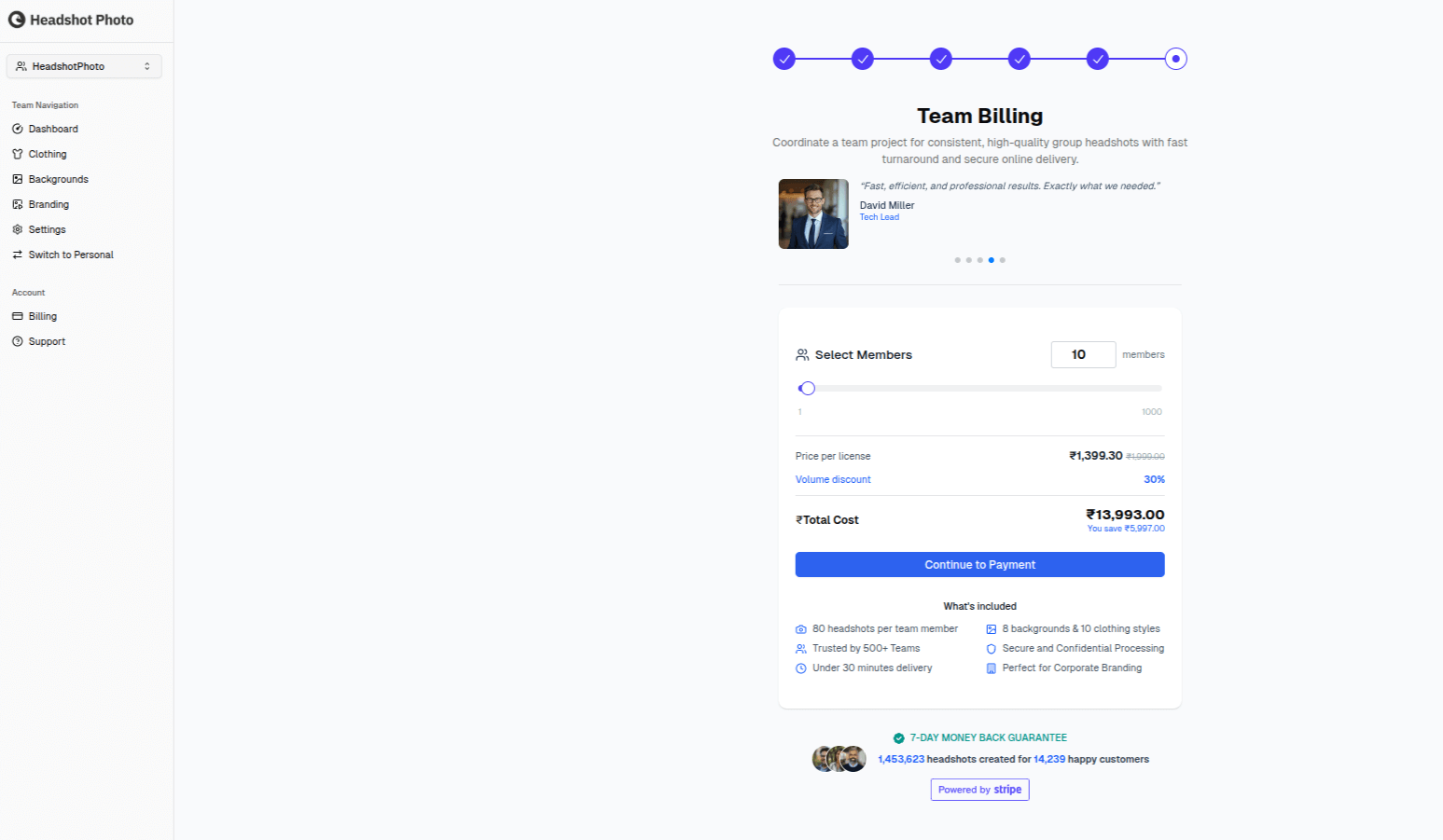
- Set the member count with the slider, or type it into the box beside it
- Check the price per license, the discount, and the total
- Complete checkout via Stripe
- Credits are added to your team immediately
From the Dashboard
Add more at any time:
- Go to your Team Dashboard and click Billing in the sidebar
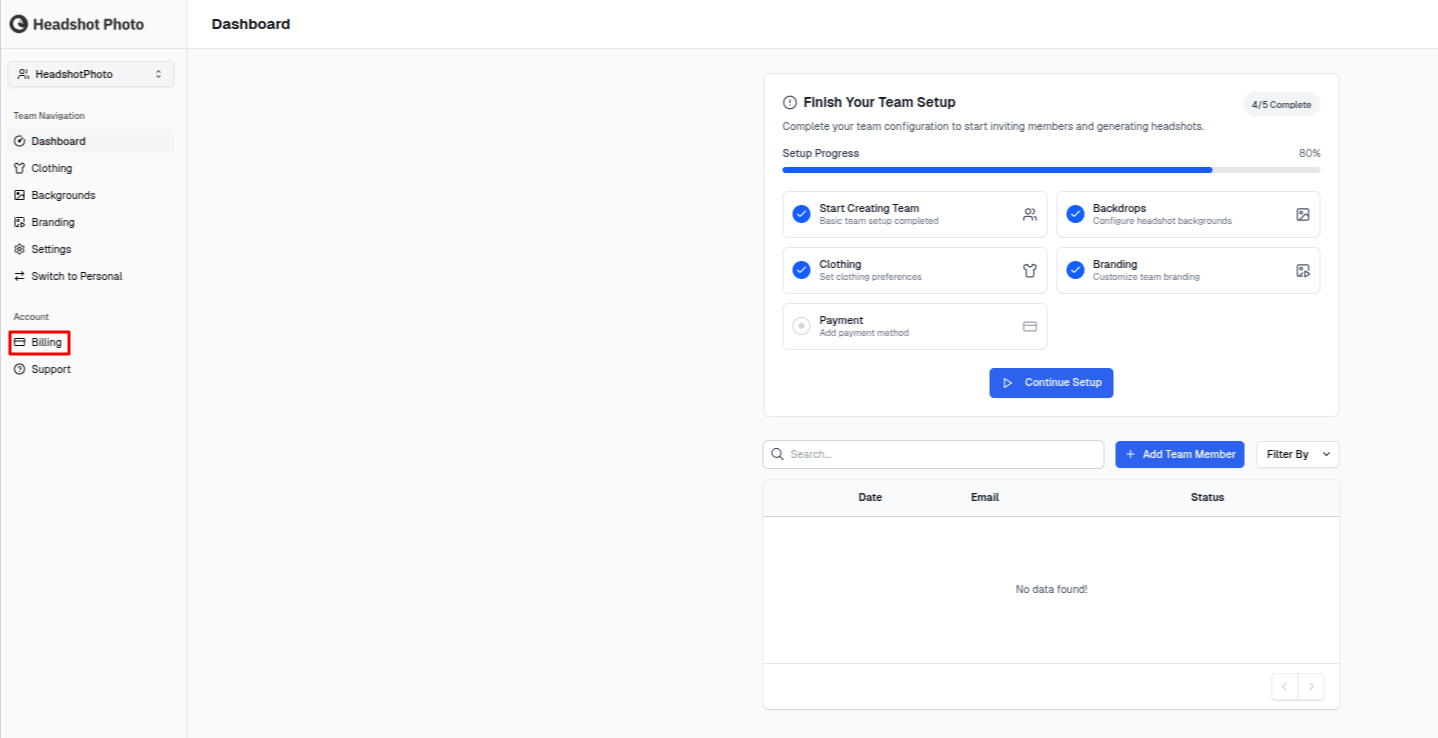
- Open the purchase panel and set the member count
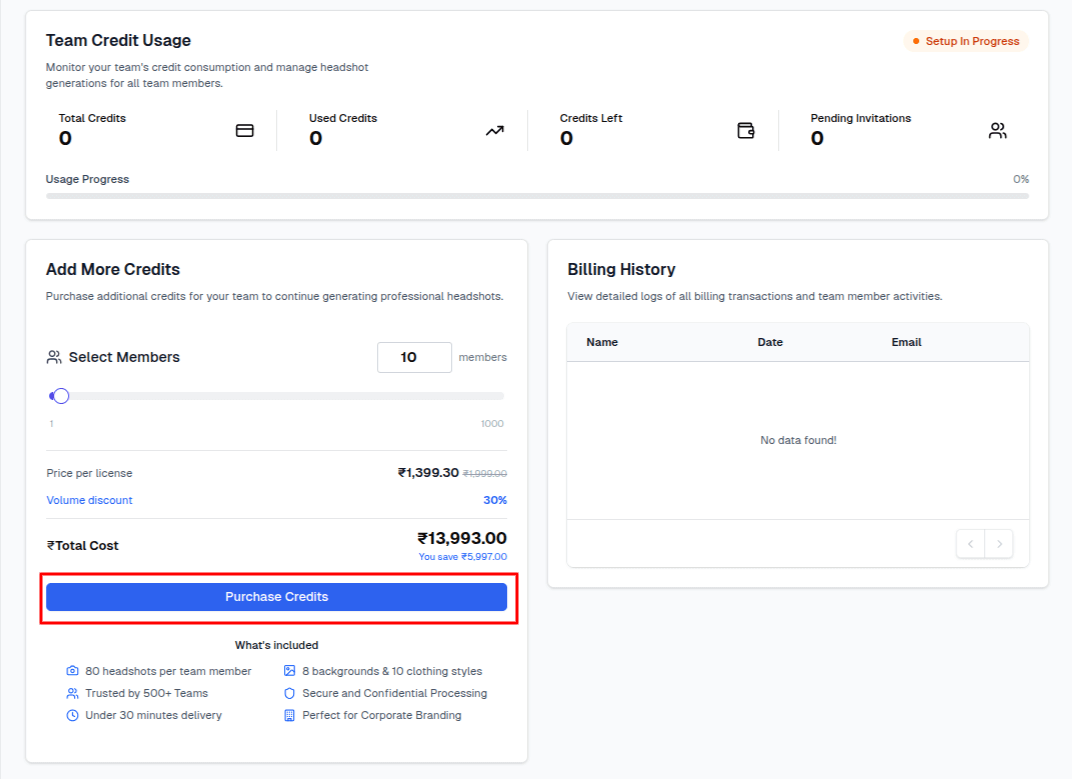
- Complete checkout via Stripe

- Credits are added to your team immediately
The panel updates live as you move the slider: the price per license, the discount percentage, the total, and what you save against the undiscounted price. See Team Billing for the full walkthrough.
Checking Your Balance
Go to Team Dashboard → Billing. The tiles at the top show total credits purchased, credits used, and what remains, with the full transaction history below.
Running Out
Members cannot generate headshots when the balance reaches zero, so buy ahead of a large rollout rather than during one.
Refunds and Expiry
- Credits never expire. They stay on the team account until used.
- Failed generations are refunded automatically. Check the transaction history for the refund entry, and contact support if one is missing.
- Credits cannot be transferred between teams. Each team keeps its own balance.