Three countries. Three sets of rules. Almost every guide online is written by someone trying to sell you a photo app. We checked the actual government sources.
A friend of mine renewed her US passport in March.
She’d taken her photo at a chain pharmacy, the way she’d done it twice before. Same plain background. Same neutral expression. Same process she remembered from 2018.
Three weeks later, she got a letter from the State Department. Photo rejected.
The reason? She was wearing her glasses.
She’d worn glasses in every passport photo she’d ever taken. It had never been a problem. But the US banned glasses from passport photos back in 2016, and not a single person at the pharmacy counter told her the rules had changed. She had to retake the photo, resubmit the application, and wait another six weeks.
She’s not alone. Photo problems are one of the most common reasons passport applications get held up, and the rules keep moving. The US, the UK and Canada have all tightened or clarified their rules on digital editing, filters and AI-generated photos.
If you’re applying for or renewing a passport this year, here’s what you actually need to know, pulled directly from travel.state.gov, GOV.UK, and canada.ca. Not from a photo app vendor’s blog.
What Changed in 2025 and 2026
Three developments are worth understanding before you get to the country-by-country specs.
1. The US is cracking down on edited and AI photos
The State Department’s photo page says: “Do not change your photo using computer software, phone apps or filters,” and that it checks “all photos to ensure they were not digitally enhanced or altered.”
Its online renewal guidance now warns against AI tools as well, and the State Department has repeated that warning on its social channels. Whatever the exact wording, the meaning is the same: if software created or changed your photo, it doesn’t meet the requirements.
2. Canada names AI tools in its official photo rules
Canada’s passport photo page says the photo must be “an original photo that isn’t altered or edited in any way. This includes photo editing software, filters, and AI tools.” The digital photo rules say the same thing: “Altering includes using photo-editing software, filters, or AI tools.”
3. The US announced a do-it-yourself photo process
In July 2026, Secretary of State Marco Rubio said applicants will be able to take their passport photo on their own device and have it checked against facial ID “in real time, through our security system.” At the America.gov launch event in September 2026, he described the new online process as: “No printing forms, no drugstore hostage photo, no appointment, no line, no middleman.”
The system isn’t live for most people yet. Online applications for first-time applicants are expected to start between December 2026 and 2027, and the State Department’s goal is for the vast majority of Americans to apply through America.gov by the end of 2027. For now, the existing process (pharmacy, photo booth, or photographer) is still the standard.
US Passport Photo Requirements (2026)
These specs are from travel.state.gov, the official State Department passport photo page.
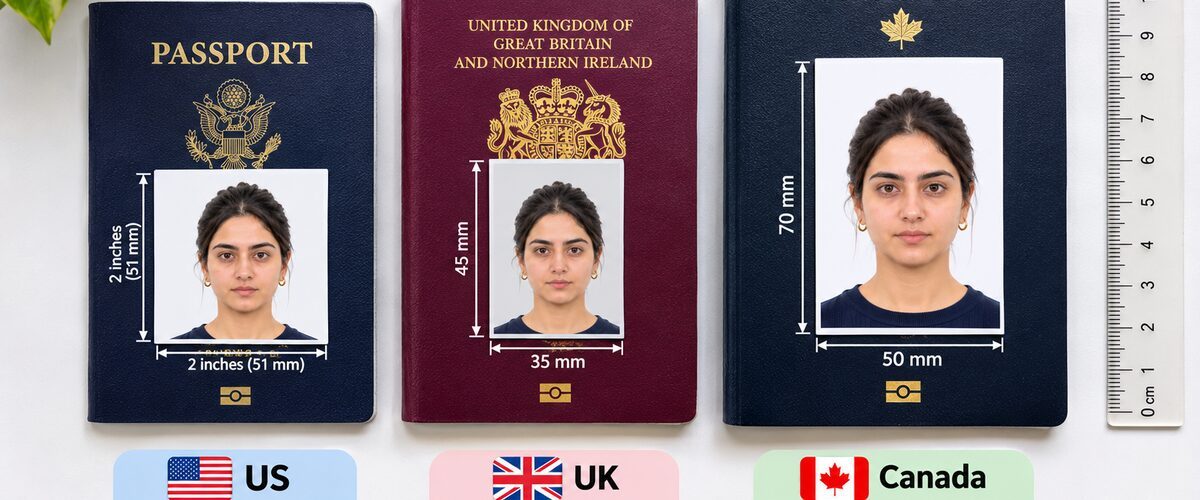
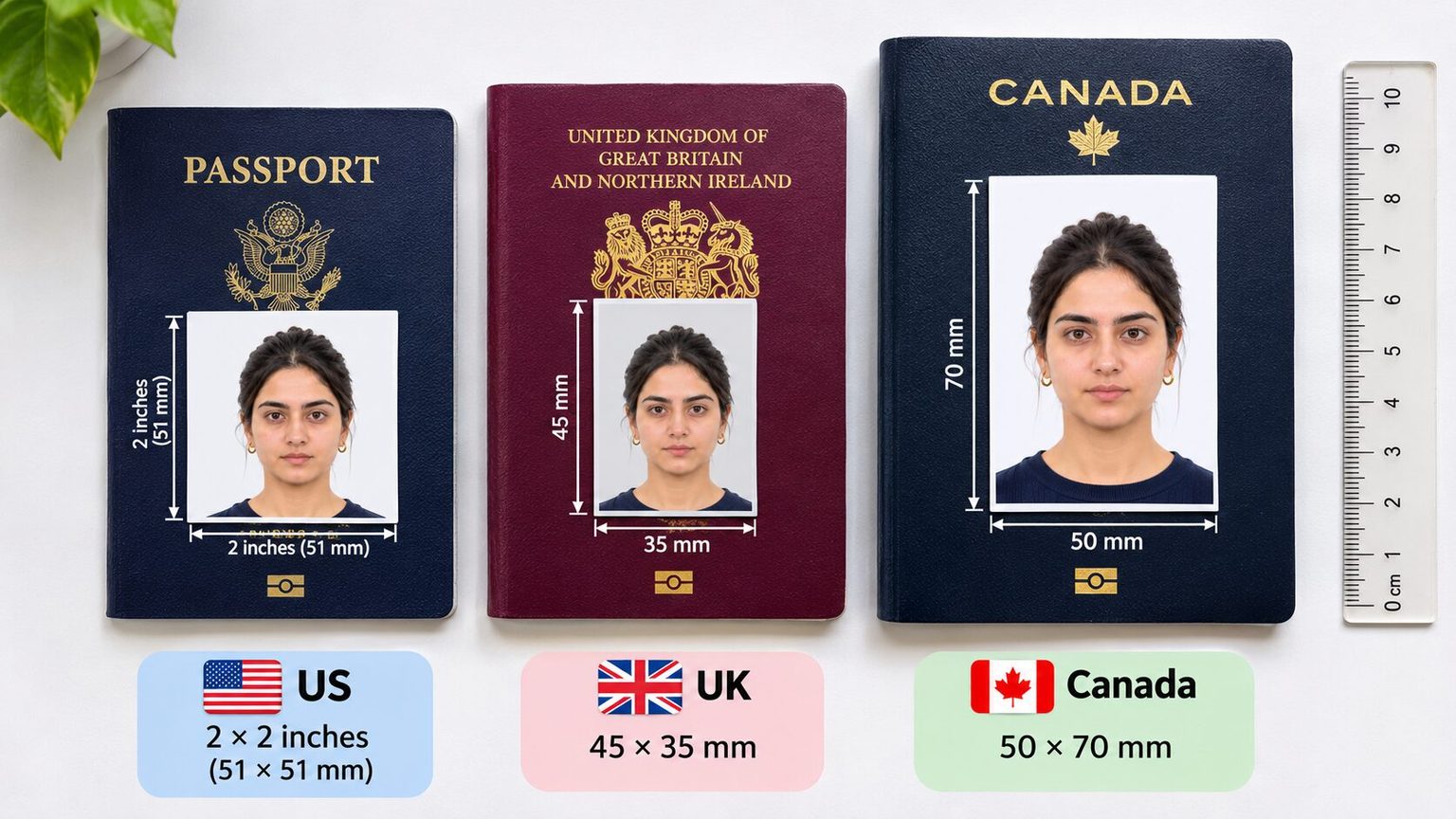
Photo size: 2 x 2 inches (51 x 51 mm).
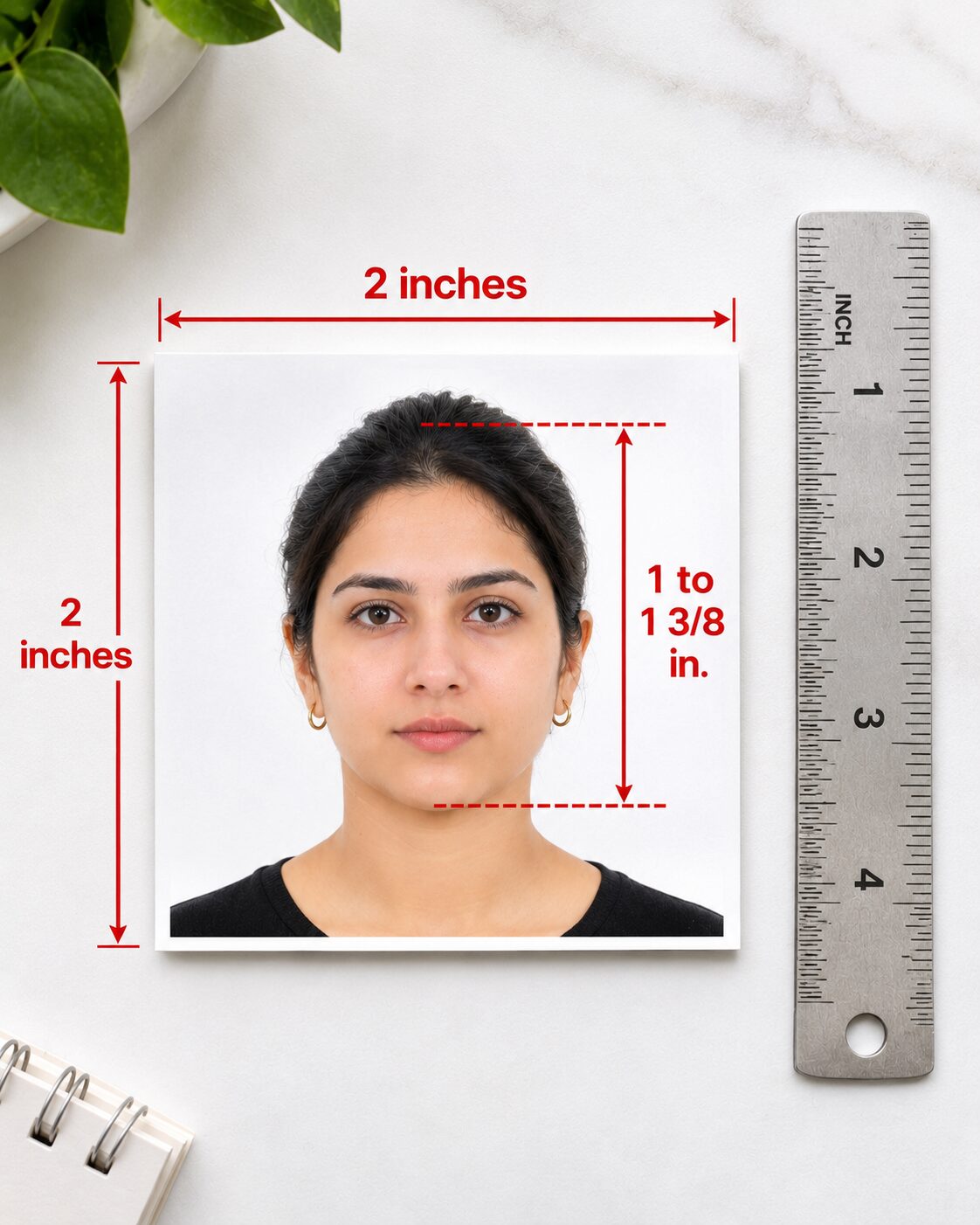
Head size: Your head, measured from chin to the top of your hair (crown), must be between 1 inch and 1 3/8 inches (25 to 35 mm) in the printed photo.
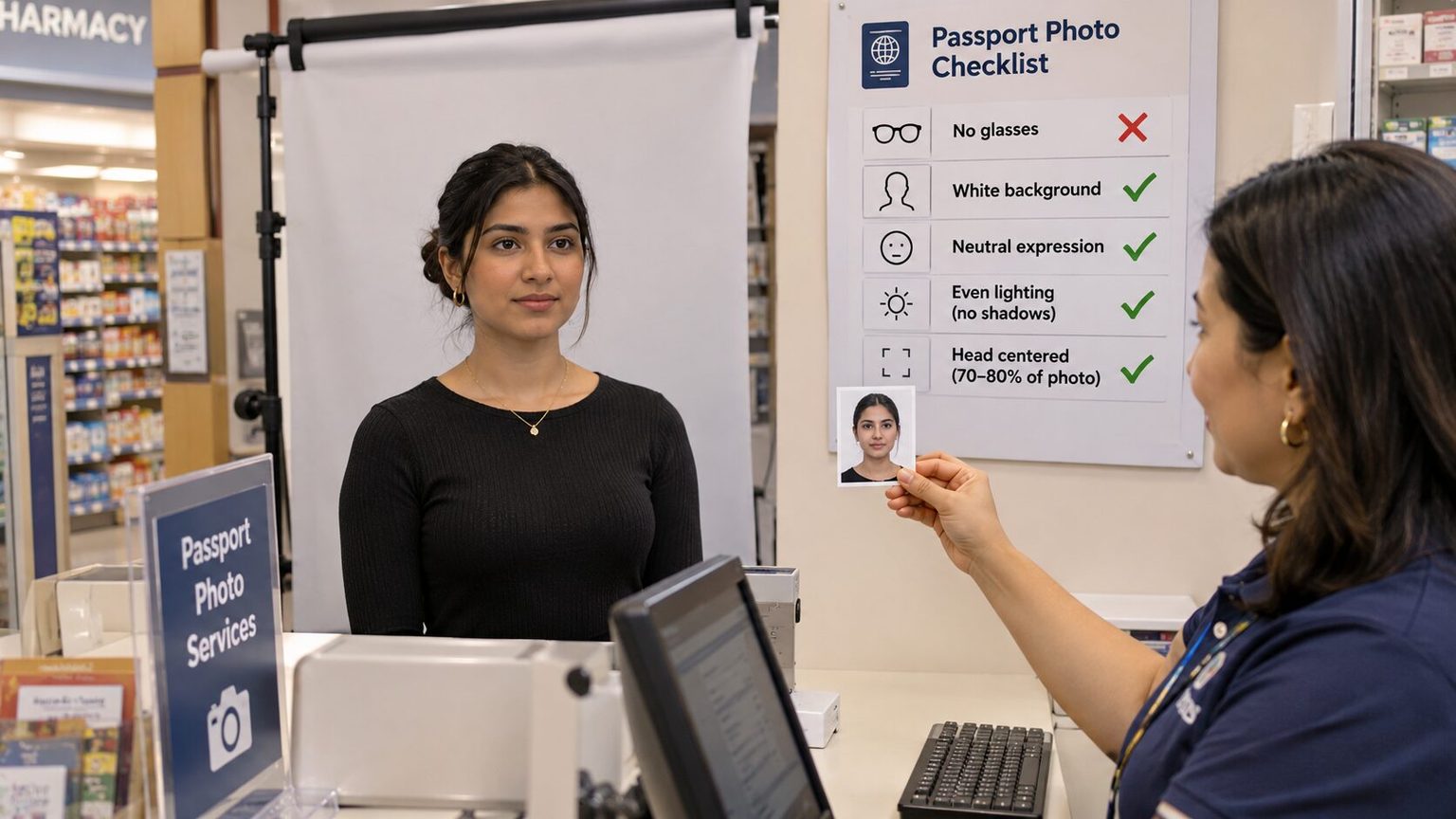
Background: Plain white or off-white. No shadows, textures, lines, or objects behind you. Standing a few feet away from the wall helps you avoid casting a shadow.
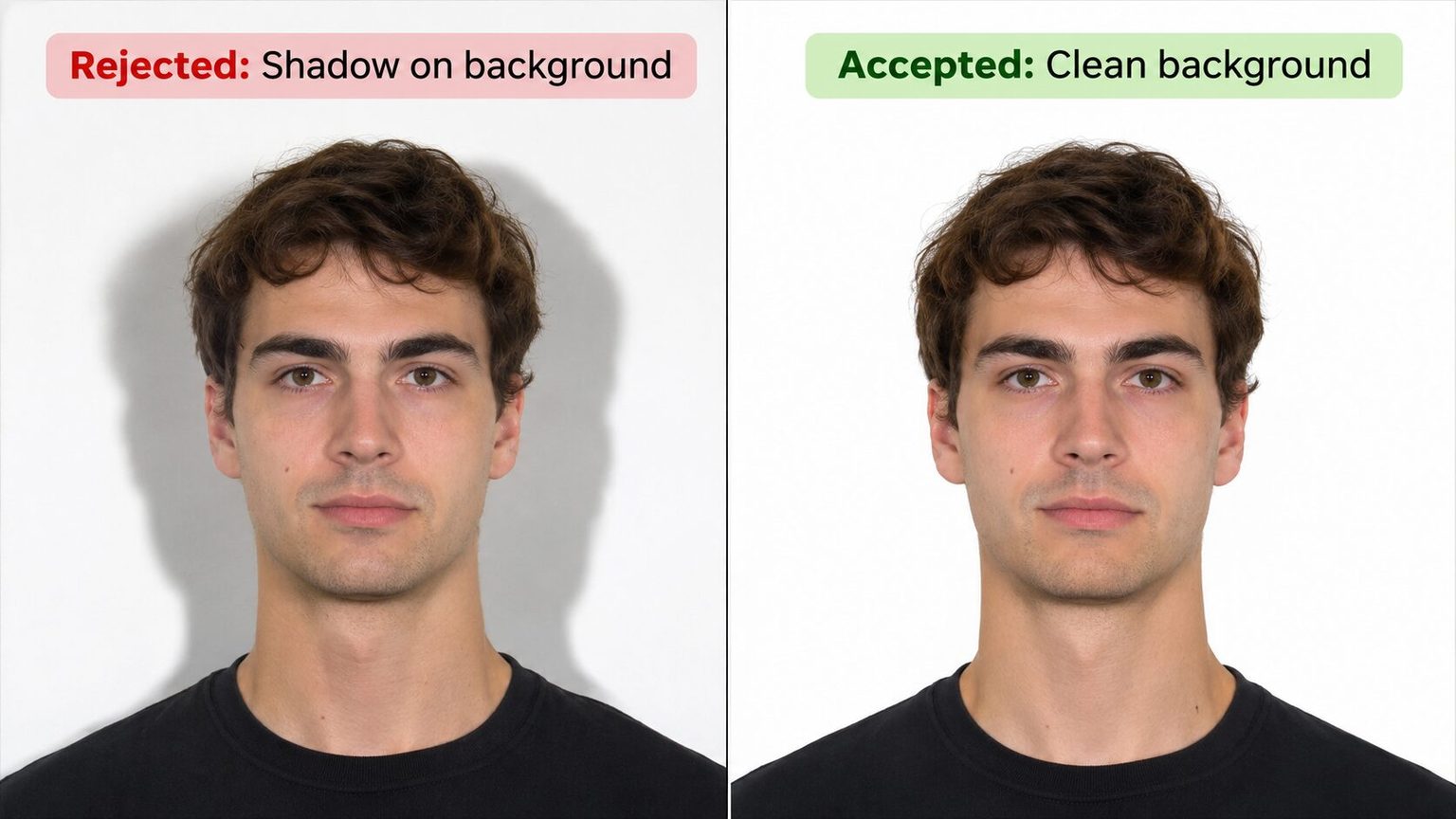
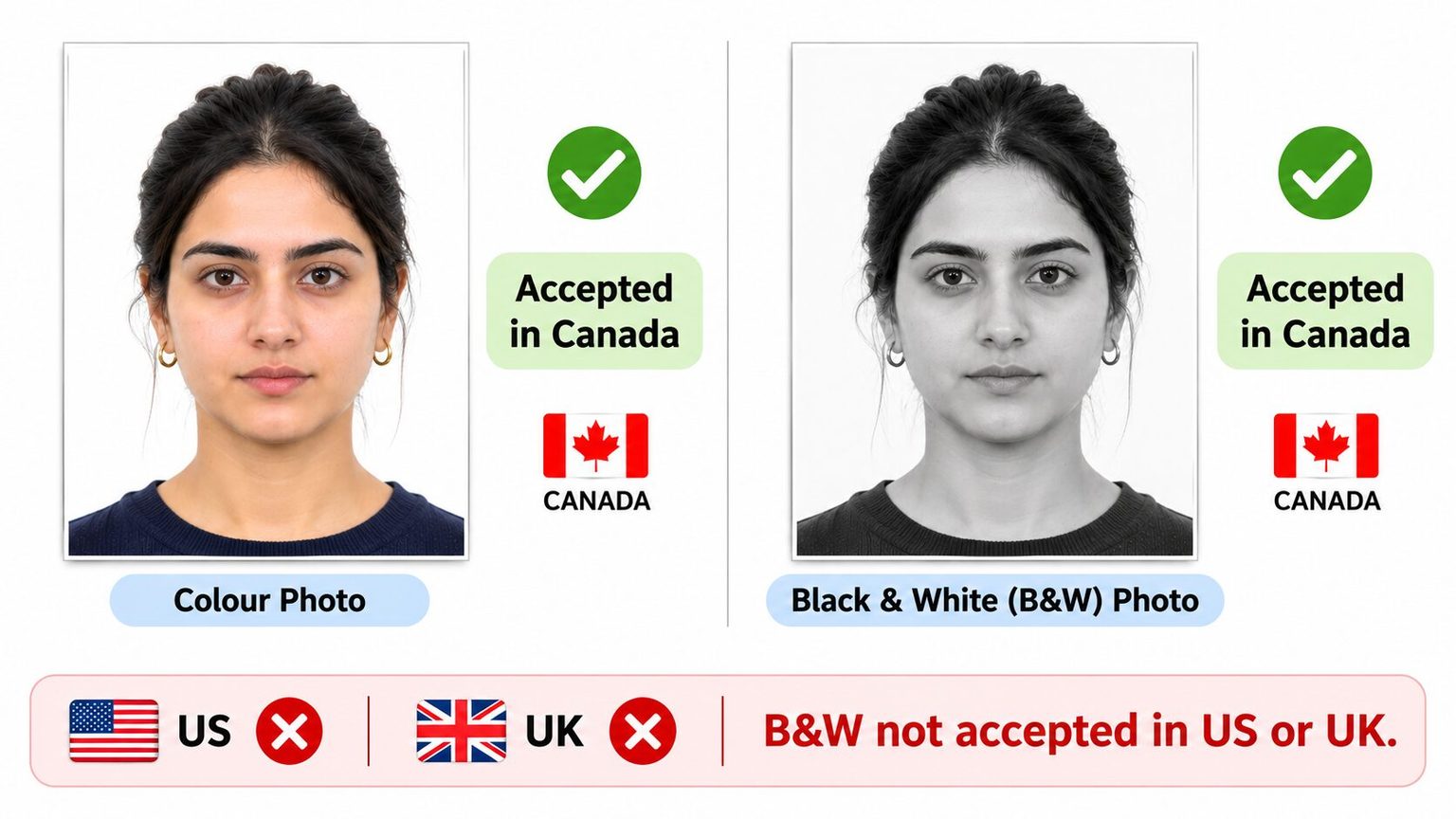
Color: Color photo required. Black and white is not accepted.
Expression: Neutral. Both eyes open, mouth closed. No squinting, no smiling with teeth.
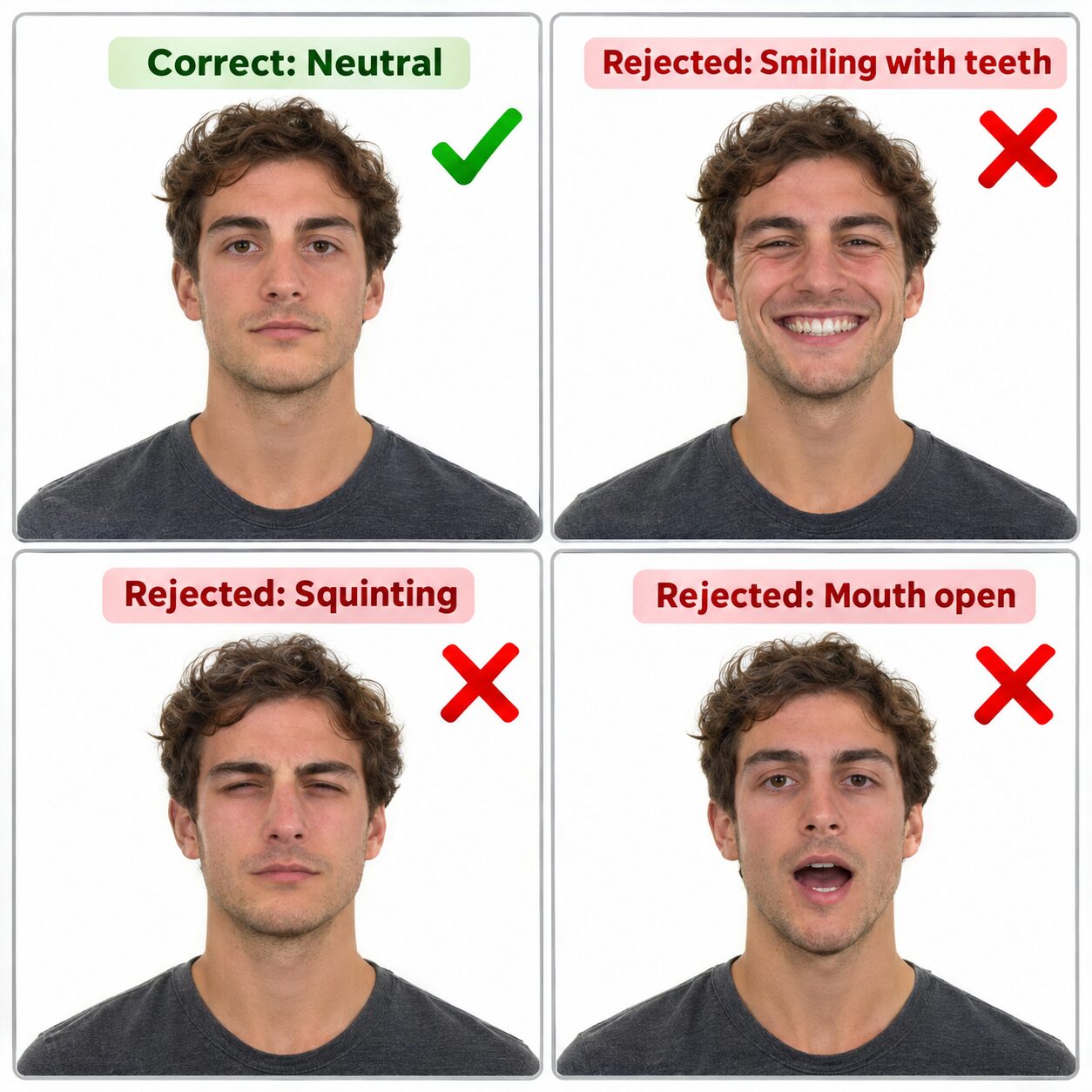
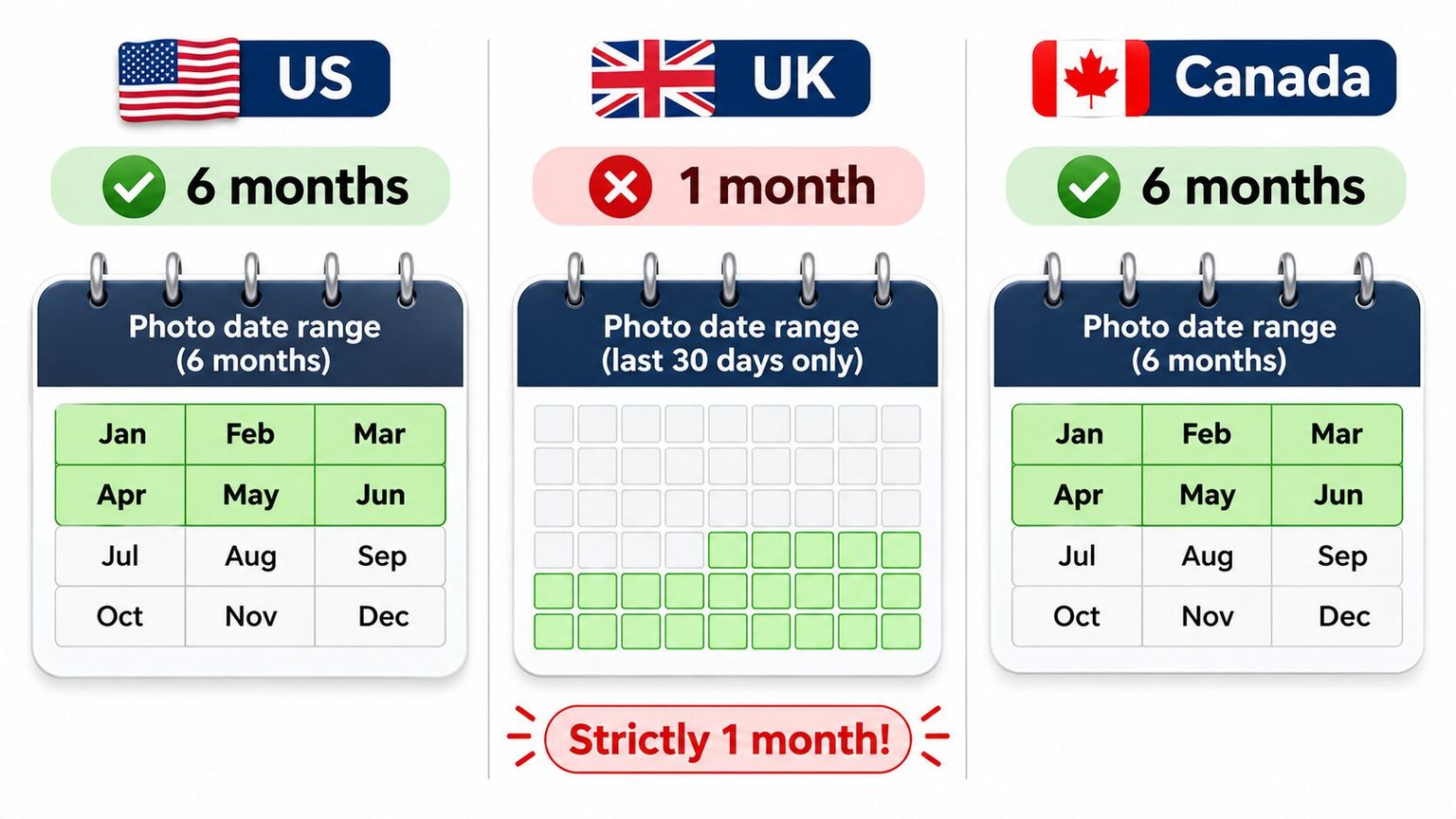
Recency: The photo must have been taken within the last 6 months.
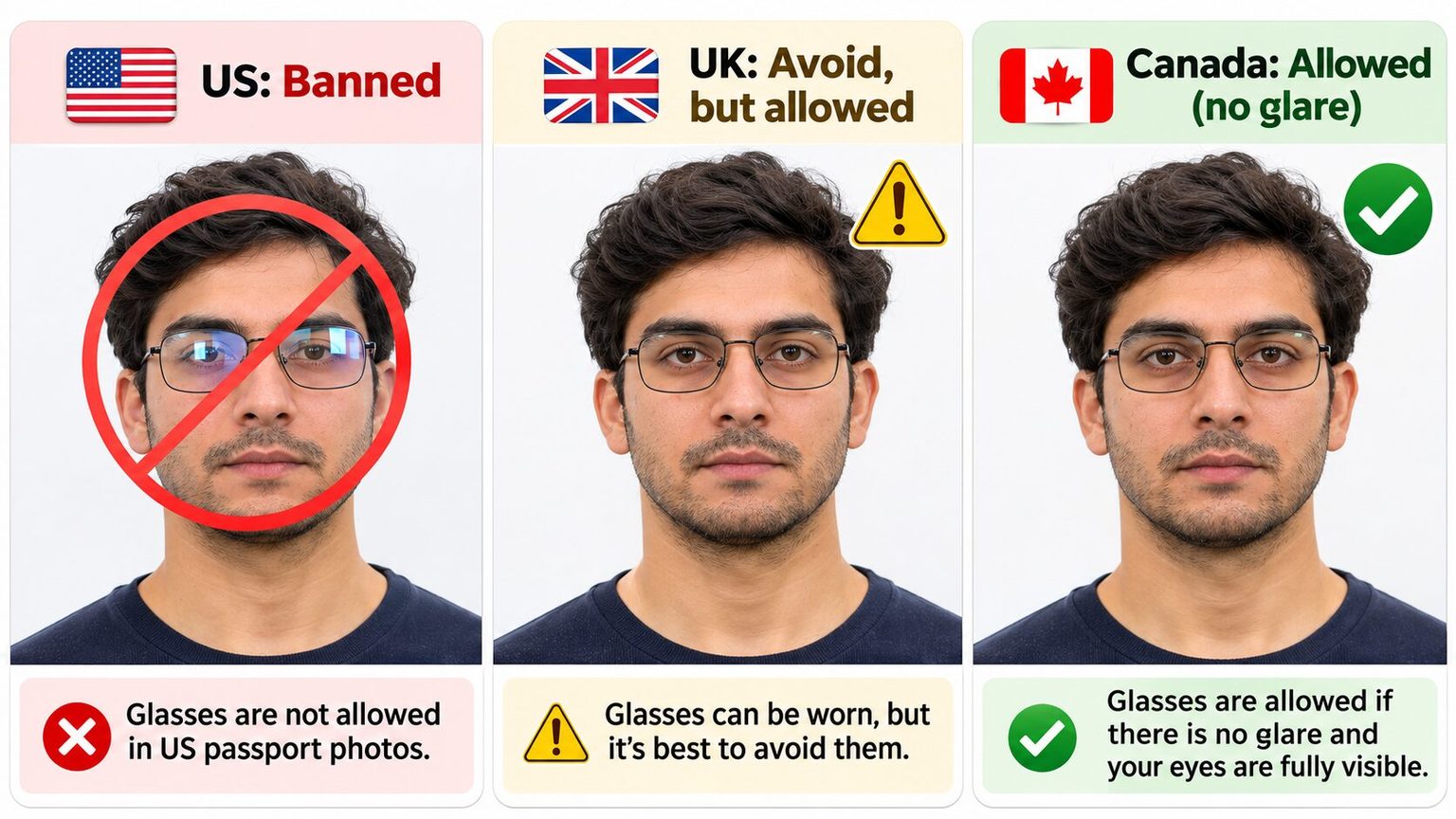
Glasses: All eyeglasses, sunglasses, and tinted glasses must be removed. You can’t rest them on your head, either. The only exception is a signed medical note from a doctor explaining why you can’t remove them. This rule has been in effect since November 1, 2016.
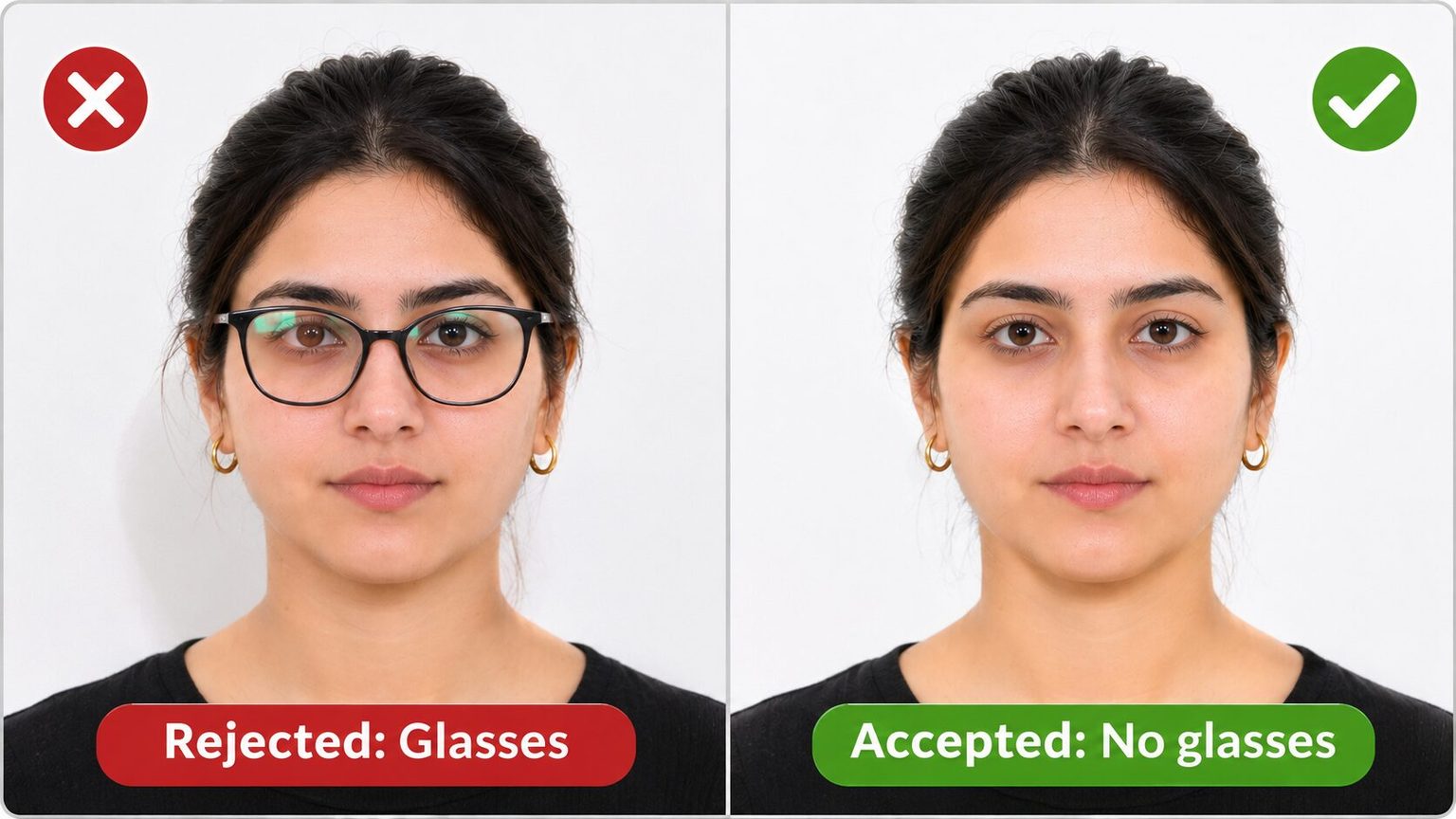
Editing: “Do not change your photo using computer software, phone apps or filters.” The State Department also says it checks “all photos to ensure they were not digitally enhanced or altered.”
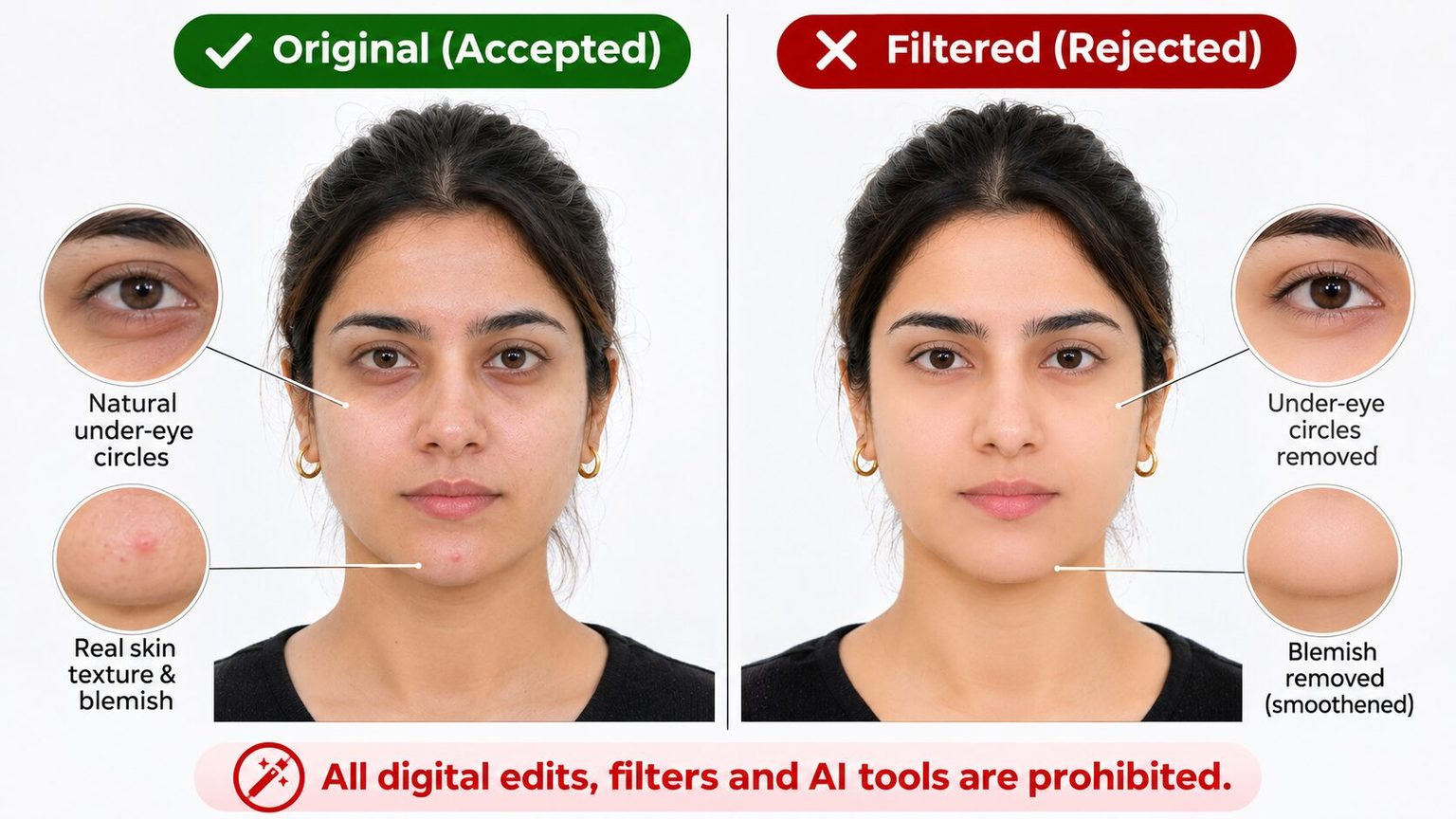
Digital photo specs (for online renewal): JPG, PNG, HEIC or HEIF, between 54 KB and 10 MB. The photo must be in color and taken within the last 6 months. You can reposition and crop it inside the application.
Who can renew online: You must be 25 or older, and your most recent passport must have been valid for 10 years and either expire within the next year or have expired less than 5 years ago. You also need to have the passport in your possession and undamaged, with no name change, and no international travel planned in the next 6 weeks.
UK Passport Photo Requirements (2026)
These specs are from GOV.UK and the Home Office Photo Standards v51.0, the caseworker guidance published 19 January 2026.
Photo size: 45 mm high x 35 mm wide. This is the standard UK photo booth size.
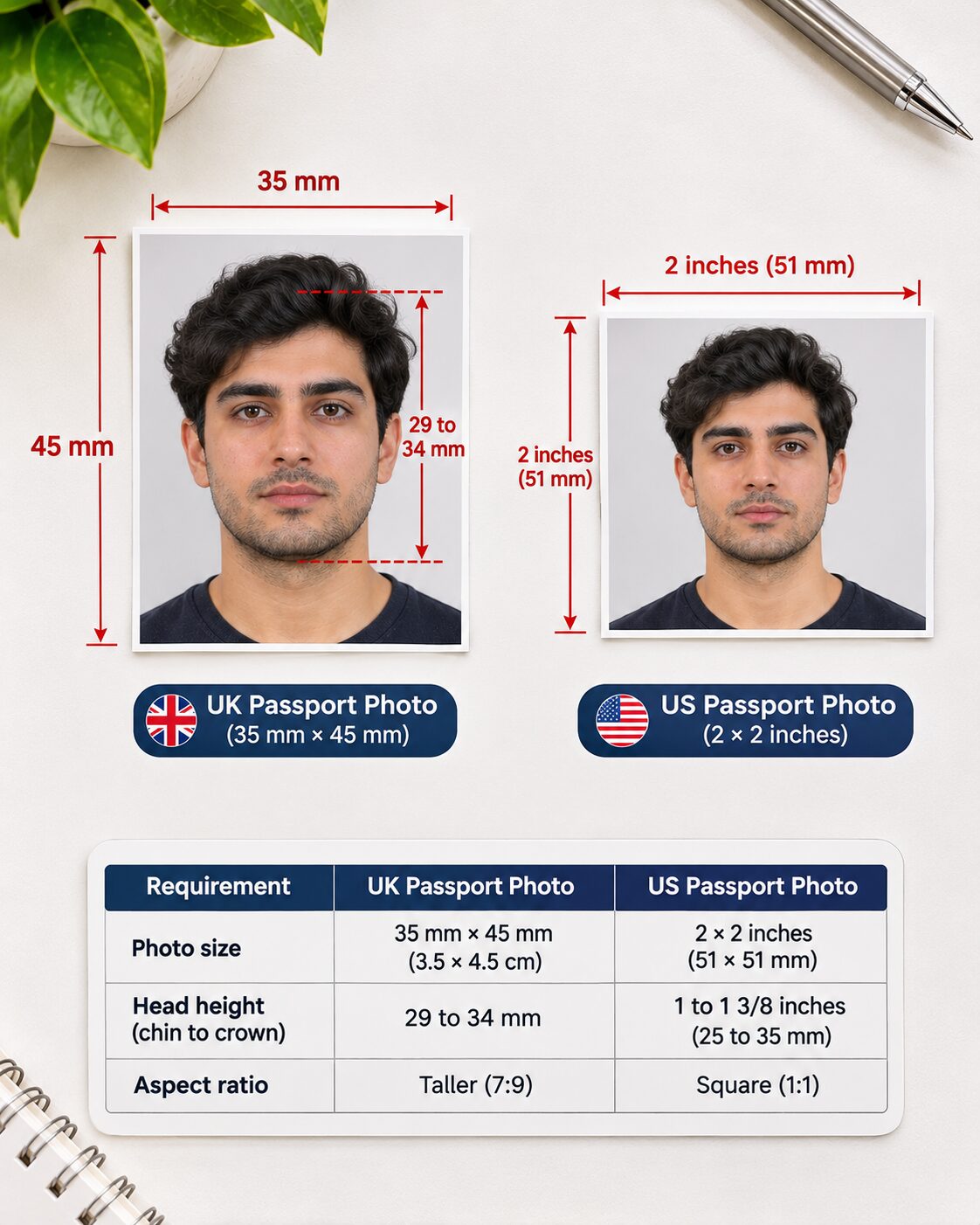
Head size: Chin to crown must be between 29 and 34 mm in the printed photo.
Background (print): Plain cream or light grey. The standard allows “any light colour (for example different shades of white (cream, ivory or vanilla) and light grey).” The background can have a subtle texture if it’s plain and light with no visible marks.
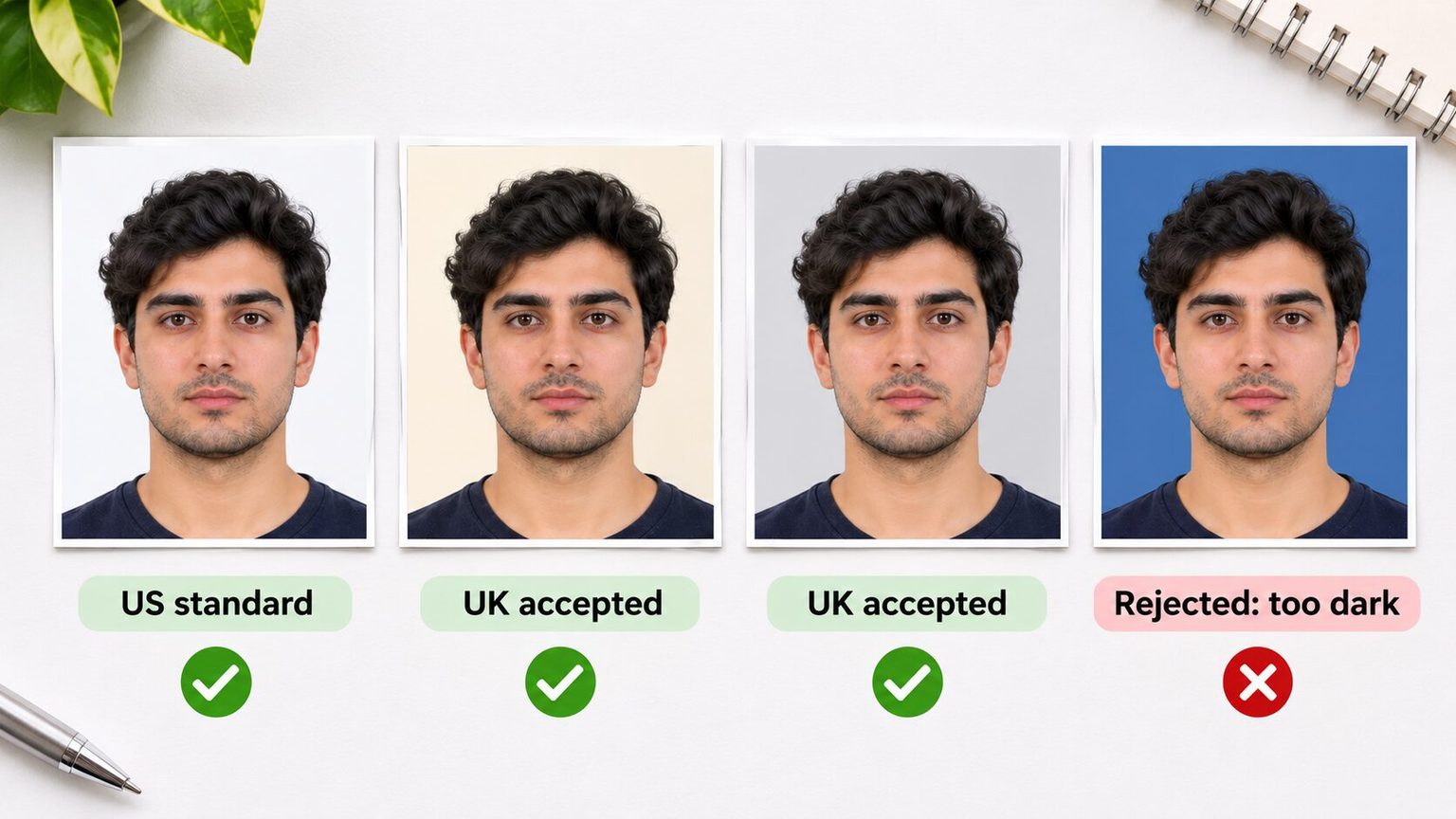
Background (digital): Plain, light-coloured, with clear contrast against your face.
Color: Colour photo required. Black and white is not accepted.
Expression: Neutral. Mouth closed, both eyes open and clearly visible.
Recency: The photo must have been taken within the last month. This is dramatically stricter than the US or Canada (both allow 6 months). Where photos have been held up with the passport office (delays, urgent compassionate cases), examiners can accept photos up to 12 months old for adults (16 and over) or 6 months for children.
Glasses: GOV.UK says “Do not wear glasses in your photo unless you have to do so.” This is not an outright ban like the US. If you do wear glasses, your eyes must not be covered by frames, glare, reflection, or shadow. Sunglasses and tinted glasses are not allowed in any case.
Editing: GOV.UK says photos must be “unaltered by computer software.” The Photo Standards accept filters that only change brightness or contrast. Textures, special effects, filters that “make the customer look younger or older,” and facial enhancements such as blemish removal or a changed hairline are rejected. The standard does not mention AI by name.
Digital photo specs: At least 600 pixels wide and 750 pixels tall, between 50 KB and 10 MB. GOV.UK says not to crop your digital photo: “it will be done for you.” Include your head, shoulders, and upper body.
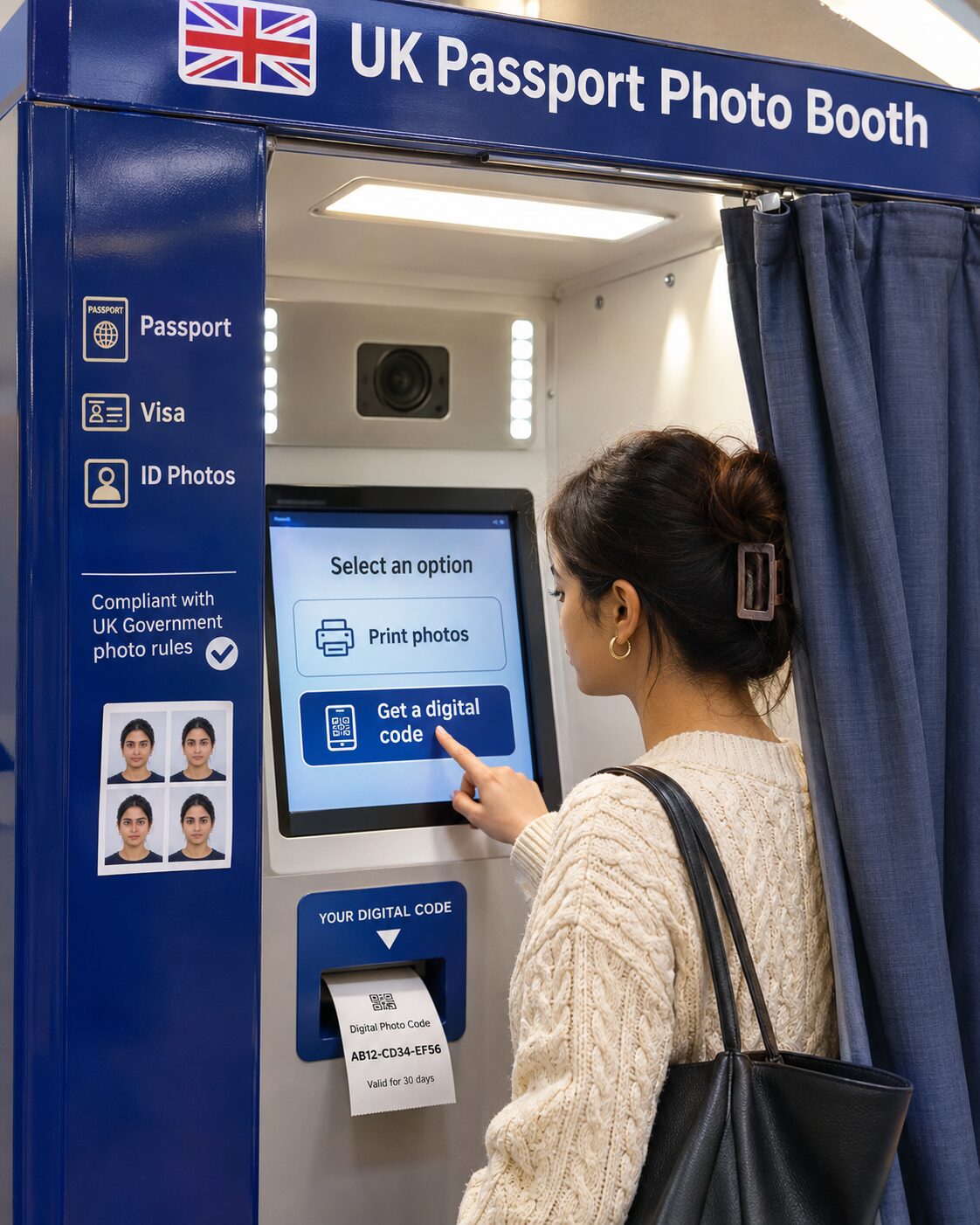
Digital photo codes: Available from photo booths and shops. When you use a booth or shop, you can choose the option to receive a code, which you then enter during your online passport application. GOV.UK notes that photos from booths and shops are “more likely to be approved” than a photo taken on your own device. The official guidance doesn’t say how long a code stays valid, and third-party sources disagree on this.
Number of photos (paper applications): 2 identical prints on plain white photographic paper with no border.
Canada Passport Photo Requirements (2026)
These specs are from canada.ca, the official Government of Canada passport photo page.
Photo size: 50 mm wide x 70 mm high (2 x 2 3/4 inches). This is taller than both the US and UK formats.
Face size: Chin to crown must be between 31 and 36 mm.
Background: Plain white or light-coloured. Light-coloured clothing can blend into the background and cause rejection, so wear something with contrast.
Color: Colour or black and white. Canada is the only country of the three that accepts black and white passport photos.
Expression: Neutral. Mouth closed, both eyes open.
Recency: Taken no more than 6 months before you submit your application.
Glasses: Allowed, as long as your eyes are clearly visible and there’s no glare on the lenses. Sunglasses and tinted glasses are not allowed, and that includes tinted prescription lenses, even when your eyes are clearly visible. Canada is more relaxed on regular glasses than the US (which bans them) and roughly on par with the UK.
Editing: Canada has the clearest language of the three countries on editing. The official page says the photo must be “an original photo that isn’t altered or edited in any way. This includes photo editing software, filters, and AI tools,” and warns: “We’ll reject your application if the photos have been altered in any way.”
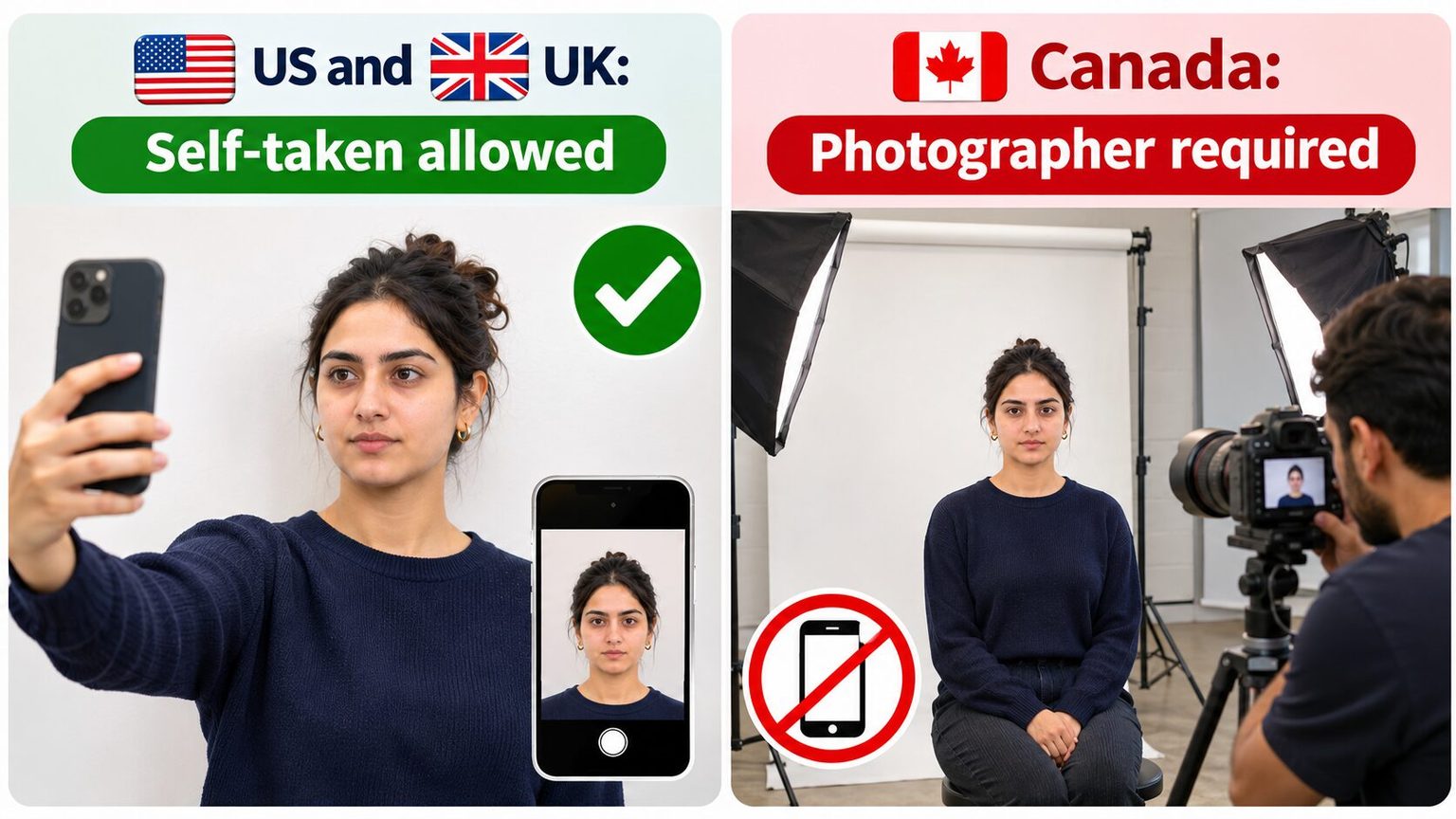
Who takes the photo: Print photos must be taken in person by a commercial photographer or photo studio, so a photo you take yourself won’t qualify. The photographer must put the studio name, its full address and the date the photo was taken on the back of one photo. For a first adult application, a guarantor also signs the back. This is a major difference from the US and UK, which both allow self-taken photos.
Digital photo specs (for online renewals): JPEG or JPG only. The aspect ratio must be 3:2 in portrait orientation. Minimum 1,200 pixels wide x 1,800 pixels tall, maximum 3,000 x 4,500 pixels. File size 200 KB to 5 MB. The photo must come straight from the camera’s original file; scans of printed photos are not accepted. You’ll need to provide the photographer or studio name, address, and date taken when uploading.
Number of photos (paper applications): 2 identical, unaltered prints.
Side-by-Side Comparison
| Spec | United States | United Kingdom | Canada |
|---|---|---|---|
| Print size | 2 x 2 in (51 x 51 mm) | 45 x 35 mm | 50 x 70 mm |
| Glasses | Banned (since 2016) | Allowed (avoid if possible) | Allowed (no glare) |
| AI/editing rule | No “computer software, phone apps or filters” | “Unaltered by computer software” | Names “AI tools” explicitly |
| Photo recency | 6 months | 1 month | 6 months |
| Self-taken photos | Allowed | Allowed (booth recommended) | Not allowed |
| Background | White or off-white | Cream or light grey | White or light-coloured |
| Black and white | Not accepted | Not accepted | Accepted |
| Digital file types | JPG, PNG, HEIC, HEIF | Not specified | JPEG/JPG only |
| Digital minimum size | Not specified (crop in the app) | 600 x 750 px | 1,200 x 1,800 px |
| Digital file size | 54 KB to 10 MB | 50 KB to 10 MB | 200 KB to 5 MB |
Can You Use an AI Photo for Your Passport?
Let’s be direct about this.
All three countries prohibit digitally altered passport photos. Canada names AI tools on its official photo page, and the US warns against them in its online renewal guidance. The UK’s “unaltered by computer software” rule covers AI without naming it.
If you submit an AI-generated passport photo and it’s flagged, your application gets rejected. You retake the photo, resubmit, and wait through processing all over again.
For passport photos, the answer is clear: use an unedited, real photograph. Go to a pharmacy, a photo booth, or a professional photographer. Follow the specs for your country. Don’t edit, filter, or enhance it.
That said, passport photos and professional headshots are two completely different things.
Passport photos have one job: government-grade identification. That means zero tolerance for editing, strict size specs, and a deliberately unflattering setup (flat lighting, white background, neutral expression). They’re supposed to look like a police lineup. And they do.
Professional headshots have the opposite job. They’re supposed to make you look approachable, competent, and like someone people want to work with. Good lighting. Flattering framing. A background that doesn’t look like a DMV wall.
This is where AI headshot tools are designed to work. Not for your passport. For every other photo you use professionally.
Your passport photo has to follow strict government rules. Your LinkedIn headshot doesn’t. At Headshot Photo, you get 40 to 100 professional headshots from a few selfies, starting at $34. Studio-quality lighting, real backgrounds, and a photo that actually looks like you on a good day, not a government document.
What to Wear for Your Passport Photo
The clothing rules are simpler than most people think. All three countries agree on the basics:
Wear something with contrast against the background. Since all three countries require a light or white background, dark or medium-toned clothing works best. A white shirt against a white background makes you look like a floating head.
Avoid uniforms and camouflage. Unless you’re military personnel required to submit in uniform, skip anything that looks like a uniform.
Avoid white or very light tops. They blend into the background, especially in US photos with a white backdrop.
Hats and head coverings are only allowed for religious or medical reasons in all three countries.
Keep it simple. No logos, no busy graphics, no clothing with text. A solid-coloured top in navy, grey, black, or a muted tone photographs cleanly across all three countries.
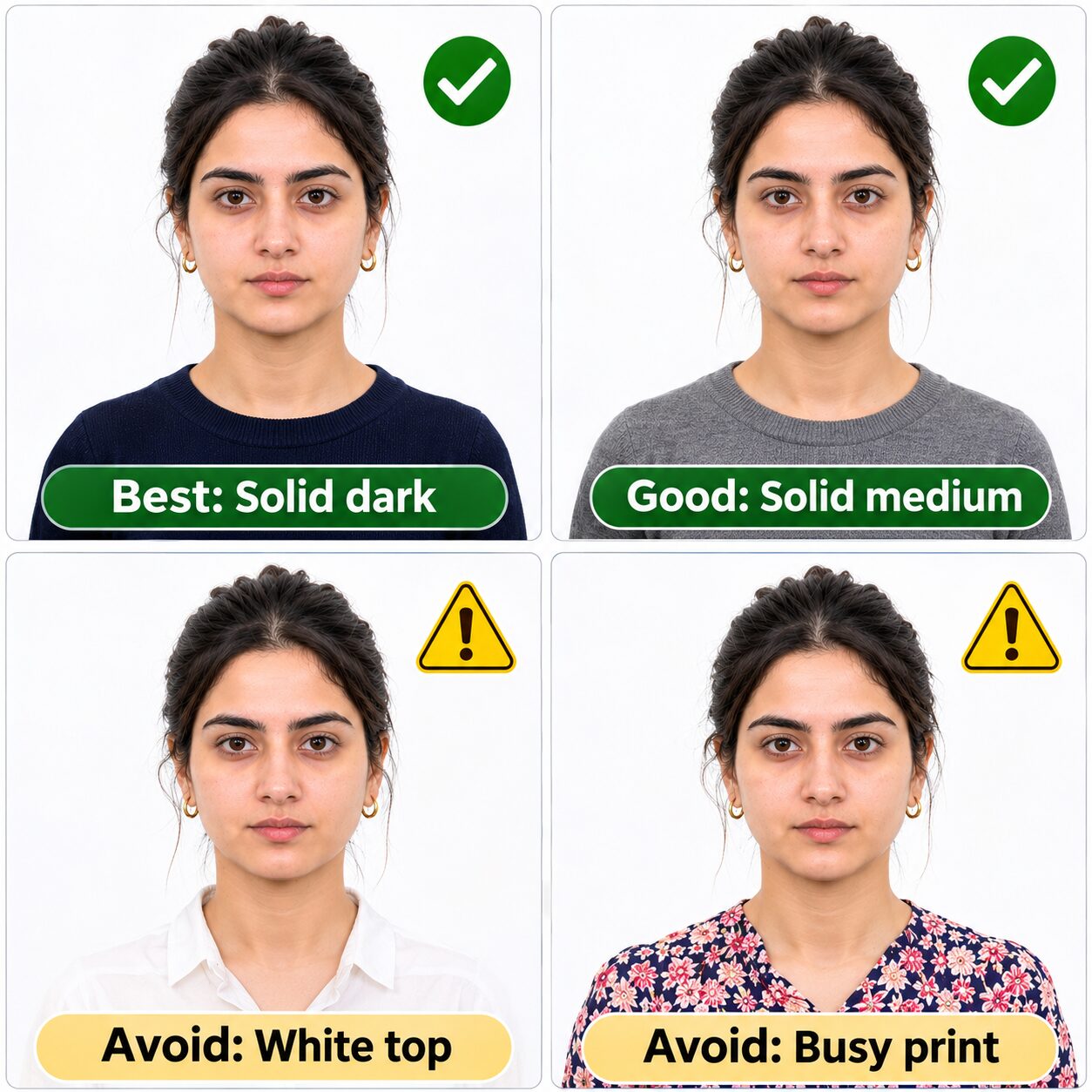
For more specific guidance, we’ve covered what to wear for a passport photo, whether you can wear stripes in a passport photo, and the turtleneck question in separate guides.
The 7 Most Common Reasons Passport Photos Get Rejected
1. Glasses. The US banned them in 2016 because they caused so many photo problems, and people still show up wearing them.
2. Wrong size. Each country has different dimensions. A US 2x2 photo doesn’t work for a Canadian application (which needs 50x70 mm). Check your country’s specs before printing.
3. Shadows on the background. Standing too close to the wall creates a shadow behind you. Step at least three feet forward.
4. Expired photo. In the UK, your photo must be less than a month old. Not six months. Not “recent.” One month. This catches a lot of applicants who assume all countries use the same window.
5. Digital editing. Even minor touch-ups (smoothing skin, removing a blemish) can trigger a rejection, and in Canada any alteration at all is grounds for rejection.
6. Wrong background colour. The US requires white or off-white. The UK allows cream or light grey. Canada wants white or light-coloured. Using the wrong shade for your country’s rules causes rejections.
7. File too large or too small. Digital submissions have specific file size windows. The US allows 54 KB to 10 MB. The UK allows 50 KB to 10 MB. Canada allows 200 KB to 5 MB. Photos outside these ranges are rejected.
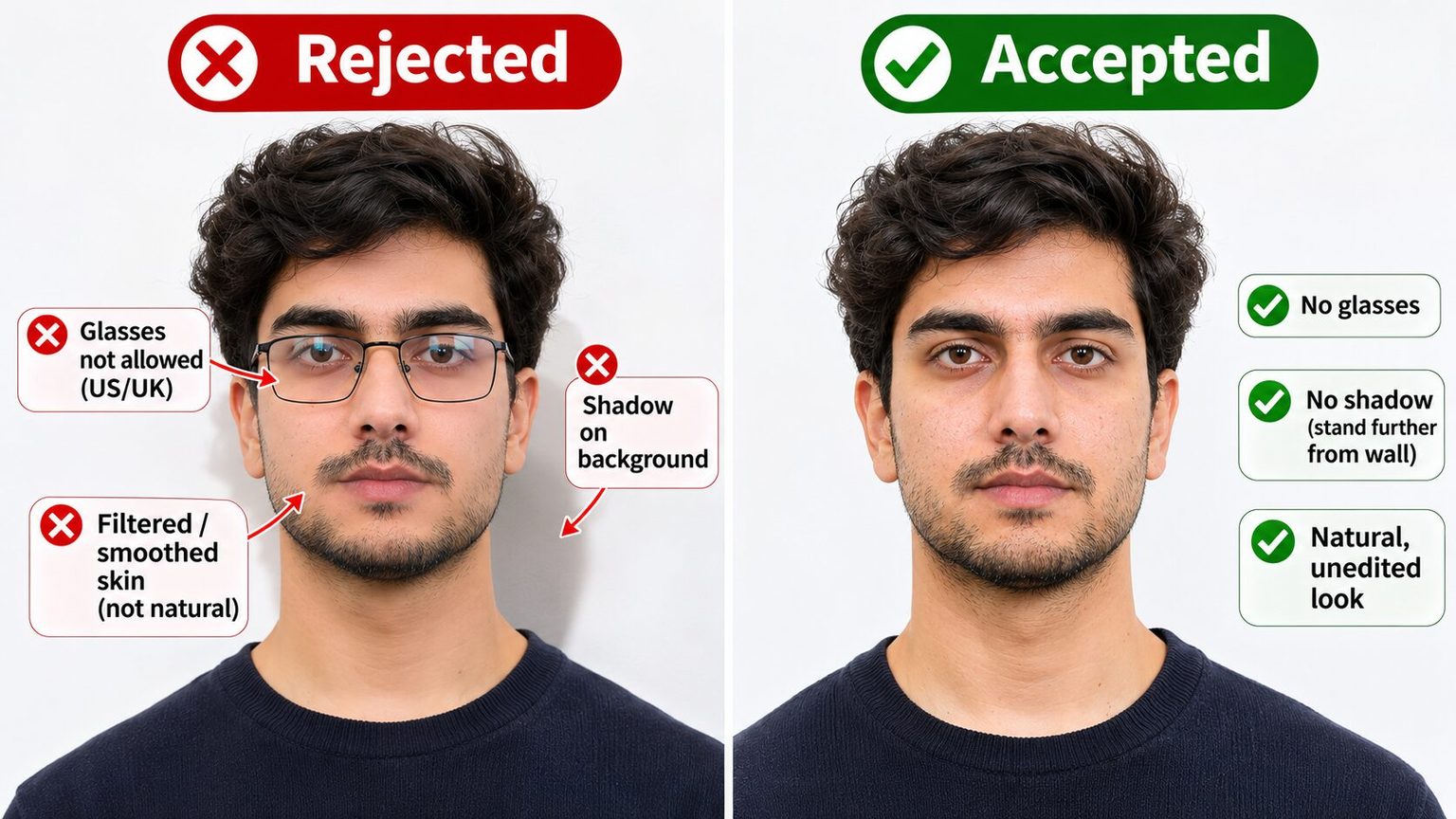
If you’re trying to look your best within the strict passport rules, our guide to looking younger in passport photos covers what you can actually do (posture, hydration, clothing contrast) without crossing into digital editing territory.
Frequently Asked Questions
What size does a US passport photo need to be?
US passport photos must be exactly 2 x 2 inches (51 x 51 mm) for print applications. Your head, measured from chin to crown, must be between 1 inch and 1 3/8 inches in the photo. For online renewal, upload a JPG, PNG, HEIC or HEIF file between 54 KB and 10 MB; you can crop it inside the application. The photo must be in colour, taken against a white or off-white background within the last 6 months.
Can you wear glasses in a passport photo?
It depends on the country. The US has banned all eyeglasses from passport photos since November 1, 2016. The only exception requires a signed medical note from a doctor. The UK tells you not to wear glasses unless you have to, but doesn’t ban them outright; if you wear them, your eyes must be fully visible with no glare. Canada also allows glasses with the same visibility requirement. In all three countries, sunglasses and tinted lenses are never allowed.
Will an AI-generated passport photo be accepted?
No, and it carries real risk of rejection and delay. The US says not to change your photo using “computer software, phone apps or filters” and warns against AI tools in its online renewal guidance. Canada says the photo must not be altered in any way, including with “photo editing software, filters, and AI tools.” The UK requires photos be “unaltered by computer software.” If you need a professional-quality photo for LinkedIn or your company website, AI tools work well. For a passport, use a real, unedited photograph.
How old can my passport photo be?
In the US and Canada, the photo must have been taken within the last 6 months. The UK is significantly stricter: the photo must have been taken within the last month. Where photos have been held up with the passport office, UK examiners can accept photos up to 12 months old for adults, but the standard rule is one month. If your appearance has changed significantly (new hairstyle, gained or lost weight, grew or shaved a beard), retake the photo regardless of its age.
Can I take my own passport photo at home?
In the US, yes, as long as the photo meets all technical specs. In the UK, yes, though GOV.UK notes that photos from booths and shops are “more likely to be approved” than a photo taken on your own device. In Canada, no. Canadian passport photos must be taken in person by a commercial photographer or photo studio. For digital renewals, you must include the studio’s name, address, and the date the photo was taken.