Free Headshot Background Editor by HeadshotPhoto
Free Headshot Background Editor - Change Your Background Instantly
Remove and replace the background of any headshot in seconds. Swap a distracting backdrop for a clean solid color, gradient, or office-style background.
No design skills needed. Just upload, pick a new background, and download, all free and right in your browser.
Upload a headshot to change its background
Or try an example photo:
Your privacy is protected . All image processings are done on your local browser.
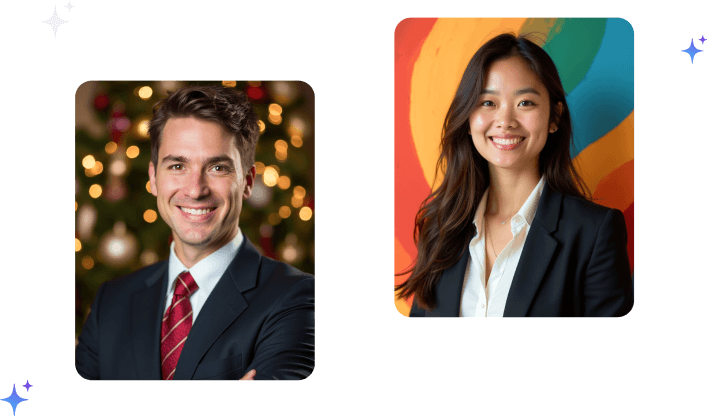
Headshot Backgrounds Edited With Our Free Tool
See how a quick background swap turns an ordinary photo into a clean, professional headshot ready for LinkedIn, resumes, and profiles.









Backgrounds You Can Add
One click to swap any backdrop
- Solid colors -Clean white, grey, navy, or any brand color
- Gradients -Smooth two-tone backdrops for a modern look
- Office & studio styles -Professional environments for LinkedIn and corporate profiles
- Transparent PNG -Remove the background entirely for logos and overlays
- Custom colors -Pick any hex value to match your website or deck
Headshot Background Editor vs. Photoshop
| Feature | HeadshotPhoto.io (Background Editor) ✅ | Manual Photoshop Editing ❌ |
|---|---|---|
| Cost | Absolutely Free | Paid software subscription |
| Skill Required | None - fully automatic | Manual masking and editing skills |
| Speed | Seconds to swap the background | Minutes of careful cutout work |
| Background Options | Solid, gradient, office, transparent | Anything, but you build it yourself |
| Edge Quality | AI-detected subject edges | Depends on your masking |
| Privacy | ✅ Processed in your browser | Files stored locally, manual export |
Frequently Asked Questions
Answers to common questions about our professional AI generated headshot service for individuals and remote teams.
How do I change the background of a headshot?
Upload your headshot to our free background editor. The tool automatically detects your subject, removes the original background, and lets you replace it with a solid color, gradient, or transparent backdrop, then download the result.
Is this headshot background editor free?
Yes! Our headshot background editor is completely free. Remove and replace backgrounds with no watermark, no signup, and no hidden charges.
What is the best background color for a professional headshot?
Clean white, light grey, and soft blue are the most versatile, professional choices. Navy and neutral gradients also work well for LinkedIn and corporate profiles. You can pick any custom color to match your brand.
Can I remove the background completely?
Yes. You can export a transparent PNG with the background removed entirely - perfect for logos, overlays, team pages, and design work.
Will the edges of my photo look natural?
Our editor uses AI to detect your subject's edges, including hair, so the cutout looks clean and natural against the new background.
Do I need Photoshop or design skills?
No. The background editor does the hard work automatically. Just upload your photo, choose a new background, and download - no design experience needed.
What can I use the edited headshot for?
Use it anywhere you need a clean, professional photo - LinkedIn, resumes, company profiles, email signatures, and more. For a fully AI-generated headshot, try our AI headshot generator.
Are my photos safe?
Yes. Image processing runs in your browser, so your headshots are not stored on our servers. Your privacy is protected.
Want a Full Studio-Quality Headshot, Not Just a New Background?
Upload a selfie and let our AI generate a complete professional headshot - polished lighting, attire, and background. Ready in about 1 hour.
Generate Your Headshot Now!