Free Passport Photo Maker by HeadshotPhoto
Free Passport Photo Maker: Correct Size for Any Country
Turn a selfie into a passport, visa, or ID photo at the correct official dimensions. Pick your country, crop to the exact size, and clean up the background in seconds.
No booth, no appointment. Upload, choose a country preset, and download, all for free.
Crop to my country's size →Upload a photo to create your passport photo
Or try an example photo:
Crop to Your Country's Official Passport Photo Size
Pick your country, drag to position your face, and download at the exact pixel dimensions its passport office expects.
Upload a photo to crop it to passport size
Your photo never leaves your device. Cropping and export run entirely in your browser.
Or try an example photo:
Passport Photo Size by Country
Official dimensions for the most commonly requested passport and visa photos. Pixel values are at 300 DPI, the standard for print submission.
| Country / region | Print size | Pixels at 300 DPI | Notes |
|---|---|---|---|
| United States | 2 x 2 in (51 x 51 mm) | 600 x 600 | Square format. Head height 25 to 35 mm. |
| United Kingdom | 35 x 45 mm | 600 x 750 (digital min) | Digital uploads must be at least 600 x 750 px. |
| EU / Schengen | 35 x 45 mm | 413 x 531 | Covers Germany, France, Spain, Italy, and the Netherlands. |
| India | 2 x 2 in (51 x 51 mm) | 600 x 600 | Head should fill 70 to 80% of the frame. |
| Canada | 50 x 70 mm | 591 x 827 | Taller frame than most. Face height 31 to 36 mm. |
| Australia | 35 x 45 mm | 413 x 531 | Plain white or light grey background. |
| China | 33 x 48 mm | 390 x 567 | White background required for visas. |
| Japan | 35 x 45 mm | 413 x 531 | Head height 32 to 36 mm. |
| Brazil | 30 x 40 mm | 354 x 472 | White background, front-facing. |
| Mexico | 35 x 45 mm | 413 x 531 | White background, no glasses. |
| UAE | 43 x 55 mm | 508 x 650 | White background, full face visible. |
| New Zealand | 35 x 45 mm | 413 x 531 | Neutral expression, plain background. |
| South Africa | 35 x 45 mm | 413 x 531 | Plain white background. |
| Nigeria | 35 x 45 mm | 413 x 531 | White background, front-facing. |
The 35 x 45 mm format above is also the standard across the Schengen area, covering Austria, Belgium, Croatia, Czechia, Denmark, Estonia, Finland, Greece, Hungary, Iceland, Latvia, Lithuania, Luxembourg, Malta, Norway, Poland, Portugal, Slovakia, Slovenia, Sweden, and Switzerland. Always confirm against your government's official guidance before submitting.
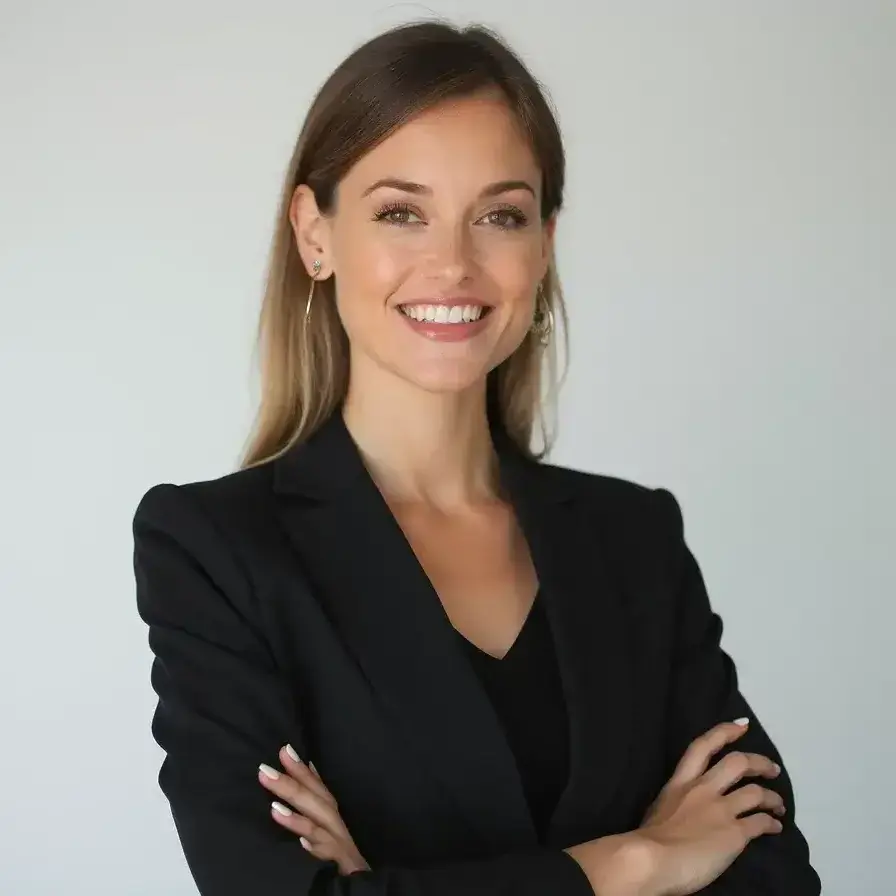
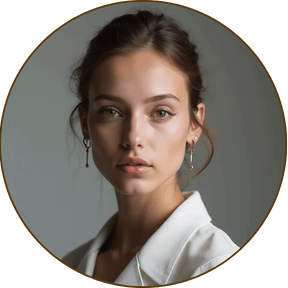
Examples of Passport-Style Photos Made With Our Free Tool
See how users turned everyday photos into clean, white-background passport and ID photos in seconds.







What Makes a Compliant Passport Photo?
Get it right the first time
- Plain white background -No shadows, patterns, or objects behind you
- Neutral expression -Face the camera directly with a relaxed, closed-mouth look
- Even lighting -No harsh shadows on your face or the background
- Centered framing -Head centered, eyes open and clearly visible
- No accessories that obscure the face -Remove hats and tinted glasses unless required
Always check your country's official passport, visa, or ID photo requirements before printing or submitting.
Passport Photo Maker vs. Photo Booths
| Feature | HeadshotPhoto.io (Passport Photo Maker) ✅ | Photo Booth / Studio ❌ |
|---|---|---|
| Cost | Absolutely Free | $12 to $20 per set |
| Turnaround Time | Instant, edit in your browser | Travel and wait in line |
| Convenience | Upload a selfie from anywhere | Find a booth, appointment needed |
| White Background | Pick a clean white or solid background yourself | Fixed backdrop only |
| Retakes | Re-upload and re-edit anytime, free | Pay again for a new set |
| Digital Copy | ✅ Download instantly for online forms | Usually prints only |
Frequently Asked Questions
Is this passport photo maker free?
Can I take a passport photo at home?
What background should a passport photo have?
How do I make a passport photo online?
What size is a passport photo?
What should I wear for a passport photo?
Why do passport photos get rejected?
Can I use this photo for a visa or ID card?
Will my passport photo be accepted?
Do I need to install any software?
Need a Polished Photo Beyond Your Passport?
Turn your selfie into a studio-quality professional headshot for LinkedIn, resumes, and profiles. Try our AI headshot generator, ready in about 1 hour.
Create a Professional Headshot Now!