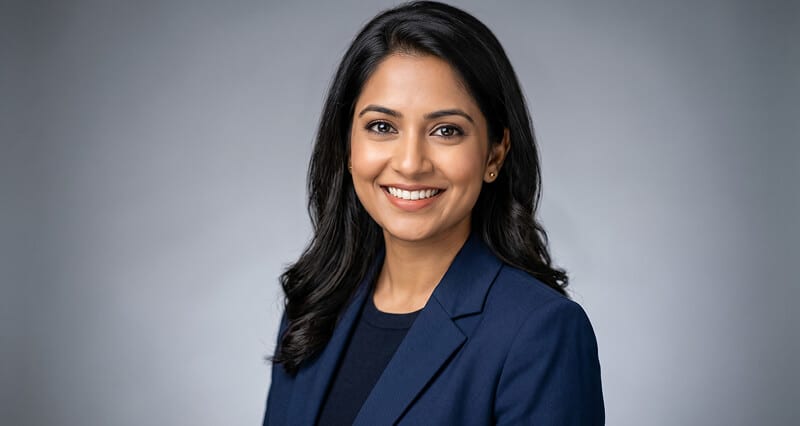
AI Headshots for Job Seekers in 2026: What Recruiters Actually Notice in the First 7 Seconds
Most job seekers obsess over their resume. Recruiters make their first judgment from a photo before they read a single word. Here's what they're actually looking for, and how to give it to them.
She had spent two weeks perfecting her resume.
Every bullet point quantified. Every job title optimized for ATS keywords. She'd had three people review it. She was confident it was ready.
She applied to forty-three positions over three weeks. Got two responses.
When she finally connected with a recruiter willing to give her honest feedback, the conversation took an unexpected turn.
"Your resume is strong," the recruiter said. "But I want to show you something."
He pulled up her LinkedIn profile on screen share. Before scrolling anywhere, he pointed to the small circle in the top left corner.
Her photo was a cropped image from a friend's wedding. She was smiling, looked happy, hair done nicely. But it was clearly a social event photo. Slightly grainy. Her dress visible. Someone's shoulder barely cropped out of the left side.
"That's the first thing I see," he said. "Before I read your headline. Before I see where you work. That photo tells me how seriously you take your professional presence. And right now, it's telling me the wrong thing."
She updated her headshot that week. Within ten days she had six recruiter messages.
What Recruiters Actually Do When They Find Your Profile
Here's what the data shows and what most job seekers don't fully internalize.
86% of recruiters screen profiles in 30 seconds or less. They scan the photo, the headline, and the current position. In that order. The photo is first, always, because the eye goes to faces before text. It's not a choice. It's how human visual processing works.
Profiles with professional photos receive 21 times more views than those without, 9 times more connection requests, and 36 times more messages from recruiters. Those multipliers aren't marginal. They're the difference between being findable and being invisible.
And here's the part that doesn't get said enough: a recruiter processing 200 profiles at 9 PM is making fast, subconscious judgments from limited information. Your photo answers three questions before they've consciously registered asking them.
Is this person real and active? (No photo or a clearly old photo suggests inactive.)
Are they taking this seriously? (A casual or social photo suggests they're not.)
Can I trust what they're presenting? (A professional, current, accurate headshot builds basic credibility.)
When all three answers are yes, in under a second, the recruiter keeps reading. When any answer is no or uncertain, they've often moved on before they know why.
Your resume is your argument for why you're qualified. Your headshot is the reason the recruiter decided to read your argument.
The Four Things Recruiters Actually Notice (And Most Candidates Get Wrong)
Here's the specific breakdown, based on what actually registers in those first seven seconds.
1. Whether the photo looks current.
A photo that clearly doesn't match your current appearance creates immediate friction. The recruiter is going to meet you on a video call. When the person on screen doesn't match the profile photo, something small but uncomfortable happens. The trust question activates.
The working standard in 2026 is to update every 2 to 3 years, or whenever there's a meaningful change in appearance. If your photo fails any of the checks in our outdated headshot upgrade checklist, it's time to update regardless of the timeline.
2. Whether the background is clean and undistracting.
Recruiters looking at your profile in a search results sidebar see a tiny circle. The face needs to be immediately legible at that size. A busy background (bookshelves, office clutter, other people visible, a patterned wall) absorbs visual processing power that should be going to your face.
Clean, neutral backgrounds (soft gray, warm off-white, gentle gradient) do one thing: they direct attention to you. That's the entire job of a headshot background.
3. Whether the expression feels real.
This is harder to articulate but recruiter feedback is consistent about it. A forced, performed smile is detectable even in a still image. It reads as tension rather than warmth. A completely blank expression reads as absence rather than composure.
What works: a genuine, natural expression with engaged eyes. Either a real smile or a composed, confident neutral with present eyes. The expression should look like the version of you that someone would actually encounter in a professional setting.
4. Whether the wardrobe matches the industry.
Recruiters are pattern-matching constantly. When they open a profile for a role in financial services and the person's photo is in a casual t-shirt, there's a mismatch between the expectation and what they see. It doesn't necessarily disqualify you. But it creates friction that a correctly dressed photo wouldn't have.
Dress for the industry you're targeting, not the industry you're currently in if you're making a transition. Our industry-specific headshot guide breaks down the visual language for tech, finance, healthcare, and creative roles.
The AI Headshot Question Every Job Seeker Is Actually Asking
Let's address this directly, because it's the real question underneath the article.
Are AI headshots acceptable for job searching in 2026?
The honest answer, backed by actual recruiter data: yes, with one critical condition.
Studies of recruiter preferences found that a significant majority preferred AI-generated headshots over selfies when they didn't know the photos were AI-generated. The lighting and composition were technically stronger. The photos read as more professional.
The problem arises when an AI headshot fails one of two tests.
Test one: Does it look like you? An AI headshot that produces a version of you with altered bone structure, significantly different coloring, or a face that would cause someone on a video call to do a double-take is a liability, not an asset. The photo must be an accurate representation of your current appearance. If it isn't, you're setting up an uncomfortable moment every time someone meets you.
Test two: Does it look real? Early AI headshots had specific failure modes: over-smoothed plastic skin, uncanny symmetry, strange hair edges, unnatural catchlights. The best AI headshot generators in 2026 have addressed most of these issues, but the quality varies significantly between tools. The standard to aim for: polished but natural. Visible skin texture, character lines kept, an expression that looks like a moment rather than a render.
When both tests pass, an AI headshot is fully functional for job searching. When either fails, it creates the very friction you're trying to eliminate.
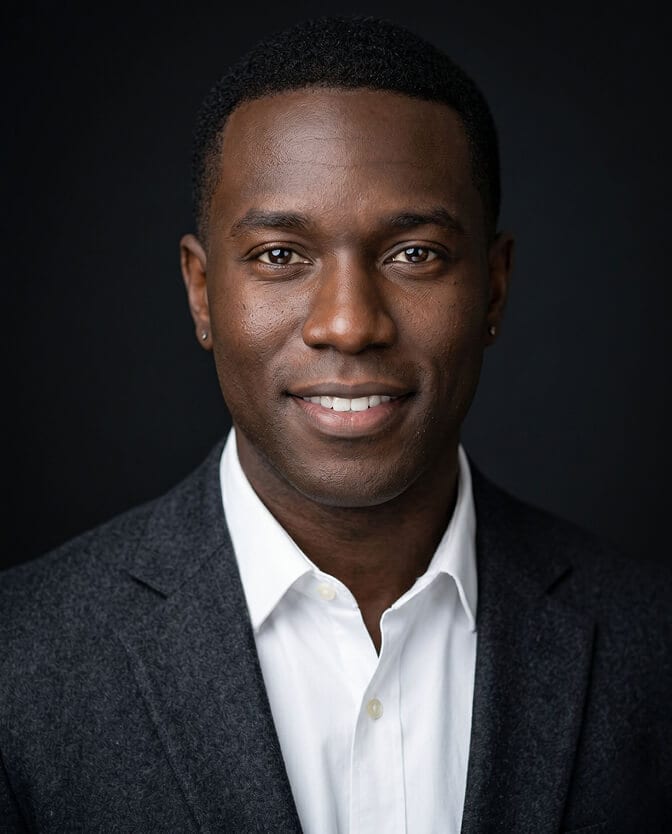
If you want to see what AI headshots that pass both tests actually look like, browse professional AI headshot examples from Headshot Photo across different industries and expressions before generating your own.
Industry-Specific Guidance for Job Seekers
What recruiters expect to see varies by the role you're targeting. Here's the quick reference.
Targeting finance, law, or consulting roles: Formal attire is expected and the safest choice. Dark suit or structured blazer. Dark, sophisticated background. Composed expression, slight smile or confident neutral. A casual or overly warm headshot in these industries can read as not understanding the culture you're trying to enter.
Targeting tech or startup roles: Business casual is the sweet spot. Fitted button-down, clean crew-neck, or smart blazer without a tie. Lighter backgrounds work well. A genuine, open smile is appropriate and preferred. The goal is approachable and capable.
Targeting healthcare roles: Balance clinical authority with human warmth. Clean professional attire in softer tones. A genuine warm smile for patient-facing roles. Lighter backgrounds. The photo should make someone feel they could have a difficult conversation with you comfortably.
Targeting creative roles: More visual latitude, but it's earned by using it thoughtfully. A bolder color choice, expressive expression, or slightly less traditional background can communicate taste. A generic corporate headshot in a creative context signals you don't have opinions about your own visual identity.
Targeting roles in a different industry than your current one: Dress for where you're going, not where you've been. A photo that reads as appropriate for your target industry removes one more friction point from a recruiter's decision to engage.
The Practical Guide to Getting Your Job Search Headshot Right
Whether you're using an AI headshot tool or shooting input photos for one, here's the checklist that matters for job seekers specifically.
Appearance must be current. If your hair is different, your weight has changed significantly, or the photo is from a different professional era, it needs to be updated before your job search, not after.
Background must be clean and simple. Soft gray, warm off-white, or dark charcoal. No complex environments, no visible other people, no patterns. The face should be the only thing competing for attention.
Wardrobe must match your target industry. Not your current industry if you're transitioning. Research what professionals at your target level in your target field actually wear in their headshots.
Expression must be genuine. For most job search contexts, a natural smile is right. For more authority-heavy roles, a composed confident neutral. Whatever you choose, it should look like you on a good professional day.
Photo must be recent, high-resolution, and sharp at small sizes. LinkedIn displays your photo as a small circle in search results. The face must be legible, the eyes sharp, and the overall image clear at thumbnail size. Upload at a minimum of 800 x 800 pixels.
Update everything simultaneously. When you update your LinkedIn headshot for your job search, also update your other professional profiles (company website, portfolio, email signature) so the full picture is consistent when recruiters research you beyond LinkedIn. Our personal branding cohesive platforms guide covers this in detail.
For job seekers who need a professional headshot quickly without the cost and scheduling of a traditional photographer, create your professional headshot with Headshot Photo and generate a complete set from your own photos in a single session.
The Part That Gets Overlooked: Timing the Update Strategically
Stay with me here, because this is a useful tactical detail.
When you update your LinkedIn profile photo, LinkedIn treats it as a profile activity signal and temporarily increases your visibility in search results and your network's feed. Professionals who update their photo alongside a job status change see significantly higher engagement from their network in the following weeks.
This means your headshot update isn't just about the quality of the photo. It's also a tactical LinkedIn move. Update your photo when you're actively searching, not six months before when the signal will have dissipated.
And when you update, announce it. Post a simple, genuine note about your professional refresh. The profile update plus a post dramatically extends the visibility window that LinkedIn's algorithm provides after a profile change.
What the Numbers Are Actually Telling You
The recruiter who gave honest feedback to that job seeker wasn't being harsh. He was describing something real: your professional photo is part of your application package, and most candidates don't treat it that way.
The resume went through multiple revisions. The LinkedIn About section was carefully written. The skills section was strategically chosen. The headshot was a cropped social photo from two years ago.
The math doesn't work. You can't optimize everything except the first thing a recruiter sees.
A professional headshot for job searching isn't vanity. It's preparation. It's treating your job search with the same seriousness you'd treat a first interview, because for a recruiter scanning profiles at speed, your photo is the first interview.
Frequently Asked Questions
1. What do recruiters actually look for in a LinkedIn profile photo in 2026?
Recruiters scanning profiles quickly look for four things in a headshot: whether the photo looks current and matches how you'd appear on a video call, whether the background is clean enough to keep focus on your face, whether the expression looks genuine rather than forced or absent, and whether the wardrobe is appropriate for the industry being targeted. A professional headshot that passes all four of these checks builds trust in under a second. A photo that fails any of them creates friction that often costs you the click-through.
2. Are AI headshots acceptable for job searching on LinkedIn in 2026?
Yes, when they accurately represent your current appearance and look natural rather than artificially processed. Recruiter preference data shows that AI-generated headshots that look real are preferred over selfies for their better lighting and composition. The risks are photos that don't look like you (creating a trust problem when you meet recruiters on video) or photos that have AI artifacts like plastic skin or unnatural hair edges. The best AI headshot tools in 2026 avoid these issues, but the photo must pass the "does this look like me?" test before you use it.
3. How do I take good input photos for an AI headshot during a job search?
Shoot in good window light (face the window, turn off ceiling lights), wear the wardrobe appropriate for your target industry, practice a three-quarter body turn with dropped shoulders and chin slightly forward, and shoot 10 to 15 frames with a genuine, natural expression. Review the frames and select the ones where your eyes are engaged and the pose feels natural. Upload your best four to six frames. The AI renders the lighting and background at professional quality from what you provide.
4. How much does a professional headshot for job searching cost in 2026?
Traditional photographer sessions typically cost $150 to $450 depending on location and photographer. AI headshot tools typically cost $30 to $80 for a full session producing dozens of professional outputs. For most job seekers, AI headshot tools deliver fully appropriate quality at a fraction of the traditional cost. The critical factor is choosing a tool that produces accurate, natural-looking results and gives you the flexibility to select the output that best represents you.
5. How often should a job seeker update their LinkedIn headshot?
For active job seekers, the photo should be current within the past 2 to 3 years and should accurately reflect how you look today. If you're actively searching and your photo is more than two years old or your appearance has changed meaningfully, update it before you start applying, not after. A photo update also triggers a LinkedIn visibility boost that increases your profile views and recruiter outreach in the following weeks, making the timing relevant beyond just the quality of the image.
