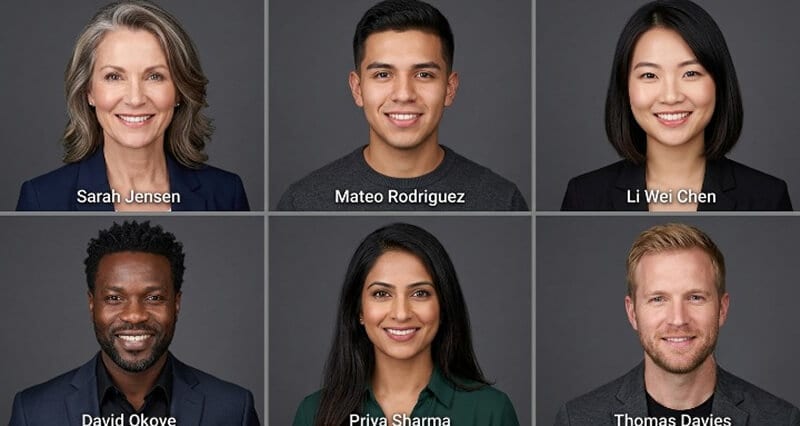
Corporate Team Headshots: How to Get Matching Photos Without a Photographer
Your company page looks like a ransom note of mismatched selfies. Here's how to fix it in an afternoon, no studio, no scheduling, no $200 a head.
You know the exact moment I mean.
You're updating the team page. You ask everyone to "send a professional photo." And what lands in your inbox is chaos.
One person sends a cropped wedding photo. Someone's is a vacation shot with a margarita blurred out of frame. Another is a selfie in a car. One is lit like a hostage video. And two people just... never reply.
You wanted a team page. You got a group chat.
Here's the weird part. Every single one of those people thinks they sent something fine. And individually, sure. Together, on one page, in one grid? It looks like your company can't agree on what year it is.
This is the corporate headshot problem nobody names out loud. And in 2026, you no longer have to solve it the expensive way. Let me walk you through what actually works.
Why the team page matters more than you think
Let's be honest about stakes for a second, because "it looks nicer" isn't a budget justification.
Your team page and your employees' LinkedIn photos are trust signals. A prospect checks your About page before a sales call. A candidate scans your team before an interview. An investor clicks through your leadership.
A consistent, professional team page reads as "this company has its act together." A mismatched one reads as "this company is held together with tape."
Nobody says this to your face. They just quietly form the impression. And impressions on a company page compound across every visitor, every day.
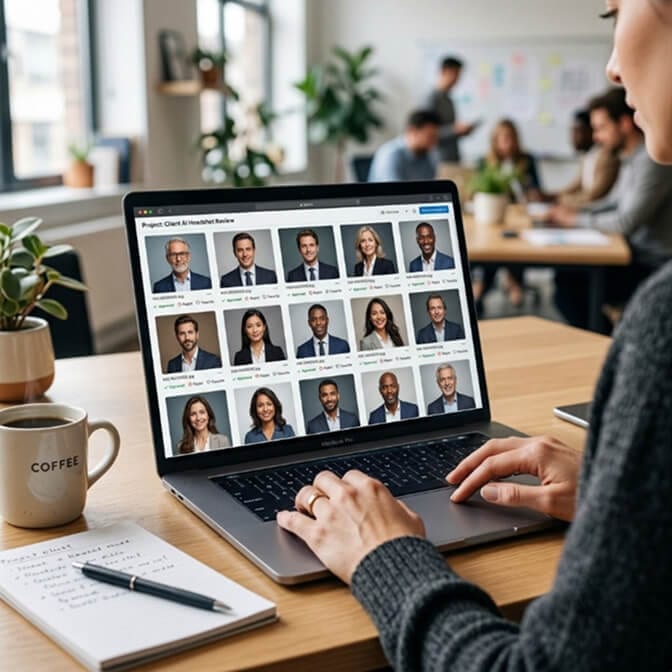
The old way: book a photographer (and pray everyone shows up)
For twenty people in one office, the traditional route works fine. You book a photographer, set up a backdrop, run people through in fifteen-minute slots, and two weeks later everyone matches. Done.
Then reality shows up.
The sticker price looks reasonable. Corporate and team headshots run roughly $150 to $500 per person in 2026, dropping toward the lower end at volume. But the sticker price is a trap. Here's what actually happens.
There's the retouching add-on, often $40 to $100 per extra edited image. There's the travel fee if the photographer has to visit a second office, easily $400. There's the half-day of your time coordinating 120 people into 15-minute slots across two weeks. There are the people traveling, on leave, or out sick who now need a separate session. And there are the three folks who hate their expression and want a reshoot.
One honest breakdown put it perfectly: the sticker price was $175 per person. The actual cost, once everything was tallied, was closer to $310 per person. For 75 percent of the team.
This is where most people get it wrong. They budget for the session fee and forget the coordination tax. A 50-person company can burn 10 to 20 hours of admin time on scheduling alone. Photograph 100 people the traditional way and you're realistically looking at tens of thousands of dollars all-in.
And then it breaks the moment you hire someone new.
The consistency problem that never ends
Here's the part traditional photography can't solve structurally.
You finish the company photo day. It looks great. Then next month you hire four people. What now?
They either wait months for the next photo day, get a separate (expensive, non-matching) solo session, or go on the team page with a photo that clashes with everyone else's. Your beautiful consistent grid starts drifting apart the day after you finish it.
Multiply that across two years of hiring and your "matching" team page is matching again in name only.
The new way: everyone uploads a selfie, AI does the matching
Here's the shift. And once it clicks, the old way feels genuinely silly for most teams.
Instead of gathering everyone in one place, you gather everyone's photos from wherever they are. Each person takes a few selfies on their phone. They upload. An AI model trained on each face generates a set of professional headshots, and, this is the important part, an admin sets one shared style so every single person comes out matching.
Same background. Same lighting. Same framing. Same color grade. Across your whole team, whether they're in one office or eight cities.
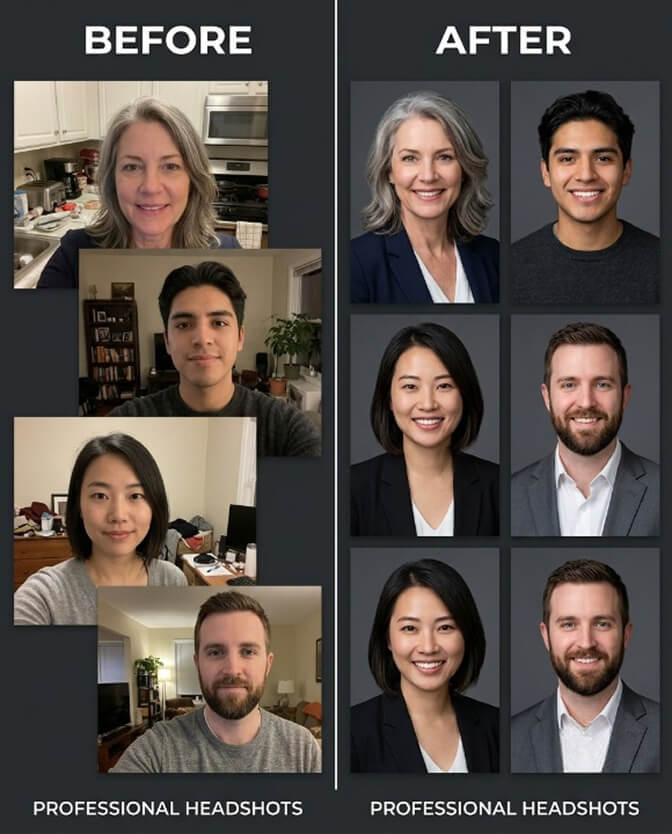
Let me be concrete about why this matters for you specifically.
No scheduling. There is no calendar to coordinate. People upload on their own time.
No travel, no studio. A fully remote team finishes a rollout in an afternoon. Nobody flies anywhere.
New hires stop being a problem. This is the quiet superpower. A new hire gets the same link everyone else used, uploads their selfies, and receives a headshot rendered to the exact same standard as colleagues who joined two years ago. Your team page stays consistent automatically, forever.
The cost math isn't close. For a 50-person team, AI corporate headshots land in the low four figures total. Traditional on-site or studio photography for the same team, with the hidden costs folded in, runs many times that. Over three years for a growing company, the gap widens to the point of embarrassment.
If you want the full spreadsheet version of this, our breakdown of corporate headshot cost by method lays out per-person numbers side by side, and our guide to team headshots at enterprise scale covers rollouts above 100 people.
Here's the honest part most AI vendors skip
I run an AI headshot company. I'm still going to tell you where AI is not the right call, because if I oversell it you'll get burned and blame me.
For most of your team, the standardized team-page portrait, AI is the obvious, better answer. But there are roles where a real photographer still earns their fee. Your CEO's keynote press photo. A customer-facing executive whose portrait is a major trust signal. Anywhere the single image carries outsized weight and will be scrutinized up close.
The smart 2026 play isn't "all AI" or "all photographer." It's AI for the team grid, real sessions for the handful of leadership and customer-facing photos where it genuinely matters.
One more honest flag. Input quality decides output quality, every time. Ask people to upload clear, well-lit selfies with varied angles, no hats, no sunglasses. Garbage selfies produce garbage headshots, and that's true of every tool ever made, including ours.
How to actually run this for your team (the 10-minute version)
Stay with me, because the process is genuinely simple.
First, pick your shared style before anyone uploads. Decide the background (charcoal, near-black, and warm off-white all photograph cleanly and read as professional), the wardrobe vibe (business or business casual), and the framing. Lock it so everyone matches.
Second, send one link and clear selfie instructions. Tell people exactly how many photos, in what lighting, from what angles. Two minutes of instruction saves you a round of redos.
Third, generate and review as a batch. Because everyone used the same style, the results already cohere. Pick one keeper per person for the team page.
Fourth, save the link for onboarding. Hand it to every new hire on day one. That's how the consistency sticks.
If your team page is a patchwork of mismatched selfies and you want everyone matching by end of day, try Headshot Photo for your team. Everyone uploads a few selfies, you set one shared style, and each person gets professional, matching headshots in about ten minutes. No photographer, no scheduling, no coordination tax. And it's money-back guaranteed if the results don't fit.
Your team page is the first handshake a lot of people get from your company. Make it look like everyone showed up to the same building on the same day, even when they didn't.
Frequently Asked Questions
What are corporate team headshots?
Corporate team headshots are professional profile photos for a company's employees, shot or generated in a consistent style so the team page, directory, and LinkedIn profiles all look cohesive. The goal is matching background, lighting, and framing across every person, which signals that a company is organized and credible. In 2026, teams increasingly create these with AI instead of booking a photographer.
How do AI team headshots compare to hiring a photographer?
A photographer gives you real, in-person direction and is still the right pick for a handful of executive or customer-facing portraits. AI is faster, far cheaper at volume, and solves consistency automatically, especially for remote teams and ongoing new hires. Most companies now use AI for the standardized team grid and reserve photographers for the few high-stakes leadership shots.
How do I get matching headshots for a remote or distributed team?
This is exactly what AI headshot tools were built for. Each employee takes 2 to 3 clear selfies on their phone and uploads them through one shared link, while an admin sets a single brand style (background, wardrobe, framing). Everyone receives headshots rendered to the same standard, so an 8-city team can finish a full rollout in an afternoon with no travel or scheduling.
How much do corporate team headshots cost per person in 2026?
Traditional corporate photography runs roughly $150 to $500 per person, and the effective cost climbs higher once you add retouching, travel, coordination time, and no-show reschedules. AI headshot generators typically cost a fraction of that per person, with volume pricing lowering it further. For a 50-person team, the all-in gap between the two approaches is usually several thousand dollars.
Are AI headshots good enough for a company website and LinkedIn?
For standardized team-page and directory photos, yes. Modern AI headshots trained on each person's face are hard to distinguish from studio shots at the size they're displayed, as long as input selfies are decent. For high-scrutiny executive or sales-lead photos where the single image is a major trust signal, a real session is still worth it, so a mixed approach usually wins.