What to Wear for Professional AI Headshots in 2026: The Complete Wardrobe Guide
Most wardrobe guides tell you to "dress professionally." That's not enough. Here's the exact color, fit, and fabric science behind what actually works on camera, with specific guidance for AI headshot input sessions.
She had planned everything except the outfit.
Lighting: sorted. Location: her home office, window light, no overhead fixtures. Pose practice: done the night before. She'd even read an article about expression technique.
Then the morning of her AI headshot input session, she stood in front of her closet for thirty-five minutes and picked the first professional-looking thing she saw. A light gray blazer. Clean. Pressed. Perfectly reasonable.
The outputs came back, and something was wrong. Not dramatically. Not obviously. But her face looked slightly washed out. The contrast between her face and the blazer was too soft. Everything looked a bit flat, like someone had turned the saturation down slightly on her entire face.
It was the gray.
The blazer wasn't the problem. The fit was fine. The style was fine. But light gray against the soft lighting she'd set up and the warm off-white background she'd chosen created minimal contrast. Her face lost the definition it needed.
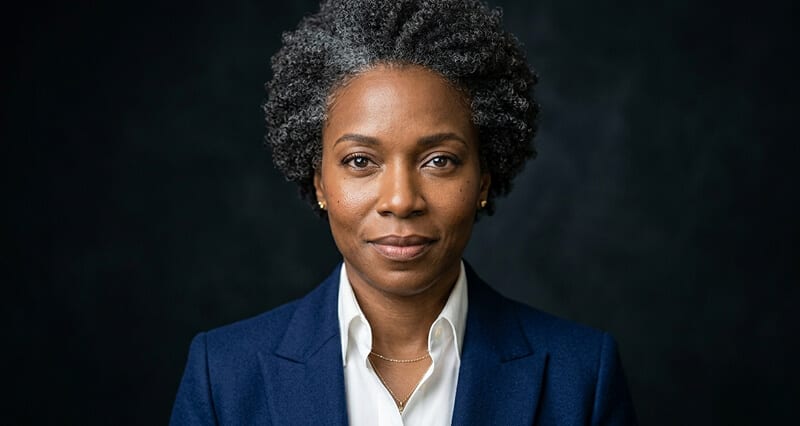
She shot again the next day in a navy blazer. Same window. Same pose. Same expression. Completely different result.
Here's the thing about wardrobe for headshots. It's not about looking professional in a general sense. It's about understanding how fabric, color, and fit behave on camera specifically. And for AI headshot input sessions, where you're shooting your own photos without a photographer to catch real-time problems, that knowledge is entirely on you.
This guide gives you everything you need to get it right.
Why Wardrobe Matters More Than Most People Think
Here's the specific mechanism.
In a headshot, your face is the primary focal point. Everything else in the frame, including your clothing, exists to support the face rather than compete with it. Clothing creates visual contrast between your face and everything below it. That contrast is what gives the face definition, depth, and visual weight.
When the contrast is right, the eye goes directly to your face. When the contrast is wrong, the eye moves around the frame trying to find a resting point, and your face loses the dominance it needs.
Wardrobe isn't background noise in a headshot. It's the second thing people notice after your expression, and it shapes credibility, industry fit, and approachability before anyone reads a word of your bio.
This is true in traditional photography and even more true in AI headshot input sessions, where the AI model is reading your clothing as part of the overall identity information in your photos. The clothing you wear in your inputs directly influences what the AI renders in your outputs.
The Color Science: What Actually Works on Camera
This is the section that separates headshot wardrobe advice that's actually useful from advice that's just vague.
The colors that consistently perform best:
Navy blue. The most universally reliable headshot color. It creates clear contrast against most backgrounds, signals trust and competence, works across virtually every skin tone, and photographs with a richness that reads as polished rather than heavy. If you're uncertain about anything else, navy blue is almost never wrong.
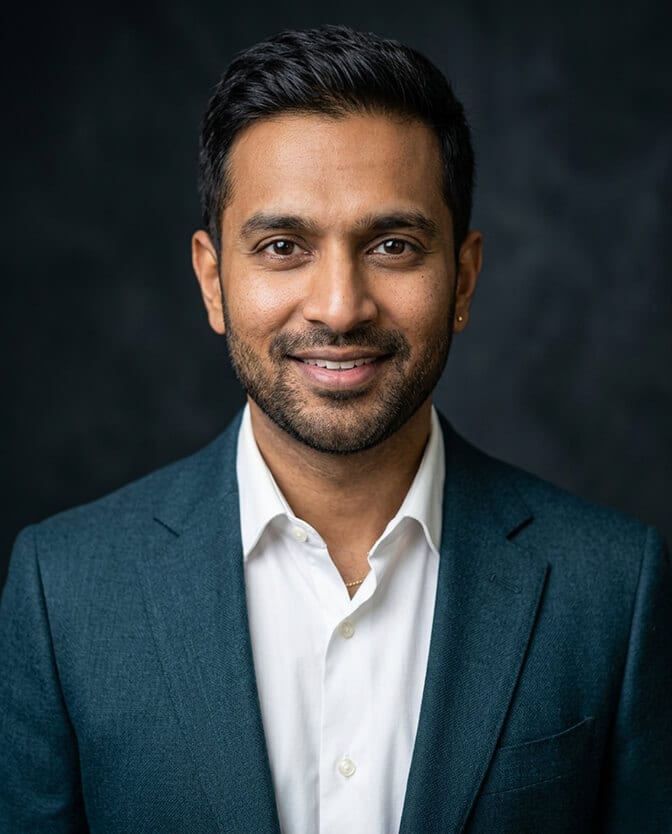
Deep teal. A modern alternative to navy with the same trust signaling but a slightly more distinctive quality. Teal sits at the blue-green intersection, which means it photographs with depth and works well against both dark and lighter backgrounds. If you want something that feels current without being trendy, deep teal is the move.
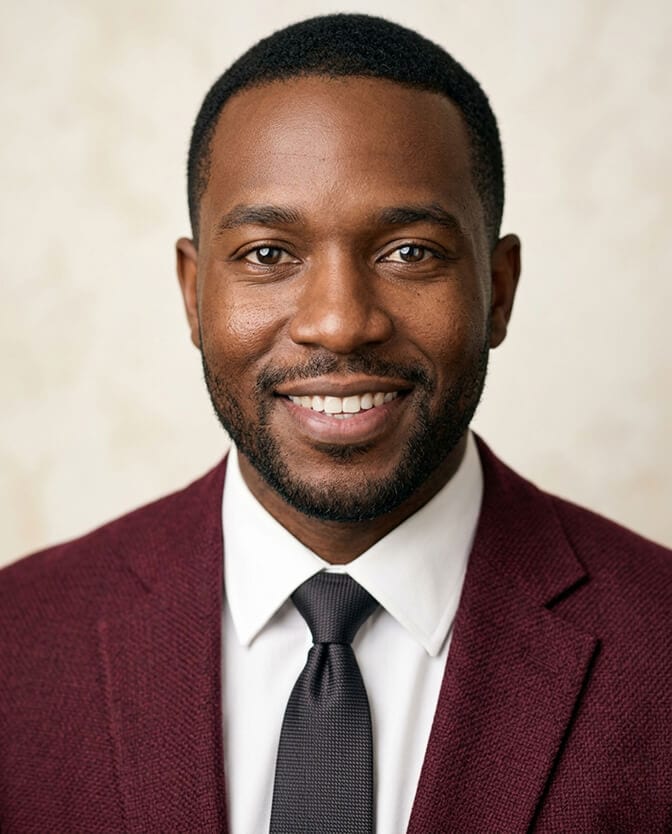
Burgundy and wine. Warm, approachable, and memorable. Burgundy adds warmth to the frame that navy and charcoal don't have, which makes it particularly effective for roles where approachability matters alongside authority. It works beautifully against darker backgrounds.
Charcoal gray. The structured alternative to navy when blue feels too expected. Works best against lighter or off-white backgrounds, where the contrast between clothing and background is clear. Against a gray background, charcoal disappears.
Forest green and sage. Both are having a significant moment in 2026 professional photography. Deep forest green works similarly to navy (authority, trust, depth). Sage is softer and reads as more approachable while still being camera-friendly.
Rich jewel tones broadly. Emerald, sapphire, plum, deep coral. These photograph with saturation and depth that flattering mid-tones share, but with more visual distinction.
The colors to avoid:
Pure white. Reflects too much light and competes with the face. Against a light background, it can cause the clothing to blow out. Off-white or cream works much better.
Pure black. Absorbs light and can look like a void, especially against dark backgrounds. If you prefer dark clothing, navy or charcoal maintain more visual dimension than pure black.
Light pastels broadly. Soft pink, lavender, mint, powder blue. These share the same problem as light gray: insufficient contrast. Your face floats among similar-brightness elements without a clear anchor.
Bright neons and saturated primaries. These pull the eye to the clothing rather than the face. A neon orange shirt is louder than your expression, and your expression is what your headshot is for.
Anything too close to your skin tone. The clothing needs to create contrast with your face. If the color is very close to your complexion, the face loses definition.
Fit: The Rule Nobody States Clearly Enough
Here's the truth that most wardrobe guides bury in polite language: fit matters more than the garment itself.
A well-fitted crew-neck sweater in navy produces a stronger headshot than a poorly fitted suit jacket in the same color. Every time.
What "well-fitted" specifically means for a headshot:
Shoulders sit correctly. The shoulder seam of a jacket or structured top should sit at the edge of your shoulder, not drooping down your arm and not cutting across the shoulder blade. A shoulder that sits incorrectly is visible in every frame and reads as careless.
No pulling or bunching. If a jacket pulls across the chest when buttoned, it creates visual tension that photographs prominently. If a shirt bunches at the collar, it creates distraction in the frame's most prominent zone.
Sleeves are the right length. For jackets, shirt cuffs should be visible at about half an inch below the jacket sleeve. For tops, the choice is either full-length sleeves or three-quarter length. Short sleeves work for some industries but draw the viewer's eye to the arms, which are often the camera-closest element in a three-quarter body pose.
Slightly fitted wins over slightly loose. When choosing between two sizes, err toward the better-fitting smaller option. Loose clothing photographs as heavier and less structured than it looks in a mirror. Clothing that skims the body cleanly reads as deliberate and polished.
Steam or press everything beforehand. Wrinkles that look minor in person become prominent in photographs. Every crease in your shirt collar, every fold across the chest, is visible in the final image. A steamer the morning of your shoot is not optional preparation. It's essential.
Patterns: The Camera-Specific Rules
The camera processes patterns differently than the human eye does, and this creates specific problems.
Tight stripes and narrow pinstripes create a moiré effect in digital photography. The camera sensor tries to resolve the fine pattern and produces a visual vibrating effect that has nothing to do with how the shirt looks in person. The tighter the stripe, the worse this problem is.
Large busy patterns (florals, graphic prints, bold plaids) shift the viewer's attention from your face to your clothing. The pattern becomes the loudest element in the frame.
Subtle textures are actually good. A fine knit texture, a matte weave, or a structured fabric with slight depth all add visual richness without creating distraction. Texture is different from pattern. Texture photographs as depth. Pattern photographs as noise.
The safe rule: solid colors are almost always stronger. If you want to incorporate a pattern, use it as a layer under a solid blazer, visible only at the neckline.
The Layering Strategy: How to Add Visual Depth
A blazer, structured cardigan, or fitted jacket over a simpler base layer does several things at once. It adds visual structure to the upper body. It creates a more tailored silhouette. It gives the frame depth that a single-layer outfit often doesn't.
The standard layering formula: a solid, mid-tone top underneath, a slightly darker or complementary blazer over it. Navy blazer over a lighter blue or white shirt. Charcoal blazer over a deep teal top. Burgundy jacket over a cream shirt. The layers should be close enough in tone to feel intentional but different enough to create separation.
What not to do: layer colors that fight each other. A red top under a purple jacket. Competing patterns in both layers. Colors so similar that the layering disappears entirely.
For the background and outfit guide at Headshot Photo, there's more detail on how specific outfit and background combinations interact, which is worth reviewing before finalizing your wardrobe choices.
The AI Headshot Wardrobe Consideration That Nobody Mentions
Here's the part specific to AI headshot input sessions that traditional wardrobe guides don't address.
When you're shooting input photos for an AI headshot generator, you control the clothing choice for your outputs. The AI renders what's in your input photos. This means your wardrobe decision isn't just about one session. It's about what your professional headshot will show for the next year or two.
Shoot multiple outfits. One of the practical advantages of AI headshot sessions is that you can shoot in two or three different outfits in the same afternoon and generate outputs from all of them. A navy blazer for your more formal LinkedIn and corporate headshots. A structured teal top for your personal website. A warmer burgundy option for more approachable contexts. The same face, the same quality standard, three different signals.
Match the wardrobe to your target industry. If you're in finance and need a formal output, dress formally in your inputs. If you're in tech and want a smart-casual output, dress accordingly. The AI renders your wardrobe from your inputs. You can't generate a formal blazer output if you shot your inputs in a casual t-shirt.
Avoid mixing wardrobe choices within a single input batch. If you're uploading photos for one headshot session, use consistent wardrobe across the frames for that session. Mixing a blazer in some frames and a casual top in others gives the model mixed clothing signals, which can produce inconsistent wardrobe rendering in the outputs.
The Industry-Specific Quick Reference
Finance, law, consulting: Dark suit or structured blazer minimum. Navy or charcoal. Ties for traditional/client-facing roles. Authority signals lead.
Tech, startups: Fitted button-down or crew-neck sweater. Optional blazer. Navy, teal, charcoal, or muted earth tones. Approachability signals lead.
Healthcare (clinical): Clean professional in softer tones. Navy, sage, soft blue, warm white. Warmth and trust both matter.
Creative, design, marketing: More color latitude. Jewel tones, expressive choices within solid-color bounds. Personality signals are appropriate.
Education, coaching, nonprofit: Warmer tones. Burgundy, sage, warm charcoal. Approachability over authority.
Executive leadership broadly: Fit and quality matter more than formality level. A perfectly fitted smart blazer outperforms a generic suit. The sophistication comes from precision, not formality.
For more detailed coverage of how wardrobe and styling differ across industry-specific contexts, the breakdown by sector covers what works and what falls flat in each professional environment.
If you want to see how different wardrobe choices translate in actual AI headshot outputs before committing to your session wardrobe, browse professional headshot examples from Headshot Photo across different industries and clothing choices.
The Pre-Session Wardrobe Checklist
Run through this the night before your AI headshot input session.
Pull three to four options. One formal, one business casual, one with a bolder color choice. Lay them out physically.
Check each one against the color rules. Is it a solid or near-solid? Is it in the mid-tone to jewel-tone range? Is it clearly different from your skin tone? Is it clearly different from the background you plan to use?
Check fit on each piece. Try it on. Look at the shoulder seam, the collar area, the chest, the sleeve length. If anything is slightly off, it will be clearly visible in the output.
Steam everything. Every piece you plan to shoot in. Not just the favorite one.
Avoid shiny fabrics, large logos, and anything with a tight pattern. Set those aside regardless of how professional they feel in person.
Test it on camera. Hold your phone at arm's length, rear camera facing you, and take a test frame. What looks good in a mirror may look different through a lens. This is the fastest quality check available and most people skip it entirely.
The Real Point About Wardrobe
The woman who switched from gray to navy saw a completely different set of outputs from the same face, the same window, the same fifteen minutes of shooting.
The clothes hadn't changed who she was. They'd changed what the camera was able to see of who she was.
That's ultimately what headshot wardrobe is about. Not costume. Not performance. Just giving the camera the information it needs to accurately represent you as the professional you actually are.
Pick the right colors. Get the fit right. Shoot in multiple options if you can. Then let the AI handle everything else.
When you're ready to put your wardrobe preparation into practice, create your professional headshot with Headshot Photo and see what the right outfit and input strategy produces.
Frequently Asked Questions
1. What colors are best to wear for a professional AI headshot in 2026?
The strongest performing colors for professional headshots in 2026 are navy blue, deep teal, burgundy, charcoal gray, and rich jewel tones including emerald and plum. These colors create clear contrast against most backgrounds, signal professionalism across industries, and photograph with depth and richness that translates well in both traditional and AI-generated outputs. Avoid pure white (reflects too much light), pure black (absorbs light and loses dimension), light pastels (insufficient contrast), and tight patterns (creates moiré distortion on camera).
2. Does wardrobe choice affect the quality of AI headshot outputs?
Yes, directly. AI headshot generators render your clothing as part of the output based on what appears in your input photos. The color, fit, and style of clothing in your inputs directly determines what appears in your outputs. Wearing a color that creates insufficient contrast in your input photos produces flat, washed-out outputs. Wearing a well-fitted, camera-appropriate color produces outputs with clear facial definition and professional depth. The AI can improve lighting and background but cannot compensate for poor wardrobe choices in the input photos.
3. Should I wear a suit or a blazer for my professional headshot?
It depends entirely on your industry and the professional signal you need to send. Finance, law, and formal consulting roles benefit from a suit or structured blazer at minimum. Tech, startups, and most modern business roles produce stronger results with business casual: a fitted button-down, smart knit, or optional blazer. Healthcare varies by role. Creative industries allow more wardrobe latitude. The test is not "does this look formal?" but "does this match what respected professionals at my level in my industry actually wear?" Dress one level above your daily norm, calibrated to your specific audience.
4. Can I wear patterns for my AI headshot?
Not usually for primary clothing choices. Tight stripes and narrow pinstripes create a moiré distortion effect on digital cameras. Large busy patterns pull the viewer's eye away from your face. Solid colors consistently produce stronger headshots by keeping the face as the clear focal point. The exception is subtle texture (a fine knit or matte weave), which adds visual depth without creating distraction. If you want to incorporate a print, use it as a base layer under a solid blazer, visible only at the neckline.
5. How many outfits should I shoot in for an AI headshot input session?
Shooting in two to three different outfits in the same session is the best approach for building a practical headshot library. Different wardrobe choices produce different professional signals, and having outputs in multiple colors and formality levels gives you headshots appropriate for different contexts. A navy blazer for formal contexts, a more relaxed smart casual option for personal branding uses, and a bolder color choice for creative or personality-forward contexts. All from the same input session, all at the same quality level.
