The profile photo nobody thinks about is the one everybody notices first.
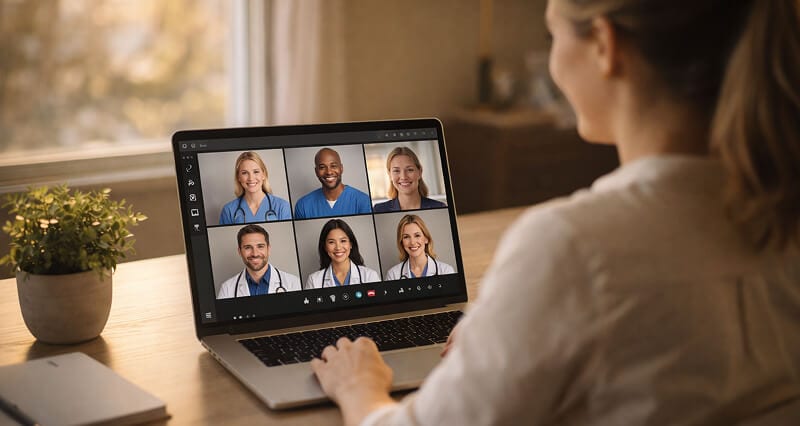
I was three minutes into a client call on Teams when I noticed it.
My profile picture. The one I had uploaded two years ago. The one where I was standing at a cousin's wedding, crop zoomed into oblivion, with half a champagne flute visible behind my left ear.
That was the photo representing me to a room full of people deciding whether to sign a $12,000 contract.
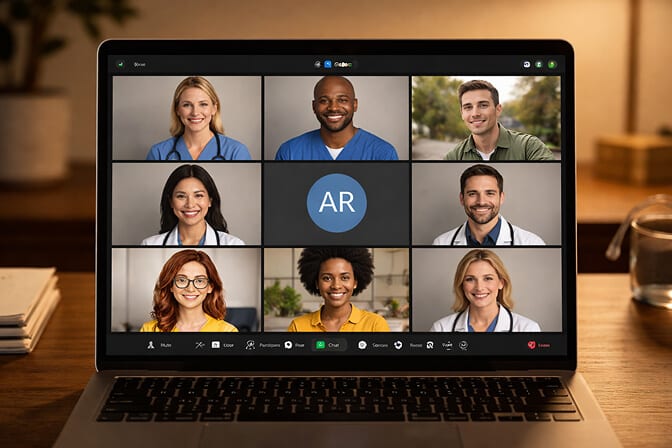
I looked at the other squares on the call. Two people had clean, professional headshots. One had a company logo. One had the default purple circle with initials. And then there was me, looking like I had just stumbled out of a banquet hall.
I closed the deal. But I updated my photo that same afternoon.
Here's the thing nobody tells you about video call profile pictures: they do more heavy lifting than your LinkedIn headline, your email signature, and your Slack status combined.
Once you have a shot you like, run it through a profile picture maker to crop it square and clear the background, so it still reads at 48 pixels.
And almost nobody gets them right.
The tiny circle that runs your reputation
Your Zoom profile photo shows up at roughly 48 pixels in chat threads. Microsoft Teams renders profile pictures at similar sizes in the sidebar.
Forty-eight pixels. That is smaller than most app icons on your phone.
At that size, nobody is admiring your jawline or noticing whether you picked the right shade of navy. What they are processing, in about 200 milliseconds, is this: Does this person look professional? Do they look approachable? Do they look like someone I can trust?
That snap judgment happens before your camera even turns on. Sometimes it is the only visual impression you make, especially in meetings where cameras stay off.
Stay with me here.
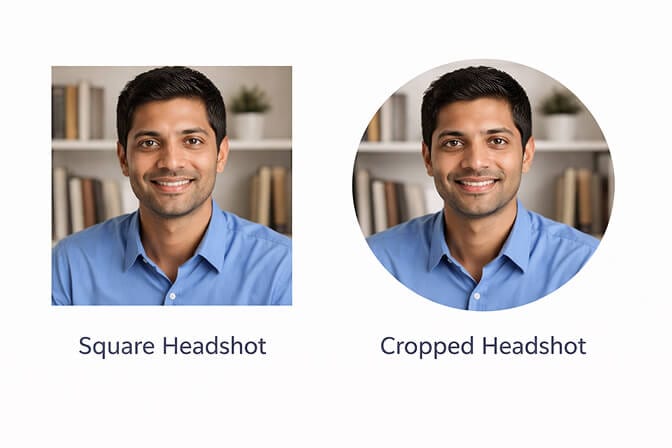
Microsoft recommends a minimum of 648x648 pixels for Teams profile photos. Zoom prefers at least 400x400. Both platforms crop your image into a circle. Google Meet does the same thing.
That circular crop is where most headshots fall apart.
What actually works at 48 pixels (and what doesn't)
Here is the brutal truth: the headshot rules you learned for LinkedIn do not translate directly to video call platforms.
On LinkedIn, your photo displays at 200x200 pixels on desktop and even larger on profile visits. There is room for nuance. Texture. A slightly wider frame.
On Zoom and Teams, you are working with a thumbnail. A stamp. A postage-sized square of trust.
What works at that scale:
Your face needs to fill 60 to 70 percent of the frame. Head and shoulders only. No waist-up shots. No full body. No environmental portraits where you are standing in front of a bookshelf six feet behind you.
The background needs to be simple. Solid colors or soft gradients. Anything complex becomes visual noise at small sizes. That gorgeous outdoor headshot with the bokeh trees? It turns into a smudge. If you are wondering which tones work best, this guide on choosing the best headshot background colors breaks it down by industry and skin tone.
Lighting needs to be even and bright. Dramatic shadows look artistic at full resolution. At 48 pixels, they make you look like half your face is missing. If you are setting up your own shot, this headshot lighting setup guide walks you through exactly what to do with natural window light.
And your expression matters more than you think. A slight, natural smile reads well at any size. A neutral expression can read as unfriendly when it shrinks down. A big, toothy grin can look forced.
The best headshot for video calls is one that reads clearly at the size of your thumbnail and still looks like you when your camera turns on.
This is the part most advice articles skip. They tell you to "look professional" and "use good lighting" without ever mentioning that your carefully crafted headshot is going to be viewed at the size of a pencil eraser.
The three mistakes I see on every Teams call
I spend a lot of time on video calls. Probably too much time. And the same three profile picture mistakes show up in almost every meeting.
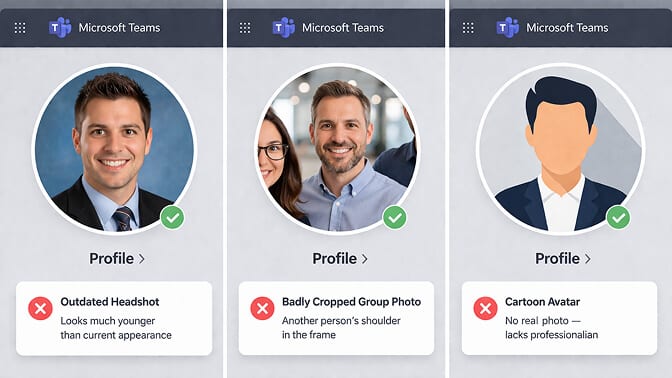
Mistake one: the ancient photo. You look 28 in your headshot but 35 on camera. People notice the disconnect, even if they never say anything. It creates a tiny crack in credibility. If your colleagues would walk past you because you look different from your photo, it is time for a new one.
Mistake two: the group crop. Someone else's shoulder in the frame. A mysterious arm appearing from the left side. A background that clearly belongs to a restaurant or event. You cropped a group photo and hoped nobody would notice. Everyone notices.
Mistake three: the logo or cartoon avatar. Unless you work at a creative agency where this is culturally normal, replacing your face with an illustration or company logo makes you harder to connect with. People form relationships with faces, not icons.
Here's where it gets interesting: one photo, five platforms
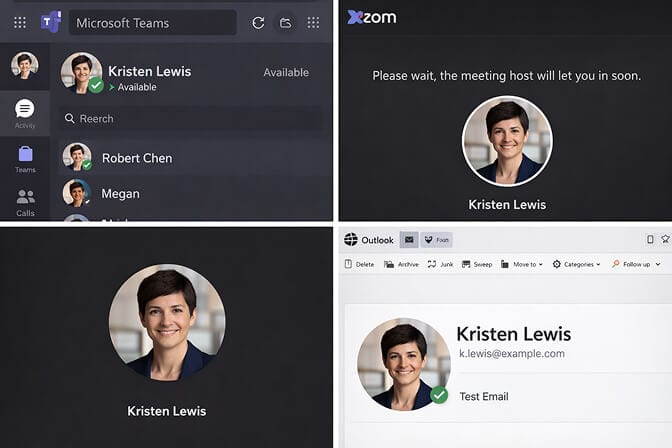
Your Microsoft Teams profile photo does not live in isolation. When you update it, the change propagates across Outlook, SharePoint, OneDrive, and every other Microsoft 365 app tied to your account.
Zoom syncs separately. So does Slack. So does Google Meet.
This means you need a headshot that works everywhere. And ideally, you want the same photo (or a very similar one) across all platforms. Consistency builds recognition. When someone sees the same face in their email, their chat sidebar, and their meeting grid, they remember you faster.
But here is where it gets messy.
Each platform has slightly different specs. Teams wants at least 648x648. Zoom prefers 400x400. Google Meet recommends 720x720. All of them crop to a circle.
So the smartest move is to start with a high resolution square image, at least 800x800, with your face centered and plenty of breathing room around the edges for the circular crop.
If you are working from a headshot that was originally shot in landscape orientation, you are going to lose important framing when it gets cropped.
This is one of those details that sounds minor until you upload your photo and realize your forehead got cut off.
What the best video call headshots have in common
I have looked at thousands of professional headshots. The ones that work best for Zoom, Teams, and Meet share a few things.
A clean, neutral background. Not white. Not jet black. Something in the soft gray, light blue, or warm beige range. These backgrounds are invisible at small sizes, which is exactly what you want. Your face is the subject. The background should disappear.
Even, soft lighting. Window light is ideal if you are doing it yourself. No harsh overhead fluorescents. No dramatic side lighting. Even and bright is the goal.
Appropriate attire for your industry. A tech founder in a well-fitted crew neck reads differently than a financial advisor in a navy blazer. Both can work. The point is to match the visual expectations of the people on the other end of the call. Not sure what to wear? This breakdown of the best colors to wear for a headshot covers what works on camera by skin tone and profession.
Confident but relaxed expression. Slight smile. Eyes engaged. Chin slightly forward. Not stiff. Not posed. The best headshots look like you were mid-conversation with someone you actually like.

The part nobody tells you about getting the actual photo
Here is the unspoken problem.
Most people know they need a better headshot. They have known for months. Maybe years. They just... have not gotten around to it.
Because the traditional path looks like this: find a photographer, book a session, take time off work, drive to a studio, sit through 45 minutes of "turn your chin slightly left," wait three days for edited images, pay $200 to $500, pick one photo, and hope it works.
That is a lot of friction for a 48-pixel circle.
And it is why millions of professionals are still using wedding crops and blurry selfies in 2026.
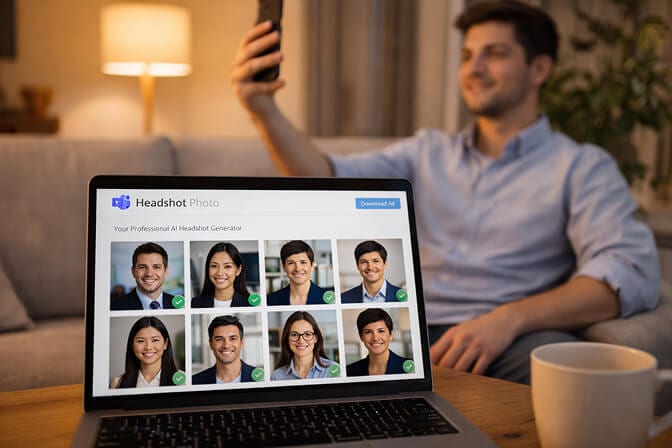
If you have been putting off updating your headshot because the process feels like too much, you are not alone. And there is a faster path now. Headshot Photo lets you upload a few selfies and get dozens of professional headshots back in as little as 1 hour. Different backgrounds. Different styles. All optimized for the clean, simple framing that works on Zoom, Teams, and everywhere else. Starting at $34, no scheduling, no studio visit.
It is not about replacing photographers. It is about removing the excuse you have been using to keep that 2019 wedding crop as your profile picture.
How to upload your headshot to Zoom and Teams (the quick version)
Once you have a headshot you are happy with, getting it onto your platforms takes less than one hour.
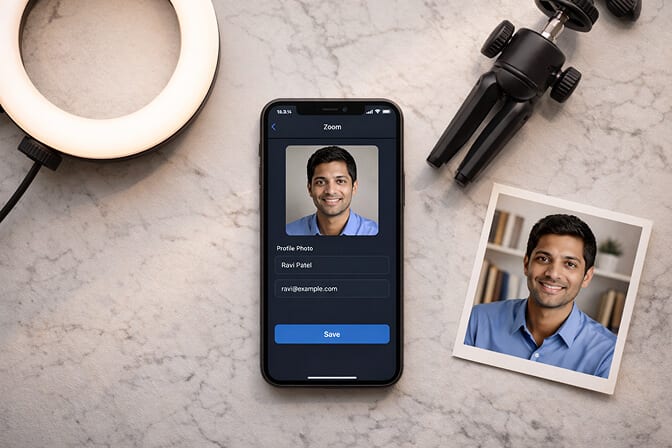
For Zoom: Open the desktop app, click your profile icon in the top right, select your name, and click the camera icon on your photo to upload a new image. The change shows up immediately.
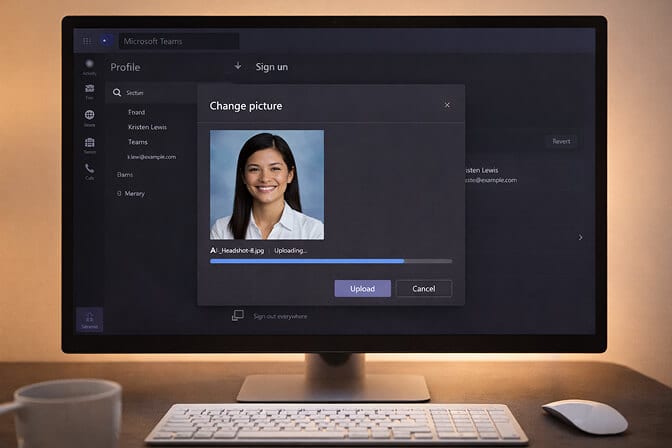
For Microsoft Teams: Click your profile circle in the top right, select "Edit profile," and upload your new photo. Keep in mind that Teams syncs your image across the entire Microsoft 365 ecosystem, so it will also update in Outlook, SharePoint, and your company directory. This sync can take a few minutes, sometimes up to an hour.
Pro tip: Upload a square image at 800x800 pixels or higher. Both platforms crop to a circle, so make sure your face is centered with some margin around the edges. If your image looks blurry after uploading to Teams, it is almost always because the resolution was too low. Go bigger.
If you want to try creating your headshot from a selfie before committing to anything, the free headshot generator lets you test the process at no cost.
The real reason your headshot matters more now than five years ago
Remote and hybrid work did not just change where people work. It changed how people form impressions of each other.
In an office, you have dozens of micro-interactions that build trust. A handshake. A hallway conversation. A shared coffee. On video calls, you have a tiny circle with your face in it, and maybe 30 seconds before someone decides whether you seem competent and trustworthy.
Your headshot is doing more relationship work than it has ever done before.
And the gap between people who take it seriously and people who do not is visible on every call.
You do not need a perfect photo. You need a current, clear, well-lit headshot where you look like yourself on a good day. That is the bar. And honestly, for what professional headshots actually cost in 2026, there is no reason to keep putting it off.

One last thought
The next time you join a video call, look at the grid of faces. Notice whose photo makes them look prepared, approachable, and professional. Notice whose photo is a blurry mystery.
Then look at your own.
If it is not representing the version of you that shows up to do great work, change it. Today. It takes ten minutes.
The smallest square on the screen might be the most important one.
Frequently Asked Questions
1. What is the best headshot size for Zoom and Microsoft Teams?
For Zoom, use at least a 400x400 pixel square image. Microsoft Teams recommends 648x648 pixels minimum, though uploading at 800x800 or higher gives you the sharpest result. Both platforms crop your photo into a circle, so keep your face centered with margin around the edges to avoid losing important framing.
2. How does an AI headshot compare to a traditional photographer for video call profiles?
For video call profile photos, the quality difference between a good AI headshot and a studio session is minimal in 2026. Both produce clean, well-lit images that look sharp at the small display sizes Zoom and Teams use. The main differences are cost ($34 vs. $200 to $500) and time (1 hour vs. half a day). For executive or editorial use, a traditional photographer still has its place.
3. How do I make my Zoom profile picture look professional?
Use a head-and-shoulders crop where your face fills about 60 to 70 percent of the frame. Choose a clean, neutral background. Make sure the lighting is even and bright with no harsh shadows. Wear something appropriate for your industry. And keep the image current. If you look noticeably different from your photo, it creates a disconnect with colleagues and clients.
4. Is an AI headshot good enough for corporate Microsoft Teams profiles?
Yes. AI headshot tools like Headshot Photo generate images that are indistinguishable from traditional studio photos at the sizes video call platforms display them. Many remote teams now use AI headshots for consistent, professional profile pictures across the entire organization without coordinating group photo sessions.
5. Should I use the same headshot on Zoom, Teams, LinkedIn, and Slack?
Using the same or very similar headshot across all professional platforms is strongly recommended. Consistency builds recognition. When colleagues see the same face in their inbox, their chat sidebar, and their meeting grid, they associate it with you faster. It creates a cohesive professional identity that reinforces trust across every interaction.
