Your Slack profile picture is doing more work than you think. It shapes how colleagues read your tone, trust your ideas, and decide how fast to reply.
I noticed it on a Tuesday.
I had just joined a new remote team. Onboarding was the usual blur of introductions, shared docs, and Slack channels I didn't know the names of yet. But something felt off in my first few days of messaging.
My questions sat unanswered for hours. My ideas got one-word responses. People were polite but distant. I figured it was just new-hire awkwardness.
Then my manager pinged me privately: "Hey, quick thing. Can you upload a real photo to your Slack? The team keeps confusing you with the other new hire. You both have default avatars."
That's when it clicked.
I wasn't invisible because people didn't care. I was invisible because I looked invisible. My Slack profile was a grey silhouette. No face. No identity. Just a generic placeholder sitting next to every message I sent.
I uploaded a decent headshot that afternoon. Within 24 hours, the responses came faster. People used my name more. The conversations felt warmer.
Coincidence? Maybe. But probably not.
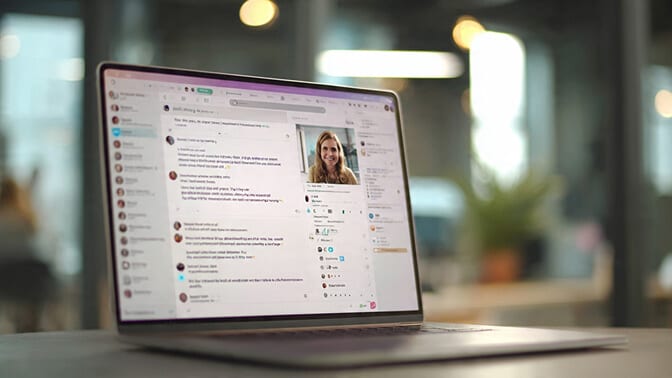
Why Your Slack Profile Photo Carries More Weight Than You Think
Here's the thing about Slack. It's not email. It's not a formal document. It's the closest thing remote teams have to hallway conversation.
And in hallway conversations, you can see someone's face.
When you strip the face away, something subtle but powerful changes. Messages lose context. Tone becomes ambiguous. People default to reading your words with whatever mood they happen to be in.
A profile photo anchors your messages to a real human being. It gives your tone a face. Your jokes land better. Your feedback feels less cold. Your requests feel less demanding.
This isn't a theory. Research on the "face superiority effect" in psychology shows that humans process faces faster and more emotionally than almost any other visual stimulus. We are wired to respond differently when we can see who is talking to us.
And on Slack, your photo is tiny. It shows up as a small circle next to every single thing you type. Which means it needs to be clear, recognizable, and professional enough to work at that scale.
Most people never think about this. They shouldn't have to. But if you've ever felt like your messages get misread or your presence in channels feels a little invisible, your photo might be part of the problem.
If you want to dig deeper into how profile photos affect professional perception, read this breakdown on how your LinkedIn photo affects your job search. The same psychology applies to Slack.

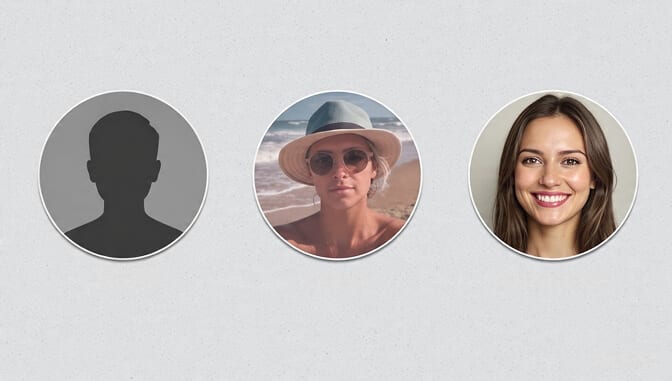
The Three Types of Slack Profile Photos (And What Each One Signals)
Let me break this down, because not all profile photos are created equal.
The Default Avatar
This is the grey silhouette. The blank circle. The digital equivalent of showing up to a meeting with a paper bag over your head.
It signals one of two things to your coworkers: either you just joined and haven't set things up yet, or you don't care enough to bother. Neither impression helps you.
In large workspaces with hundreds of people, default avatars are practically invisible. Your messages blend into the noise. People scroll past you.
The Casual Selfie or Cropped Group Photo
Better than nothing. But "better than nothing" is a low bar.
A blurry selfie, a vacation crop, or that photo from three years ago where you're squinting into the sun... these photos exist, technically. But they don't do what a good Slack photo should do: make you look like someone who has their act together.
Here's the weird part. People will never tell you your Slack photo looks bad. They just quietly form impressions. And those impressions leak into how they interpret your messages, your competence, and your seniority.
The Clean, Professional Headshot
This is the one that works.
Clear face. Good lighting. Simple background. You look approachable, confident, and real.
It works at 48 pixels wide (Slack's tiny avatar size in message threads). If your only good photo is badly framed, a profile photo maker will re-crop it tight enough to read at that size. It works when someone is scanning a channel with 200 people. It works because it does the one job a profile photo needs to do: make you recognizable and trustworthy in a split second.
Want to understand the difference between a headshot that works and one that doesn't? Check out these professional headshot tips and dos and don'ts. The same rules apply for your Slack profile picture.
But Wait. It's Just Slack. Do I Really Need a "Professional" Photo?
I hear this one a lot.
"It's an internal tool. Nobody outside the company sees it. Why would I need a headshot for Slack?"
Fair question. And here's the honest answer: you don't need one. Nobody is going to fire you over a bad Slack photo.
But consider this.
In a remote or hybrid workplace, Slack is where relationships are built. It's where trust forms between people who may never share a physical office. Your photo is part of that equation, whether you want it to be or not.
Think about the people in your own Slack workspace whose messages you always notice. The ones who feel "present" even in a 300-person channel. Chances are, they have a clear, recognizable photo.
Now think about the people whose messages you skim past. The ones who feel like background noise.
See the pattern?
Your Slack photo isn't about vanity. It's about visibility. And in remote work, visibility is currency.
This matters even more if you're in a client-facing role, if you work across teams, or if you're relatively new. First impressions on Slack happen every single day, not just on day one.
What Makes a Good Slack Profile Picture (The 60-Second Checklist)
You don't need a photography degree. You need five things.
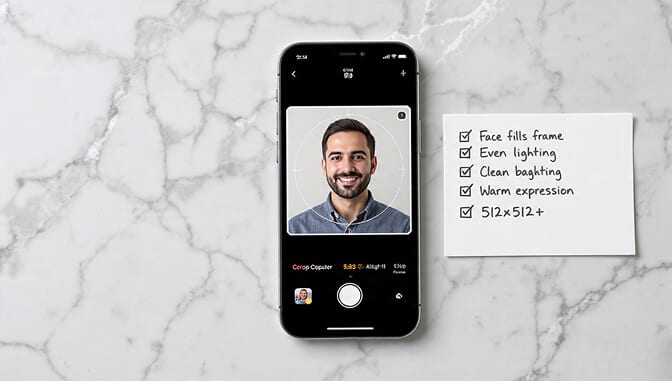
Your face should fill about 60 to 70% of the frame. Slack renders your photo as a small circle. If your face is a tiny speck inside a wide shot, nobody can tell who you are.
The lighting should be even and natural. No harsh shadows. No backlit silhouettes. Window light is your best friend.
The background should be clean. It doesn't need to be a studio backdrop. A plain wall or a slightly blurred room works fine. Just avoid clutter, other people, or anything distracting.
Your expression should be warm but neutral. A slight smile. Eyes open. You want to look like someone people would feel comfortable messaging at 9 AM on a Monday.
The image should be at least 512 x 512 pixels. Slack recommends up to 1024 x 1024 for the best quality. Anything smaller and it'll look soft or pixelated.
That's it. Five things. But getting all five right in a single photo is harder than it sounds, which is why most people default to whatever photo they already have and hope for the best.
If you want a no-stress way to create the right photo, try the free profile picture maker from Headshot Photo. Upload a selfie, and you'll get a clean, professional result without overthinking it.
The Real Problem: Nobody Has Time for This
Here's where most people get stuck.
They know their Slack photo could be better. They agree it matters. But between actual work, meetings, deadlines, and everything else on their plate, scheduling a headshot session falls somewhere between "I should really organize my closet" and "I'll get to it eventually."
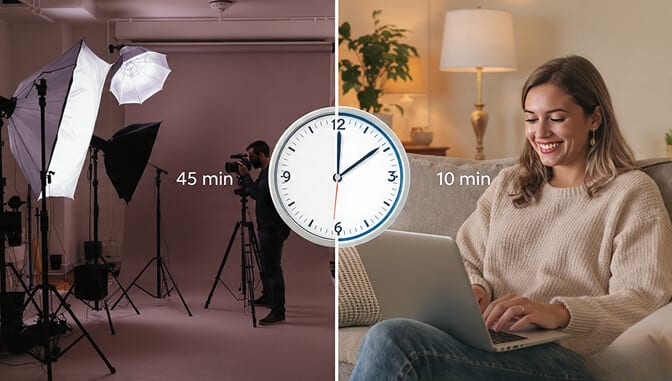
And I get it. Traditional professional headshots are a whole production. Find a photographer. Book a slot. Show up. Pose under weird lights for 45 minutes. Wait for edited files. Pay anywhere from $150 to $500.
All for a photo that shows up as a 48-pixel circle on Slack.
That math doesn't work for most people.
This is exactly why AI headshot tools exist now. You upload a handful of casual selfies. The AI generates dozens of professional-quality headshots with different outfits, backgrounds, and styles. The whole thing takes about 1 hour of your time.
If you've been putting off your Slack photo (or your LinkedIn photo, or your company bio photo) because the traditional route feels like too much, Headshot Photo was built for exactly that moment. Upload your selfies, pick your favorite result, and you've got a headshot that works everywhere. No scheduling. No studio. No excuses.
One Photo, Every Platform
Here's a bonus that most people don't think about.
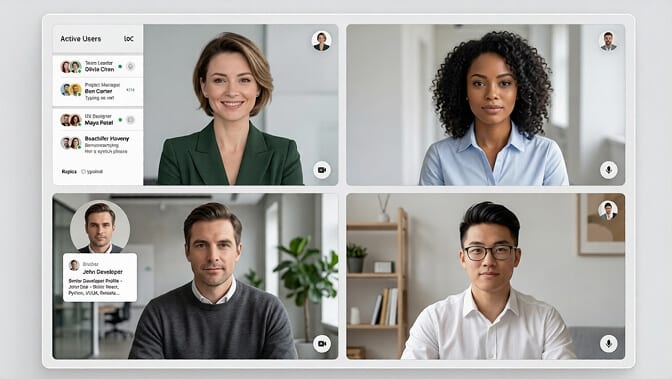
Once you have a good professional headshot, you can use it everywhere. Slack. LinkedIn. Google Workspace. Zoom. Microsoft Teams. Your company's internal directory. Your personal website.
Consistency across platforms matters more than you'd expect. When your face looks the same in every tool, people recognize you faster. Trust builds quicker. Your personal brand starts to feel cohesive instead of scattered.
The same photo that makes you look sharp on Slack makes your LinkedIn profile more clickable. In fact, profiles with professional headshots get dramatically more views and connection requests. If your team is due for a refresh across every platform, this guide on business team photos covers how companies handle that at scale.
The Quiet Advantage Nobody Talks About
I want to end with something that doesn't get said enough.
The people who take their digital presence seriously, even in small ways like a Slack profile photo, tend to be the same people who get noticed in remote organizations. Not because the photo itself is magic. But because it signals something.
It signals that you pay attention to details. That you think about how others experience working with you. That you show up fully, even in a chat window.
That might sound like a stretch for a 48-pixel circle. But in a world where most of your coworkers only know you through text on a screen, every pixel counts.
Your Slack photo won't get you promoted. But it quietly removes one more barrier between you and the version of you that people deserve to see.
And honestly? That's worth the few minutes it takes to fix.
If you're ready to stop overthinking it and just get a professional headshot done, try Headshot Photo for free. Upload a few selfies, pick your favorite, and you'll have a photo that works on Slack, LinkedIn, and every other platform you use for work.

Frequently Asked Questions
1. What is the ideal Slack profile picture size?
Slack requires a minimum of 512 x 512 pixels and supports up to 1024 x 1024 pixels. The image always displays as a circle, so keep your face centered in a square crop. Using the full 1024 x 1024 size gives you the sharpest result across desktop and mobile.
2. How does a Slack profile photo compare to a LinkedIn profile picture?
Both serve the same core purpose: making you recognizable and trustworthy. LinkedIn photos tend to be more polished since they're public-facing, while Slack photos are seen internally. But the best practice is the same for both: clear face, good lighting, simple background. Using the same headshot across both platforms creates consistency that builds trust faster.
3. How do I get a professional headshot for Slack without hiring a photographer?
AI headshot generators like Headshot Photo let you upload a few casual selfies and receive dozens of studio-quality headshots in about 1 hour. You choose your favorite, download it, and upload it to Slack. No studio visit, no scheduling, and a fraction of the cost of traditional photography.
4. Is it worth updating my Slack profile picture if I work remotely?
Yes. In remote and hybrid teams, your Slack photo is often the only visual cue your coworkers have. A clear, professional image makes your messages feel more personal, helps people remember you in large workspaces, and signals that you take your presence on the team seriously.
5. Can I use an AI-generated headshot as my Slack profile photo?
Absolutely. Modern AI headshot tools produce results that are virtually indistinguishable from traditional studio photos. They handle lighting correction, background cleanup, and natural retouching automatically. Headshot Photo has been used by over 50,000 professionals for exactly this purpose, across Slack, LinkedIn, Zoom, and company directories.
