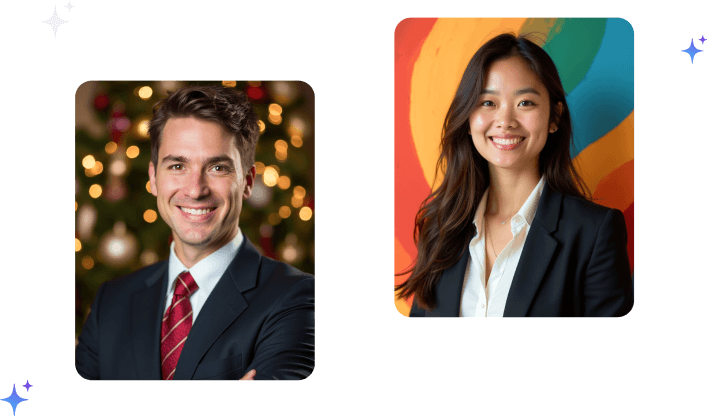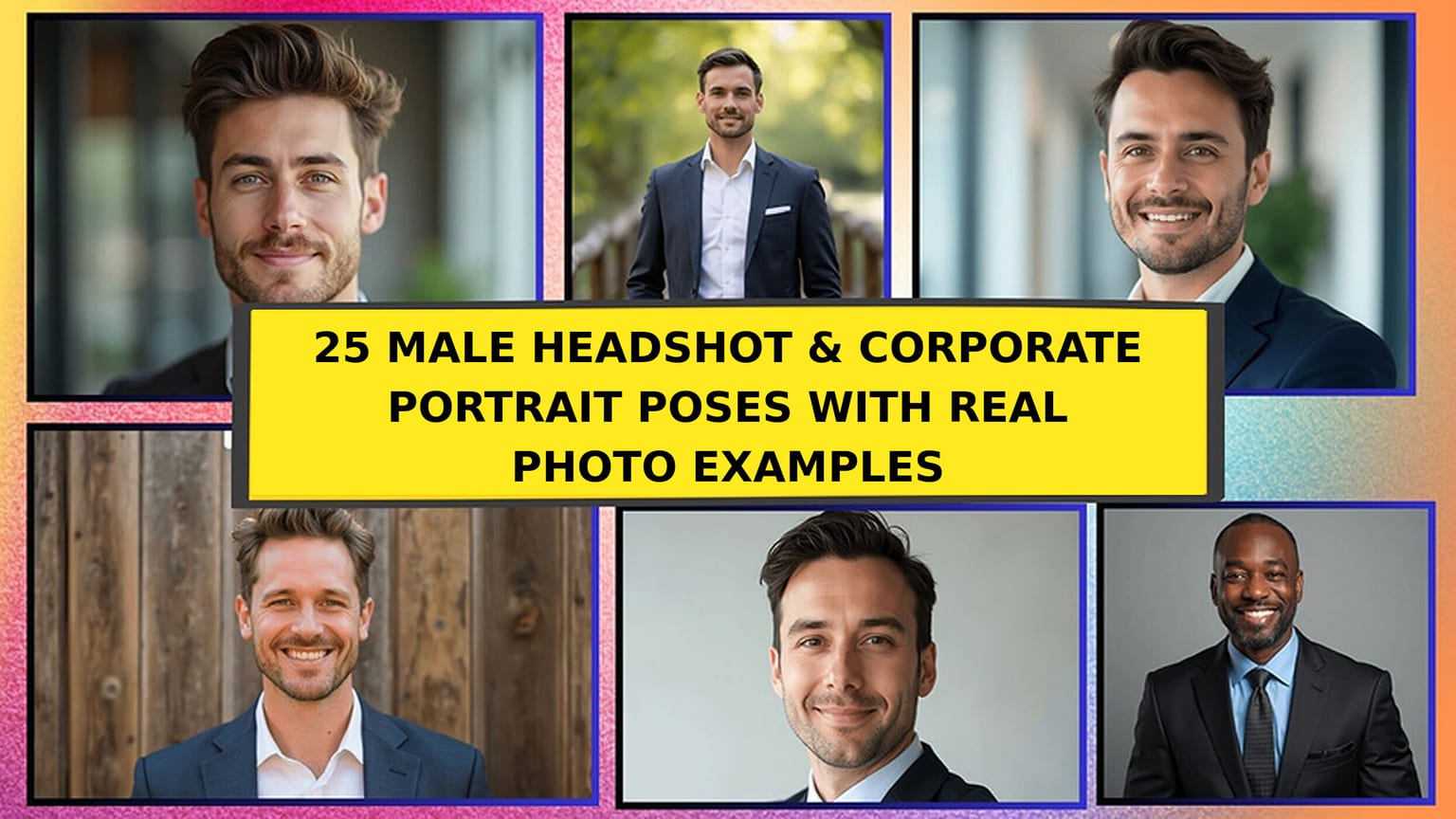
How do you feel as a man preparing for a professional portrait? It's normal to be unsure about how to pose, especially if it is your first time in front of a camera. And naturally, the way you carry yourself in front of the camera directly affects how confident, competent, and approachable you appear.
Below are 30 professional poses for men with a photo example for every one: 15 core poses that work anywhere, 5 built specifically for LinkedIn profile pictures, 5 for CEOs and senior leadership, and 5 office photo poses you can shoot at your own desk. Each entry tells you exactly what to do with your hands, arms, shoulders, and head, plus the roles the pose suits best. We've also included posing tips and an easier alternative to get the perfect headshot for your brand. If you're rolling these poses out across an entire org, you can get AI company headshots for your corporate team so every employee follows the same style guide automatically. Posing a woman on your team? Our female corporate portrait poses guide covers the same ground.
Which Pose Should You Use?
| If you need... | Use pose | Reads as |
|---|---|---|
| One safe photo for everything | 1 or 16 | Neutral, professional |
| LinkedIn, approachable | 16, 18 | Warm, easy to contact |
| LinkedIn, formal (law, finance) | 19, 24 | Credible, senior |
| CEO, founder or press kit | 21, 23, 24 | In charge |
| Office photo for a company website | 10, 13, 26, 27 | Grounded, at work |
| Confident or power pose | 2, 28 | Assertive |
| Speaker or thought leader | 5, 20, 30 | Considered |
Top Male Corporate Portrait Poses You Should Try Out
These first 15 poses are the foundation. They work for company directories, About pages, bios, press kits, and profile photos alike.
If you already have a photo and only need it framed properly, our profile picture maker will crop and clean it up before you upload.
Pose 1: Classic Straight-On, Squared Shoulders

Striking a classic straight-on pose is one of the most effective ways to present yourself in a corporate portrait. You simply face the camera directly, standing or sitting upright with squared shoulders. This pose communicates confidence and clarity. There's no distraction, just you looking professional. Moreover, it's a pose that works in nearly every setting, from formal company websites to online bios.
Best For: LinkedIn profiles, corporate directories, and formal business portraits.
Pose 2: Standing with Arms Crossed, Three-Quarter Angle
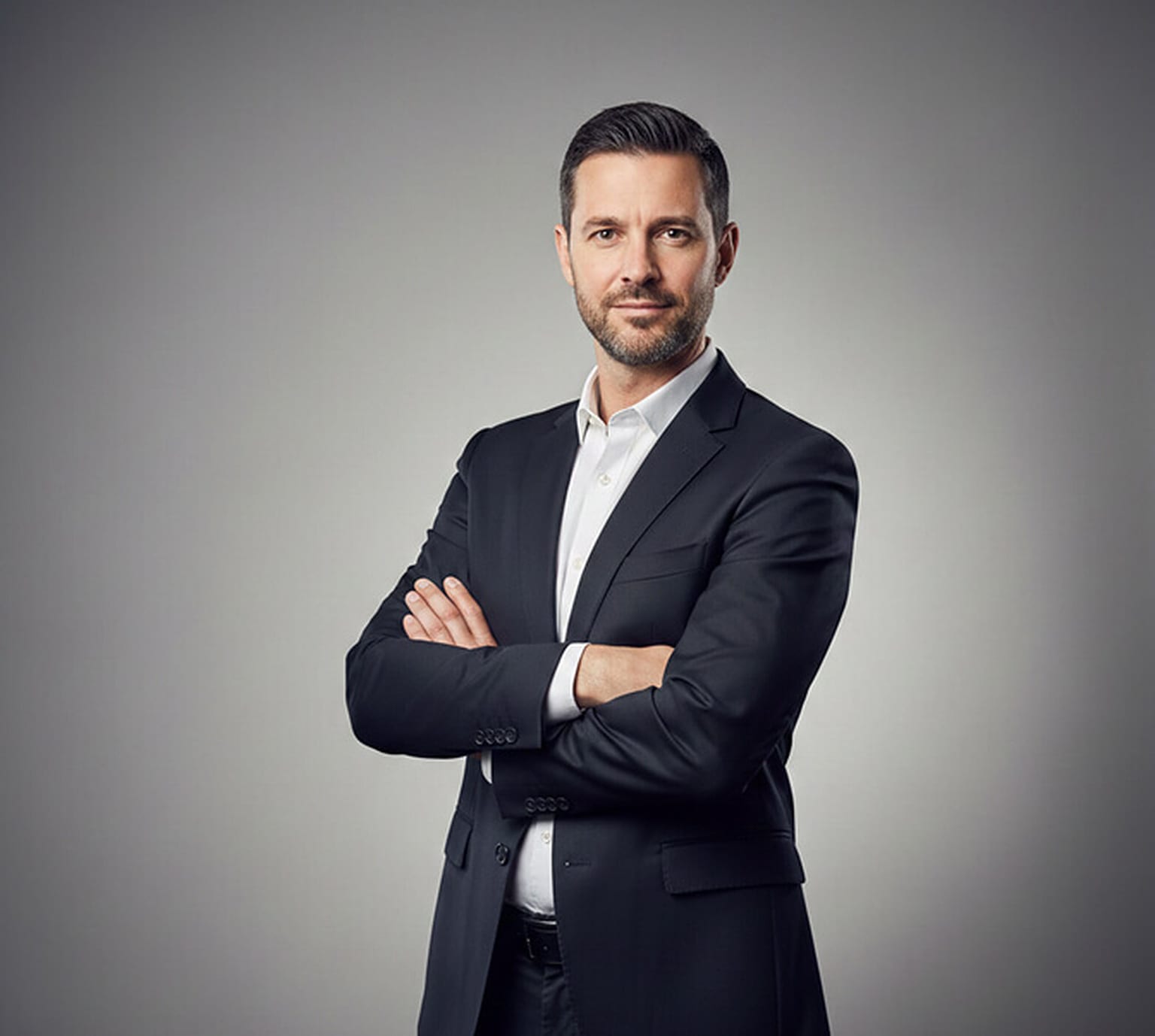
Another powerful pose is standing with arms crossed. Compared to the straight-on look, this pose adds a touch more personality. You still face the camera, but the folded arms give off a more assertive, grounded feel. It suggests that you're confident, in control, and ready to lead. At the same time, this pose can feel a bit more closed off, depending on your facial expression. That's why it often works best when paired with a calm or neutral look.
Best For: Executive headshots, leadership pages, and high-level bios.
Pose 3: Standing with Hands Clasped in Front
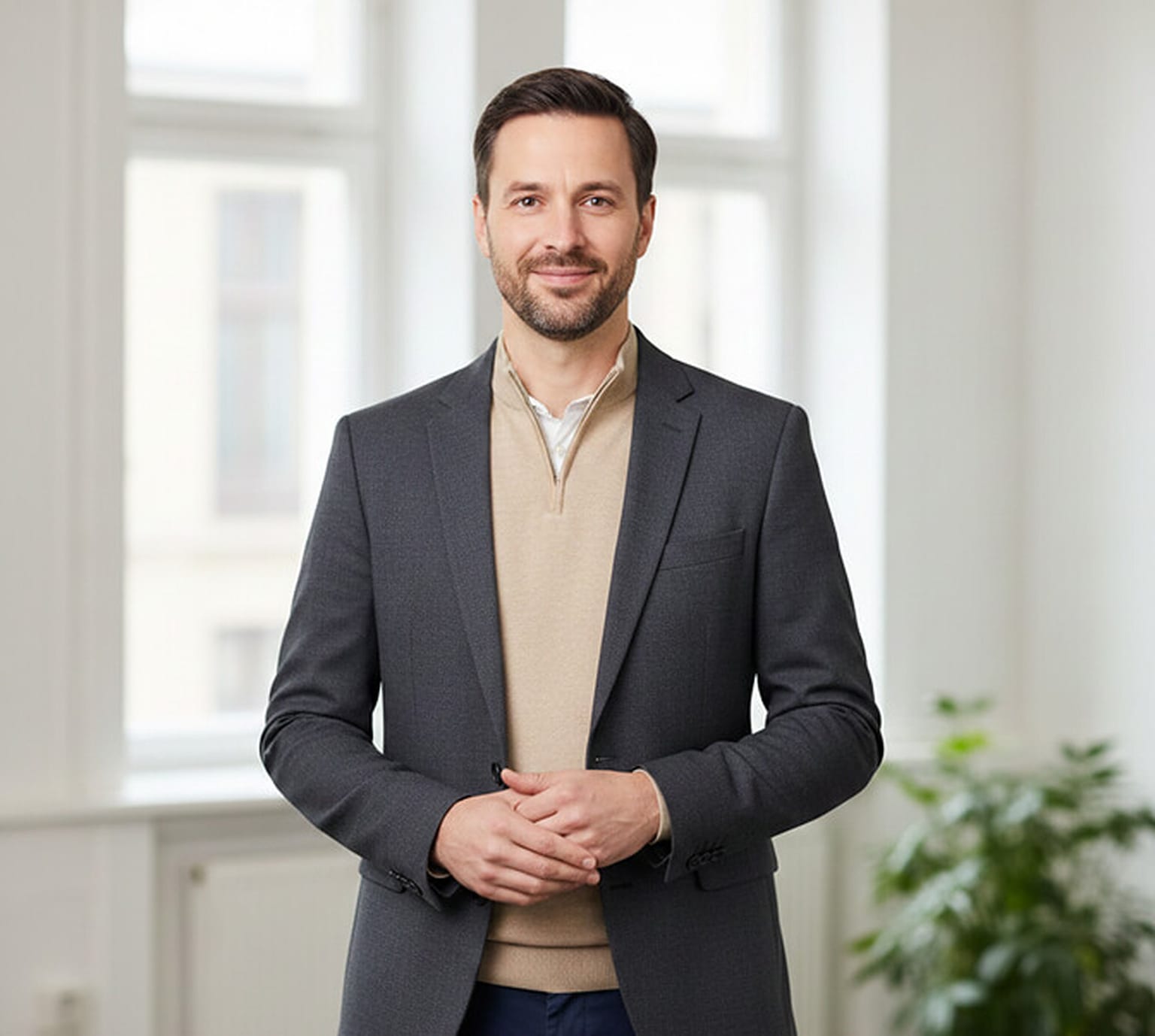
If you're aiming for something a little softer and more relaxed, standing with your arms in front is a great choice. Unlike the crossed-arm pose, this one feels more open and approachable. It shows you're grounded, present, and comfortable in your skin. As you stand, your arms come together gently in front of your body, either clasped or loosely held. This subtle shift can make you appear thoughtful and sincere.
Best For: Consultants, team profiles, and approachable leadership roles.
Pose 4: One Hand in Pocket

Now, if you're going for a slightly more casual vibe, hands in pockets might be the way to go. Compared to other formal poses, this one adds a sense of ease and confidence in a corporate headshot. Whether it's one hand or both, this pose always gives off cool composure.
Best For: Startups, creative professionals, and modern business settings.
Pose 5: Hand Resting on the Chin
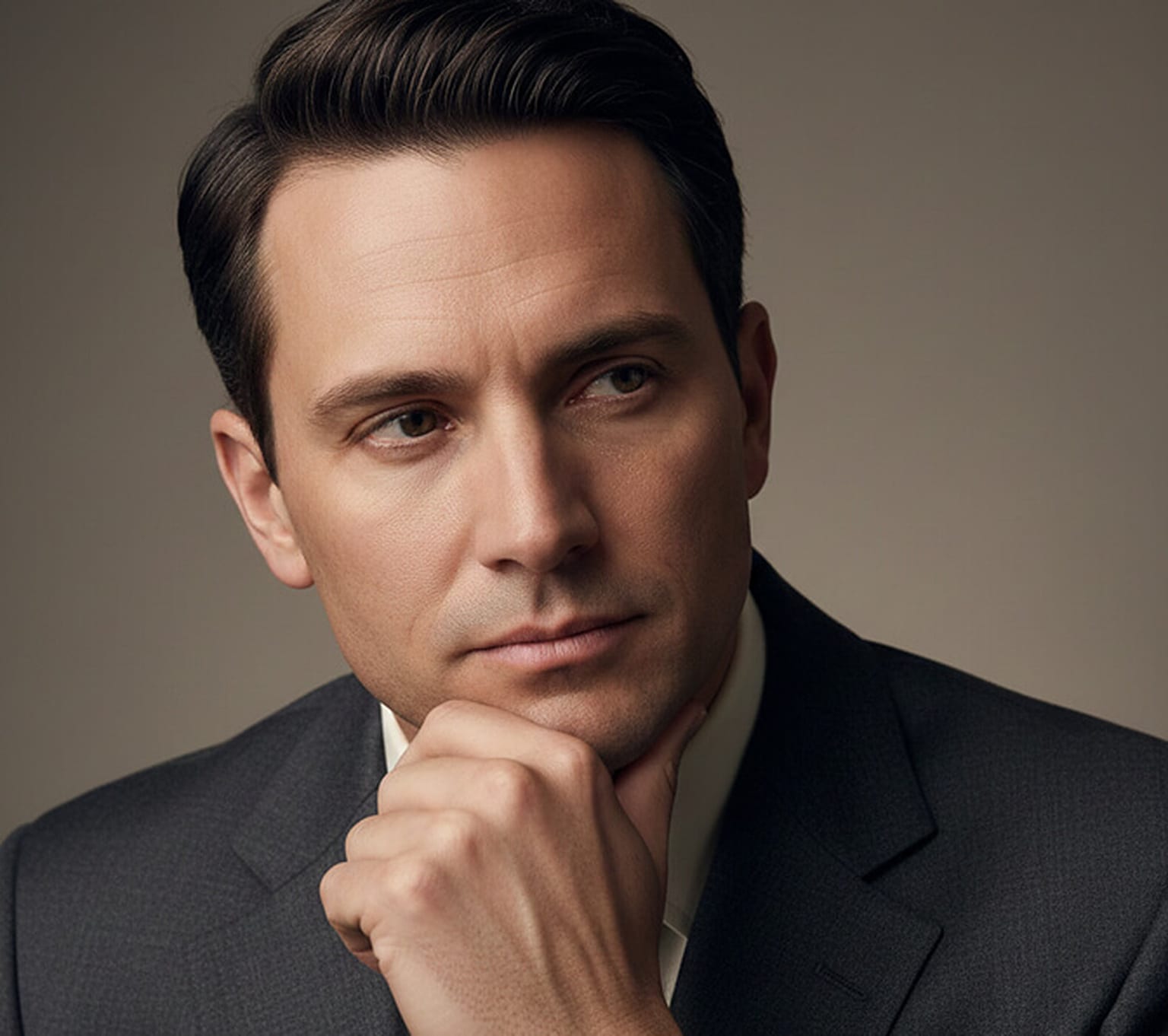
The hands-on-chin pose adds a quiet sense of intelligence and focus. In this one, you either sit or stand while resting your hand lightly against your chin. It's not overly dramatic, but it introduces a little introspection into the frame. What makes this pose stand out is the suggestion of being deep in thought. Compared to others, it feels a bit more personal, like you're someone who reflects before they speak.
Best For: Thought leaders, consultants, coaches, and author profiles.
Pose 6: Jacket Draped Over the Shoulder
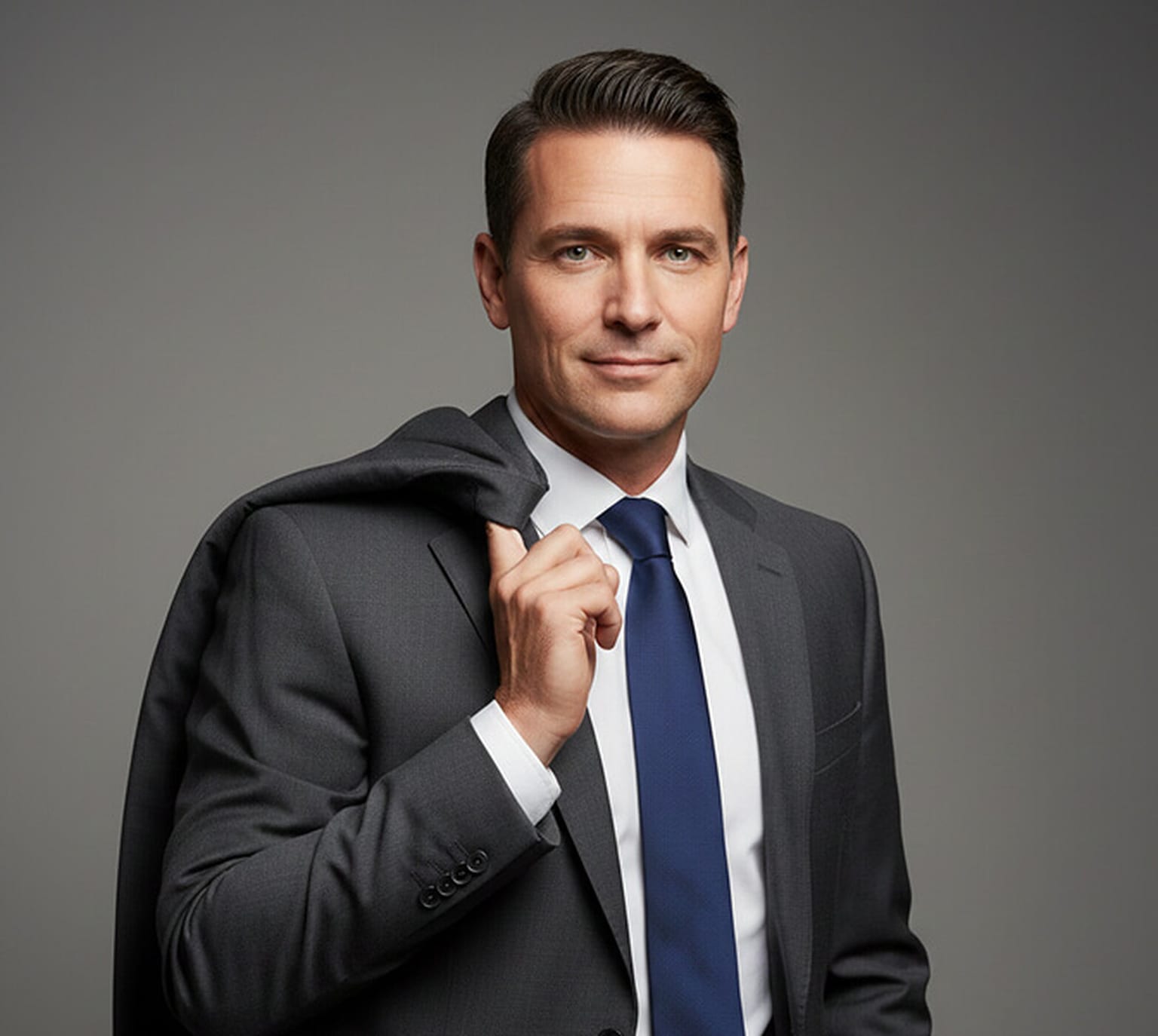
For a stylish look that suits executive headshots, the jacket-over-shoulder pose brings a nice touch of polish. Rather than wearing your suit jacket, you casually drape it over one shoulder and hold it with your hand. It adds a bit of motion, but still feels confident and controlled. If you want to place it side by side with a fully suited look, this pose comes off as more relaxed while still keeping things professional. It suggests that you're comfortable in a leadership role, but not stiff or overly formal.
Best For: Executives, entrepreneurs, and editorial-style business portraits.
Pose 7: Hand Raised to the Hair or Temple
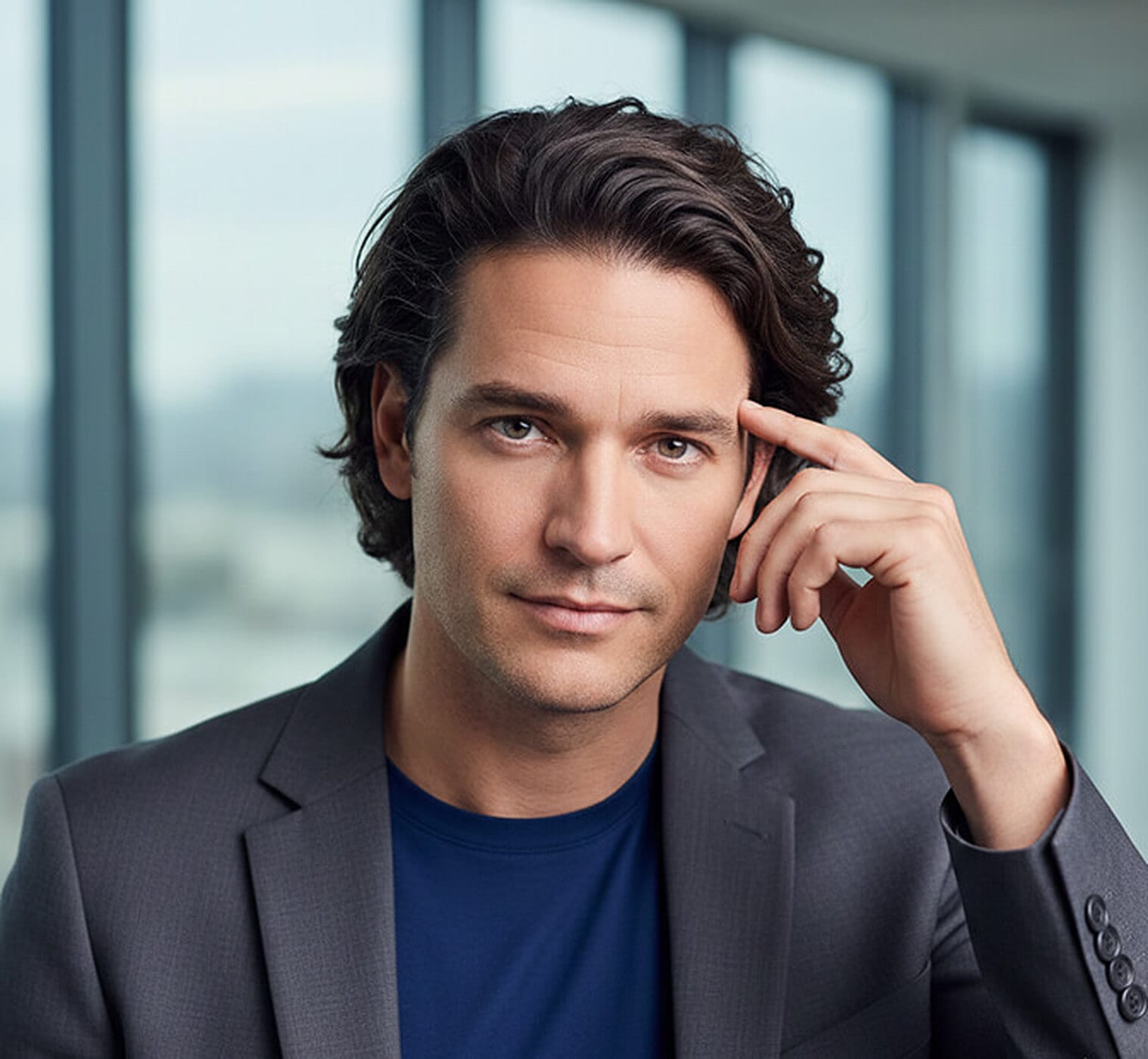
The playing-with-hair pose brings in a natural touch. This is effective if you have a distinct hairstyle or longer hair. The gesture adds personality and shows that you're comfortable being yourself. Unlike more rigid poses, this one feels spontaneous. It shows that you're not afraid to lean into a little individuality. The movement also breaks up the stiffness seen in most corporate portraits.
Best For: Creatives, startup leaders, and casual business profiles.
Pose 8: Adjusting Your Glasses
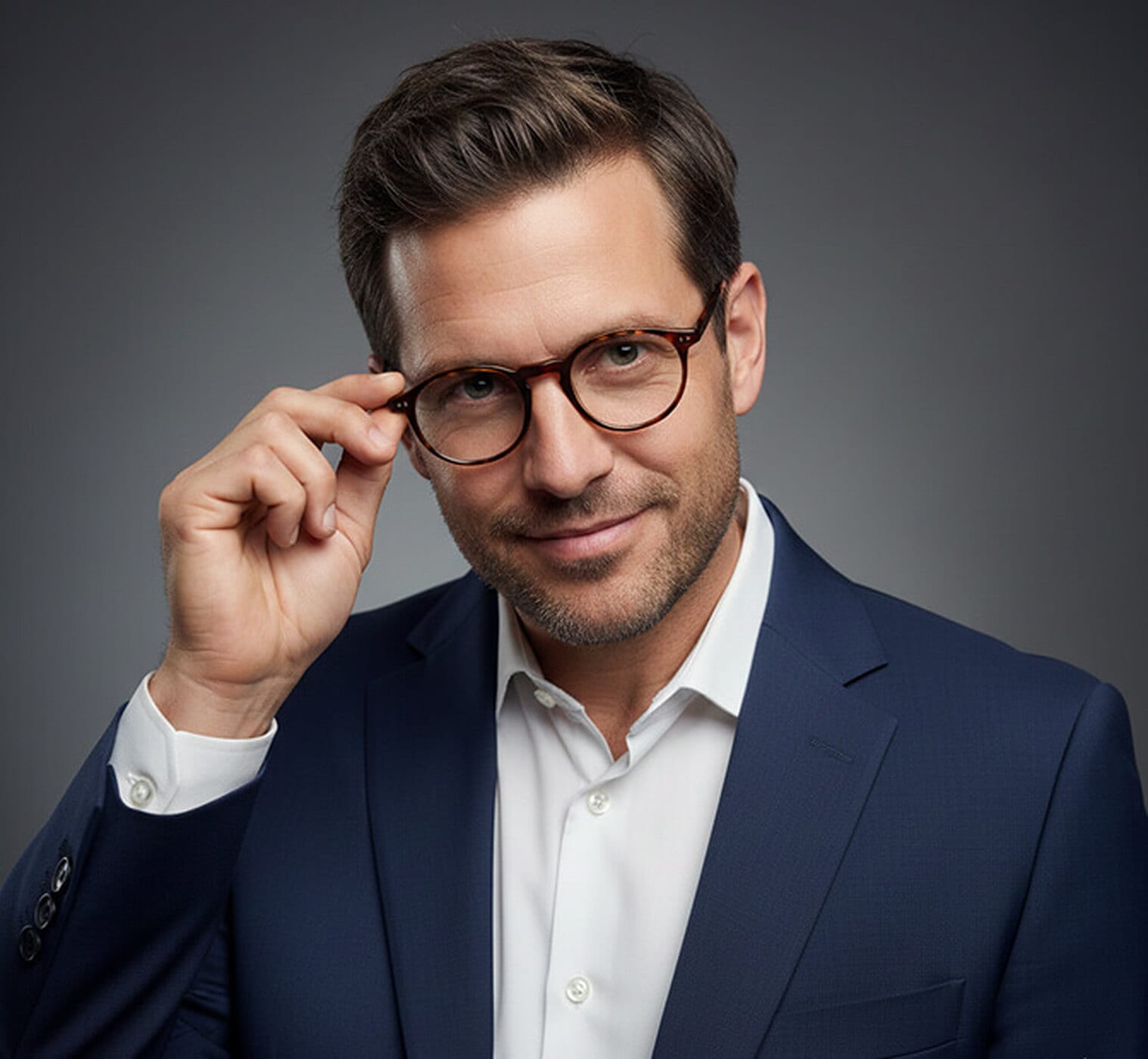
Using a pair of glasses or another subtle prop can add texture to your pose. You could be adjusting your glasses or holding them in your hand. Whichever way, it adds visual interest while staying within a professional tone. This pose offers a moment that feels unscripted, but still composed. Let's just say it's a great way to appear both sharp and relaxed at the same time.
Best For: Designers, marketers, academics, and professionals with a creative edge.
Pose 9: Buttoning the Suit Jacket
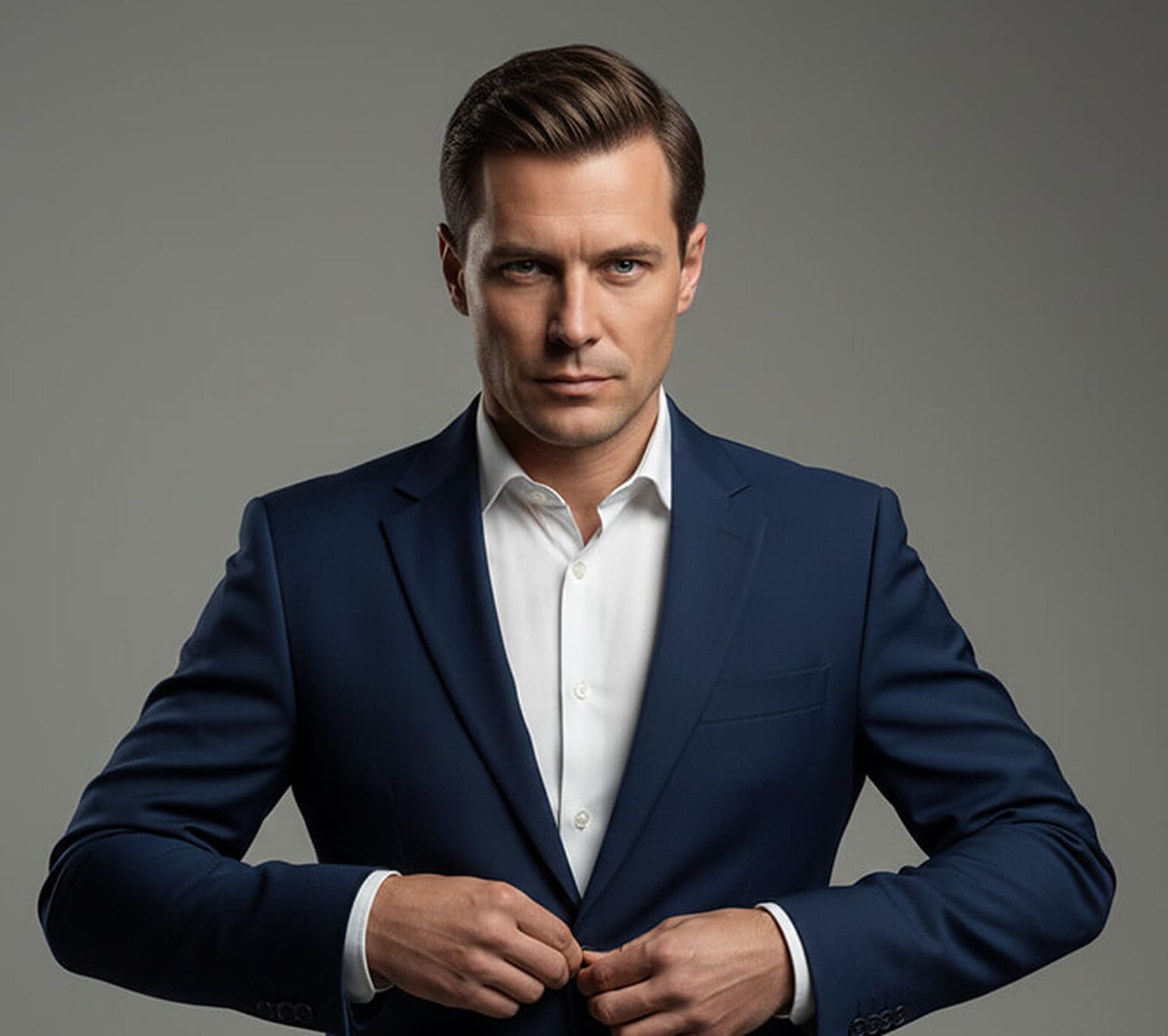
Fixing your jacket mid-motion can create a striking visual. Whether you're buttoning it up or adjusting the lapel, the movement adds a touch of realism to the photo. Rather than looking staged, it gives the impression that you're in the middle of getting ready, focused, and in control. It also highlights attention to detail, which can quietly reflect how you approach your work.
Best For: Lawyers, finance professionals, corporate bios, and business consultants.
Pose 10: Seated with Hands Clasped on the Desk
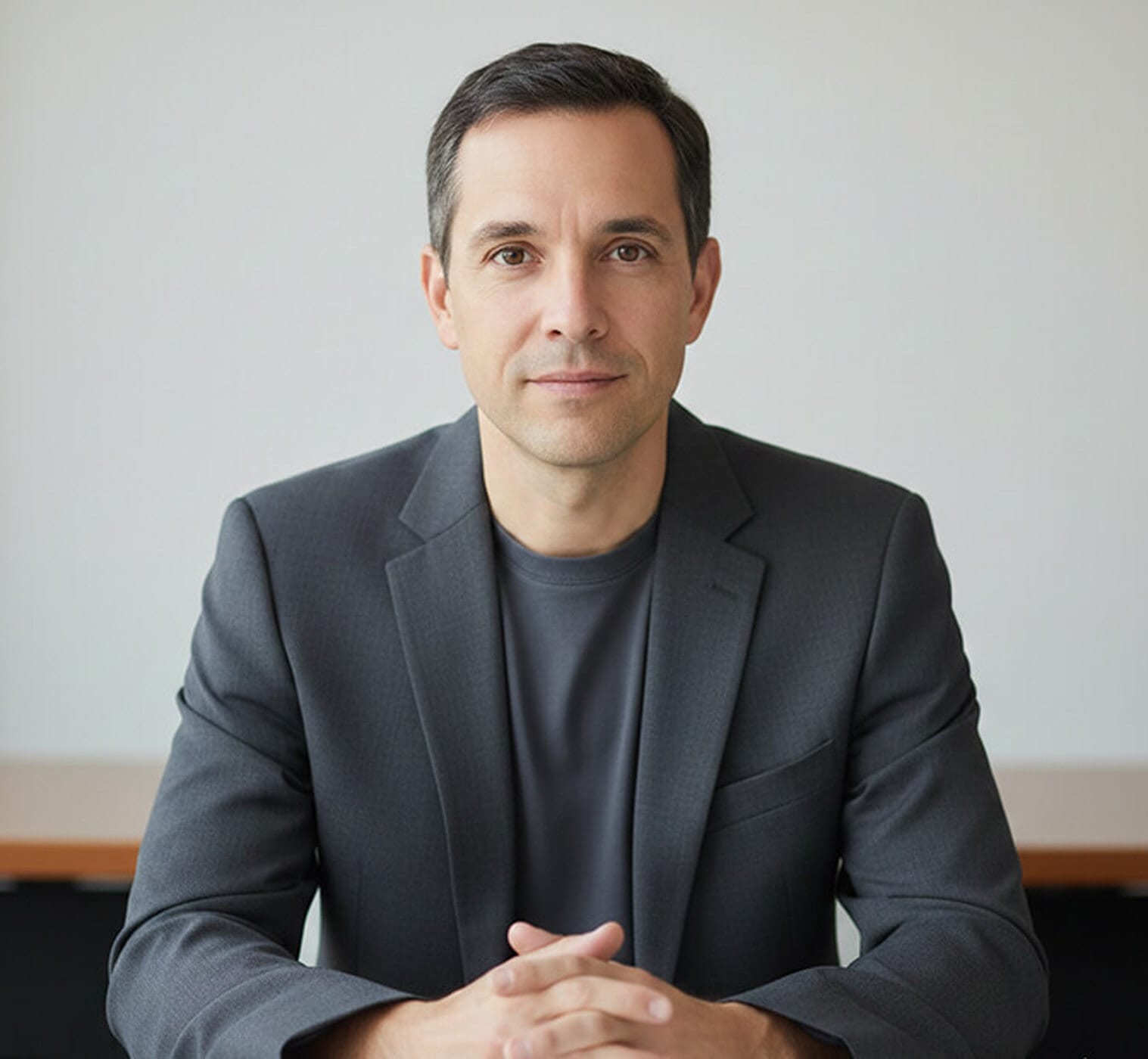
When seated, placing your hands gently on your lap or a desk helps create a composed and calm image. Weighed against standing poses, this one grounds you and brings a quiet sense of confidence. It shows you're present, steady, and ready to engage. In traditional office settings, this setup works so well. It doesn't demand attention but still looks refined.
Best For: Managers, HR professionals, educators, and team introduction pages.
Pose 11: Looking Back Over the Shoulder
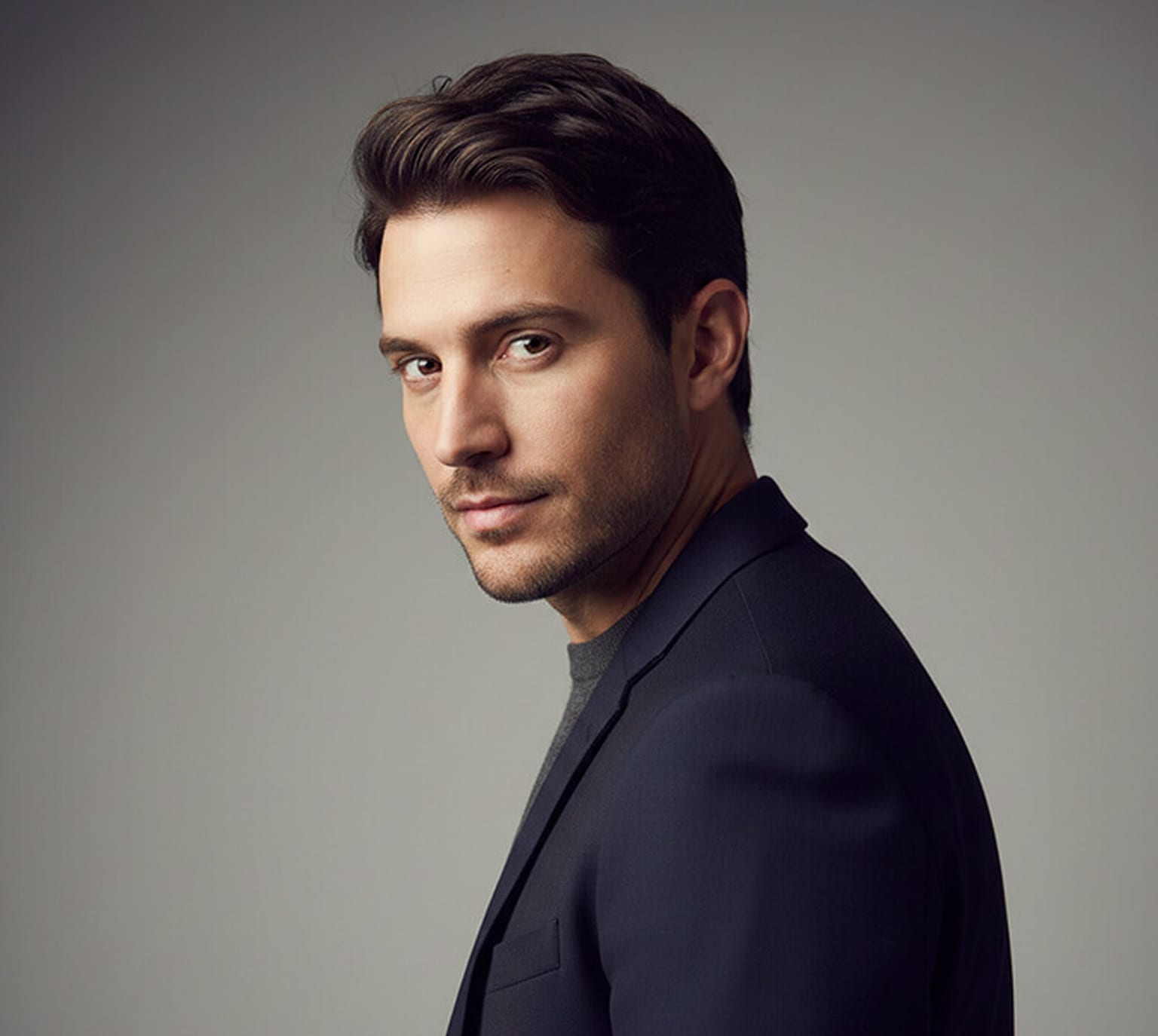
To bring a sense of intrigue and motion into your portrait, consider the "looking over the shoulder" pose. In this setup, your body turns slightly away from the camera, while your head gently rotates back to make eye contact with the lens. Furthermore, the pose naturally breaks the symmetry of traditional portraits, making your image feel more dynamic without going over the top. Your eyes still take center stage, but the slight shift in body language adds depth and dimension to the photo.
Best For: Authors, creatives, speakers, and professionals.
Pose 12: Leaning Against a Wall
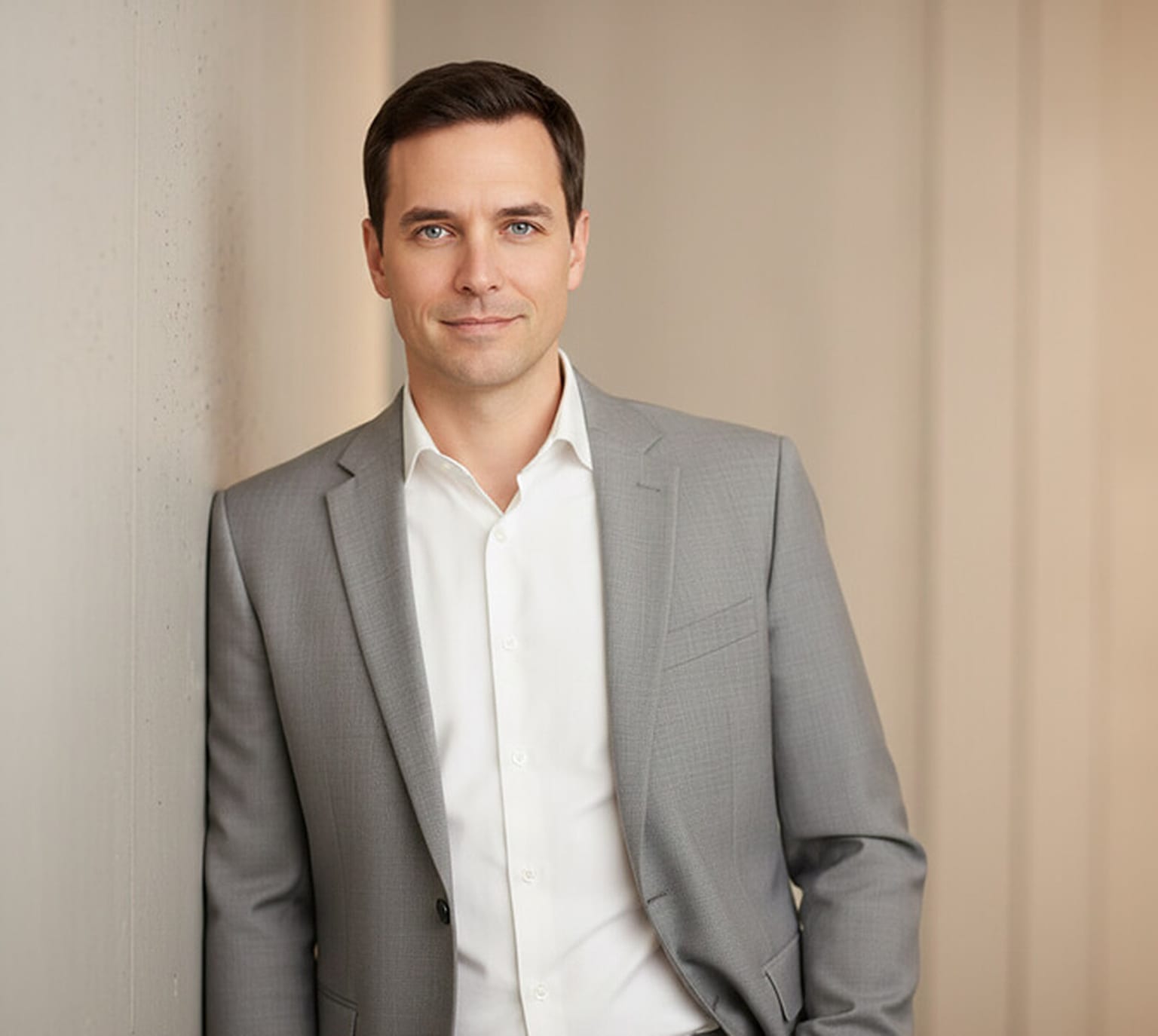
Leaning against a wall can instantly create a more grounded and relaxed tone in your portrait. Rather than standing upright with tension, your body takes on a looser, more open form. Besides the comfort this pose brings, it allows your expression to take the spotlight. Since the body is slightly more settled, the viewer's attention naturally shifts to your face and eyes.
Best For: Startup founders, creatives, consultants, and modern professionals looking for a casual yet confident look.
Pose 13: Seated with Elbows on the Desk

If you want to appear focused and engaged in your professional headshot, then sitting with your elbows resting on a desk is a great option. As you settle into this pose, your arms help anchor your posture while your torso leans forward slightly. This setup brings your face closer to the camera, which adds a feeling of attentiveness and connection. Moreover, this pose works well when the background includes elements of your work environment. Your hands should remain relaxed, and your eyes steady, giving the impression that you're present and thoughtful.
Best For: Business consultants, advisors, team leaders, and professionals in collaborative roles.
Pose 14: Walking Toward the Camera
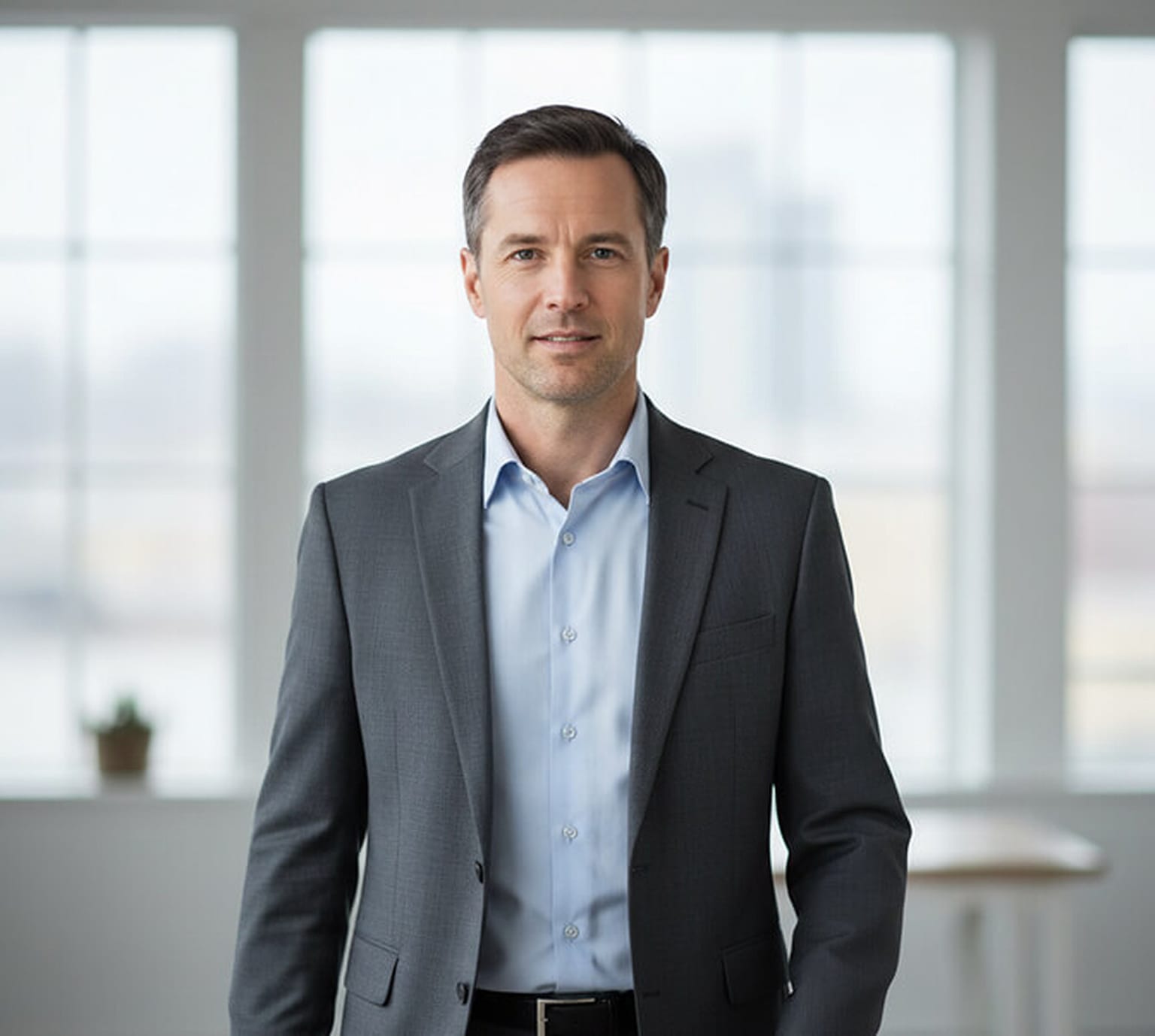
For a more dynamic and modern feel, try walking slowly toward the camera. This movement introduces energy without requiring a dramatic setup. As you walk, your arms swing naturally and your posture stays upright. The result is a headshot that feels confident, and forward-looking.
Best For: Entrepreneurs, business coaches, personal brand builders, and speakers.
Pose 15: Seated, Leaning Slightly Forward
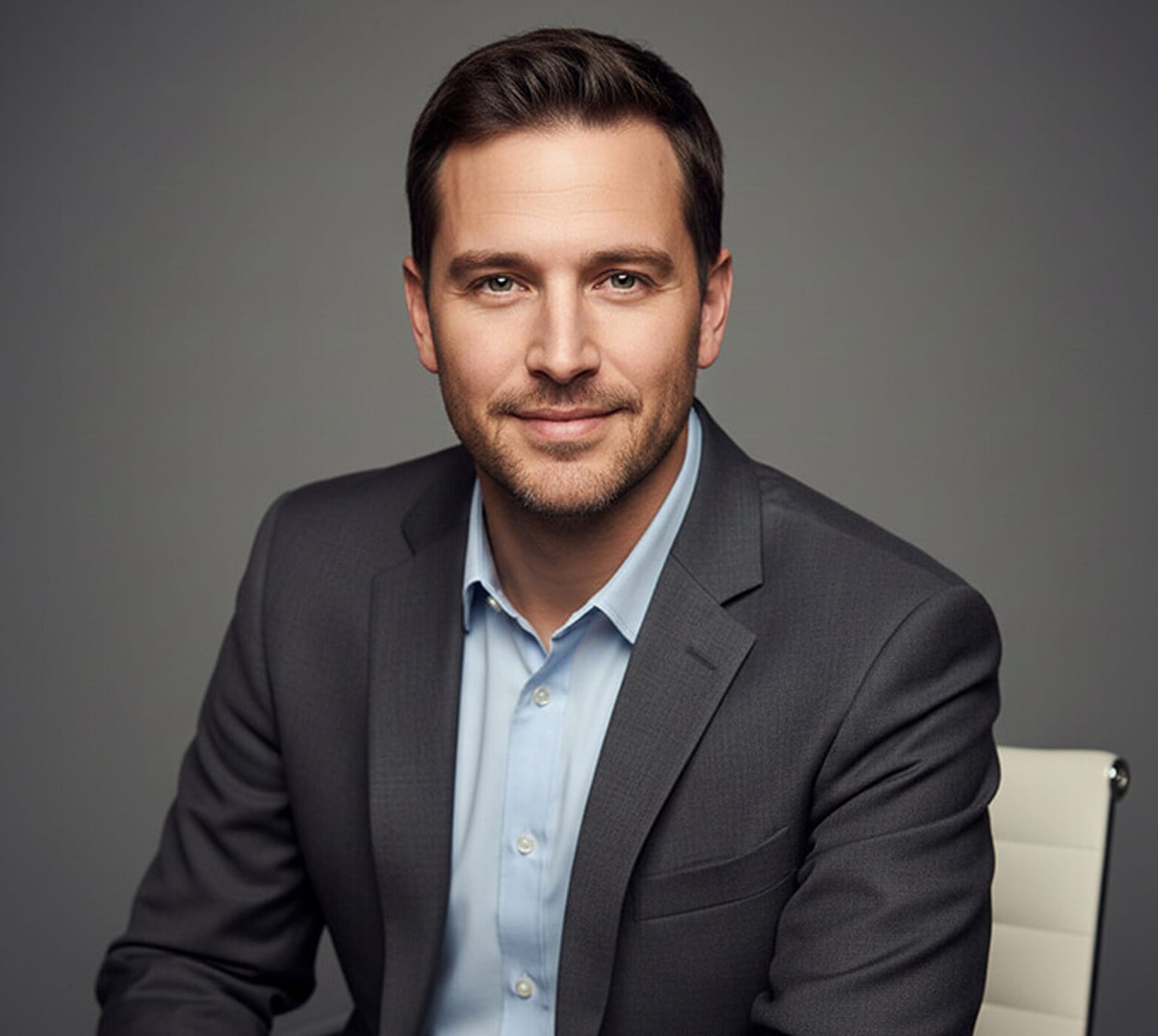
Sometimes, a small shift in your body can completely change the tone of a portrait. Leaning forward slightly, either from a seated position or while standing, creates a sense of focus and engagement. It's a gentle cue that you're attentive and present in the moment. As you lean in, your head and shoulders come just a bit closer to the camera, which helps close the distance between you and the viewer. This positioning draws people in and creates a portrait that feels warm and welcoming.
Best For: Client-facing roles, sales professionals, mentors, and anyone who wants to appear open and responsive.
Best LinkedIn Profile Picture Poses for Men
LinkedIn is a different problem from a company bio page, and the poses that win there are not always the ones that win elsewhere. Two things drive the difference.
The crop is circular. LinkedIn masks your photo into a circle and displays it at roughly 130 pixels in the feed and search results. Everything outside that circle is gone. In practice that means anything happening at chest level and below (crossed arms, clasped hands, a jacket over the shoulder, a prop) gets sliced through by the mask, and a cropped forearm floating at the bottom of a circle looks like a mistake. If you want a gesture in the shot, frame it so the crop lands above the elbows, or skip the gesture entirely and let the pose live in your shoulders and head.
Approachable outperforms authoritative for most people. Recruiters and prospects scan LinkedIn quickly. A soft smile, a body turned a few degrees off square, and direct eye contact read as approachable and get more profile views. Crossed arms, a hard straight-on stance, low-key lighting, and a neutral mouth read as authoritative, which is genuinely useful if you are a lawyer, a CFO, or selling to risk-averse buyers, but a cold first impression in most other roles. Pick your side deliberately rather than by accident.
Here are the five poses that survive the circular crop best.
Pose 16: Tight Head-and-Shoulders with a Soft Smile
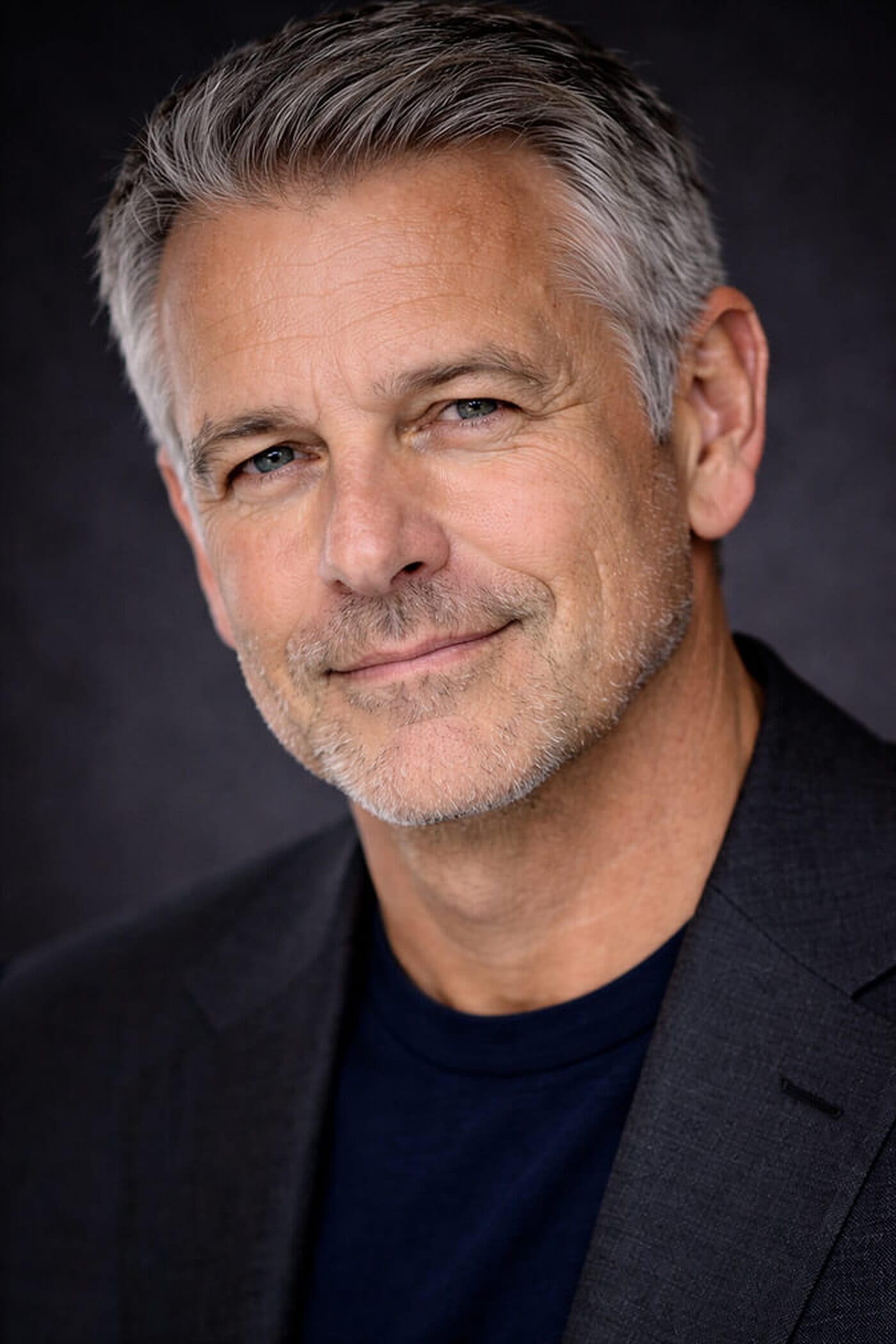
This is the default for a reason. Crop from just above the head to the upper chest, angle your body a few degrees off square, and turn your head back to the lens. Nothing sits low enough in the frame for LinkedIn's mask to amputate. A closed-mouth smile with visible warmth in the eyes hits the balance point between friendly and serious.
Reads as: Approachable, with enough composure to still look senior.
Best For: Almost anyone. If you only take one photo, take this one.
Pose 17: Relaxed Arms Crossed, Cropped Above the Elbows

Crossed arms work on LinkedIn only if two things are true: your expression is warm, and the crop clears your elbows. Keep the fold low and loose rather than gripped high on the chest, and let the shoulders drop. Paired with a smile and softer clothing, the same gesture that reads as guarded in a suit reads as grounded here.
Reads as: Confident and approachable at the same time.
Best For: Tech, product, operations, and anyone at a company without a formal dress code.
Pose 18: Open Smile with Shoulders Angled

Turn your shoulders roughly 30 degrees off the lens, bring your eyes back, and give a genuine open smile. Dropping the jacket in favour of a shirt removes the last bit of formality. Because your hands never enter the frame, there is nothing for the crop to break.
Reads as: Approachable, unmistakably so.
Best For: Sales, recruiting, customer success, coaching, and anyone whose job is making people comfortable.
Pose 19: Suit and Tie, Straight-On
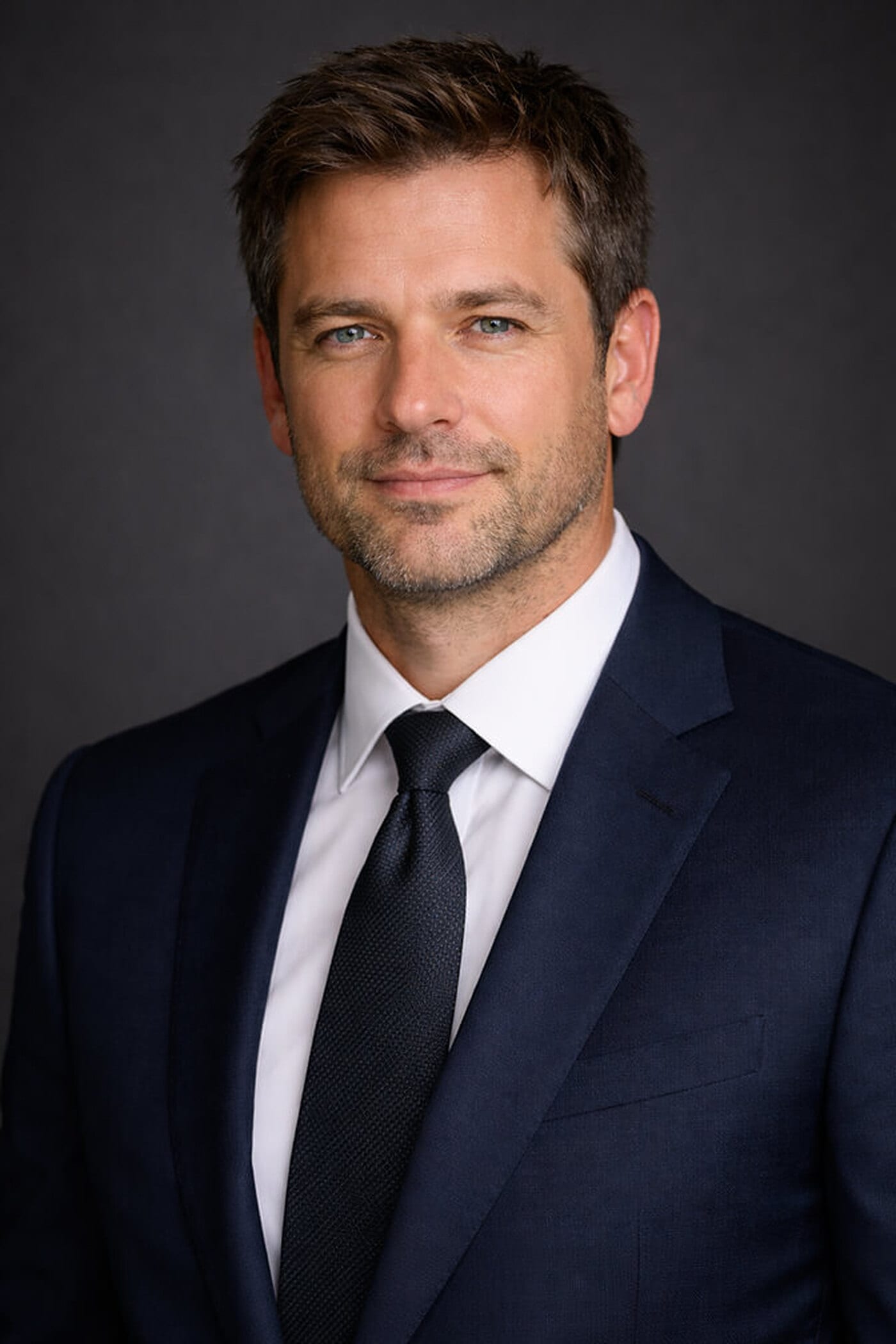
When your buyers are risk-averse, warmth is not the goal. Credibility is. Square your shoulders, keep the chin level, and hold a neutral or barely-there smile. The tie and the darker background do most of the work. Keep the crop tight so the knot sits near the bottom of the circle rather than being cut in half by it.
Reads as: Authoritative and cautious. Deliberately not casual.
Best For: Law, finance, insurance, private equity, medicine, and board-level profiles.
Pose 20: Seated Lean-In with a Hand Near the Chin
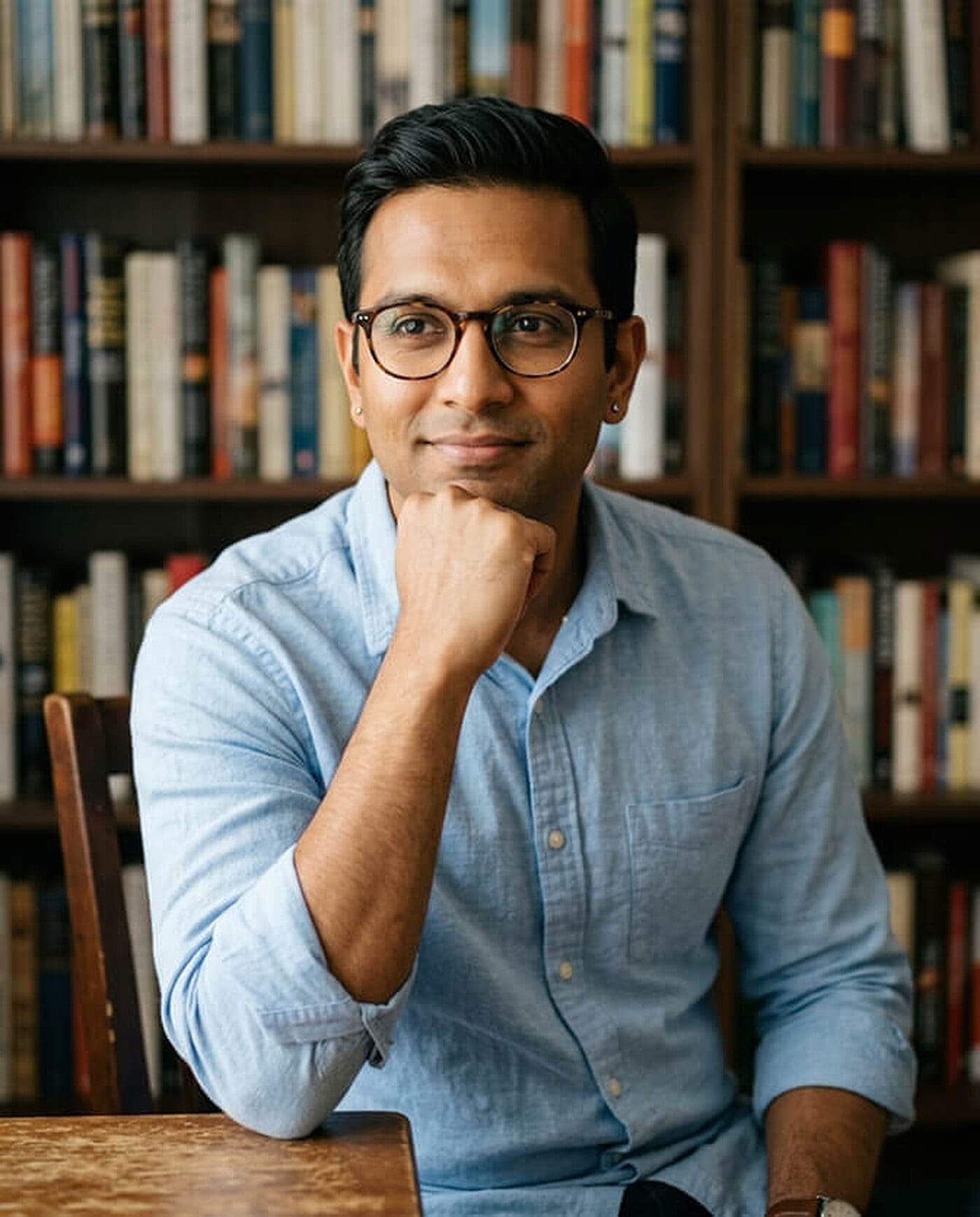
The thinking pose is a LinkedIn favourite for people who publish, speak, or advise, but only if the hand stays high. Bring it to jaw height and let the fingers curl loosely rather than press into the cheek. Any lower and the crop will cut your wrist into an odd stump.
Reads as: Considered and credible, closer to approachable than authoritative.
Best For: Consultants, advisors, academics, authors, and anyone building a following through content.
Once you have picked a pose, our free AI LinkedIn photo generator will crop and frame an existing photo so it survives LinkedIn's mask, and you do not have to guess where the circle will land. If you need the portrait itself, upload a few selfies to Headshot Photo and get a full set of studio-style shots back in a few hours.
CEO and Executive Headshot Poses for Men
Leadership portraits are doing a different job from entry-level professional headshots. An early-career photo is trying to say I am competent and easy to work with. An executive portrait is trying to say I am accountable for this, and it uses a different vocabulary to get there: more space around the subject, more of the body in frame, darker and more controlled light, less smiling, and hands that are visibly doing something rather than tucked away.
Three poses from the list above scale up well to leadership level with small adjustments: arms crossed standing (Pose 2), hands clasped at a desk (Pose 10), and the slight forward lean (Pose 15). Drop the smile to a neutral set of the mouth, darken the background, and pull the crop wider to include more of the torso, and each of those three moves from "approachable manager" to "person who signs off on things".
The five below are built for senior roles from the start.
Pose 21: Seated at the Desk, Body Angled Away
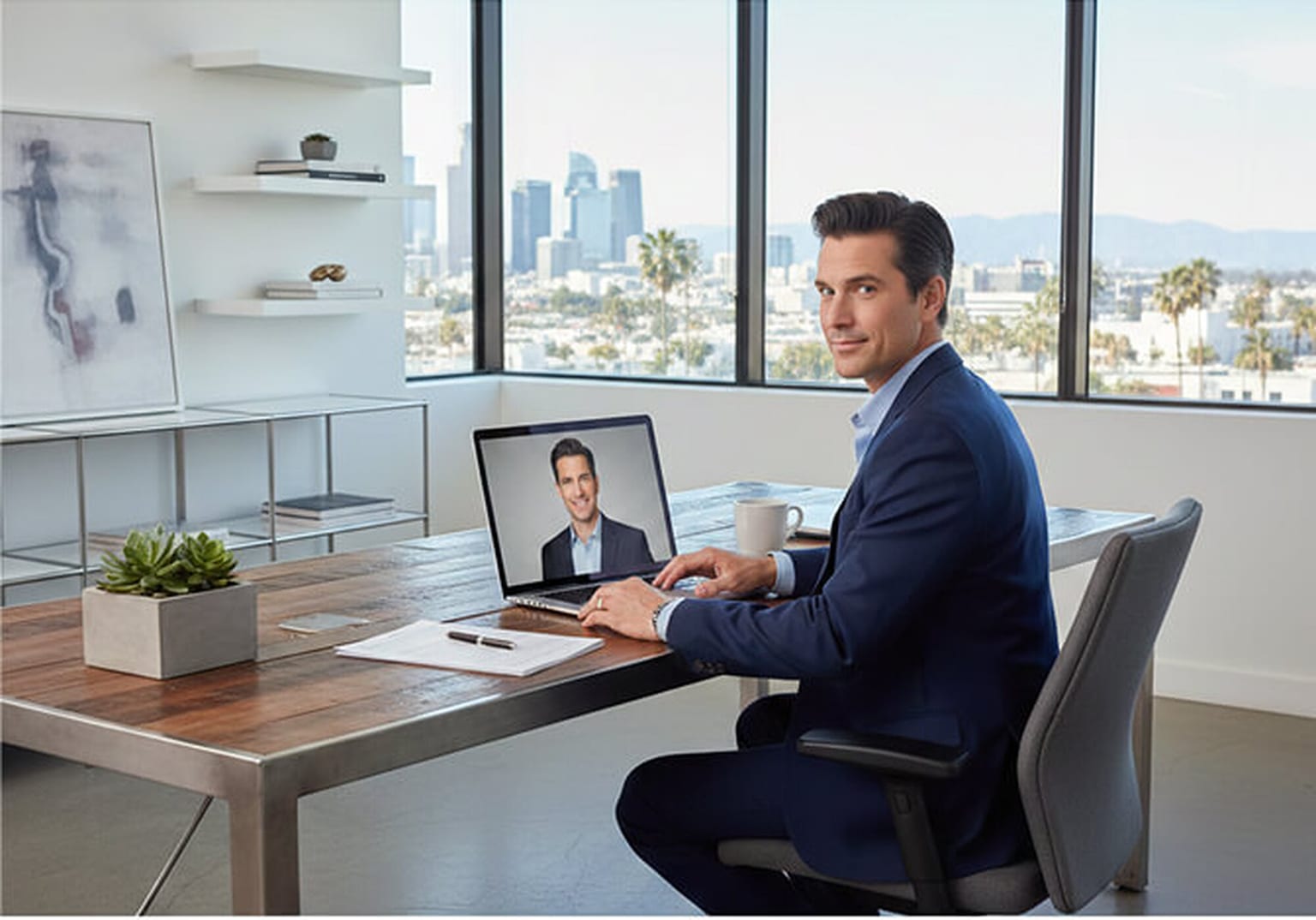
The environmental desk portrait is the classic leadership shot. Turn the chair 30 to 45 degrees away from the camera, rest a forearm on the desk, and bring your head back to the lens. Including the room (the window line, the desk, the city behind you) signals scope and seniority in a way a plain backdrop cannot. Keep the desk surface almost clear; clutter reads as busy rather than in command.
Reads as: In charge of an operation, not just a job.
Best For: CEOs, founders, managing partners, and annual report or press-kit portraits.
Pose 22: Adjusting the Cuff, Standing
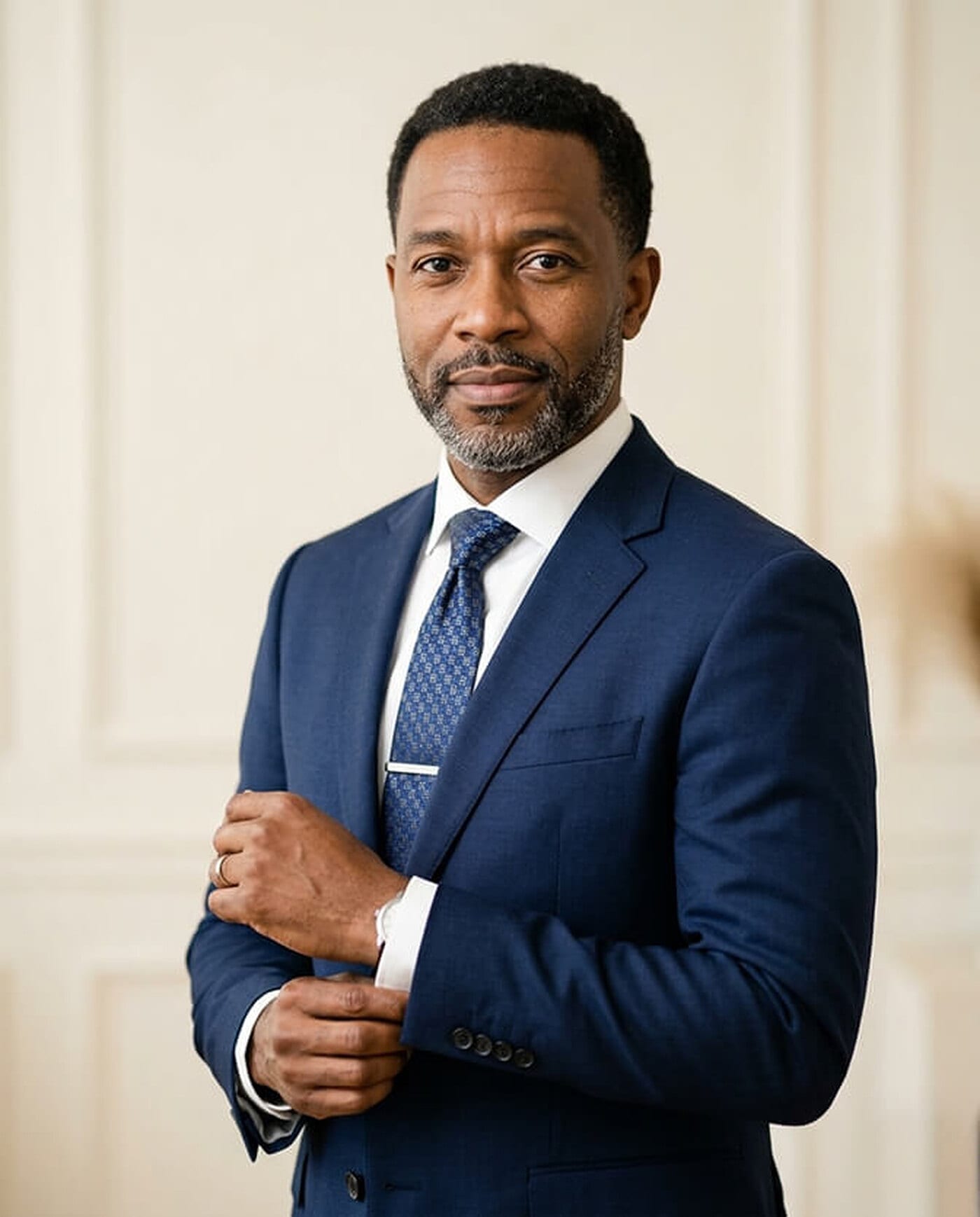
Idle hands are the hardest part of an executive standing portrait. Adjusting a cuff or a watch solves it: the arms come up into the frame, the elbows create structure, and the gesture implies attention to detail. Keep the eyes on the lens while the hands work, otherwise it looks like you were caught getting dressed.
Reads as: Precise, senior, and self-possessed.
Best For: Law firm partners, finance executives, and formal leadership pages.
Pose 23: Full-Length Standing in the Office
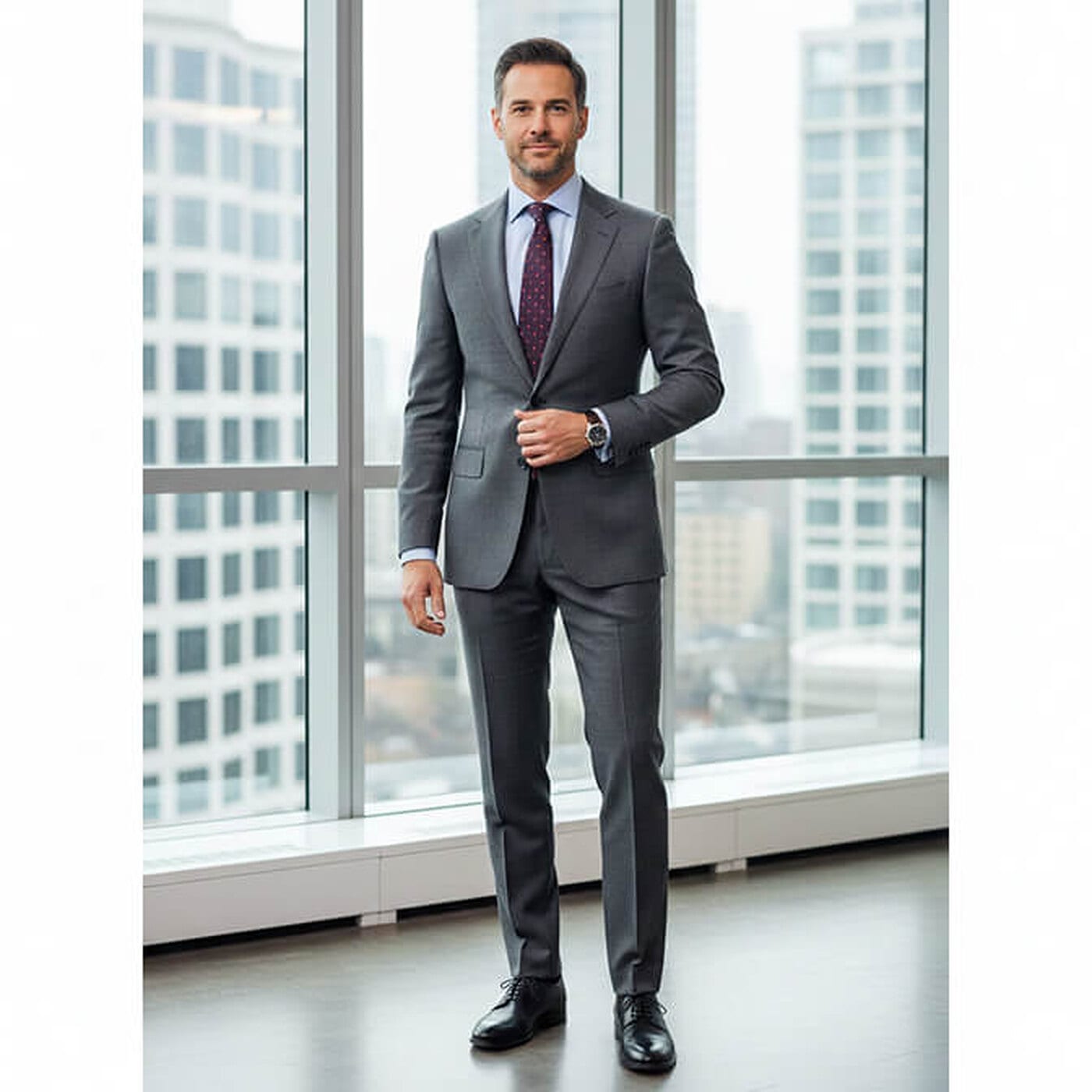
Full-length works when the portrait needs to carry a stage, a report cover, or a conference bio, anywhere a tight crop would look small. Shift your weight onto the back foot so the hips are not square, button the jacket, and let the arms hang with one hand at the button or at your side. This is not a LinkedIn photo; the circular crop would reduce it to a smudge.
Reads as: Formal, established, board-ready.
Best For: Speaker bios, annual reports, press kits, and firm leadership pages.
Pose 24: Three-Quarter Turn in a Dark Suit
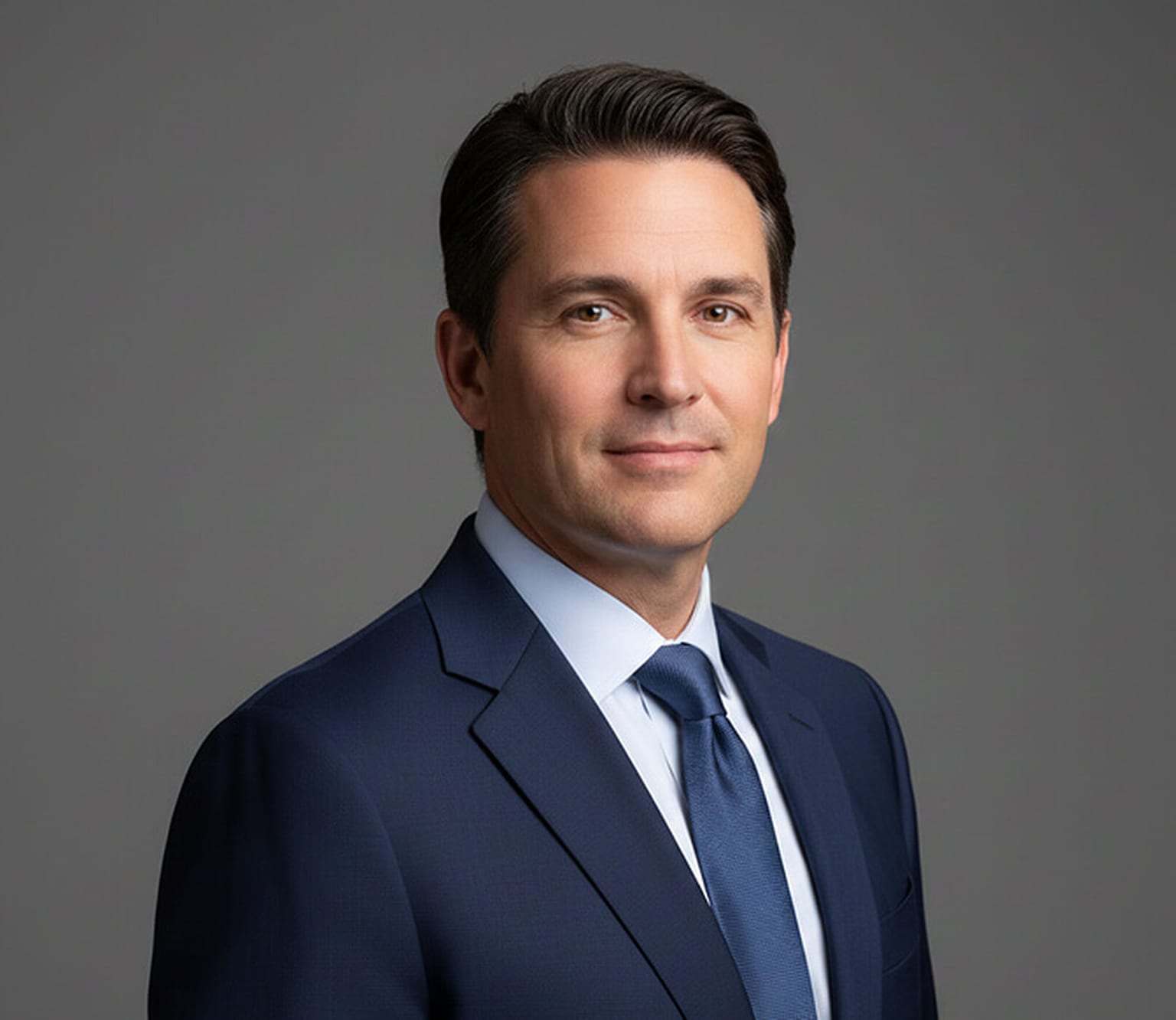
The workhorse of the executive set. Turn the body about 45 degrees, drop the far shoulder slightly back, and bring the head square to the lens. The angle narrows the torso and gives the shot depth, while the level chin and faint smile keep it authoritative without going cold. This one still survives a circular crop, so it doubles as a LinkedIn photo for senior people who want the formal end of the range.
Reads as: Senior, composed, approachable enough to email.
Best For: C-suite bios, board pages, and executive directories.
Pose 25: Squared Shoulders in Low-Key Light
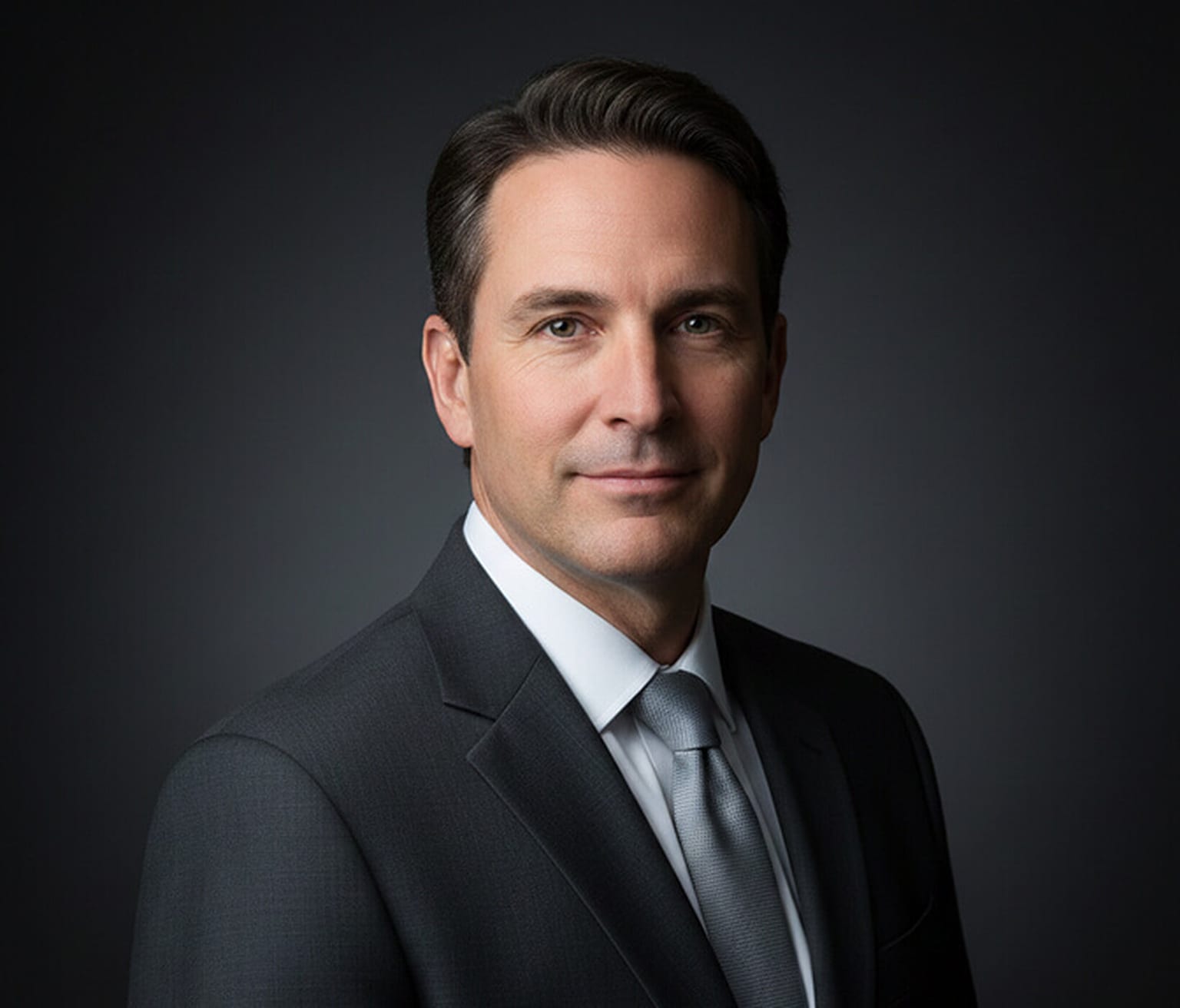
This is the most formal pose on the page. Shoulders square, chin level, mouth neutral, and a background that falls away into near-black. Everything soft has been removed, which is exactly the point when the portrait needs to project gravity, and exactly the problem when it does not. Use it where seriousness is an asset and avoid it anywhere you need people to feel comfortable approaching you.
Reads as: Authoritative, formal, deliberately distant.
Best For: Chairs, general counsel, CFOs, and regulated industries.
Office Photo Poses for Men
The poses above mostly assume a studio or a clean backdrop. These five use the office itself. They are the ones to shoot when the photo is going on a company website, an employee spotlight, or a personal brand page, and when a real desk behind you is an asset rather than clutter. For the facial side of an office photo, looking approachable and capable at the same time, see our guide to office headshot poses.
Pose 26: Perched on the Edge of the Desk
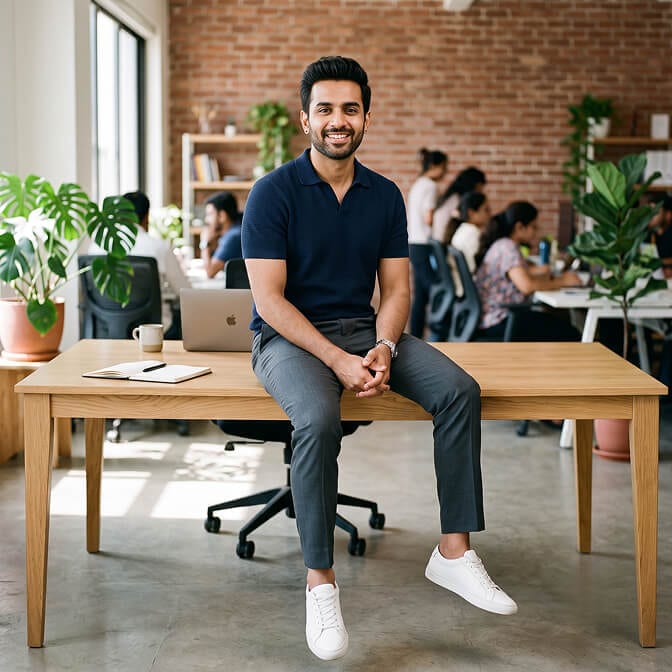
Sit on the front edge of a desk with both feet on the floor, or one foot down and the other leg relaxed. Rest your hands loosely on your thigh or keep them lightly clasped. It is more relaxed than standing and more modern than sitting behind the desk, which is why it has quietly replaced the formal desk portrait on most founder pages.
Best For: Founders, team leads, and About pages.
Pose 27: Office Chair, Turned Sideways

Turn the chair about 45 degrees away from the camera and rest one forearm on the armrest or the desk. Turn your head back to the lens and sit tall, with your back off the backrest. This is the office chair pose people search for, and it looks natural against a real office background instead of a backdrop.
Best For: Company websites, employee spotlights, and first-job LinkedIn photos.
Pose 28: Hands on the Desk, Leaning In (Power Pose)
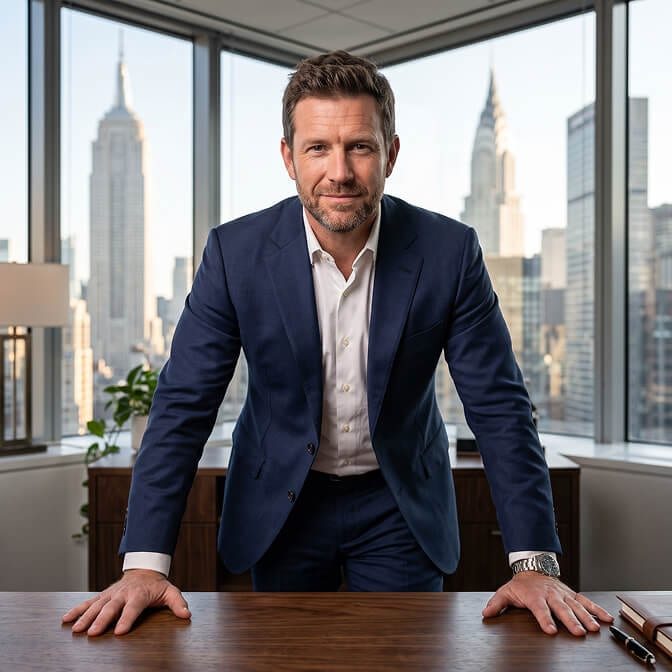
Stand behind the desk with your palms or fingertips flat on the surface and lean slightly toward the camera. Keep your shoulders wide and your chin level. It is the most assertive pose on this page, so pair it with a calm expression rather than a hard stare, or it tips from confident into confrontational.
Best For: Sales leaders, founders, and CEO profiles.
Pose 29: Standing by the Window
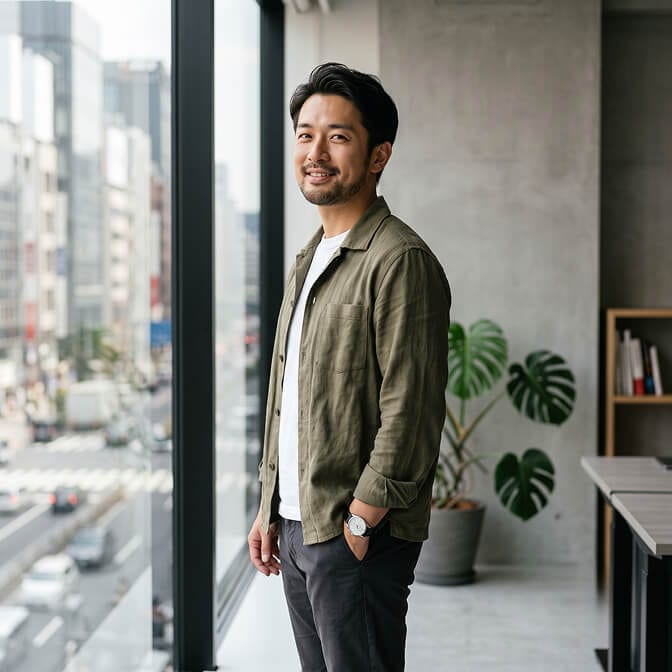
Stand side-on to a large window so the light falls across your face, then turn your head and upper body back to the camera. Keep one hand in your pocket or both hands relaxed at your sides. Window light is the easiest flattering light you will find in any office, and it costs nothing to set up.
Best For: Office photoshoots, personal brand shots, and website headers.
Pose 30: Presenting at a Screen or Whiteboard
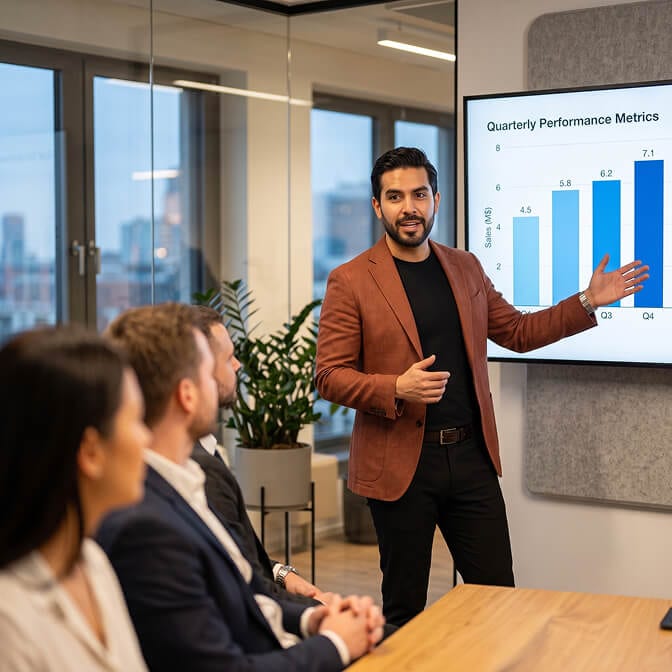
Mid-gesture, one hand open toward the screen and your body turned slightly to the camera. Look at the lens if the shot is going on a bio page, or at the room if you want it to read as a real moment rather than a setup. This is an action shot rather than a headshot. Use it for event bios and speaker pages, not for a LinkedIn profile picture, where the crop would cut the gesture in half.
Best For: Speakers, trainers, and consultants.
How Should I Pose for Corporate Portraits?
Even the best pose won't work if your body feels stiff or your face looks forced. These simple tips will help you stay relaxed and natural during your session:
Relax Your Shoulders and Hands
Nobody looks good when they're tense, right? So, before your shoot, take a deep breath and gently shake out any stiffness. Try to keep your shoulders down and your hands relaxed. For example, avoid squeezing your fists or stuffing your hands in your pockets too tightly. When your body feels calm, it really shows in the photos.
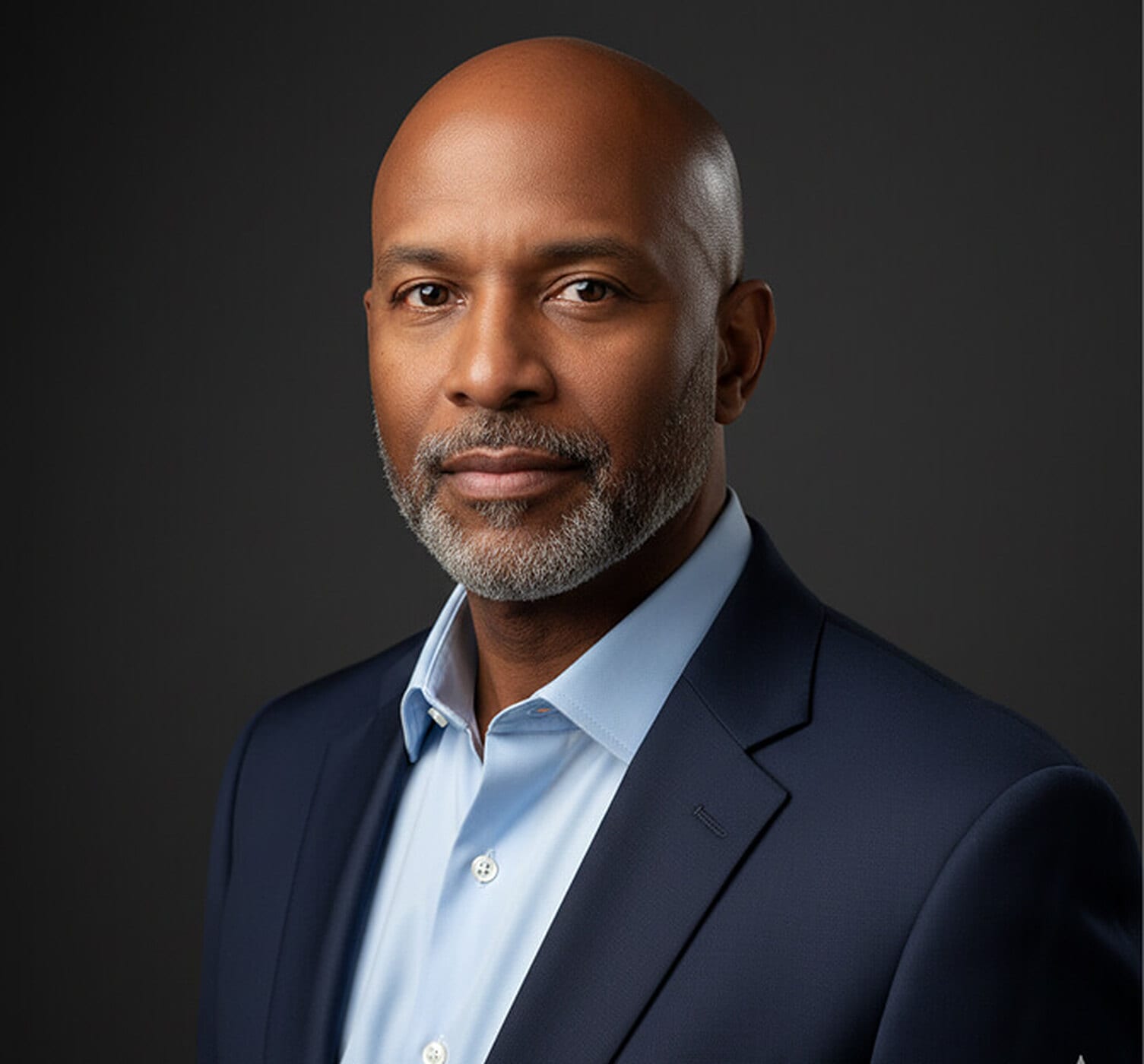
Find Your Smile
Also, a soft smile usually works wonders. That said, sometimes a serious look fits better, especially if you want to come across as more professional or thoughtful. So, try out a few expressions in front of a mirror beforehand to see what feels right and looks like the real you.
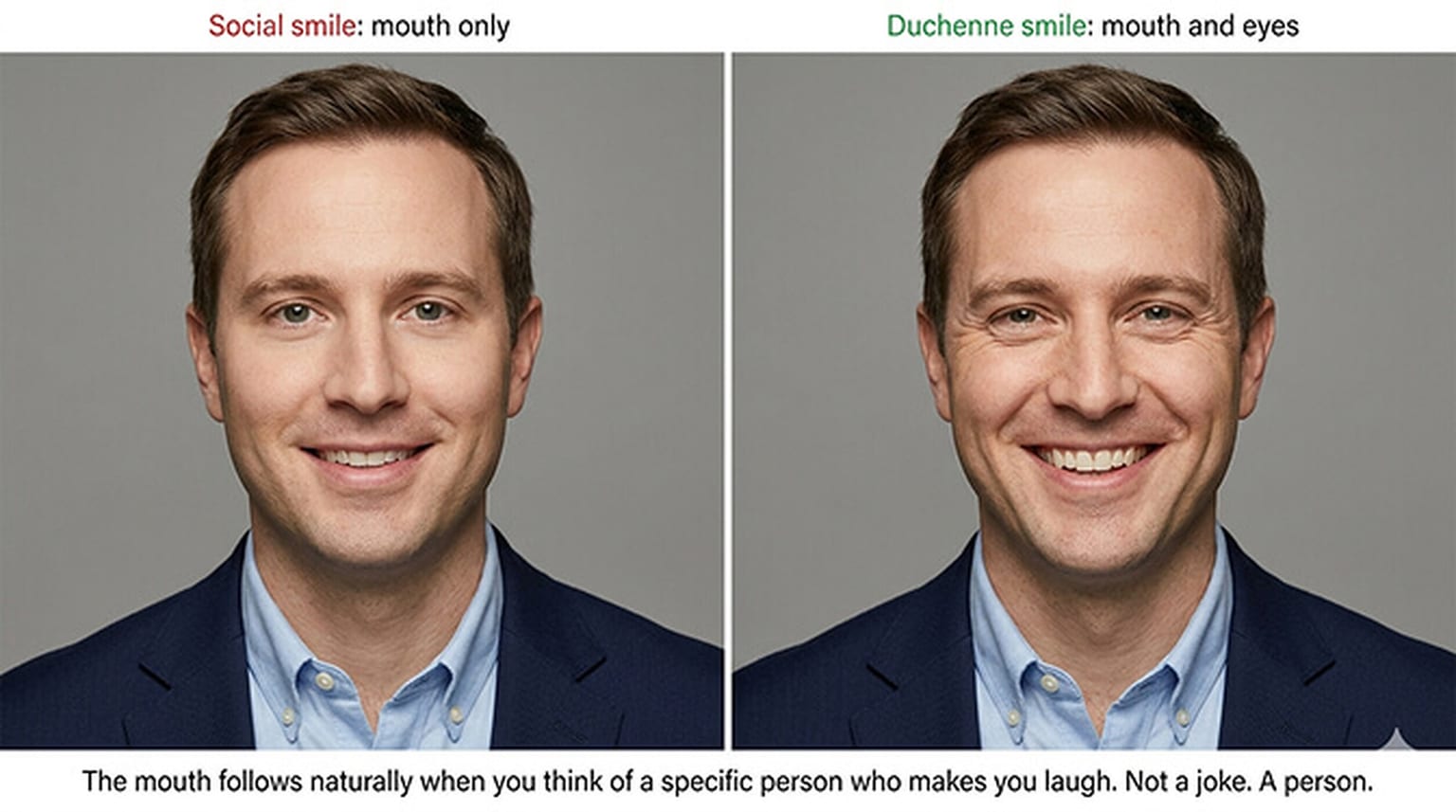
Engage with the Camera
Always make a connection with the camera lens. Think of it as looking into a person's eyes rather than a lifeless lens. This mental shift helps your expression feel genuine and warm. When you engage, your photos will capture your true personality, making you appear approachable and confident.
Find Your Best Angle
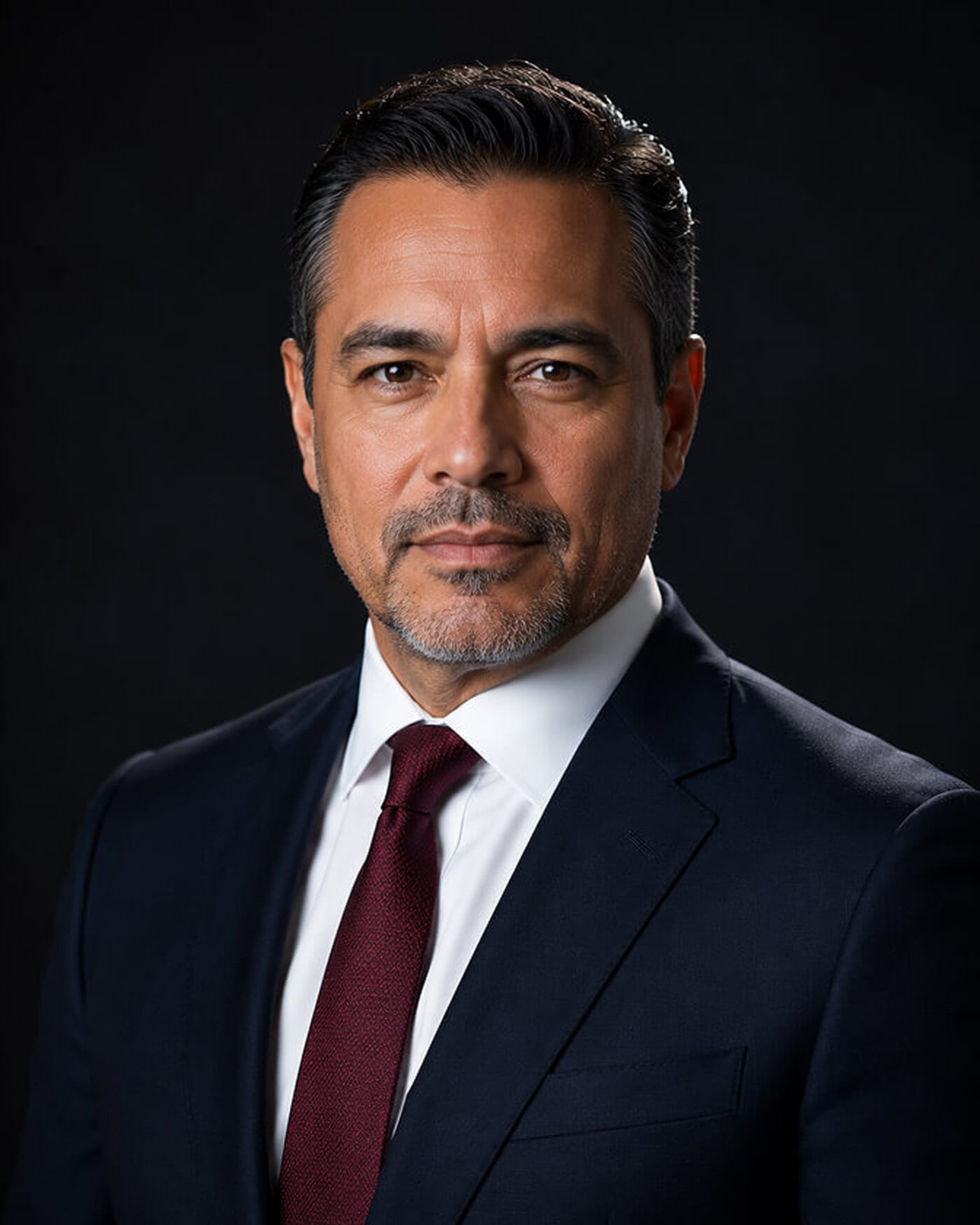
Most people have a slight preference for one side of their face or a certain angle that looks better in photos. To find your perfect angle, you can practice turning your head just a bit or tilting your chin up or down to see what works best. A little experimentation goes a long way to finding the pose that makes you feel most comfortable and looks natural.
Push Your Chin Forward and Slightly Down
This is the single biggest headshot fix photographers use. Push your forehead a little toward the lens and tip the chin down. It tightens the jawline and removes the shadow that reads as a double chin. It feels strange while you are doing it and it looks sharp on camera, which is the whole trick.
Squint Slightly (the "Squinch")
Wide-open eyes read as surprised or nervous. Gently lift your lower eyelids, as if you were reading small text across the room. Nothing else about your face changes, but you look more confident and more focused straight away.
Common Posing Mistakes Men Make
Most bad corporate portraits fail on the same five things. Check yours against this list before you settle on a shot.
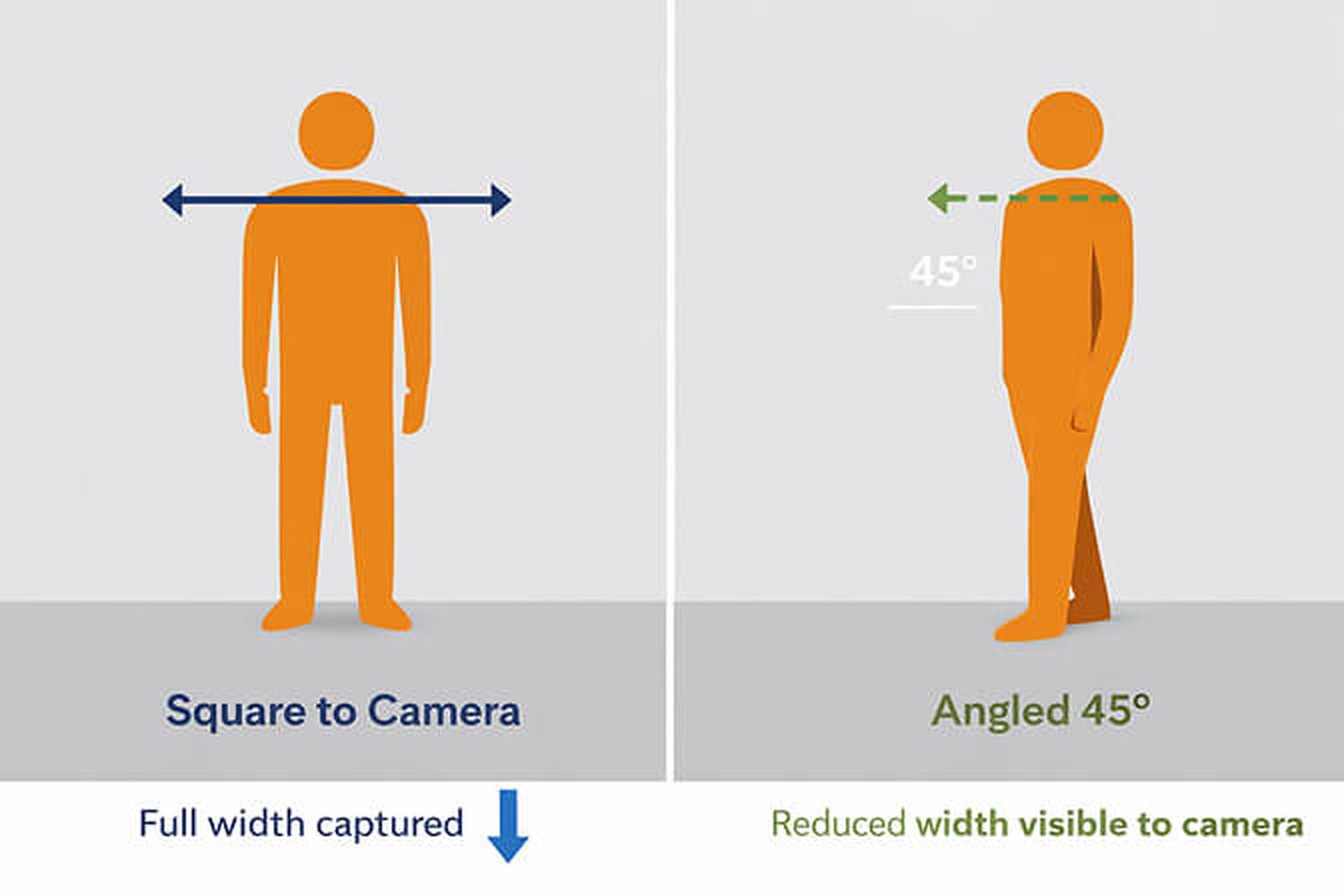
- Shoulders squared and stiff. It makes the frame look boxy. Turn 30 to 45 degrees off the lens.
- Hands gripping, or stuffed deep in pockets. Keep the thumb out and the fingers loose.
- Chin lifted. It shows the nostrils and reads as arrogant. Keep it level or slightly down.
- Leaning your whole back against a wall. It flattens the body and pushes the head forward. Touch the wall with one shoulder only.
- Using a wide or full-body shot on LinkedIn. The circle crop shrinks you to nothing. Save those for speaker bios and press kits.
If you're outside a suit-and-tie office, these professional photo poses for men of every body type work in more casual settings too.
Easier Way to Get Corporate Portraits with Perfect Poses
Now, getting a great male corporate portrait can sometimes feel like a lot of work. You could worry about finding the right photographer or how to pose so you look professional and natural. Luckily, there's an easier way. AI tools like Headshot Photo take the guesswork out of the process and make it super simple to get polished photos without stress.
With Headshot Photo, you can create high-quality, professional headshots from the comfort of your home, and the same workflow powers polished leadership portraits for senior roles when you need them. Simply upload a selfie, and our AI headshot generator transforms it into studio-quality professional headshots in one to three hours, depending on the plan you pick. No need for expensive photoshoots or complicated setups.
Meanwhile, what sets Headshot Photo apart is its affordability and convenience. A studio session typically costs $150 to $500+ in the US, while Headshot Photo plans start at $34 for 40 headshots. Also, you can customize your headshot with various backgrounds and styles to suit your professional image.
Conclusion
In the end, your male corporate portrait poses should feel like an authentic reflection of who you are. From strong, confident poses to more relaxed, approachable ones, there's no single "right" way to look professional. It's all about choosing a style that matches your role and personality. Start with Pose 1 or Pose 16 if you need one safe photo, work through the LinkedIn set if you are optimising a profile, use the office poses when the shot is going on a company page, and reach for the CEO and executive poses when the portrait has to carry authority. With these 30 pose ideas and helpful tips, you'll be ready to step in front of the camera with confidence, and you can browse real sample portraits for inspiration before your next shoot. And if you'd rather skip the stress of traditional shoots, Headshot Photo offers an affordable way to get amazing results from home.
FAQs
1. What is the best pose for a male LinkedIn profile picture?.
A tight head-and-shoulders crop with your body angled a few degrees off square and a soft closed-mouth smile (Pose 16). It survives LinkedIn's circular crop, works at 130 pixels in the feed, and balances approachable against professional.
2. Why do crossed arms sometimes look bad on LinkedIn?
LinkedIn masks your photo into a circle, so anything at chest level gets cut through. Crossed arms often end up as a sliced forearm at the bottom of the circle. Crop above the elbows or choose a pose where your hands stay out of frame.
3. How much do traditional corporate photos cost?
Standard professional photo sessions in the US range from $150 to $500+, depending on the photographer's experience, location, and retouching services.
4. Can I take a corporate headshot myself using AI?
Yes. With Headshot Photo, you can upload selfies and get AI-enhanced studio-quality headshots in one to three hours depending on the plan, all without hiring a photographer.
5. How should I prepare for my corporate portrait session?
Wear well-fitted professional attire with solid colors. Ensure your grooming is on point and get a good night's sleep beforehand.
6. What poses make an executive headshot look authoritative?
Squared shoulders, a level chin, a neutral rather than smiling mouth, low-key lighting on a dark background, and hands that are visibly doing something, whether adjusting a cuff or resting on a desk. Poses 21 to 25 above cover the range.
7. Is it okay to use a selfie or should I get a professional photo?
A casual selfie rarely works as a professional photo. You can still skip the studio: upload a few well-lit selfies to an AI headshot generator like Headshot Photo and get studio-style portraits back the same day.
8. How many times should I update my corporate headshot?
It's recommended to update your headshot every 2 to 3 years, or sooner if your appearance changes significantly.
9. What is a good power pose for men in professional photos?
Stand behind a desk with your hands planted and lean slightly in (Pose 28), or cross your arms loosely at a three-quarter angle (Pose 2). Keep your expression calm so the pose reads as confident rather than aggressive.
10. What are the best office photo poses for men?
Sitting sideways in an office chair (Pose 27), perching on the edge of a desk (Pose 26) and standing by a window (Pose 29) all work well. They use a real office as the background without looking staged.