
Headshots for Your First LinkedIn Profile (Recent Grad Guide)
You spent four years building your degree. Don't let a bad photo erase it in two seconds.
It was 11pm on a Tuesday when Priya finally finished building her LinkedIn profile.
Four years of coursework. Two internships. A thesis she'd rewritten three times. She'd spent an hour on the summary section alone, getting the wording just right.
Then she uploaded her profile photo.
It was from her roommate's birthday dinner. She was laughing, slightly blurry, a cocktail glass just visible at the edge of the crop. She'd stared at it for a second, thought close enough, and hit publish.
Priya is not an outlier. She's the norm.
And here's the problem with that: the profile photo is the first thing any recruiter, hiring manager, or professional contact sees on LinkedIn. Not your GPA. Not your internship title. Not the paragraph you agonized over for an hour. The photo.
You do not need a studio to fix that. A profile picture maker will crop a decent photo square and tidy the background, which closes most of the gap on a first profile.
This guide is for anyone building their first serious LinkedIn profile and trying to figure out what "professional headshot" actually means when you've never had one before.
Why Your First LinkedIn Photo Matters More Than You Think
Let's start with some numbers that should make you uncomfortable.
Profiles with professional photos receive 21 times more views and 36 times more messages than profiles without one. That's not a small edge. That's the difference between being on the platform and functionally being invisible.
Recruiters form an impression within seconds of viewing a profile. The photo is the first visual element their eyes land on. And a significant portion of recruiters have said they won't reach out to candidates whose profile photos look unprofessional. Not "might not." Won't.
For a recent graduate, this matters even more than it does for someone with a decade of experience. You don't have a long work history to carry your credibility. You don't have 20 mutual connections signaling your reputation. Your photo, your headline, and your summary are doing almost all the heavy lifting. If you want the deeper hiring context, our guide on AI headshots for job seekers breaks down what recruiters actually respond to.
Getting the photo right isn't vanity. It's the single easiest thing you can do to make your profile actually work.
The "Recent Grad" Photo Mistakes That Hurt Applications
Before getting into what to do, here are the patterns we see constantly.
The graduation photo. A lot of new grads think the gown-and-cap shot is perfect for LinkedIn. You look professional and accomplished. The problem: caps and gowns are a very specific costume. They're not what you'd wear to a job interview, and recruiters know that. It signals "I don't have a real professional photo yet." Use it on Instagram. Not LinkedIn.
The cropped-from-something shot. There's always someone who crops themselves out of a group photo, a wedding, a formal event. The result is always recognizable: strange cropping, the edge of someone else's arm, inconsistent background, a slightly tilted head. Recruiters notice.
The old high school photo. Some people genuinely forget to update and use a photo from when they were 17. If you've graduated college, you do not look the same as you did at 17.
No photo at all. Somehow this is still common. If your profile has no photo, most recruiters interpret it one of two ways: you're inactive on the platform, or you don't understand professional presentation. Either reading hurts you.
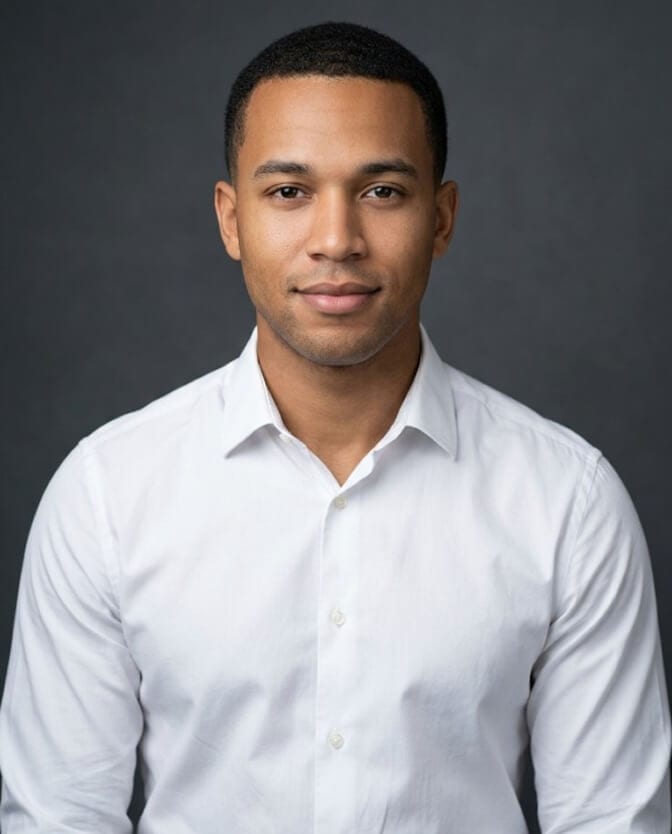
What a Good First LinkedIn Headshot Actually Looks Like
Here's the honest standard for a first professional headshot.
Your face fills most of the frame. Roughly 60 percent of the photo should be your face and upper chest. Not a distant full-body shot. Not so zoomed in that half your forehead is cut off. The sweet spot is framing from mid-chest up.
Clean background. Solid neutral colors are ideal. Warm off-white, soft gray, charcoal, or a lightly blurred office environment. Nothing competing with your face. Nothing interesting behind you. The background's job is to disappear.
Good lighting. This is the thing that separates a photo that looks professional from one that doesn't, even if everything else is the same. Natural window light facing you (not behind you) is the easiest way to achieve this without any equipment. Avoid fluorescent overhead lighting in small rooms. It creates harsh shadows and washes out skin tone.
Appropriate for your industry. A finance grad and a UX design grad shouldn't have identical headshots. Finance skews toward structured blazers and formal shirts. Design and tech allow more personality and business casual. Healthcare has its own norms. Think about what the first day at your target job looks like, and dress slightly above that. Our LinkedIn headshots page shows how the same person can look right for very different fields.
Expression that matches approachability. You're not a senior executive projecting authority. You're a new professional who is capable, eager, and easy to work with. A relaxed, genuine expression with soft eye contact projects exactly that. No stiff poses. No forced grins. Just the version of you that's good in a first meeting.
The Budget Problem (And the Solution Most Grads Don't Know About)
Here's where it gets practical.
You just finished college. You might be carrying student debt. You're applying for your first real job. Spending several hundred dollars on a studio photographer feels impossible and also slightly ridiculous when you're trying to get hired, not photograph a wedding.
Traditional professional headshots cost anywhere from $150 to $500 for a basic session. After you add retouching, file formats, and sometimes usage rights, the number climbs. It's not designed for someone who needs their first professional photo and a tight budget.
This is exactly why AI headshot tools have changed how recent graduates approach this problem.
You upload 10 to 20 casual photos taken in decent light (selfies, photos from friends, anything recent), the system trains on your likeness, and you receive 40 to 120 studio-quality headshots in various backgrounds and outfits. The total effort on your end is about 10 minutes. The cost is a fraction of a traditional session.
The results are professional. The lighting is studio-quality. The backgrounds are clean. And you get to choose from dozens of variations instead of hoping the photographer caught one good shot.
If you want to see what that output actually looks like, the AI headshot examples page shows exactly what's possible from upload photos.

How to Pick the Right Photo to Upload
Whether you're using a traditional photographer or an AI tool, the photos you start with matter.
For AI headshot tools specifically, the quality of your input photos determines the quality of your output. Here's what works.
Use recent photos. Within the last 12 months if possible. The system needs to learn your current face, not how you looked two years ago.
Include variety. Different angles, different lighting conditions, different expressions. Don't upload 15 selfies from the same angle in the same room.
Natural light beats anything else. Photos taken near a window in daylight, facing the light source, produce the clearest results. Avoid dark rooms, harsh flash, or strong backlighting.
Look directly at the camera in at least half. Eye contact matters in the final headshot, and photos where you're looking away reduce the quality of the output.
Avoid heavy filters. Filtered selfies change your actual face enough to confuse the model. Plain, natural photos work best.
If you're ready to stop overthinking it and just get your headshot done, see Headshot Photo pricing before you decide. For a first-time professional photo, it's designed to be accessible.
Once You Have Your Headshot, Use It Everywhere
This is the part most new grads underestimate.
Your LinkedIn photo isn't the only place a professional headshot matters. It's also useful for:
Your email signature, particularly if you're sending job applications or networking emails. A photo in your signature makes you more memorable and human.
Portfolio and personal websites. If you're in design, writing, development, or any creative field, a personal site with a strong headshot helps significantly.
Professional bios. Conferences, industry events, speaker submissions, and publications all eventually ask for a photo. Having a good one ready means you're not scrambling.
Industry community platforms. Slack workspaces, professional Discord servers, GitHub, and Behance all support profile photos. Consistency across platforms builds recognition.
One good headshot, done right, works across all of these for two to three years. It's genuinely one of the highest-return investments you can make at the start of your career.
If you're building your first LinkedIn profile and don't want to spend half a day organizing a photography session, you can get your professional headshot with Headshot Photo in about 10 minutes. Upload your existing photos, and get professional headshots that actually look like you belong in the industry you're applying to.
Frequently Asked Questions
What is a LinkedIn headshot and why do recent graduates need one?
A LinkedIn headshot is a professional, portrait-style photo used as your profile picture on LinkedIn. For recent graduates, it's particularly important because a strong photo signals professionalism and readiness to employers. Profiles with professional photos receive 21 times more views than those without. As a new grad without years of experience on your profile, your photo does more credibility-building work than it does for someone further along in their career.
How does an AI headshot compare to a studio photographer for a first LinkedIn photo?
Both produce professional results, but they differ significantly in cost, time, and flexibility. Traditional studio sessions typically cost $150 to $500, require scheduling, travel, and a week or more for edited photos to arrive. AI headshot tools let you upload existing photos and receive dozens of studio-quality options in a matter of hours, at a fraction of the cost. For a recent graduate who needs a polished professional photo without significant expense, AI headshots offer the better overall value.
How do I take good photos to upload for an AI headshot as a recent grad?
Use your smartphone and find a spot near a window in natural daylight. Face the light source directly so your face is evenly lit. Use a plain wall as a background. Take 15 to 20 photos from slightly different angles, some where you're looking directly at the camera and some with slight head turns. Include a variety of expressions, relaxed but engaged. Avoid heavy filters, dark rooms, or selfies from the same angle back to back. This gives the AI tool enough variety to produce strong, accurate results.
Is it worth spending money on a headshot as a recent graduate?
Yes, even on a tight post-graduation budget. Your LinkedIn photo directly affects how often recruiters and hiring managers engage with your profile. A study of recruiter behavior found that a significant percentage won't reach out to candidates with unprofessional photos. The cost of missing one job opportunity is almost certainly higher than the cost of getting a decent headshot. AI headshot tools have made this accessible even on a student budget, so cost is less of a barrier than it used to be.
Is it okay to use a graduation photo as a LinkedIn profile picture?
Generally no. Cap and gown photos communicate a milestone but not a professional identity. Recruiters and hiring managers see graduation photos on LinkedIn as a signal that the person doesn't yet have a proper professional headshot. The clothing is also context-specific, what you'd wear to graduation is not what you'd wear to a job interview. Use your graduation photos for personal social media and family. For LinkedIn, a clean business casual or professional outfit in a proper headshot reads significantly better.
