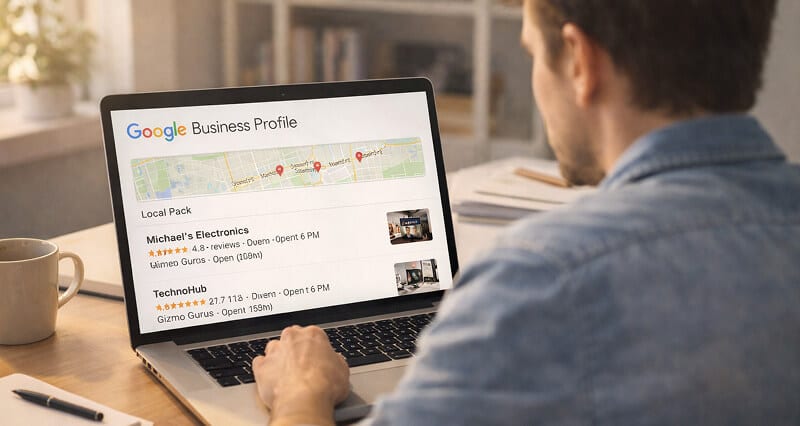
Your Google listing is doing more work than your website. But your photo might be undoing all of it.
I was helping a friend set up her bakery's Google Business Profile last year when I noticed something that stopped me mid-sentence.
Her listing looked fine. Hours were correct. Address was pinned. She had twelve five-star reviews. But her profile photo was a blurry shot from 2019, taken with a phone camera in terrible lighting, where she was half-squinting into the sun.
That was the photo representing her business to every person in a three-mile radius searching "bakery near me."
Here's the weird part.
She had spent weeks optimizing her listing. Categories were dialed in. She was posting weekly updates. She had even asked friends to leave detailed reviews. But the one thing people actually see first? The one visual element that shows up in the local pack before anything else? She hadn't touched it.
And she's not alone.
The Part Nobody Tells You About Local Pack Results
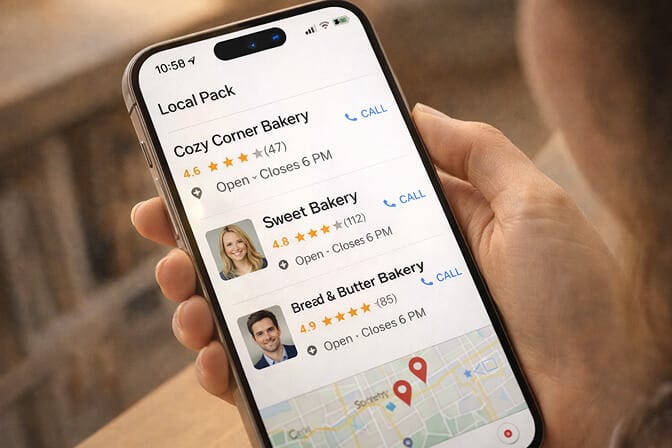
When someone searches for a local service on Google, they don't start by reading your business description. They don't check your hours first. They don't even look at your star rating immediately.
They see the photo.
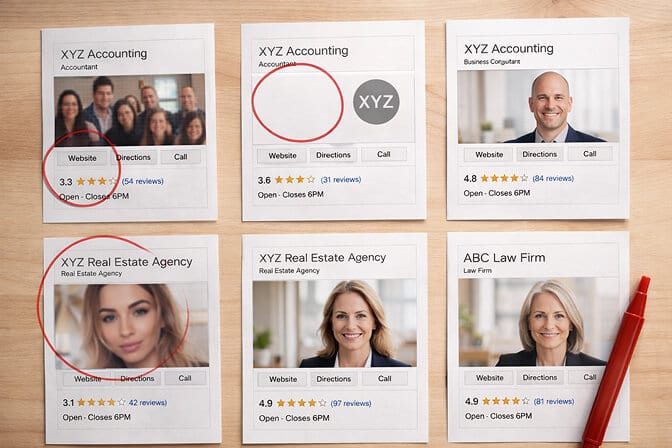
Google's local pack shows three businesses at the top of search results, and each one gets a thumbnail. That thumbnail is pulled from your Google Business Profile photos. If your profile photo is a grainy selfie, a stock image of your logo, or worse, no photo at all, you've already lost the click before your five-star reviews ever get a chance to work.
Because that thumbnail is square and small, the crop matters as much as the photo itself. A profile picture maker will square it and clear the background before you upload.
This is something most local SEO guides gloss over. They'll tell you to optimize your categories, keep your NAP consistent, and respond to reviews. All of that is correct. But they treat photos like an afterthought, a quick bullet point at the bottom of a checklist.
That's a mistake.
If you're unsure what separates a strong headshot from a weak one, our guide to professional headshot examples breaks it down with real visuals.
Why Your Google Business Profile Photo Is Actually a Local SEO Signal
Let me be direct. Google has never said "better photos equal higher rankings." That's not how this works.
But here's what does happen.
Google measures engagement signals from your listing. How many people click on your profile. How many request directions. How many call you directly. These behavioral signals feed back into how Google evaluates your business for prominence, one of the three pillars of local ranking alongside relevance and distance.
And what drives those engagement signals? Trust.
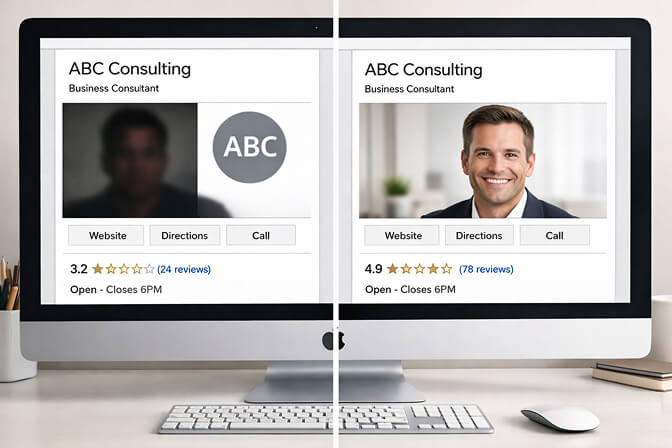
A professional, well-lit headshot of you, the business owner, does something a logo or a stock photo simply cannot do. It tells the searcher there's a real person behind this business. Someone who cares enough to present themselves well. Someone who probably cares about their work, too.
When a potential customer is choosing between three businesses in the local pack, the one with a clear, professional face attached to it almost always gets the click. People trust people, not logos.
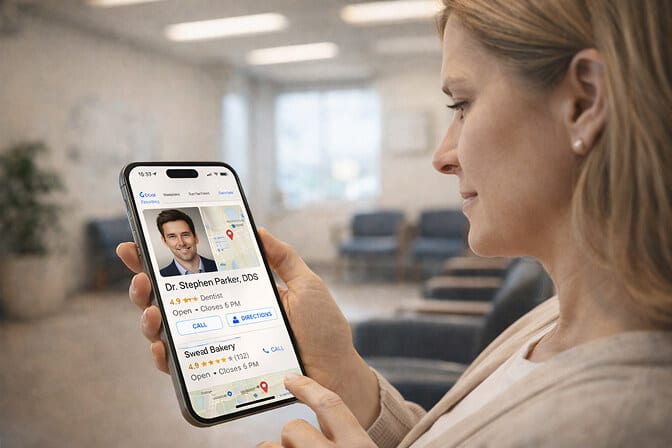
This is especially true for service-based businesses. Think about it. If you're searching for a dentist, a real estate agent, a financial advisor, or a personal trainer, seeing the actual person's face creates a connection before you've even walked through the door.
What Most Local Business Owners Get Wrong About Their Profile Photo
Stay with me here, because this is where it gets messy.
I've reviewed hundreds of Google Business Profiles across different industries. The same mistakes show up again and again.
Mistake 1: Using a logo instead of a face. Logos are fine for brand recognition once someone already knows you. But in the local pack, a logo is just a colored shape competing against real human faces. It loses every time.
Mistake 2: Using a group photo or a team shot. Google sometimes pulls these as your listing thumbnail. Now your face is the size of a pinhead and nobody can tell who they'd be meeting.
Mistake 3: Using an old, low-quality photo. That photo from your grand opening four years ago? The one where you're holding oversized scissors? It's costing you clicks right now.
Mistake 4: Using a heavily filtered selfie. Filters scream "not professional." They also look terrible when compressed to the tiny thumbnail size Google uses in the local pack.
Mistake 5: Not uploading a headshot at all. Some business owners upload photos of their storefront, their products, their menu. All useful. But they skip the single most important photo type for trust: a clear, professional headshot of the owner or key team members.
For businesses with multiple team members, having consistent photos across your whole staff builds even more credibility. Our company headshots page shows how that works in practice.
How a Professional Headshot Changes Your Local Search Results
Let me share what happened with my friend's bakery.
After I pointed out the photo situation, she was skeptical. "People care about reviews and price, not my face," she said.
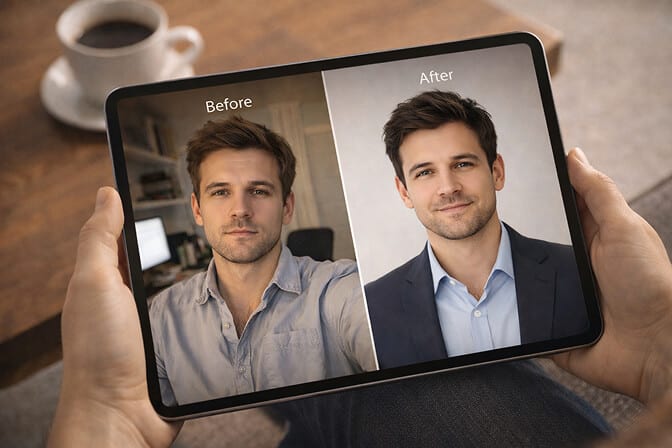
I convinced her to update her profile with a clean, professional headshot. Warm expression, neutral background, good lighting. Nothing fancy. Just her, looking approachable and confident.
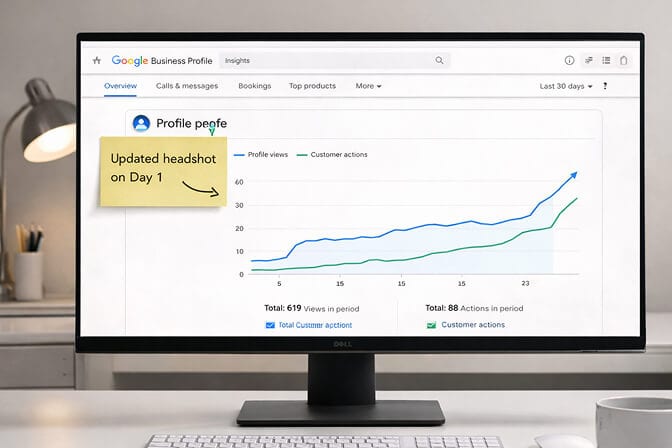
Within two weeks, her profile views went up. Not a dramatic overnight explosion. But a steady, noticeable increase in clicks and direction requests.
But then something clicked.
She started getting comments from new customers walking in. "I saw your photo on Google and you just looked so friendly." One customer literally said, "I picked you over the other bakery because you looked like a real person."
That's not an SEO metric. That's something better. That's trust converting into foot traffic.
Here's what a strong Google Business Profile headshot actually does for your local presence:
It increases click-through rate from the local pack. When searchers see a professional, trustworthy face, they click. More clicks signal to Google that your listing is relevant and engaging.
It builds immediate credibility. Before a customer reads a single review, your headshot has already set an expectation. A polished photo says "I take my business seriously."
It differentiates you from competitors. Most local businesses either have no headshot or have a bad one. A professional photo instantly puts you ahead visually.
It humanizes your brand. Especially for solo business owners, freelancers, and consultants, your face IS your brand. Let people see it.

What Makes a Great Google Business Profile Headshot
Not every headshot works for a Google listing. The context is different from LinkedIn or a company website. Here's what matters.
Resolution and clarity come first. Google compresses images. Your photo needs to start sharp enough that it still looks clean when squeezed into a small thumbnail.
Background should be simple. A neutral, uncluttered background keeps the focus on your face. Busy backgrounds become visual noise at small sizes. If you want to see exactly which colors photograph best for different industries, our guide on the best headshot background colors covers it all.
Expression matters more than you think. A natural, genuine smile outperforms a serious corporate stare for most local businesses. You want approachable. You want warm. You want someone that a stranger would feel comfortable calling or visiting.
Consistency across platforms helps. When your Google headshot matches your LinkedIn photo and your website team page, it reinforces recognition. People start to recognize your face before they even walk in.
Update it regularly. If your appearance has changed significantly, update the photo. You want the person who walks through the door to match the face on the screen.
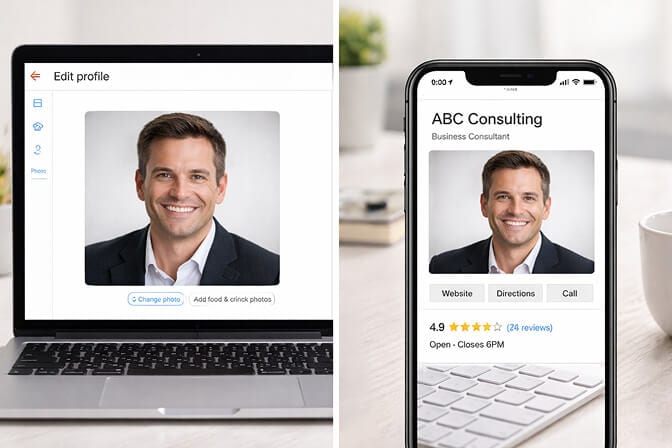
If you've been meaning to update your Google Business Profile photo but keep putting it off because booking a photographer feels like a whole project, Headshot Photo can help. Our AI business photo generator creates professional headshots from a few selfies in about 1 hour. Upload your photos, pick your background and style, and you'll have something ready for your listing before lunch.
The Before and After Nobody Expects
I'll be honest. When I first started recommending AI headshots for Google Business Profiles, I wasn't sure the quality would hold up at thumbnail size.
I was wrong.
The compression that Google applies to local pack images actually helps AI headshots. The slight smoothing that happens at small sizes makes an already-clean AI headshot look indistinguishable from a studio photo. At the size your profile photo appears in search results, nobody can tell whether it was shot by a photographer or generated by AI.
What they can tell is whether you look professional. Whether you look trustworthy. Whether you look like someone they'd want to do business with.
And that's the only thing that matters.
If you want to see how dramatic the difference can be, check out our AI headshot before and after transformations. The results speak for themselves.
The Real ROI of Updating Your Google Profile Photo
I know what you're thinking. "Is one photo really going to move the needle for my business?"
Here's how I think about it.
Your Google Business Profile gets seen hundreds, sometimes thousands of times per month. Every single one of those impressions includes your photo. If your current photo is costing you even a 2 to 3 percent decrease in click-through rate, that's dozens of potential customers you're losing every month.
And unlike most SEO changes that take weeks or months to show impact, updating your photo is instant. The moment you upload a new headshot, it starts showing up in search results.
Compare that to the effort of earning more reviews, writing weekly posts, or building local backlinks. Updating your headshot is the highest-ROI, lowest-effort local SEO move available to you.
This Is Where Most People Get It Wrong
They think they need a $300 studio session to get a good headshot.
You don't.
What you need is a photo that's well-lit, sharp, and represents how you actually look on a good day. That's it. No fancy backdrop. No makeup artist. No two-hour session where a photographer tells you to "look natural" while you stand awkwardly under studio lights.
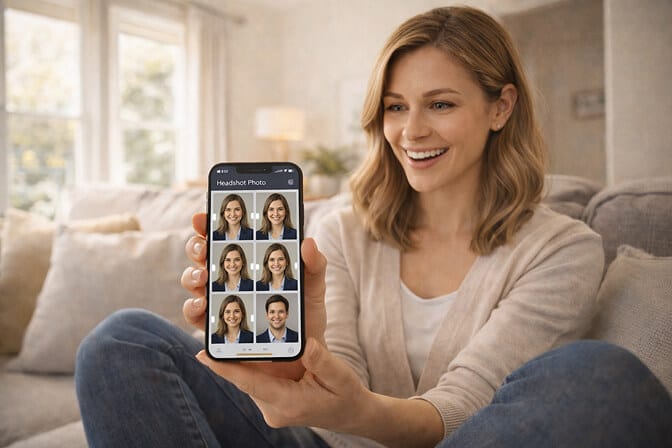
AI headshot tools have made this ridiculously simple. You upload a handful of selfies taken in decent lighting, choose the style and background that fits your brand, and get back dozens of professional-quality options.
If cost has been the thing holding you back, our breakdown of affordable professional headshots shows just how much the price has dropped.
At Headshot Photo, plans start at $34 and deliver 100 headshots. That's less than a single retouched image from most professional photographers. And you'll have options for your Google listing, LinkedIn, your website, business cards, and everything else. Check out our pricing to find the right plan for you.
The Quiet Advantage Nobody's Talking About
Here's my honest take.
Most local businesses are competing on reviews, pricing, and service quality. Those things matter. But they all assume the customer has already clicked on your listing.
Your headshot is the thing that earns the click.
It's the thing that makes someone pause on your listing instead of scrolling past. It's the visual handshake that happens before any words are exchanged. And right now, most of your competitors are ignoring it entirely.
That's your opening.
Update your Google Business Profile headshot. Make it professional, warm, and current. And watch what happens when people start choosing you out of the local pack, not because your reviews are better or your prices are lower, but because they trusted your face first.

Frequently Asked Questions
1. What is a Google Business Profile headshot and why does it matter?
A Google Business Profile headshot is a professional photo of the business owner or key team member uploaded to their Google listing. It matters because it appears in local search results and Google Maps, directly influencing whether potential customers click on your listing or choose a competitor. Profiles with clear, professional photos consistently receive more engagement.
2. How does a profile photo on Google compare to a LinkedIn headshot?
Both serve trust-building purposes, but Google Business Profile photos appear at much smaller sizes in the local pack thumbnail. This means your Google headshot needs to be especially sharp, well-lit, and simple in composition. A headshot that looks great full-size on LinkedIn might become unreadable when compressed for Google's local results.
3. How do I update my headshot on Google Business Profile?
Sign in to your Google Business Profile, navigate to the "Photos" section, and upload a new image under "Owner" or "Identity" photos. Google may take a few hours to a few days to process and display the update. Make sure your photo meets Google's image guidelines for size and quality.
4. Is an AI headshot good enough for my Google Business listing?
Yes. Modern AI headshot generators produce images that are virtually indistinguishable from professional studio photography. They're used by thousands of businesses for LinkedIn, company websites, and Google listings. The key is choosing a tool that generates photorealistic results with natural skin texture and proper lighting, not the overly smooth, obviously-AI look of free tools.
5. How much does it cost to get a professional headshot for my Google profile?
Traditional headshot photography ranges from $150 to $500 depending on your location and photographer. AI headshot tools like Headshot Photo start at $34 for 100 images. For a local business owner who just needs a clean, professional photo for their Google listing and a few other platforms, AI tools provide the best value by a significant margin.
