
Your favorite headshot style isn't random. Here's how to clone it with AI and finally get the exact look you've been chasing.
Last Tuesday, my friend Priya sent me a LinkedIn screenshot.
"This woman's headshot is perfect," she said. "Warm lighting. Soft focus background. Confident but not corporate. How do I get mine to look like that?"
She'd already tried two AI headshot tools. The results were fine. Clean backgrounds, decent outfits, sharp resolution. But the vibe was wrong. The photos looked like they belonged to someone else's brand. Someone more corporate. Someone colder.
Here's the thing most people don't realize about professional headshots: the difference between a good one and a great one isn't about the camera or the resolution. It's about style. Lighting direction, color temperature, depth of field, the ratio of warmth to sharpness. These are the invisible details that make you look at someone's photo and think, I trust this person.
And until recently, cloning that specific look required a photographer who understood what you wanted, a studio with the right setup, and a few hundred dollars.
Not anymore.
AI headshot style cloning changes the equation entirely. And I want to show you exactly how it works, why most people are doing it wrong, and how to get it right on the first try.
What "style cloning" actually means (and why it matters more than you think)
Let's get specific. When I talk about AI headshot style cloning, I'm not talking about face swapping. I'm not talking about copying someone else's face onto your body. That's a completely different thing, and honestly, it's creepy.
Style cloning means replicating the aesthetic properties of a photo while keeping your own face and features. The things that make a photo feel a certain way.
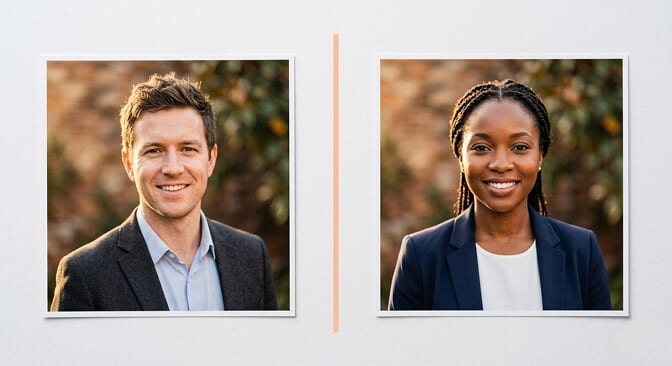
Think about it like this. Two headshots can show the exact same person wearing the exact same blazer. But one feels like a Fortune 500 executive, and the other feels like a friendly startup founder. Same person. Different style.
The variables that create that difference are surprisingly technical:
Lighting direction and quality. A broad, even light source creates approachability. Hard directional light creates authority. Rembrandt lighting (that triangle of light on one cheek) creates depth and drama.
Color temperature. Warm tones read as friendly and inviting. Cool tones read as polished and corporate. Neutral tones feel editorial.
Background treatment. A tight bokeh (blurry background) feels intimate and focused. A wider depth of field feels environmental and contextual.
Contrast and saturation. High contrast feels bold. Low contrast feels soft and modern. Desaturated tones feel editorial.
If you want to understand how these variables play out across different types of headshots, the differences become obvious fast. A theatrical headshot, a corporate headshot, and a creative headshot are really just different combinations of these same elements.
The style of your headshot communicates more about your brand than your outfit or your expression. It's the first thing people feel, even if they can't name what they're noticing.
Most AI headshot generators let you pick a "style." Corporate. Casual. Creative. But these are broad categories, not specific aesthetic matches. You don't want "corporate." You want that exact warm, confident, approachable look your favorite CEO has in her LinkedIn photo.
That's the gap. And it's the gap that AI style cloning fills.
Here's where most people get it wrong
I've watched dozens of people try to clone a headshot style they love. The process usually goes like this:
They find a headshot they admire. They open an AI headshot tool. They pick the preset that seems closest. They're disappointed.
The problem isn't the AI. The problem is translation.
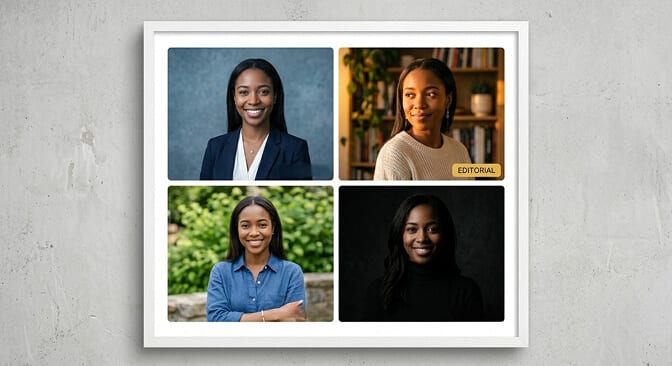
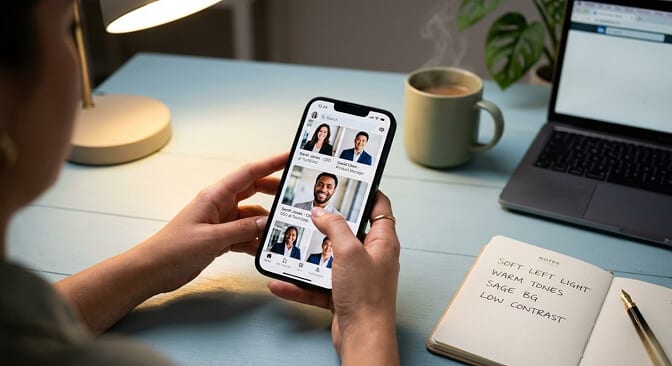
When Priya told me she wanted "warm and approachable," I asked her to be more specific. After ten minutes of going back and forth, we landed on something way more precise: soft directional light from the left, slightly warm color temperature (around 5000K), shallow depth of field with a muted sage green background, low contrast with natural skin tones preserved.
That's not "warm and approachable." That's a technical brief. And the difference between those two descriptions is the difference between a headshot you love and one that's just... fine.
Here's the weird part.
Most people can't articulate what they like about a photo. They just know they like it. They'll say things like "it looks natural" or "it feels professional" or "I don't know, it just looks good." But "looks good" isn't a setting you can select in a dropdown menu.
This is why the reference photo approach works so much better than the preset approach. Instead of translating your preference into words (and losing nuance at every step), you show the AI what you want. You provide the visual blueprint.
The anatomy of a perfect reference photo
Not every photo works as a good style reference. I learned this the hard way when I tried to clone the look of a headshot I'd seen in a magazine editorial.
The result? A mess. Because the original photo had very specific studio lighting that only works at certain angles, with certain skin tones, in certain contexts. When the AI applied that style to my face and body, it looked artificial.
A good style reference for AI cloning should have these qualities:
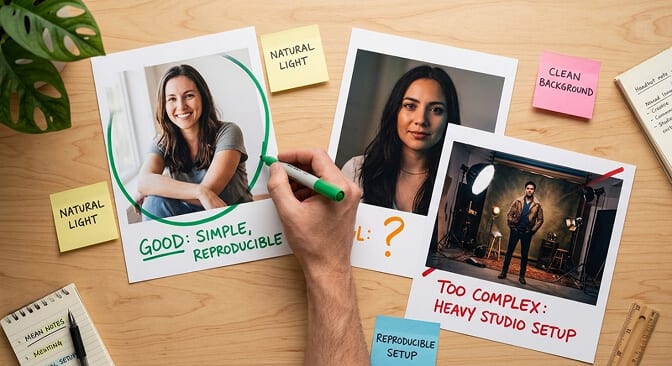
The lighting should be reproducible in a standard setting. Dramatic one-light setups look incredible in portfolios but tend to create strange artifacts when AI tries to replicate them on different face shapes. If you want to go deeper on how lighting affects headshot quality, our headshot lighting setup guide breaks down every pattern from butterfly to Rembrandt.
The background should be relatively simple. Complex environmental backgrounds introduce too many variables. The AI has to recreate not just the style but the entire scene, and that's where things break down.
The color palette should be intentional but not extreme. Heavy filters, extreme color grading, or highly stylized edits don't translate well. The AI tries to match the processing, and the result often looks over-edited.
My recommendation: choose a reference photo that looks effortlessly good, not one that looks obviously produced. The more "natural" the reference appears, the better the AI can clone that style onto your own features.
The part nobody tells you about AI headshot consistency
So you've found your perfect style. You've generated one headshot you love. Great.
Now try generating ten more in the same style.
This is where the real frustration starts.
Most AI headshot tools have a consistency problem. You generate one great photo with perfect warm lighting and a soft background. Then you generate another one and the lighting's slightly cooler. The background's a shade darker. The contrast is different. The skin tone has shifted.
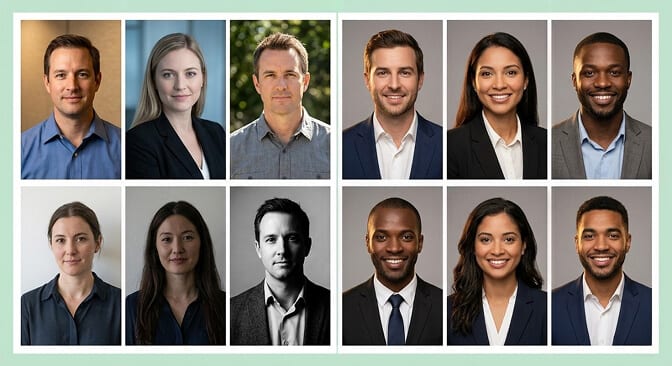
Style consistency across multiple headshots is the hardest technical challenge in AI photography right now. And most tools handle it poorly because each generation is essentially independent. The AI isn't "remembering" the style from the last photo. It's interpreting the style settings from scratch every single time.
This matters way more than most people realize. If you're generating headshots for a team, even small style variations create visual chaos on your company page. If you're generating multiple options for yourself, inconsistency makes it impossible to compare them fairly.
The goal isn't just one great headshot. It's a reproducible style that looks intentional across every generation. That's what separates AI headshots that look amateurish from ones that look like they came from a coordinated studio shoot.
At Headshot Photo, this is something we've thought about deeply. The ability to lock in a style and generate consistent results across multiple photos is what separates professional outputs from random ones.
How to actually clone a headshot style (step by step)
Enough theory. Here's what to actually do.
Step 1: Find 2 to 3 reference photos you love.
Don't pick one. Pick a small set. This gives the AI (and yourself) a better understanding of the pattern. If all three references share warm lighting and soft backgrounds, that's a clear signal. If they share nothing in common, your preferences might be less about style and more about the person in the photo. Big difference.
Step 2: Identify the technical elements.
You don't need to be a photographer. Just answer these questions about your reference photos: Is the lighting warm or cool? Is it coming from the left, right, or center? Is the background blurry or sharp? Is the overall mood bright and airy, or moody and contrasty? Are the colors muted or vivid?
Step 3: Upload high quality selfies.
This part is non-negotiable. The best style cloning in the world won't save you from blurry, poorly lit input photos. Clean selfies with visible facial features and good lighting are the foundation.
Step 4: Match your style selections to your reference analysis.
This is where most AI tools offer more control than people realize. If your reference has warm lighting, select warm tones. If it has a blurred background, choose a shallow depth setting. Headshot Photo's background and outfit customization lets you mix and match these variables individually rather than hoping a single preset captures the entire vibe.
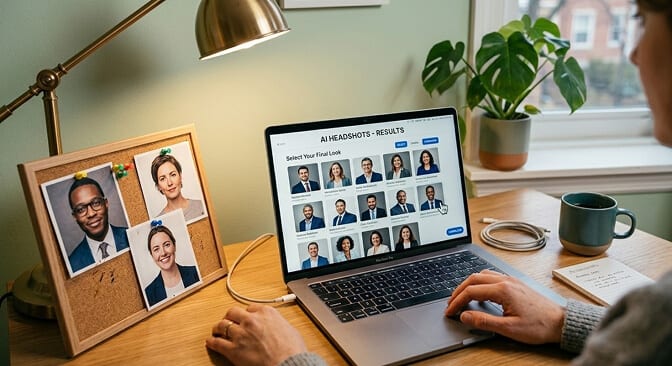
Step 5: Generate, compare, and refine.
Your first generation probably won't be perfect. That's normal. Use it as a starting point. Adjust one variable at a time. Warmer background? Slightly different outfit? A touch more contrast? Small adjustments get you closer without starting over every time.
If you're tired of guessing, let AI do the heavy lifting
Here's where I'll be direct about what we've built at Headshot Photo.
Most people spend way too long trying to describe what they want. Then they get results that are close but not quite right. Then they try again. And again.
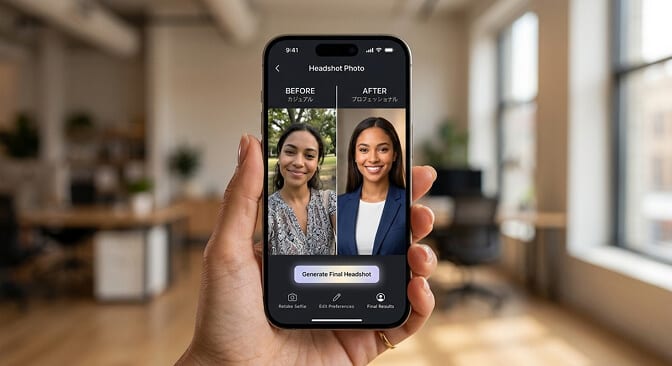
We designed Headshot Photo to shortcut this entire process. Upload 8 selfies, pick your styles, and get up to 100 headshots in as little as 1 hour. Every plan includes edit credits so you can swap backgrounds, change outfits, and fine-tune until the style feels exactly right.
Starting at $34. No studio appointment. No photographer. No guesswork. See the pricing plans here.
If the idea of spending another afternoon trying to describe "warm but professional, confident but not intimidating, modern but not trendy" to yet another tool sounds exhausting... we built this for you.
What I wish I knew when I started
I'll end with something personal.
When I first started exploring AI headshot generation, I thought the technology was about speed. Get a headshot fast. Skip the photographer. Save money.
But over time, I realized the real value is something different.
It's about creative control.
With a traditional photographer, you show up and get whatever they produce. You can give direction, but ultimately you're at the mercy of their eye, their lighting setup, their post-processing style. And if you don't love it? You book another session.
With AI style cloning, you are the creative director. You decide the lighting. The mood. The background. The entire aesthetic. And you can iterate until it's perfect.
That's not just faster. It's fundamentally different. It puts the creative power in your hands.
Priya finally got her headshot, by the way. Warm lighting from the left. Soft sage background. Low contrast. Natural skin tones.
She texted me: "It looks exactly like what I had in my head."
That's the point. Not just any professional headshot. Your headshot. In your style.
Frequently Asked Questions
1. What is AI headshot style cloning?
AI headshot style cloning is the process of replicating the visual aesthetic of a reference photo (its lighting, color temperature, background treatment, and overall mood) while preserving your own face and features. It's different from face swapping. The goal is to match the look and feel of a specific photo style, not to copy someone else's appearance.
2. How does AI headshot style matching compare to hiring a photographer?
A professional photographer gives you hands-on creative direction but limits you to what they capture in that session, typically costing $200 to $500. AI style matching lets you generate dozens of variations in minutes at a fraction of the cost, with the ability to iterate and refine until the style is exactly right. For most LinkedIn and corporate uses, AI delivers comparable or better results because you get more options and more control.
3. How do I choose the right reference photo for AI style cloning?
Pick a reference photo with reproducible, natural-looking lighting (not heavy studio drama), a simple background, and intentional but not extreme color grading. Avoid heavily filtered images. The best references look effortlessly good rather than obviously produced. Choose 2 to 3 reference photos that share a common aesthetic so you can identify the pattern.
4. Is AI headshot style cloning worth it for team or corporate headshots?
Absolutely. Style consistency across team headshots is one of the biggest challenges companies face. AI style cloning lets you generate headshots for every team member with matched lighting, backgrounds, and color treatment, creating a cohesive look on your company page. At Headshot Photo, plans start at $34, making it dramatically more affordable than coordinating a studio session for an entire team.
5. Are AI headshots with cloned styles professional enough for LinkedIn?
Yes. Modern AI headshot generators produce results that are visually indistinguishable from traditional studio photography for digital use cases like LinkedIn, resumes, and corporate websites. The key is using high quality selfies as input and selecting style settings that match your industry. Many Fortune 500 professionals now use AI-generated headshots for their profiles.
