Top Photo Management Software in 2026
Be honest with yourself for a second. How long would it take you, right now, to find a specific photo from three years ago? Not "scroll until you stumble on it." Actually find it, on purpose, in under ten seconds.
For most people the answer is somewhere between "a while" and "never." And it is getting worse, not better. In 2026 we are not just taking more photos than ever, we are generating them too. Run a few selfies through an AI headshot tool like Headshot Photo and you walk away with dozens of polished portraits in one sitting. Do that across a few profile refreshes, add a LinkedIn update here and twenty exports of the same shot there, and the pile grows faster than any of us can sort it.

That is exactly why good photo management software has quietly become one of the most useful tools a professional can own. The right one turns a chaotic folder graveyard into something searchable, organized, and honestly kind of pleasant to browse. The wrong one is a bloated subscription you forget to cancel.
So I spent real time with the tools that matter this year. Here is how they rank, what they are good at, and who each one is actually for.
1. Tonfotos
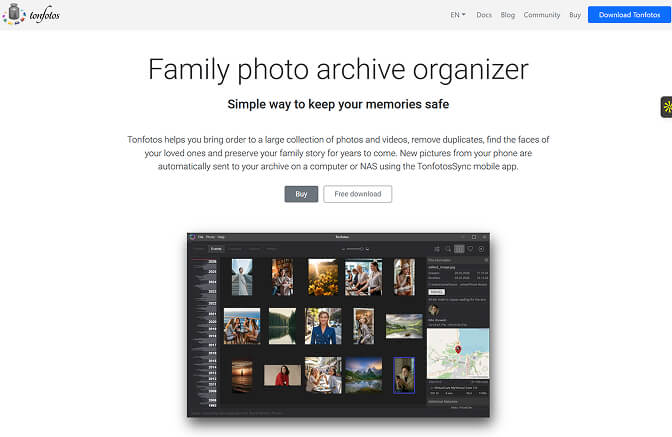
If you have a deep personal or family archive, Tonfotos is my number one pick this year, and it is not particularly close.
It runs entirely on your own machine, so nothing gets uploaded to anyone's cloud. Then it does the hard part for you: scanning your whole collection and grouping it by date, event, location, and the people in each shot. The face recognition is the headline feature. It uses neural networks that get smarter every time you tag, and it can recognize the same person across decades, even as a face ages. Watching it link a childhood photo to a recent one and file them under the same person never stops feeling a little magical.
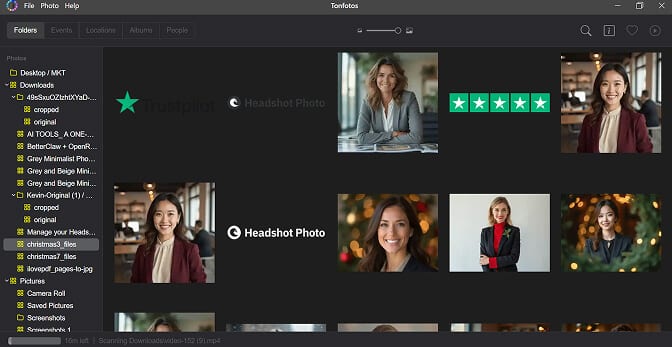
There is also a genealogy layer no competitor really matches. You can build person cards with birth dates and relationships, turning a photo manager into a lightweight family tree. For anyone digitizing old scanned prints, that is the whole point.
Key features
- Local-first, no cloud lock-in
- Industry-leading AI face recognition that improves as you tag
- Auto-grouping by people, dates, events, and locations
- Genealogy and family-tree person cards
- Works across hard drives, NAS, and external storage
Pros
- Strong privacy, everything stays on your hardware
- One-time purchase, no subscription
- Genuinely free tier with no time limit
Cons
- Desktop only, no full mobile app yet
- Built for archiving, not heavy RAW editing
Tonfotos keeps pricing sane: a genuinely free version, a Personal license at $59 one-time for one user, and a Family license at $159 covering up to five users or devices. Both are perpetual, so you pay once and you are done.
2. Excire Foto

Excire Foto is the search obsessive. Point it at a giant untagged library and it keywords everything automatically based on what is in the photo. Type "dog in snow" and it just finds them, all processed on your own machine. If you have years of images you never labelled, this is the fastest way to make them findable without manually tagging a single one.
Key features
- Automatic AI keywording and content search
- Strong people and face search
- Available standalone or as a Lightroom plugin
Pros
- Best content search in the category
- Fully on-device, privacy friendly
Cons
- No editing tools, you need a separate editor
- One-time purchase, around $229, no subscription
3. Adobe Lightroom Classic
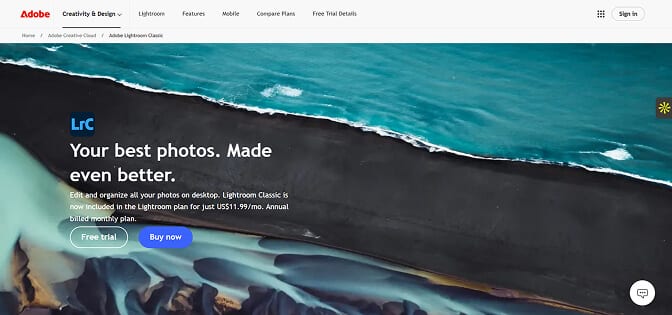
Adobe Lightroom Classic is still the default for working photographers. The cataloging is deep, collections and folder hierarchies are excellent, and the editing is genuinely professional.
Key features
- Deep cataloging plus full RAW editing
- AI masking and enhancement tools
- Huge plugin and tutorial ecosystem
Pros
- Organizing and editing in one place
- Industry standard for a reason
Cons
- Subscription only, from $9.99/month on an annual plan, forever
- More tool than most personal users need
4. ACDSee Photo Studio

ACDSee Photo Studio is the all-rounder, and the most credible "do everything in one app" pick on this list. It folds serious digital asset management, on-device AI, and a full editor into a single program, and crucially it still offers a buy-once perpetual license instead of forcing a subscription. The 2026 release leans hard into AI that runs locally, so your images never leave your machine: AI Denoise, facial recognition, AI keywording, and develop presets all work offline.
The Ultimate edition is the flagship on Windows, with a separate Mac version available. Strong pick if you want organizing and editing under one roof without Adobe's monthly bill, though the interface can feel busy at first.
Key features
- Full DAM plus a capable RAW and layer-based editor
- On-device AI: Denoise, facial recognition, AI keywords, develop presets
- Perpetual license or subscription, your choice
Pros
- Buy-once option, no forced subscription
- Privacy-friendly, AI processed locally
- One app for both organizing and editing
Cons
- Interface can feel crowded
- Perpetual license covers one device and one year of updates
- Windows gets the most features; Mac edition is more limited
Pricing is flexible: a perpetual Ultimate license is listed around $150 (one device, a year of updates), or you can subscribe for roughly $8.90/month, which adds five device installs and cloud storage. ACDSee runs frequent sales, so the live price often sits lower.
5. digiKam
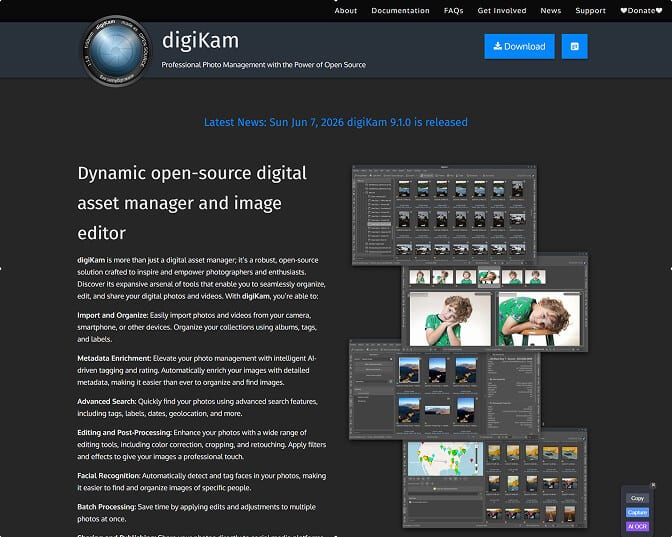
digiKam is the free, open-source heavyweight. It chews through libraries past 100,000 files and gives you serious metadata control across Windows, Mac, and Linux.
Key features
- Granular tagging and metadata control
- Handles very large libraries
- Completely free and open-source
Pros
- Powerful and free
- Cross-platform
Cons
- Dense, intimidating interface
- Inconsistent face recognition
6. Mylio Photos+

Mylio Photos+ is the pick if you want your library on every device without handing it to someone else's cloud. It uses your own storage and syncs peer to peer.
Key features
- Multi-device sync using your own storage
- Calendar and map views
- Built-in face recognition
Pros
- Privacy-focused, decentralized
- Works across all your devices
Cons
- Subscription, $12.99/month or $119.99/year, with a free base app
- First full sync takes patience
How to choose the right one
Strip away the feature lists and it comes down to who you are.
- Family and personal archives: Tonfotos. Best face grouping, strong privacy, fair one-time price.
- A giant untagged backlog you just want to search: Excire Foto.
- Working photographers editing RAW: Lightroom Classic.
- One app for organizing and editing, bought once: ACDSee Photo Studio.
- Maximum power for zero dollars: digiKam.
- Everything synced across devices, privately: Mylio.
One note for the AI crowd: if a chunk of your "library" is generated portraits, the cleanup starts before the manager does. Generate your set with a tool that gives you organized, consistent output, like Headshot Photo, keep the two or three that actually look like you, and let your manager file the rest. The tidiest libraries are not the biggest ones. They are the ones where someone decided up front what was worth keeping.
Pick one tool. Point it at your messiest folder. Give it an afternoon. Future you, the one trying to find that one photo in ten seconds flat, will quietly thank you.
If you still need a clean set of portraits to organize in the first place, you can see Headshot Photo pricing and generate a polished, consistent set in minutes.
