
What Are Some Good Team Photo Ideas?
The team photos people actually like share three things: everyone is doing something rather than standing in a line, the setting means something to the team, and nobody is forced to hold a fake laugh. Staircase formations, workspace candids, and themed group shots consistently beat the standard boardroom lineup.
Below are 30 of them, grouped by the kind of team you're shooting for, each with the setup, the shot, and when it works. Further down there are poses, camera settings, and a checklist for planning the photoshoot itself. If what you actually need is a matching set of team headshots rather than one group shot, jump straight to the remote section.
Quick Picks: Which Group Photo Idea Fits Your Team?
| If your team is... | Try this | Effort |
|---|---|---|
| 3 to 6 people, in the office | Triangular composition, or the Coffee Cheers | Low |
| 7 to 15 people | Staircase Formation, or the Walking Corridor shot | Medium |
| 16 or more people | Stadium Seating Tiers, or an overhead from a balcony | Medium |
| Fully remote | The Matching Headshot Grid | Low |
| Hybrid | The Hybrid Room Shot | Low |
| Want funny but still usable | Deadpan Boardroom, or the arm's-length Group Selfie | Low |
| Shooting for a careers page | Laughing Candid Circle, or the Lounge-Area Collab | Low |
| Shooting in December | The Coordinated Sweater Palette | Low |
Jump to: Corporate · Creative · Funny · Remote · Sports · Real estate · Holiday · Poses · By group size · Camera settings · What to wear · Plan the photoshoot · Photo day checklist · Profile pictures
Corporate and Office Team Photo Ideas
If you're looking for corporate team photo ideas or business team photo ideas that feel polished but not stiff, these are for you. For groups that want consistent, matching results, professional team headshots keep everyone on the same visual page.
Idea 1: The Staircase Formation

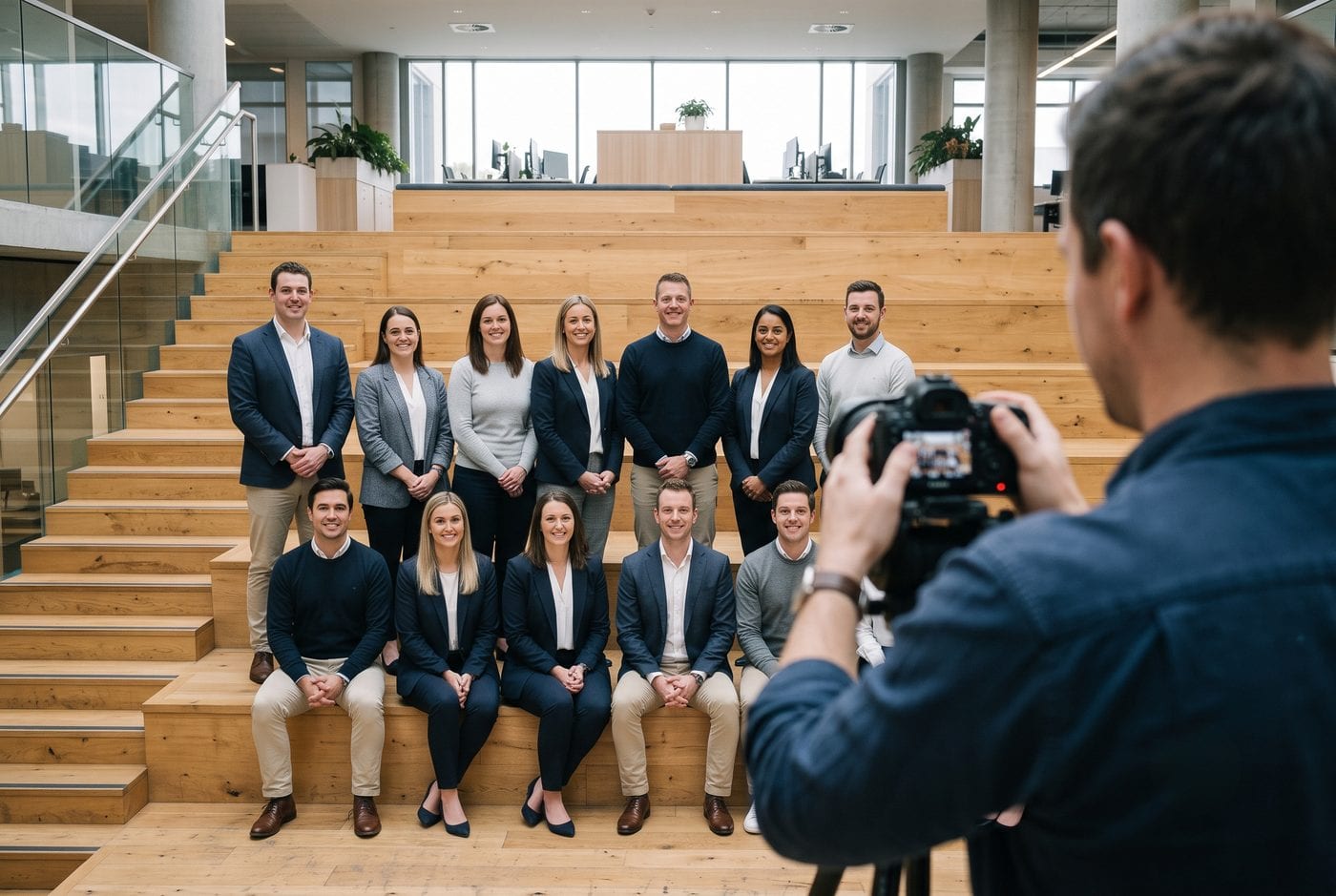
Your office atrium, lobby staircase, or any open stairwell becomes the backdrop here. The trick is positioning your team at different depths so nobody disappears behind anyone else. The architecture does half the work, and you get a work team photo idea that shows off your space while staying professional.
Best for: Company About pages, annual reports, and teams of ten or more.
Idea 2: The Meeting in Motion

Photograph your team having an actual conversation at a conference table instead of staring down the lens. Give them a real topic, shoot for two or three minutes, and pick the frames where the expressions land. This team photo idea's professional appeal comes from proving you're not just posing, you're working together.
Best for: Service pages, case studies, and consultancy websites.
Idea 3: The Glass-Wall Reflection Shot

Got glass walls or windows? Use them. Positioning the team so their reflection shows creates a layered, dimensional effect that reads as modern without any post-processing. It's one of those corporate team photo ideas that feels current without trying too hard.
Best for: Tech companies, agencies, and modern office spaces.
Idea 4: The Lounge-Area Collab

Why stick to the conference room when your break room or lounge area tells a better story? Coffee cups, laptops, casual seating: this team photo idea says "we're good at what we do, and we're humans you'd actually want to work with."
Best for: Culture pages, careers pages, and recruiting content.
Idea 5: The Walking Corridor Shot

There's something genuinely energising about a team walking toward the camera down a hallway. Shoot in burst mode and take far more frames than you think you need. You're hunting for the one where nobody is mid-blink and everyone's stride looks natural.
Best for: Hero banners, video thumbnails, and website headers.
Creative and Startup Team Photo Ideas
For the rule-breakers and the innovators, here are some creative team photo ideas that show off your personality.
Idea 6: The Color-Pop Backdrop

Find or create a colorful wall, mural, or draped fabric as your background. Let your team dress in complementary tones rather than competing ones. These cool team photo ideas work especially well on websites and social media where a scroll-stopping color does real work.
Best for: Instagram, LinkedIn banners, and creative agency sites.
Idea 7: The Laughing Candid Circle

Get everyone in a circle and have them look at the person on their left. Then tell a joke and shoot through the laughter. Nothing says "we actually like each other" like real smiles. This is one of the best fun team photo ideas out there because it can't be faked convincingly.
Best for: Culture pages, team celebrations, and social posts.
Idea 8: The Action Blur Walk-By

Set a slightly slower shutter speed and have the team walk past together. That subtle motion blur creates a sense of energy that a frozen frame never gets. It's what modern creative team photo ideas are built on.
Best for: Editorial features, brand films, and website motion sections.
Idea 9: The Tools-of-the-Trade Props

These props aren't random. They answer the question of what you actually do without a caption. Bring laptops, cameras, sketchbooks, aprons, or whatever your work tools are, and let people hold them the way they normally would.
Best for: Trades, studios, restaurants, and product teams.
Idea 10: The Coffee Cheers Group

Everyone raises their coffee mugs or water bottles toward the center. It's fun, requires zero setup, and creates instant visual unity. Perfect for those cool group photo ideas that end up on culture pages.
Best for: Small teams, office openings, and Monday-morning social posts.
Funny Team Photo Ideas (That Still Look Professional)
Here's the tension nobody resolves: you want funny team photo ideas for work that make your team laugh, but you can't put a photo on your company page that makes you look like you don't take the job seriously. The fix is that the humour should come from what people are genuinely doing, not from a costume or a caption. These five funny group photo ideas for work stay usable on a real website.
Idea 11: The Arm's-Length Group Selfie

The tallest person holds the phone, everyone piles in, and the wide-angle distortion does the comedy for you. This is the most honest photo most teams will take all year, which is precisely why it works. Take five and use the second or third, once people have stopped arranging themselves.
Best for: Slack channels, internal comms, and the "life at our company" section.
Idea 12: The Outdoor Balloon Release
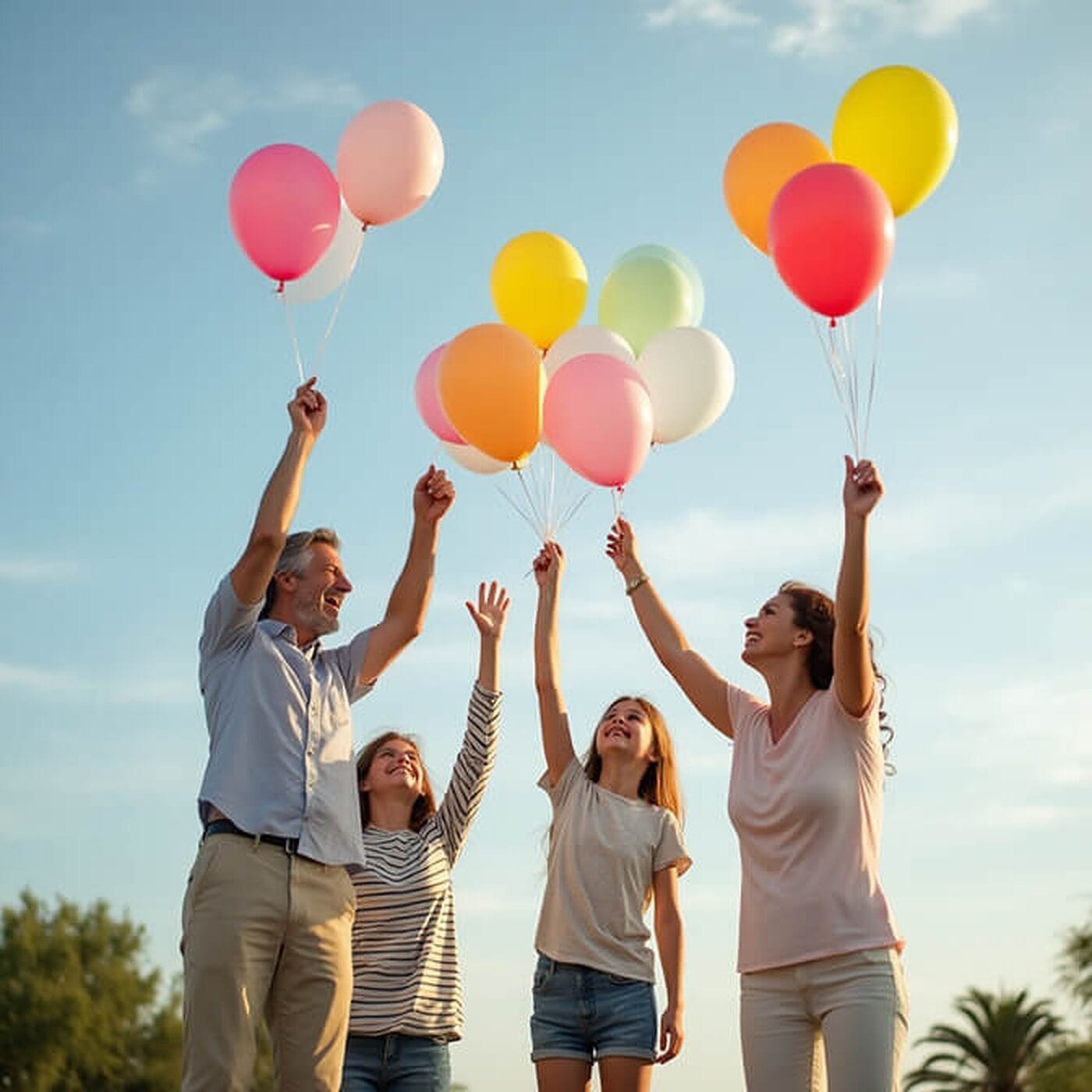
Hand everyone a bunch of balloons and shoot from a low angle with the sky behind. It's the rare prop that adds colour and movement without making anyone look silly, because looking up at something is a natural gesture rather than a performance.
Best for: Company anniversaries, launch days, and away days.
Idea 13: The Office High-Five Candid

The best funny team photo ideas aren't staged. They're real moments where your team is being itself. Wait for a genuine win, then shoot the reaction: the high-fives, the arms in the air, the person laughing too hard to look at the camera.
Best for: Launch announcements, milestone posts, and culture pages.
Idea 14: The Deadpan Boardroom

This one is funny because of the setup, not the faces. Stage the most serious, most stock-photo-looking boardroom shot you can manage, everybody stone-faced. Then immediately shoot the same frame with everyone laughing. The pair together is the joke, and the first image is still a perfectly usable corporate photo on its own.
Best for: Paired social posts, About pages with personality, and internal decks.
Idea 15: The Arms-Around Group Squeeze

Tell everyone to physically squeeze in until it's slightly too close, then shoot. The compression forces people to lean, laugh, and drop the formal posture. It's the simplest fix for a group photo that looks like a police lineup.
Best for: Small teams, departmental photos, and anything replacing a stiff lineup.
Remote and Hybrid Team Photo Ideas
Most team photo advice assumes everyone is in one room. If half your company has never met the other half in person, that advice is useless. Here's what actually works when your team is spread across time zones, including how matching headshots for remote teams solve the consistency problem a Zoom screenshot never will.
Idea 16: The Matching Headshot Grid

Nobody has to be in the same city. Everyone gets a headshot with the same background, the same crop, and the same lighting, and the grid does the work a group photo would have done. This is the single most practical of the remote team photo ideas, and team headshots generated from selfies make it achievable in an afternoon.
Best for: Fully remote companies, distributed leadership teams, and About pages.
Idea 17: The Composited Meet-the-Team Page

Rather than forcing a group photo that can't exist, design the page so the individual photos become the team photo. Consistent circular crops, consistent spacing, and consistent background tone will do more for perceived cohesion than any single wide shot.
Best for: Professional services, agencies, and any team that hires globally.
Idea 18: The Hybrid Room Shot

Get the in-office group in frame with the remote people live on the monitors behind them. It sounds like a compromise and it photographs like a statement: this is genuinely what your workday looks like, and pretending otherwise fools nobody.
Best for: Hybrid companies, all-hands recaps, and careers pages.
Idea 19: The Everyone-Sends-a-Selfie Shot
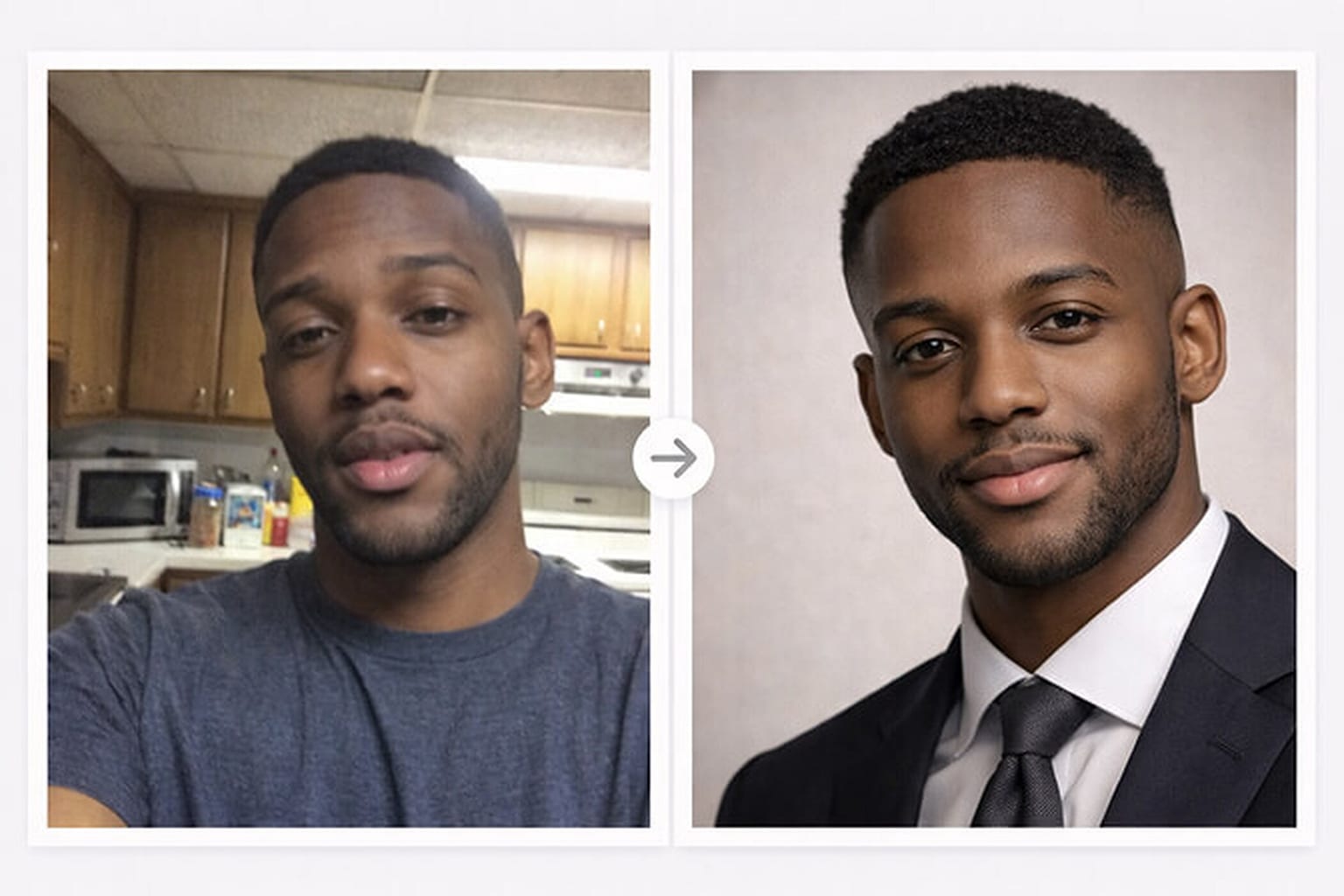
The blocker for remote team photos was never willingness, it was logistics. Ask everyone for a few well-lit selfies, run them through the same style, and you get a set that matches. No travel budget, no scheduling six calendars into one afternoon.
Best for: Distributed teams, fast-growing startups, and onboarding new hires mid-quarter.
Sports Team Photo Ideas
It doesn't matter if you're shooting a football team, a swim squad, or a Sunday-league side. These work for all of them.
Idea 20: The Locker-Room Line-Up
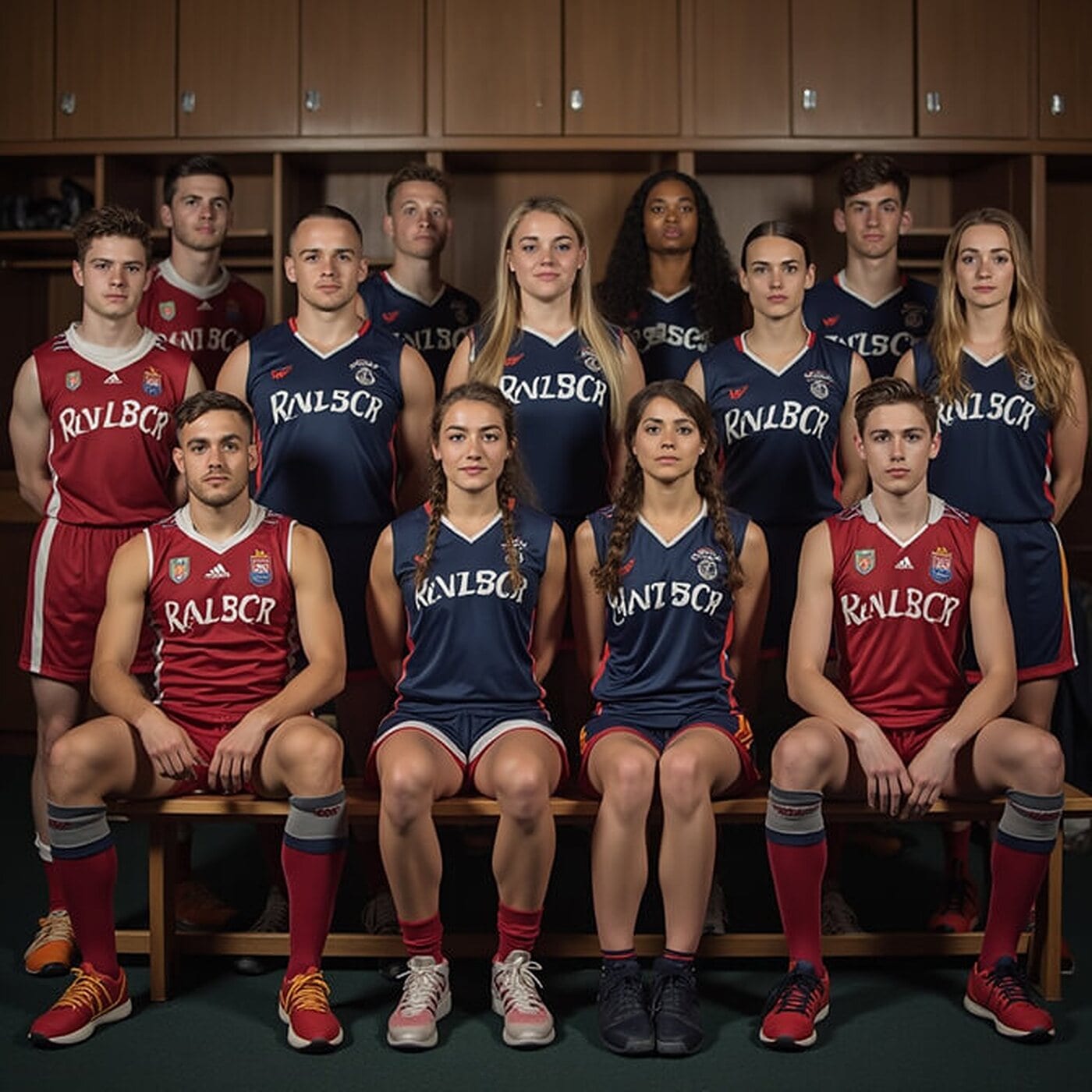
There's something authentic about capturing the team in their pre-game environment. The locker room has a raw, unfiltered energy that translates beautifully. It works for baseball team photo ideas, softball team photo ideas, or any team sport.
Best for: Season posters, club websites, and program covers.
Idea 21: The Team Huddle Close-Up

Get a tight shot from above of everyone's heads together in a huddle. It's all about showing unity and focus. This is classic volleyball team photo ideas and basketball team photo ideas territory, and it works with anything from eight players to twenty.
Best for: Social media, team banners, and pre-season promos.
Idea 22: The Mid-Play Freeze Frame
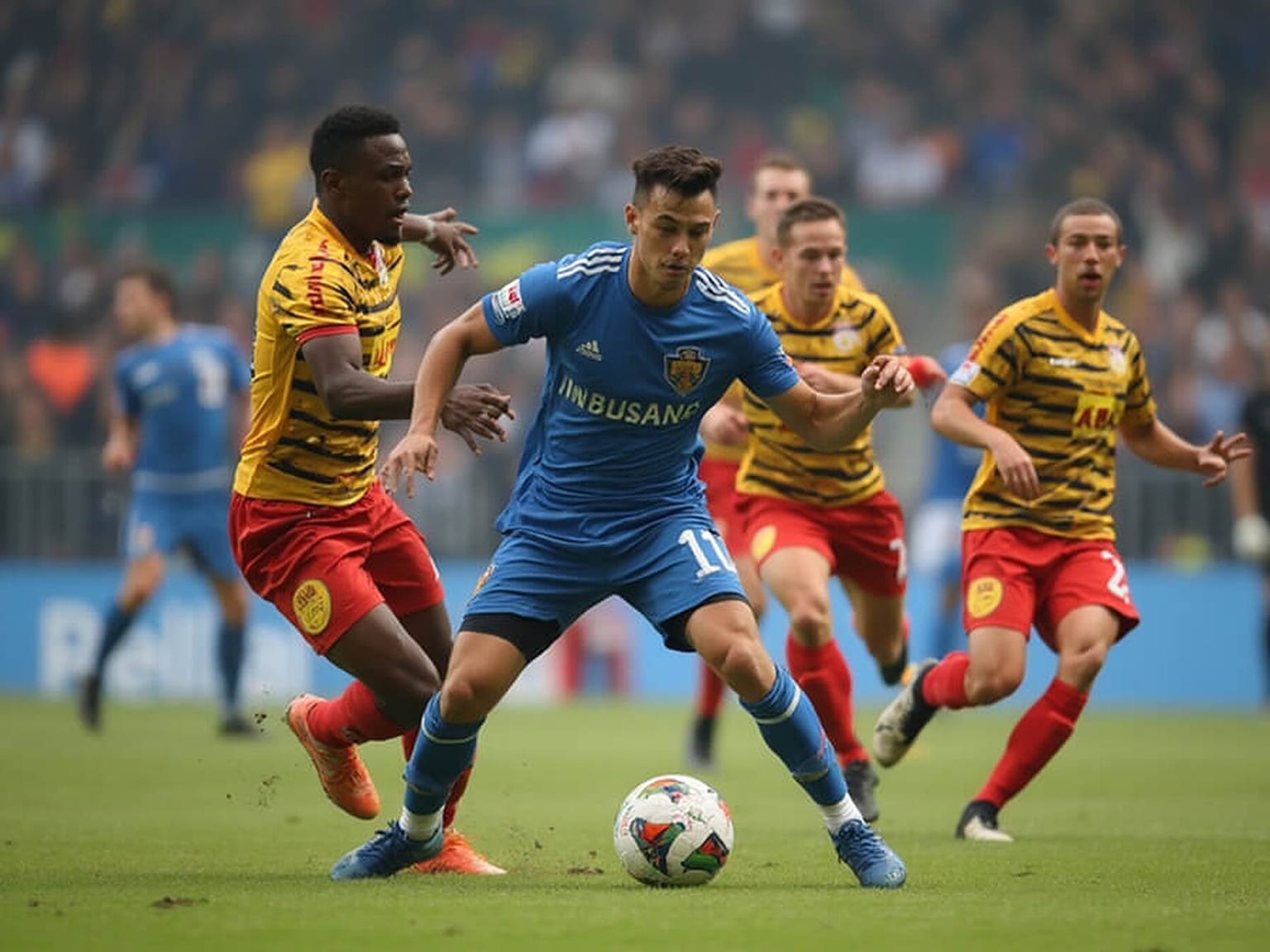
These are action shots during actual play or practice that capture real athleticism. They beat stiff posed shots every time, because you're seeing the sport happen rather than a reconstruction of it.
Best for: Match reports, recruitment content, and highlight galleries.
Idea 23: The Stadium Seating Tiers
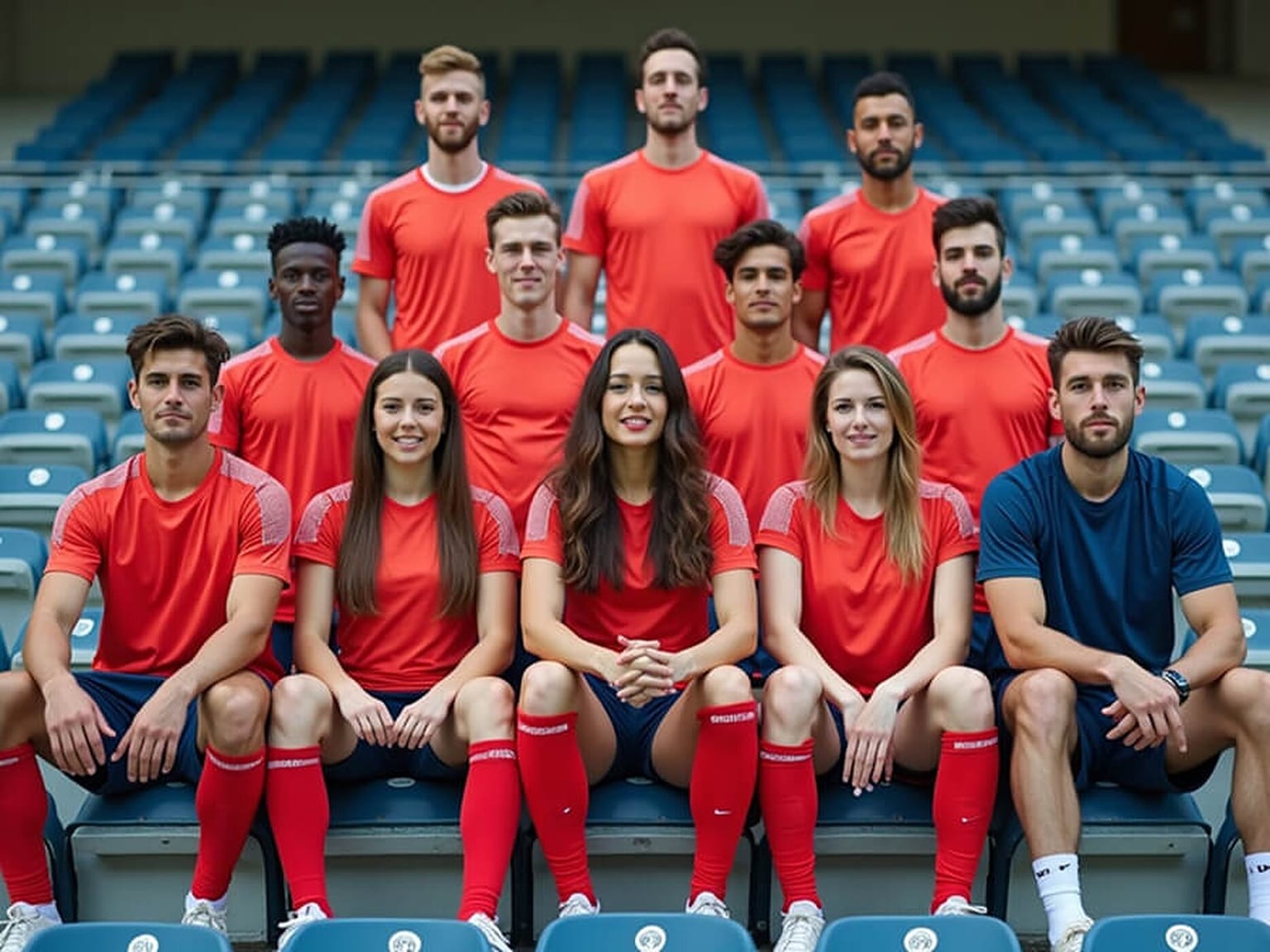
Bleachers or stadium steps give you natural tiers with no setup work at all. Front row sitting, middle standing, back row elevated: the geometry is already there. This setup works perfectly for football team photo ideas or swim team photo ideas.
Best for: Full-squad photos, sponsor materials, and yearbook pages.
Idea 24: The Victory Jump
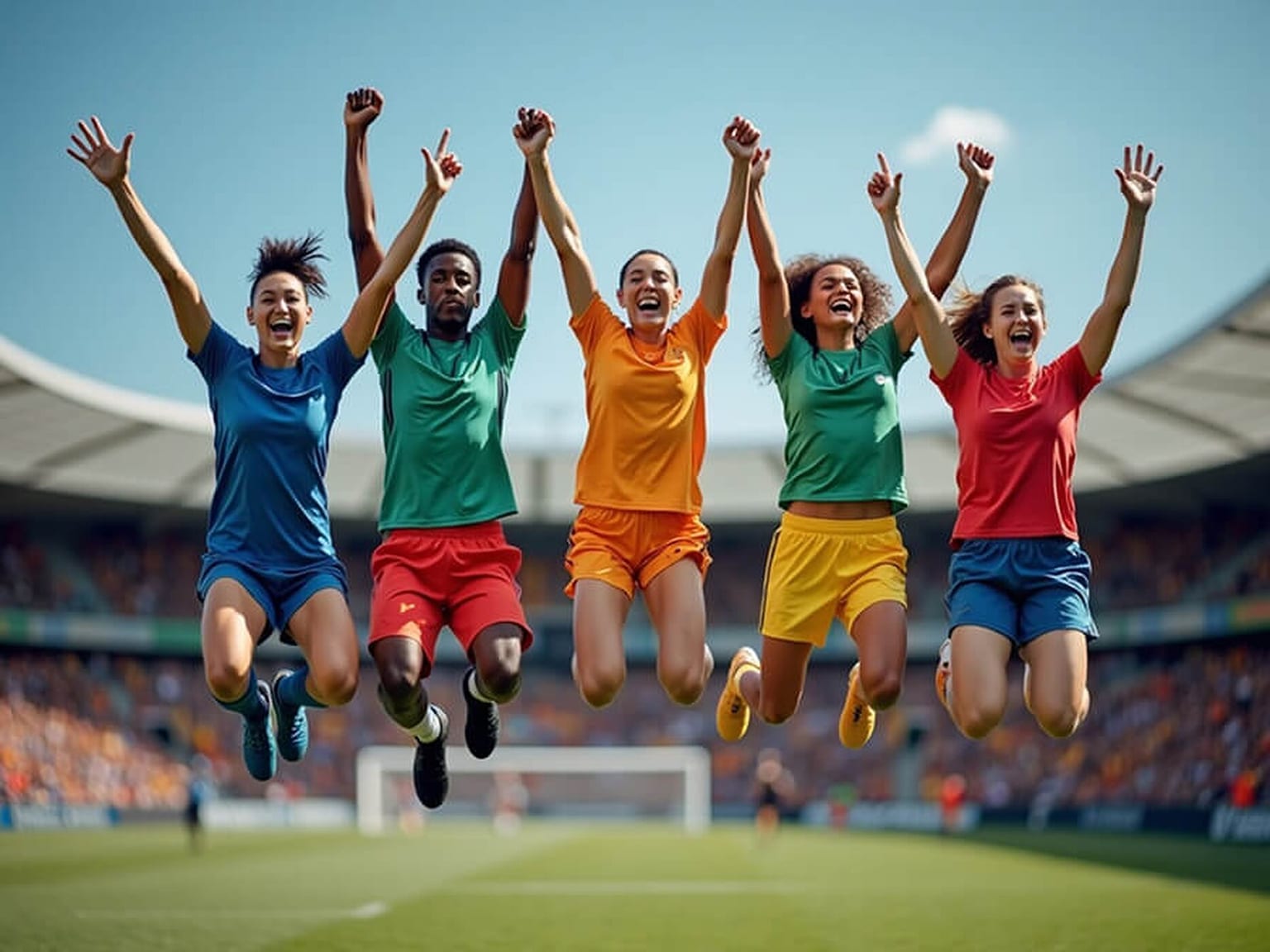
Have the entire team jump simultaneously while cheering or raising arms. You'll want a fast shutter speed and continuous shooting. Expect to need five to ten attempts before everyone hits the top of the jump at the same moment with a good expression.
Best for: Season finales, championship posts, and celebratory content.
Real Estate and Sales Team Photo Ideas
When you need polished and aspirational imagery, these real estate team photo ideas deliver. Brokerages also lean on real estate headshots to keep listings and agent profiles looking sharp.
Idea 25: The City Street Walk
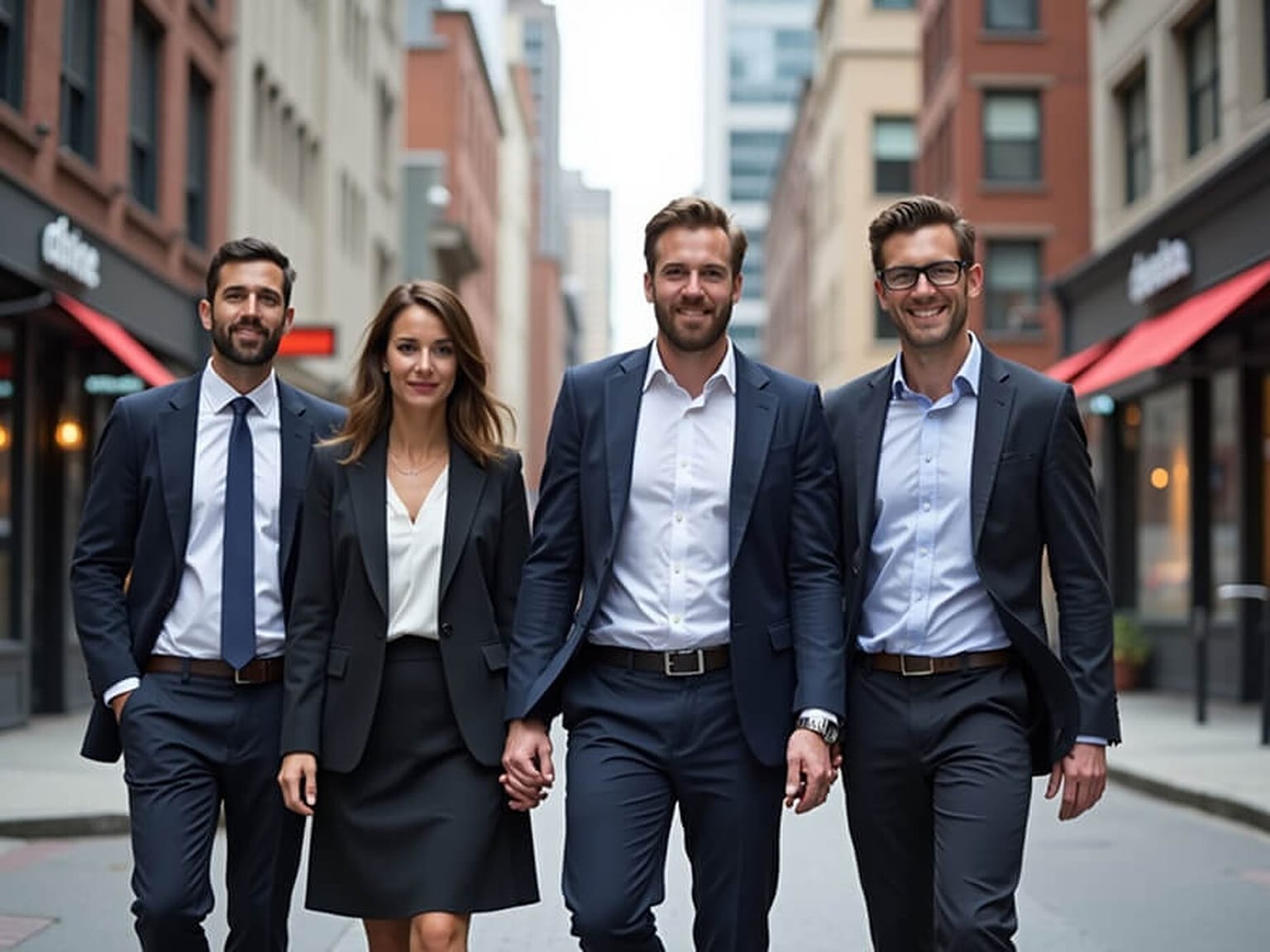
Picture your team walking together down a downtown street in business attire. It looks professional and shows you're part of the community. Choose a familiar street with recognizable landmarks or attractive storefronts.
Best for: Local brokerages, community marketing, and neighbourhood pages.
Idea 26: The "Just Closed" Property Shot

Posing in front of a property with a "Sold" sign tells your story without words. It's visual proof of results. Just make sure the sign is prominent but doesn't obscure anyone, and that the house is lit rather than backlit.
Best for: Listing pages, testimonials, and social proof posts.
Idea 27: The Modern Office Lobby

Find a spot with reflective floors, glass walls, and good lighting. It can be your office or any public space that looks the part. Position your team using the lobby's geometry. These realtor team photo ideas work because the environment suggests success by association.
Best for: Commercial real estate, luxury listings, and brokerage marketing.
Themed, Holiday and Seasonal Team Photo Ideas
Sometimes you need a group photoshoot theme that breaks the routine, especially in December. These are the seasonal ones worth putting in the calendar.
Idea 28: The Coordinated Sweater Palette

Everyone wears festive sweaters within an agreed color scheme. That's the whole trick: pick a palette, let people choose their own sweater inside it, and you get coordination without chaos. It's one of those team Christmas photo ideas that stays fun without looking messy.
Best for: December social posts, holiday cards, and end-of-year emails.
Idea 29: The Charity Event Snapshot

Photograph your team volunteering or at a charity event to show your values in action. Catch them serving food, building, sorting donations, or packing boxes. Hands busy, faces natural, nobody looking at the lens.
Best for: CSR pages, impact reports, and values-led recruitment content.
Idea 30: The Matching Uniform Shot

If your team already has a uniform, scrubs, or a brand colour, lean all the way into it. The visual repetition does the work that a clever setup would otherwise have to do, and the result is instantly readable as one team.
Best for: Clinics, hospitality, trades, and any brand with a strong colour identity.
More Seasonal Team Photo Ideas Worth Planning Ahead
Three ideas cover December. These cover the rest of the calendar, and they're worth booking into the diary a few weeks before the date rather than the morning of.
- Halloween. One shared theme beats thirty individual costumes. Everyone picks a different decade, a different emoji, or a character from the same film. Themed still reads as deliberate on a company page; random reads as a party photo that escaped.
- Diwali or any festival of lights. Diyas or fairy lights in the foreground, shot at golden hour or indoors with warm light only. Kill the overhead fluorescents, because mixing them with warm light turns skin tones green.
- Thanksgiving or a team lunch. An overhead shot of the table mid-meal with hands reaching in. No faces required, which makes it the easiest shot to get consent for and one of the most shareable.
- New Year or a year in review. The team holding printed numbers of the year's wins: clients, launches, ships, whatever your team counts. It dates the photo on purpose, which is fine for a post and wrong for an About page.
- Company anniversary. Recreate the pose from your first-ever team photo and run the two side by side. It only works if you have the original, so if you're a young company, take the original now.
- Summer offsite. An outdoor walking shot or a group jump. Shoot early morning or the hour before sunset, never midday, unless you want a row of squints.
Group Photo Poses for Work (That Don't Look Awkward)
Great ideas still fail if the pose is wrong. These are the group poses for pictures that flatter almost any team, and the reasons they work.
1. The Staggered Line

A straight line is the default and it's the reason most corporate group photo poses look stiff. Alternate people half a step forward and back, turn every second person's shoulders slightly inward, and the same lineup suddenly has depth.
2. Triangular Composition

Arrange people into plain triangles, wider at the base and tapering toward the top. It creates natural depth and gives the eye an obvious entry point. For a professional group photo of three to six people, this is the safest arrangement there is.
3. The V-Shape for Hierarchy
Use a V-shape when structure matters: leadership at the point, the team fanning out behind. It's one of those group poses for pictures that communicates who does what without a single caption. Use it sparingly, though, because it reads as formal.
4. Angle Slightly Toward the Camera
Have everyone angle their body slightly toward the centre of the frame rather than standing square on. It's more flattering, it narrows the group's total width, and it adds visual interest. Mixing heights helps for the same reason.
5. Skip "Say Cheese"
Ask people to tell their neighbour about something funny that happened this week, then shoot through the response. You'll get real smiles instead of held ones. When people feel comfortable, the photos look better, and the less forced your group feels, the better your results will be compared to traditional poses.
Team Photo Ideas by Group Size
Most advice treats "group photo" as one problem. It isn't. The thing that changes everything is how many faces you're trying to keep readable.
2 to 5 people. You have the most freedom here, so use it. Go close and candid: the Squeeze, the Coffee Cheers, or a side-by-side walk. Triangles work at three. At four or five, seat one or two people so the heads sit at different heights rather than forming a flat row.
6 to 15 people. Structure starts to matter. Use two rows, or find stairs. The Walking Corridor and the Staircase Formation both hold up at this size. Avoid a single straight line past about eight people, because the faces get too small once the photo is sized down for a web page.
16 to 50 people. You need height, and you need it from the environment rather than from a wide lens. Stairs, bleachers, a balcony shot looking down, or the photographer on a stepladder. Three rows minimum. Shoot at f/8 or tighter so the back row stays sharp.
50 or more people. Stop trying to make every face readable in one frame, because it can't be done at the sizes these photos get displayed at. Take one wide "whole company" shot for scale, then shoot departments separately, and use a headshot grid for the About page where people actually go looking for individual faces.

How to Take Large Group Photos Without Losing Faces
The challenge gets real when you're trying to keep thirty people visible. Here's how to tackle it.
1. Use the Environment for Height
Stairs, bleachers, and balcony levels create natural tiers and solve your visibility problem instantly. Pretty much every creative large group photo idea has one thing in common: layers.
2. Stagger Your Rows
Front row kneeling or sitting, middle row standing, back row elevated. This staggered approach keeps faces from disappearing into the crowd.
3. Shoot Multiple Frames
Take many shots so you can swap faces later if someone blinks. With a large group, getting everyone perfect in one single frame is nearly impossible, and pretending otherwise just costs you time on the day.
4. Keep Faces Clear and Centered
The thing that separates a usable large group photo from a wasted afternoon is whether individual faces are still readable at the size the photo will actually be viewed. Crop your test frame to the width of a website column and look at it on a phone. If the back row has turned into dots, you need fewer rows, a longer lens, or a second shot.
Framing, Lighting, and Composition Basics
Let's talk about the technical stuff in a simple way. A good group picture starts with framing. One of the easiest ways to improve it is the rule of thirds. Picture a tic-tac-toe grid over your image, then place key elements where the lines meet. That little trick instantly makes your photo feel balanced.
However, composition isn't just about where things sit. It's about how people fill the space. For group photo ideas, try the stadium seating format: front row sitting, middle row standing, back row slightly elevated. This adds depth and keeps every face visible.
And speaking of faces, the things that make a group shot read as "good" are unglamorous: every pair of eyes open, every expression visible, nothing important cut off by the frame edge. Leading lines and symmetry help because they guide the viewer's eye through the group rather than letting it stall on whoever happens to be brightest.
Camera Settings for Group Photos (Phone and DSLR)
The most common group photo mistake isn't the pose. It's the back row coming out soft because the lens was set up for one face at one distance. Here's where to start.
| Setting | Small group (3 to 6) | Large group (7 or more) |
|---|---|---|
| Aperture | f/4 to f/5.6 | f/8 to f/11 |
| Shutter speed | 1/200s or faster | 1/250s or faster |
| Focal length | 35 to 50mm | 24 to 35mm |
| Focus point | Middle row, not front | One third into the group |
| Drive mode | Burst | Burst |
The focus point is the one people get wrong. Focusing on the front row throws away half your depth of field behind the group, where the rest of your team is standing. Focus a third of the way in and the sharpness spreads across everyone.
On a phone: turn Portrait mode off. It is built to isolate one face and it will happily blur anyone standing a step behind. Use the 1x or 2x lens rather than the 0.5x ultra-wide, which stretches whoever ends up at the edge of the frame. Prop the phone on something steady, and use the 3 or 10 second timer, or a Bluetooth remote, so whoever is shooting can get into the photo too.
What Should Everyone Wear for a Team Photo?
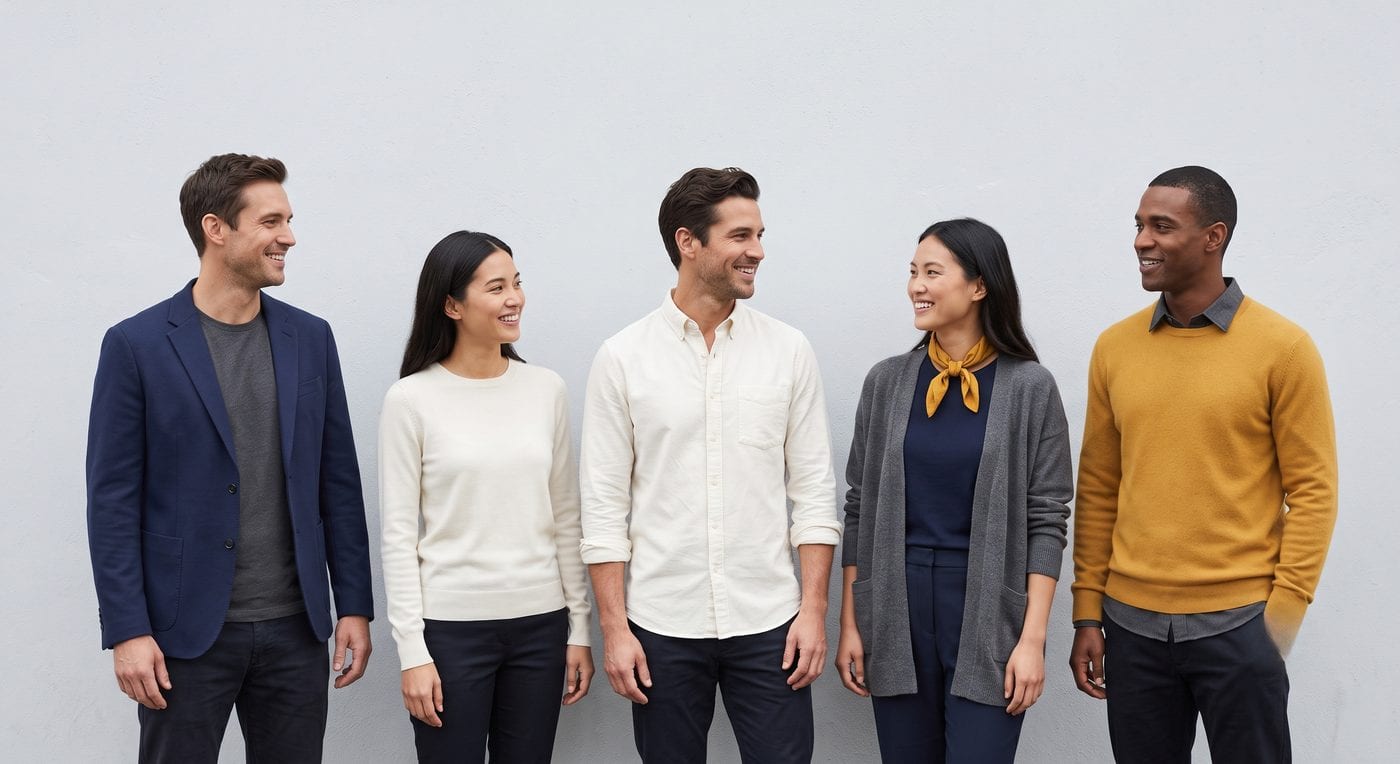
Pick a palette, not a uniform. Send the team three or four colours that work together, then let everyone choose their own clothes inside it. Navy, grey, white and one brand accent is the safe default, and it photographs well against almost any background.
- Avoid: bright neon, busy prints, large logos, pure white next to pure black (it pulls the exposure in two directions at once), and thin stripes, which shimmer on camera.
- Match the formality. If one person is in a suit and another is in a hoodie, the photo reads as a mistake rather than a style. Agree on "smart casual" or "business" up front, the same way you would before a professional headshot.
- Think about the background. Muted clothes against a loud wall, colourful clothes against a plain one. Never both loud.
- Bring a backup top. Someone will spill coffee. This is not a hypothetical.
How to Plan a Team Photoshoot
People stop on a team photo because of decisions made before the photoshoot rather than during it. Most company photoshoot ideas come apart at the same four points, so this is where the planning time is worth spending.
1. Define Your Brand Tone
Pause and think about your brand before you get everyone together. Knowing your brand's story helps you choose poses, lighting, and settings that align with your mission.
2. Choose a Setting That Means Something
Your photos should reflect where your team actually thrives. If your team works from coffee shops or coworking spaces, don't force them into a boring conference room.
3. Plan the Colors and Lighting
Natural light will work best in most of these setups. However, everyone must get the same amount of it for a balanced and professional look.
4. Focus on Composition, Not Equipment
You don't need a $5,000 camera. Almost every idea on this page was built to work on a phone held steady, and the two things that actually decide whether the shot lands are the arrangement of people and where you point the light. Settings matter too, and there's a cheat sheet for those further down.
Team Photo Day Checklist
Run through this the week before the photoshoot, not the morning of.
- Date and time shared a week ahead. Morning is best, because people look fresher and the light is kinder.
- Dress code and colour palette sent out, with examples rather than just adjectives.
- Location scouted at the same time of day as the shoot, so the light you saw is the light you get.
- Shot list agreed: full group, departments, candids, individual headshots.
- Photo release and consent collected, including a genuine opt-out for anyone who would rather not appear on a public site.
- Tripod or a steady surface, plus a remote or the timer.
- One person assigned to check for blinks, twisted collars, and stray lanyards between frames.
- A plan for anyone absent or remote, so they end up in the set rather than missing from it.
- Accessibility checked: seated positions available, and nobody required to stand on steps who would rather not.

Team Profile Picture Ideas for Microsoft Teams, Slack and LinkedIn
Your team photo gets seen once, on the About page. Your team's profile pictures get seen every single day, in Teams, Slack, Zoom and LinkedIn. That's usually where a company looks least like a company: one holiday selfie, one blurry crop, and three grey initials.
The best team profile picture ideas aren't clever, they're consistent. A few things fix most of it:
- Same background for everyone. A soft neutral grey, or your brand colour. It makes a channel list look like one organisation instead of a group chat.
- Same crop. Head and the top of the shoulders, face centred. A profile picture is displayed as a small circle, so anything wider turns into a dot with hair on it.
- Same expression range. Agree on "natural smile" so nobody ends up as the one serious face in a sea of grins, or the reverse.
- Update them together. Pick one week, refresh everyone at once, and add it to onboarding so new hires don't drift back to initials.
If getting everyone into a studio isn't realistic, a matching set of AI headshots does exactly this from a few selfies each. Get your professional headshot with Headshot Photo and every profile across Teams, Slack and LinkedIn matches, including the people who joined last week.

Editing, Post-Processing, and Where to Use Team Photos
Keep editing subtle. Heavy filters are tempting, but they defeat the whole authenticity goal. Standardize brightness and warmth across the set instead, so everything looks cohesive and on-brand without going overboard.
Most people also skip the metadata. Instead of naming files by number, rename them descriptively: creative-team-photo-idea-staircase-formation.jpg rather than team-1.jpg. It takes three seconds per file and it's the difference between your photos appearing in image search and not.

Where should these actually go? Website hero sections, LinkedIn banners, job posts, newsletters, and anywhere you want a real connection with the reader. Readers can tell a real team photo from a stock one in about a second, usually before they've consciously registered why, and the real one is the reason they keep scrolling.
Why Team Photos Are Worth the Effort
People connect with faces rather than logos, and for most visitors your team photo is the only place on the whole site where they see the humans doing the work. That is why it's worth doing properly once a year instead of badly every quarter, and why a consistent set of company headshots usually outlasts any one clever group shot.
The compounding is slow but real. Every time you plan a corporate team photo or try a new group photo idea, you're adding to a library your careers page, your proposals, and your LinkedIn posts all draw from for the next two years.
Final Thoughts
The secret to team photos that stand out is authenticity, alignment, and creativity. Pick one idea from this page, put a date in the calendar this quarter, and you'll be surprised how much stronger the brand feels when your people actually look like a team.
Not everyone can be in the same room on the same day, and that's fine. If what you need is a matching set of headshots for the whole team rather than one group shot, get your professional headshot with Headshot Photo from a few selfies each. Same background, same lighting, same crop for everyone, whether they're in the office or six time zones away. See Headshot Photo pricing for plan options.
FAQs
What are some good team photo ideas?
The best team photo ideas give people something to do rather than something to hold. Staircase formations, workspace candids, walking shots, coffee cheers, and themed group shots all consistently beat the standard boardroom lineup, because the activity produces natural expressions.
What makes a good team photo?
A good team photo is balanced. Everyone should be facing a consistent direction, no face should be hidden behind a shoulder, and the lighting should hit everyone evenly. Depth matters more than symmetry, which is why tiers and staggered rows work so well.
What are funny team photo ideas that still look professional?
The humour should come from what people are genuinely doing, not from costumes. Arm's-length group selfies, deadpan-then-laughing boardroom pairs, and real high-five candids are all funny and still usable on a company website.
What are the best group photo poses?
Use a staggered line rather than a straight one, arrange three to six people into a triangle, put taller people at the back, angle everyone slightly toward the centre, and vary seated and standing heights.
How do remote teams take a team photo?
Remote teams use matching individual headshots rather than a group shot. Everyone submits a well-lit selfie, all the photos are produced in the same style with the same background and crop, and the resulting grid functions as the team photo on your About page.
What is the best color to wear for group photos?
Stick with muted or dark tones. They photograph more consistently across different skin tones and lighting than bright neons or light pastels, and they keep the focus on faces rather than clothing.
What are good group photo theme ideas?
Pick a theme everyone genuinely relates to: coordinated colour palettes, matching uniforms or brand colours, seasonal sweaters, tools of the trade, or a shared location that means something to the team.
How do you pose a group photo at work?
Stagger people half a step forward and back rather than standing them in a straight line, put taller people toward the back or the centre, have everyone angle their shoulders slightly toward the middle of the frame, and mix seated and standing positions so the heads sit at different heights. For three to six people, a triangle is the safest arrangement there is.
How do you plan a team photoshoot?
Decide where the photos will actually be used first, whether that's an About page, a careers page, or LinkedIn, then pick a location and a time of day that matches. Send a colour palette a week ahead, agree a short shot list, and collect consent before the day. On the day itself, shoot the full group first while energy is high, then departments, then candids.
How do you take a good group photo with a phone?
Turn Portrait mode off, use the 1x or 2x lens rather than the ultra-wide, set the phone on something steady, use the timer or a Bluetooth remote, and shoot in burst so you can pick a frame where nobody is blinking.
What are good profile picture ideas for a team on Microsoft Teams or Slack?
Consistency beats creativity here. Put everyone on the same background, use the same head-and-shoulders crop, agree on one expression so nobody is the odd serious face, and refresh the whole team in one week rather than one person at a time. These are shown as small circles, so a tight, matching crop is doing almost all of the work.
What is the best time of day for an outdoor team photo?
Early morning, or the hour before sunset. Midday sun drops harsh shadows under everyone's eyes and makes people squint. If midday is the only option, find open shade rather than fighting it.