
The one onboarding step that takes five minutes but shapes how a new hire feels for months.
It was her first Monday. Laptop configured. Slack channels joined. Badge activated.
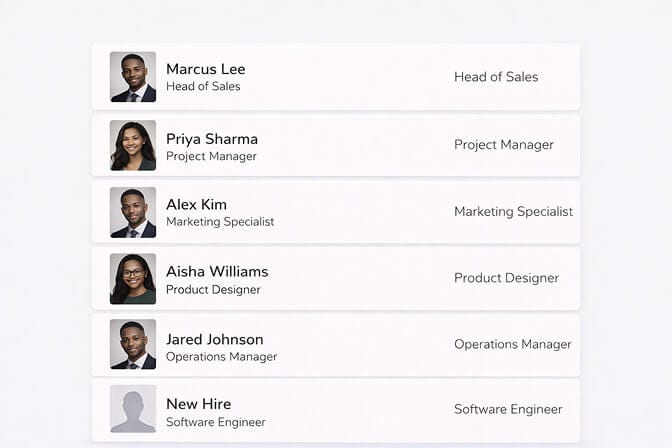
But when Priya opened the company directory, her square was blank. A grey silhouette. The universal placeholder for "we haven't gotten around to you yet."
Everyone else had a face. She had a ghost.
She told me about it months later, laughing it off. But she admitted something that stuck with me: "For the first two weeks, I felt like a temp. Like I wasn't fully in yet."
A missing headshot didn't ruin her job. But it delayed something important: the feeling of belonging.
And that delay has a cost most companies never measure.
The invisible problem hiding in your onboarding checklist
Here's what a typical onboarding checklist looks like: payroll setup, IT access, manager intro, benefits enrollment, org chart review, culture deck walkthrough.
Somewhere near the bottom, or more likely not listed at all, is "employee photo."
It's treated like an afterthought. We'll get to it. Maybe next week. Maybe at the next team offsite.
But think about what happens in between.
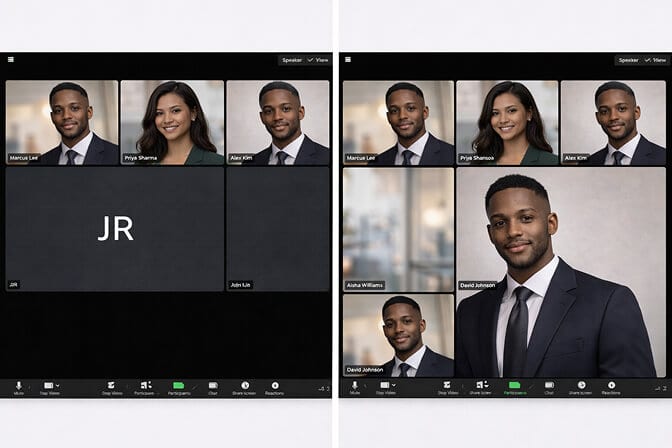
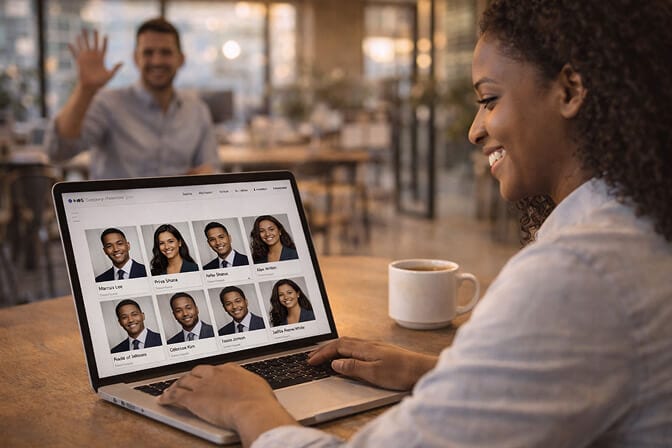
That new hire shows up in Slack with a default avatar. Their email has no face attached. The company directory lists their name next to nothing. In meetings, especially virtual ones, they're a black rectangle or a set of initials.
They exist on paper. But they don't exist visually.
And in a world where most collaboration happens through screens, visual identity isn't a nice to have. It's how people become real to each other.
Why day one matters more than "sometime this quarter"
There's a window in every new hire's experience, roughly the first 48 to 72 hours, where they're forming an opinion about whether they made the right choice.
Psychologists call it the "affirmation period." Everything during that window either confirms or undermines the decision to join.
A polished employee onboarding photo taken on day one sends a specific message: You're part of this. We thought about you before you arrived. You belong in every system, every channel, every wall.
Delay it, and you send the opposite message. Not intentionally. But the signal lands anyway.
A professional headshot on day one isn't about vanity. It's a belonging cue, a small visible signal that says "you're already one of us."
This is especially true for remote and hybrid teams. When you never physically share a room with half your colleagues, your headshot is your handshake. It's the first thing people see before they read a single word you've typed.
The real cost of skipping employee onboarding photos
Let's talk about what companies lose when they treat the new hire headshot as optional.
1. Slower team integration. When teammates can't picture someone, they're less likely to reach out casually. A profile photo creates familiarity before the first real conversation. Without it, new hires stay strangers longer than they should.
2. Inconsistent brand image. Open any company's About page or LinkedIn. Half the team has studio quality portraits. The other half has cropped selfies, vacation photos, or nothing at all. It looks disjointed. It feels disjointed, like the company doesn't care about coherence. If you want to see what consistent team photos actually look like, check out the company headshots page on Headshot Photo for real examples.
3. Lower new hire confidence. This one's subtle but real. When a new employee sees their polished headshot in the directory alongside everyone else's, it creates a small psychological shift. I look like I belong here. Remove that, and there's a gap where confidence should be.
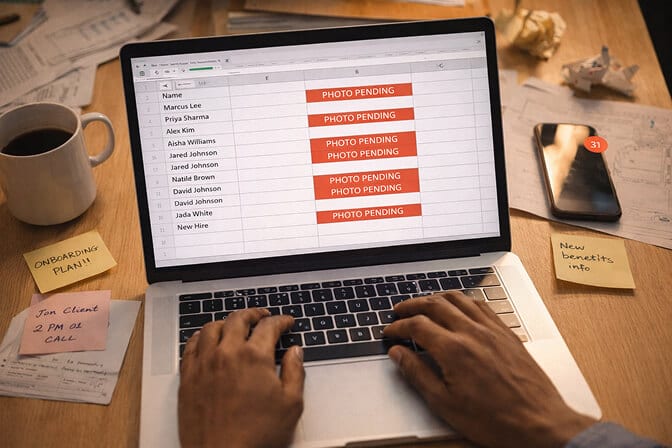
4. Admin chaos later. The longer you wait, the harder it gets. Scheduling a photographer for 15 people who joined over the last quarter is a logistical mess. Someone's always on PTO. Someone's always in a different time zone. What should've taken five minutes on day one becomes a multi week coordination headache.
"But we don't have a photographer on standby"
This is the objection I hear most. And it's completely valid.
Traditional corporate headshots are expensive, slow, and hard to scale. You're paying $150 to $400 per person, booking a studio or an on site photographer, coordinating schedules, and waiting days for edited files.
For a company hiring five people a month, that's a real operational burden. You can see a full breakdown of what corporate headshots actually cost to understand the math.
Here's where it gets interesting.
You don't need a photographer anymore.
AI powered headshot tools have changed the math entirely. A new hire uploads a few casual selfies, from their phone, in normal lighting, no prep required, and gets back a set of polished, professional headshots in minutes.
Not "good enough" headshots. Genuinely great ones. Consistent lighting. Clean backgrounds. The kind of result that used to require a studio and a $300 invoice.
We built Headshot Photo specifically for this use case. HR teams use it to generate professional employee profile photos at scale. Same quality, every person, no scheduling, no photographer, no excuses to delay.
The new hire can have their headshot in the directory before their first standup is over.
What a great employee onboarding photo actually looks like
Not all headshots are equal. And "just take a photo with your phone" isn't a real solution if you care about consistency.
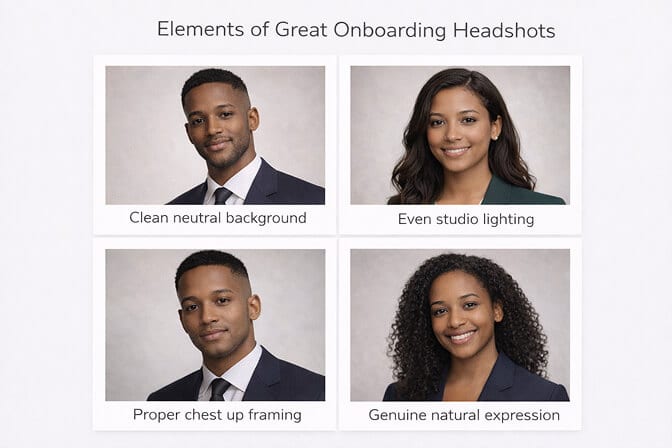
Here's what a strong onboarding headshot needs:
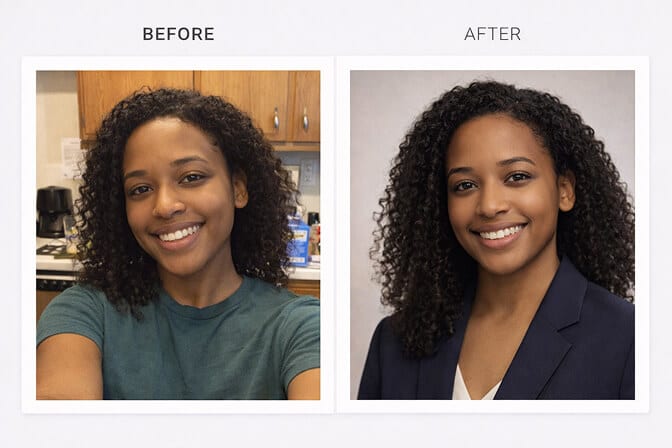
Neutral or brand consistent background. No kitchen counters. No car interiors. A clean backdrop that matches your company's visual identity. If you're unsure what backgrounds work best, our guide on choosing the right headshot background covers every scenario.
Even, flattering lighting. This is where phone photos fall apart. Overhead office fluorescents create shadows and unflattering tones. Studio style lighting, or AI that simulates it, makes everyone look sharp.
Chest up framing. Tight enough to see the face clearly in a small avatar, wide enough to feel natural. Think LinkedIn, not passport.
Genuine expression. Not the frozen corporate smile. A real, relaxed look that reflects the person. The best headshots feel like a good first impression: warm, approachable, professional.
If you're building an employee photo policy, these four elements should be your baseline. Everything else, wardrobe, retouching, pose, is personal preference.
How to make headshots part of your onboarding flow (without adding friction)
The goal is zero extra effort for the new hire and zero extra coordination for HR.
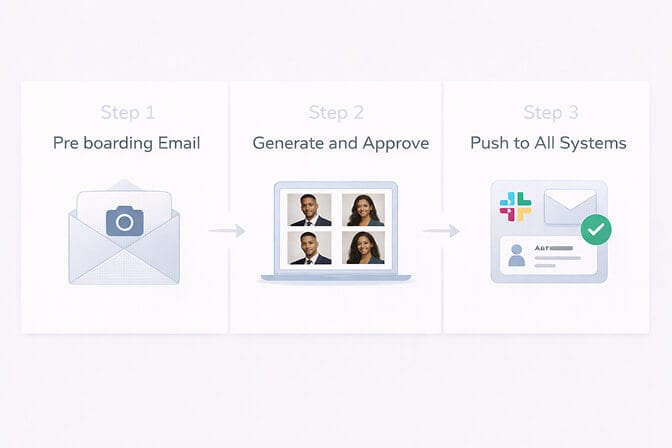
Here's a simple three step process that works:
Step 1: Add it to your pre boarding email. Before day one, send the new hire a link to upload 5 to 10 casual photos. Include a one line explanation: "We'll use these to generate your professional team headshot. It takes about one hour."
Step 2: Generate and approve. Use an AI headshot tool to produce options. Let the new hire pick their favorite. This gives them ownership of how they show up, which matters more than most HR teams realize.
Step 3: Push to all systems. Directory. Slack. Email. Internal wiki. Org chart. Do it before lunch on day one. When they open Slack after their first meeting, their face is already there.
Total time: under ten minutes. Total cost with a tool like Headshot Photo: a fraction of what you'd pay a photographer. See current pricing here.
The best onboarding experiences feel effortless. A headshot should be invisible in the process, completed before the new hire even thinks about it.
The remote hire problem (and why AI headshots solve it completely)
Here's where traditional photography completely breaks down.
If your new hire is in a different city, or a different country, how do you get them a consistent, on brand headshot?
You don't. Not with a photographer.
You end up with a patchwork: some people have studio portraits from the office, some have LinkedIn photos from three years ago, some have nothing.
For remote first companies, AI headshots for onboarding aren't a nice upgrade. They're the only realistic way to maintain visual consistency across a distributed team.
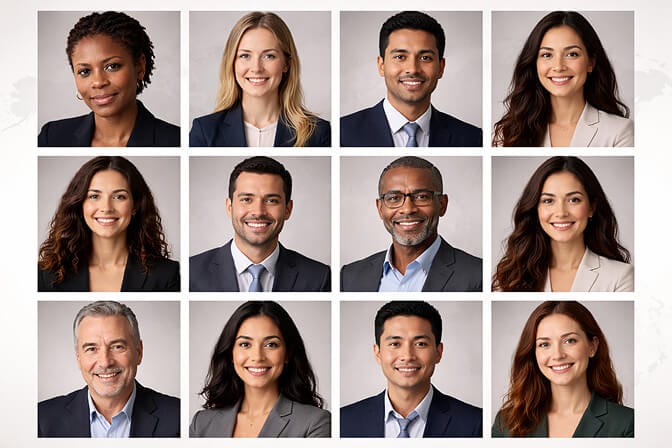
Everyone uploads from wherever they are. Everyone gets the same quality output. The directory looks unified whether someone joined from Brooklyn or Bangalore.
Want to see what that kind of consistency actually looks like across a full team? Browse real AI headshot before and after transformations from actual users.
The smallest thing that makes the biggest difference
I've talked to dozens of HR leaders about onboarding. The ones who get it right don't have dramatically different checklists. They have the same items everyone else has.
But they execute the small things with intention.
A headshot is small. It takes minutes. It costs almost nothing with the right tool.
But it tells a new hire something that no welcome deck or culture video can: We see you. You're already here. You're already part of this.
That's not a photo. That's a signal.
And the companies that understand the difference between admin tasks and belonging signals? They're the ones people stay at.
If you want to make employee onboarding photos effortless, same quality for every hire, ready before their first meeting, give Headshot Photo a try. Upload a few selfies, pick your favorite, and move on to the work that actually matters.
Frequently Asked Questions
1. What is an employee onboarding photo?
An employee onboarding photo is a professional headshot taken as part of a new hire's first day process. It's used across internal systems like company directories, Slack profiles, email accounts, and org charts. The goal is to give every employee a consistent, polished visual identity from day one.
2. How do AI headshots compare to traditional corporate photography for onboarding?
AI headshots are faster, cheaper, and easier to scale. Traditional photography requires scheduling a photographer, booking a space, and waiting for edited files, often taking days or weeks. AI tools like Headshot Photo produce studio quality results from phone selfies in minutes, at a fraction of the cost.
3. How do I add headshots to my onboarding checklist?
Include a photo upload step in your pre boarding email. Ask new hires to submit 5 to 10 casual photos before day one. Use an AI headshot generator to produce professional options, let the hire choose their favorite, and push it to all internal systems before their first meeting.
4. Is it worth investing in professional headshots for every new hire?
Yes, but "investing" doesn't have to mean expensive. Consistent headshots improve team cohesion, strengthen internal branding, and help new hires feel like they belong faster. With AI tools, the cost per headshot is minimal, making it practical even for companies hiring at volume.
5. Are AI generated headshots professional enough for corporate use?
Absolutely. Modern AI headshot tools produce results with consistent lighting, clean backgrounds, and natural expressions, matching or exceeding what many in office photo sessions deliver. They're already used by companies of all sizes for directories, websites, and LinkedIn profiles.
