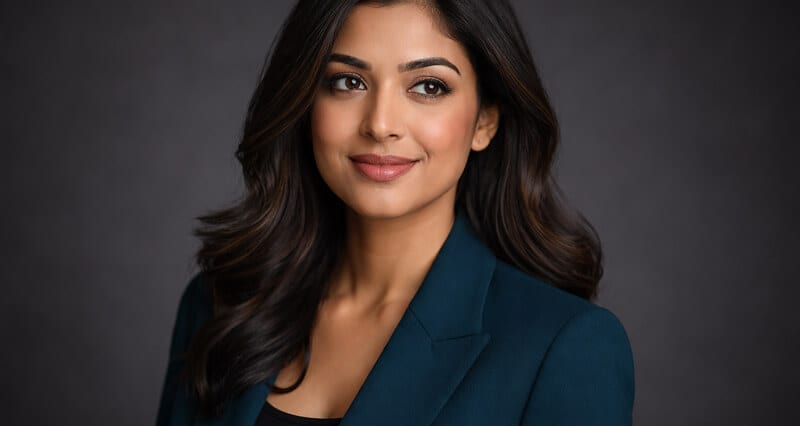
Is It Against the Rules to Use AI Headshots on LinkedIn? Here's What the Terms Actually Say
Everyone argues about whether AI headshots are "allowed." Almost nobody has read the one sentence that actually decides it.
I almost talked someone out of a great headshot last week.
She messaged us, half panicked. "If I use an AI headshot on LinkedIn, can they ban me? Is it against the terms of service?"
She had already generated a set she loved. They looked like her on her best day. And she was about to not use a single one of them, because somewhere along the way she picked up the idea that AI photos are against the rules.
They are not. But the real answer is more interesting than a simple yes.
Here's the thing almost nobody does before forming an opinion on this: actually read what LinkedIn wrote down.
So I did. The whole User Agreement. The Professional Community Policies. The help pages on account restrictions. And what I found changes the entire question.
The word everyone is looking for isn't "AI"
Go search LinkedIn's own policies for the term "AI headshot." You will not find a rule about it. There is no clause that says generated photos are banned. There is no clause that says they are blessed either.
What LinkedIn actually cares about is one word.
Likeness.
The Professional Community Policies are blunt about it. You must use your true identity. You cannot use an image of someone else, or any image that is not your likeness, as your profile photo.
That's the line. Read it twice.

It says nothing about how the photo was made. A studio camera, a phone, a generated model trained on your selfies ... none of that is the test. The test is whether the face in the photo is your face.
Which means the entire "is AI allowed" debate has been asking the wrong question this whole time.
Here's where it gets messy
So if likeness is the rule, where does AI actually cross the line?
It crosses when the output stops looking like you.
You have probably seen it. Someone uploads eight selfies into a cheap generator, and what comes back has different eyes. A jaw that isn't theirs. Glasses that vanished. Skin smoothed into something that belongs to no human alive. That is the problem. Not because a machine made it, but because it produced a stranger.
A photo that doesn't reflect your likeness is a policy issue whether a camera or an algorithm created it. A heavily filtered, beautified phone photo that erases your actual face is closer to violating LinkedIn's rule than a well-made AI headshot that looks exactly like you.
The villain was never the technology. It was the gap between the photo and the person.
LinkedIn confirmed this thinking itself. Earlier this year, a company spokesperson said plainly that AI-enhanced profile photos are fine as long as they reflect your actual likeness. Fully synthetic faces that don't look like you are the ones that get pulled.
So the rule, translated into plain English:
Use a photo of you. Make sure it still looks like you. The camera is optional.
The part nobody tells you
Passing the terms of service is the easy bar. There's a second test, and it's harder, because no policy page mentions it.
The recruiter test.
Your headshot has to survive a human glance from someone deciding whether to reply to you. And here is the uncomfortable data: a meaningful share of recruiters react negatively the moment they suspect a photo is AI-generated, even when they can't quite put their finger on why.
Stay with me, because this is where most advice gets it backwards.
They don't react badly to AI. They react badly to uncanny. The plastic skin. The too-perfect symmetry. The slightly-wrong ear. The eyes that don't sit right. Those are the tells that trigger the "something's off about this person" reflex.
A good AI headshot clears both bars at once. It looks like you, so it satisfies the terms. And it looks like a real photograph, so it satisfies the human on the other end. That's the whole game.
A bad one fails both. It doesn't look like you, and it looks fake. Those are the horror stories people repeat, and then they blame "AI" instead of blaming the cheap tool that made it.

So what's actually allowed? A clean checklist
Let me make this concrete, because you came here for a straight answer.
Allowed, no problem:
- An AI headshot trained on your own selfies that clearly looks like you
- AI lighting, background, and wardrobe adjustments on a real photo of you
- A generated image you would happily hold up next to your face in a video call
Not allowed, or asking for trouble:
- A generated face that doesn't resemble you
- Someone else's photo, AI-touched or not
- A "better looking person" who happens to share your name
- Anything so smoothed and reshaped that a coworker would do a double-take
The dividing line is the same one LinkedIn drew. Does it reflect your likeness? Yes means you're fine. No means it doesn't matter whether a human or a machine produced it.
If you want the deeper breakdown on getting platform-ready results, our guide to LinkedIn headshots walks through what works on the platform specifically. And if you're still deciding whether AI is right for you at all, the honest comparison lives in our roundup of the best AI headshot generators.
This is where most people get it wrong
They obsess over detection. "Can LinkedIn tell it's AI? Will the classifier catch me?"
Wrong worry.
You are not trying to sneak a fake past a detector. You're trying to put up a photo that is genuinely you, just shot better than your front camera in bad lighting ever could. There is nothing to hide, because nothing about it is dishonest. It's your face, your likeness, presented well.
That reframing takes all the anxiety out of it. You stop asking "will I get caught" and start asking "does this look like me on a good day." The second question is the only one that matters, to LinkedIn and to the person reading your profile.
If your headshot still looks like you and reads as a real photo, you're inside the rules and inside the recruiter's comfort zone at the same time. Stop overthinking it and put up the good one. With Headshot Photo, you upload a few selfies and get a set that actually looks like you in about one hour, which is the whole point.
The takeaway I keep coming back to
That woman who messaged me almost benched a great photo over a rule that doesn't exist.
The rule that does exist is simpler and kinder than the one she imagined. Be yourself. Look like yourself. The method is your business.
LinkedIn isn't policing your camera. It's policing honesty. As long as your headshot is honestly you, you're not bending a rule. You're just showing up looking the way you'd want to on the best day of your week.
And honestly? That's allowed everywhere.
Ready to see your own? Take a look at Headshot Photo pricing and get a professional set that still unmistakably looks like you.
Frequently Asked Questions
Are AI headshots allowed on LinkedIn?
Yes. LinkedIn has no rule against AI-generated photos. Its policies require that your profile photo reflect your true likeness, and they say nothing about whether a camera or an AI tool produced the image. As long as the headshot clearly looks like you, it is within the rules.
Does using an AI headshot violate LinkedIn's terms of service?
Not on its own. The terms prohibit using an image that is not your likeness, fake identities, and impersonation. An AI headshot trained on your own photos that genuinely resembles you does not trip any of those clauses. A generated image that looks like a different person would, regardless of how it was made.
Can LinkedIn detect AI headshots and remove them?
LinkedIn does screen profile photos and can remove images that don't comply with its policies. But the trigger is a photo that isn't your likeness, not the mere fact that AI was involved. A realistic headshot that looks like you is not what its enforcement is aimed at.
Is it worth using AI headshots for LinkedIn instead of a photographer?
For most people, yes. A quality AI headshot costs a fraction of a studio session and is ready in minutes, while still looking like a real professional photo. The value comes from output that passes both tests: it looks like you, and it looks like a genuine photograph.
Are AI headshots safe and professional enough for recruiters?
They can be, when they're done well. The risk isn't the policy, it's the "uncanny" look from low-quality tools that produce plastic skin or a face that isn't quite yours. A polished, realistic headshot that preserves your likeness reads as professional to recruiters and stays inside LinkedIn's rules.
